
ShowCase
🎮 Test Server 🎮
🆘 Discord(Support) 🆘
Main Features
Configurable Eligible Jobs:
Define which job roles can use the notification system directly in the config file, fully customizable to fit your server’s structure.Animated Notifications:
Eye-catching, animated alerts with continuously shifting background colors to grab attention.Unlimited Export Customization:
Use exports to fully manage notification icons, icon colors, hidden details, titles, and codes—no limits!Color & Style Configuration:
Tweak notification icon, icon colors, code name, sound and styles easily via exports for perfect thematic integration.Persistent Alert History:
After joining players can view past notifications, ensuring everyone has full context even if they join late.Employee Management Panel:
Monitor and manage active units in real time. Assign badges or warnings, adjust ranks, and keep your team organized.Interactive Map & Heatmap:
Display all notifications on an interactive map overlay and analyze incident density with a built-in heatmap.Rich Incident Details:
Show key information in each alert! player gender, vehicle color/model, license plate, status codes, and more.Code 7 Busy Status:
Toggle a unit’s “busy” state with Code 7. Busy units appear with an orange icon in the staff list.Emergency Hotlines:
Implement multiple lines (e.g., /911, /311). Players submit calls via chat, and eligible roles reply with /r .Active Unit Count:
See the total number of currently available units at a glance in the staff list menu.Powerful Search & Navigation:
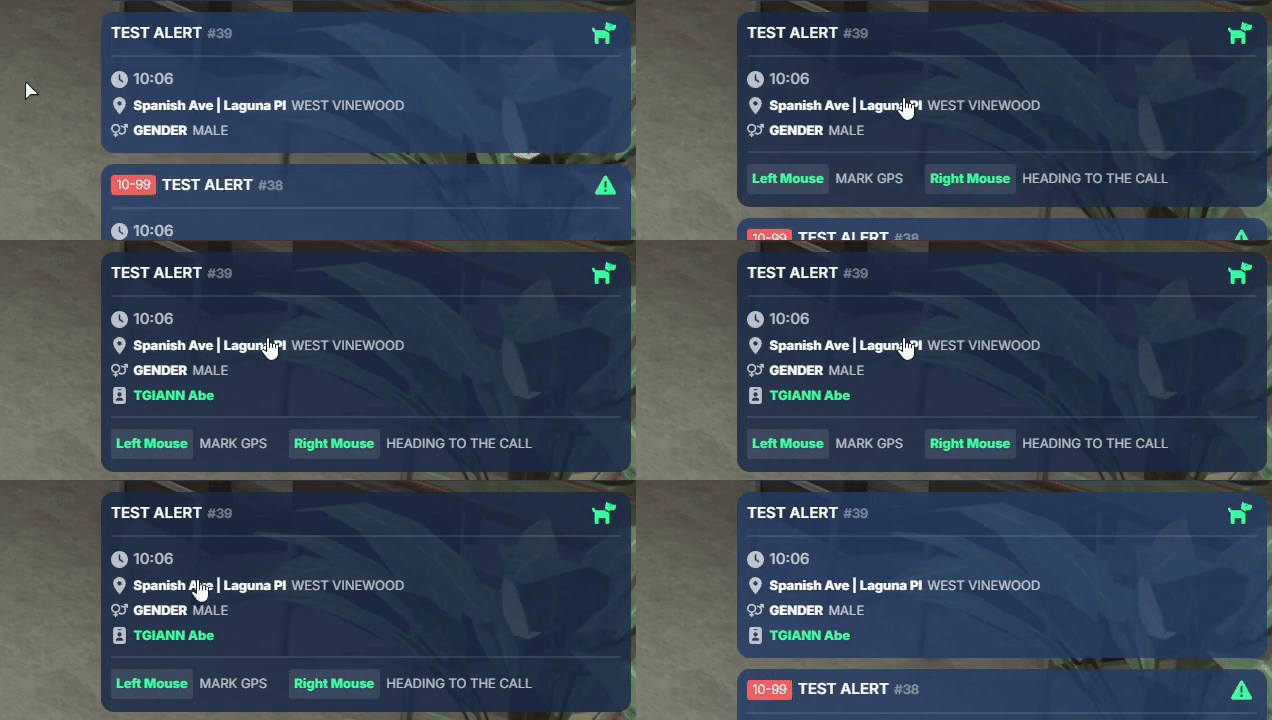
Quickly find any alert via the search menu.- Left-click an alert to mark its location on the map.
- Right-click to indicate you’re responding to that incident.
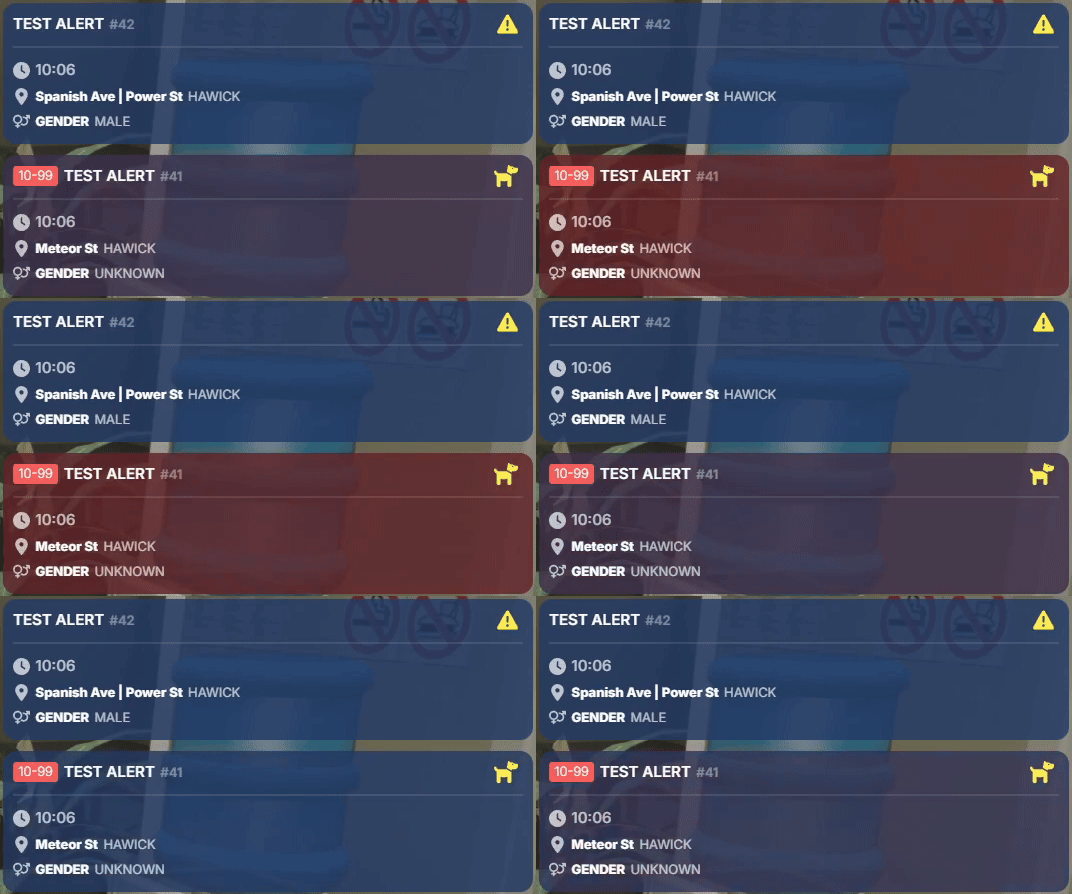
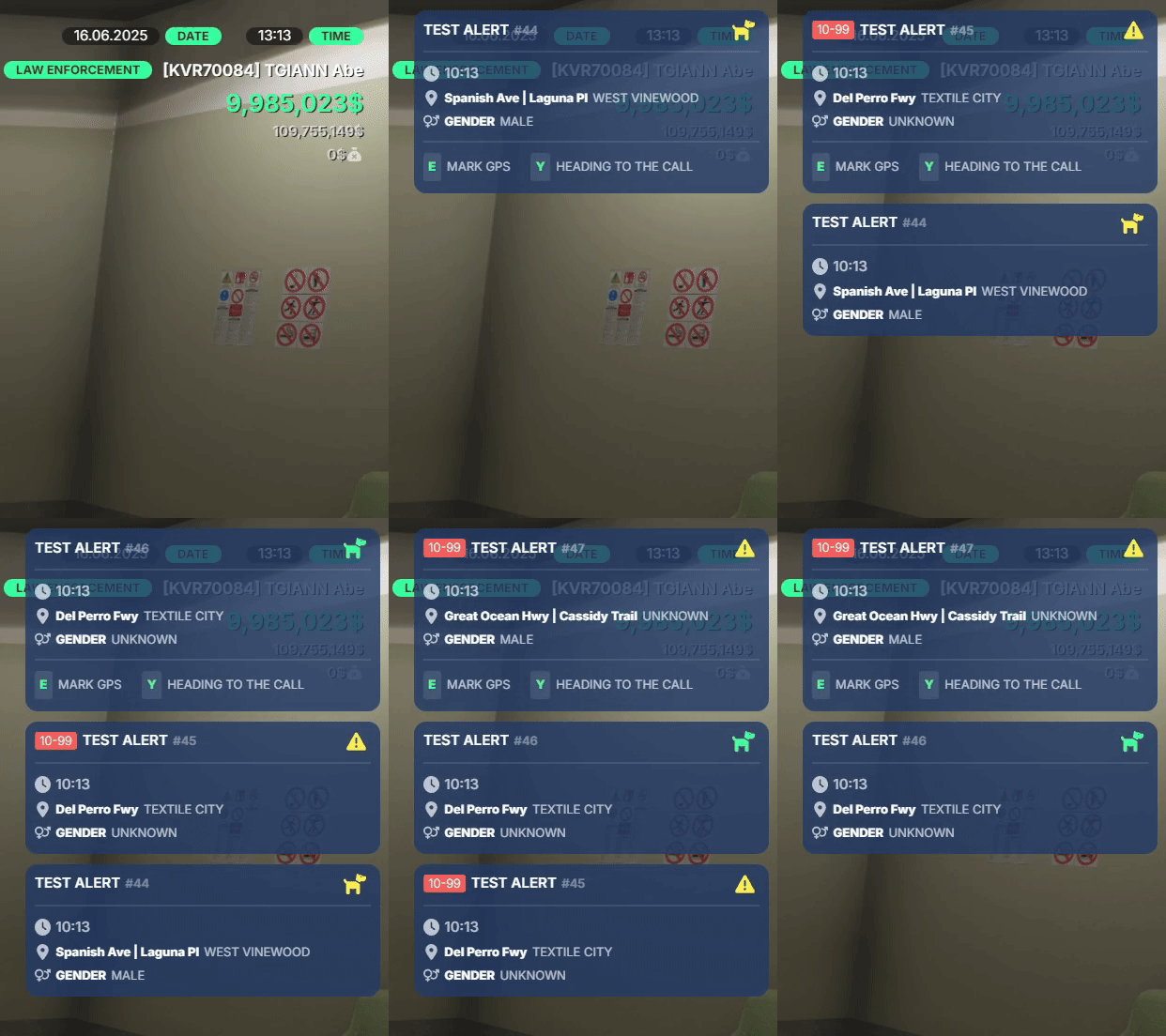
Animated Notifications
- Utilize the
bgAnimateexport setting to have your notifications continuously cycle through background colors, ensuring that critical alerts always stand out and never go unnoticed.
Customizable Notification Details
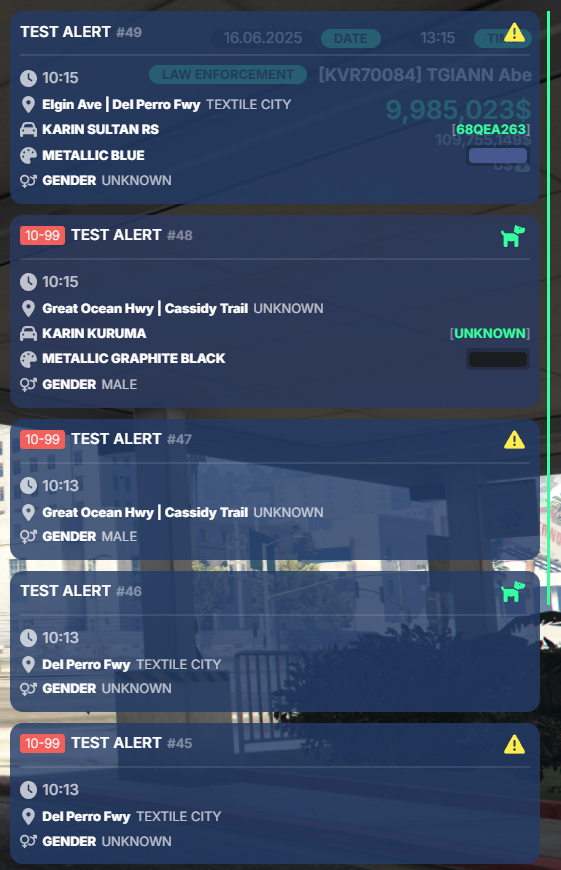
- Leverage the export interface to fully define each alert’s icon, icon color, label, and code number.
- Choose exactly which data fields to display—or hide—such as player gender, vehicle model, color, and license plate.
- This level of customization ensures your notifications convey the precise information you want, in the style you need.
Staff Management Panel
- Manage player badges, issue warnings, and monitor online/availability status in real time. You can also access personal details—such as IBANs and phone numbers—directly from the panel.
- Configure a minimum grade level in the config that’s authorized to modify staff data, allowing senior officers to manage personnel within the exact permissions you define.


Overtime & Work Hours Tracking
- View each staff member’s total on-shift time during Prime Time and Non-Prime Time directly in the management panel.
- Reset an individual’s or all players’ work hours at any time—ideal for monthly maintenance.
- Use this data to reward your top performers and then clear the counters for the next period.
Interactive Map
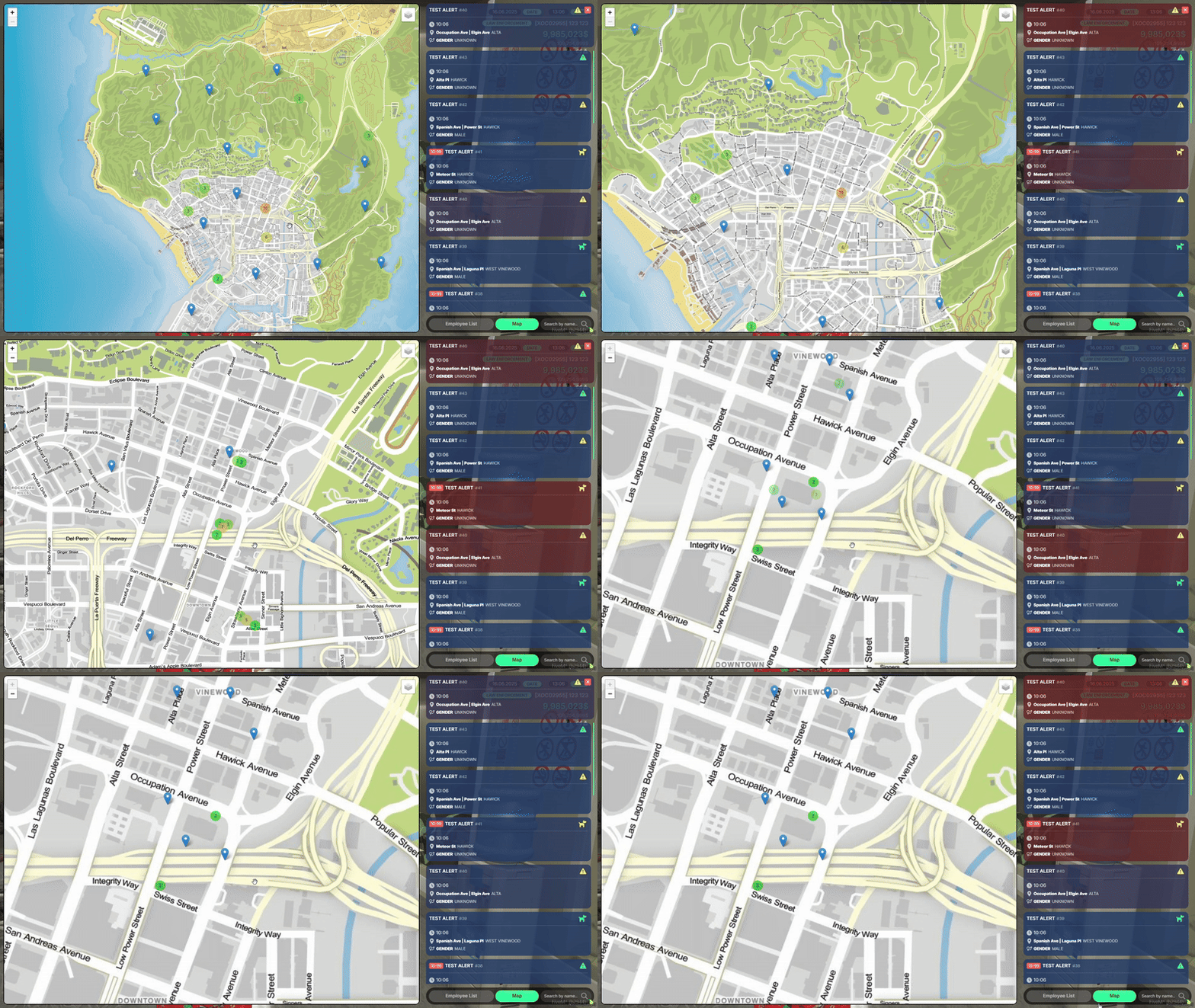
- Display all alerts on a fully interactive map interface.
- Toggle a heatmap overlay to visualize incident density and hotspots across the city.


/code Broadcast Command
- Use the
/code <ID>command to instantly broadcast a code message to all units, ensuring rapid and unified communication across your team. - Tailor the sound, icon, and background animation of your code alerts to perfectly match your server’s style and branding.
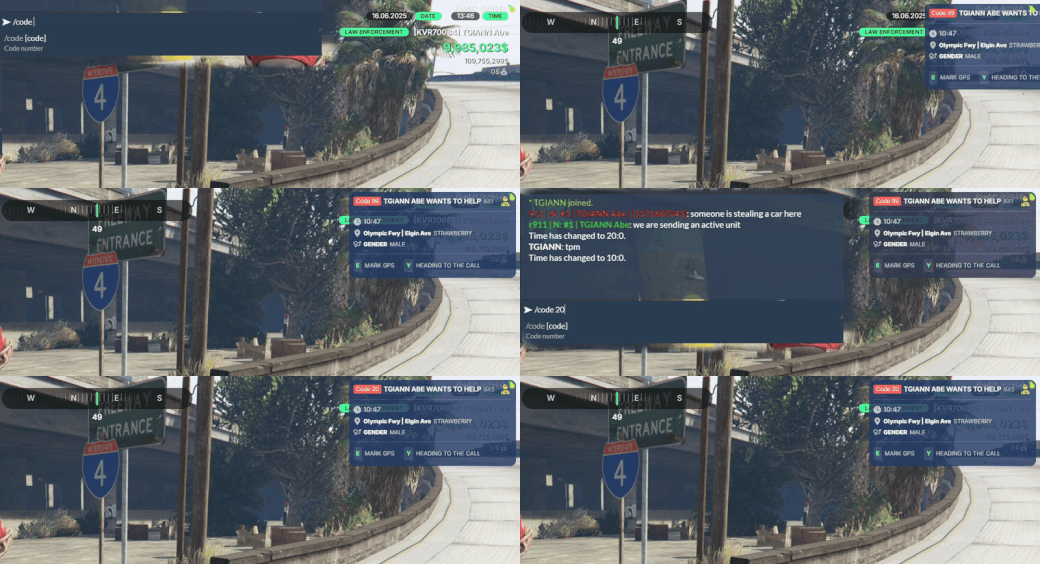
Emergency Hotlines (/911 & /311)
- Implement dedicated channels such as
/911and/311for citizens to report emergencies. - Any player can use
/911(or/311) to send a message directly to all on-duty police units. - Officers can reply to a specific call with
/r 911 <message ID>(or/r 311 <message ID>), ensuring swift and organized communication.


Response Indication Feature
- Officers can right-click an alert to mark themselves as responding to that incident.
- Dispatch can track in real time which units are en route to each notification, ensuring efficient coordination.
Requirements
- ESX, QB or QBOX
- tgiann-core (free)
Config File
Editable Files