
ShowCase
tgiann-doorlock is a fully configurable door lock and access control system designed for FiveM servers.
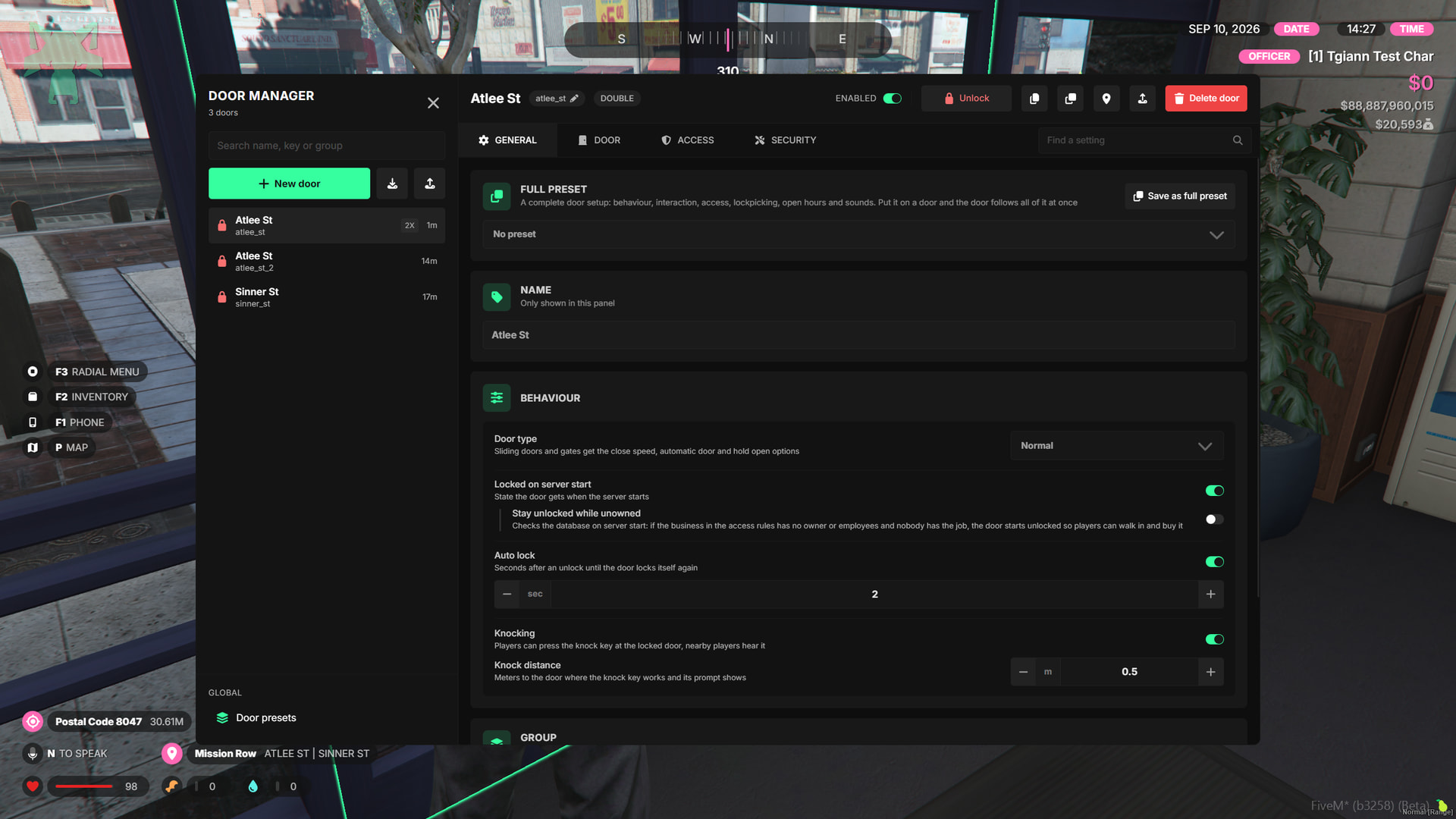
Instead of managing doors through large config files and restarting the server after every change, the entire system can be managed directly in-game through an admin panel. Doors can be created with freecam, edited live, grouped, duplicated, assigned presets, and updated instantly for all players.
The system supports everything from simple job-based doors to advanced keypad, lockpick, business, Discord role, item, and character-based access setups.
Main Features
In-Game Admin Panel - Create, edit, duplicate, delete, import, export, and manage doors directly in-game without editing config files.
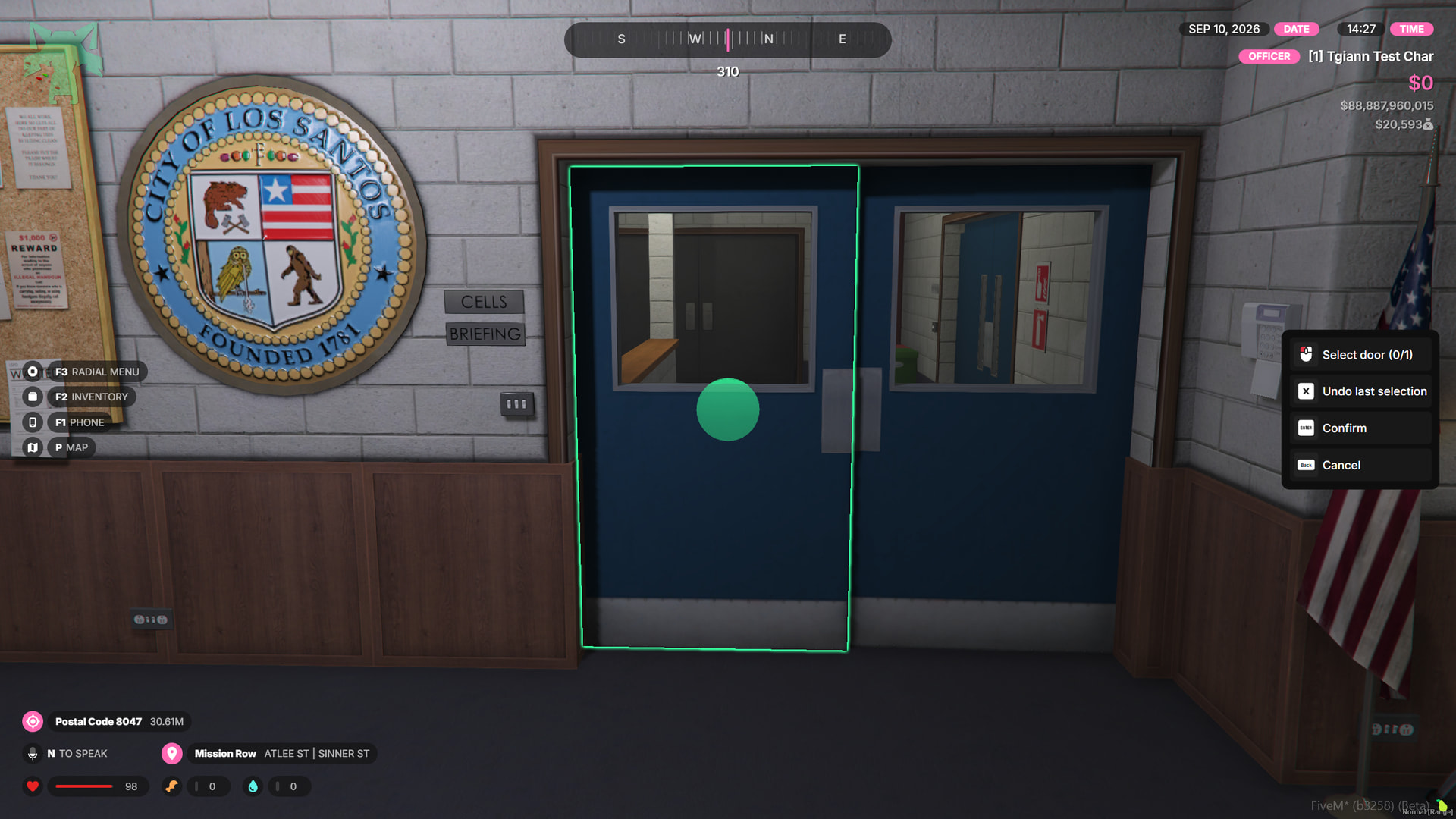
Freecam Door Creation - Fly around with freecam, select door objects directly, highlight targets, and create single or double doors quickly.
Live Door Editing - Changes are instantly synced to all players without requiring a server restart.
Preset System - Create reusable presets for interaction, access, lockpick, schedules, sounds, or complete door configurations.
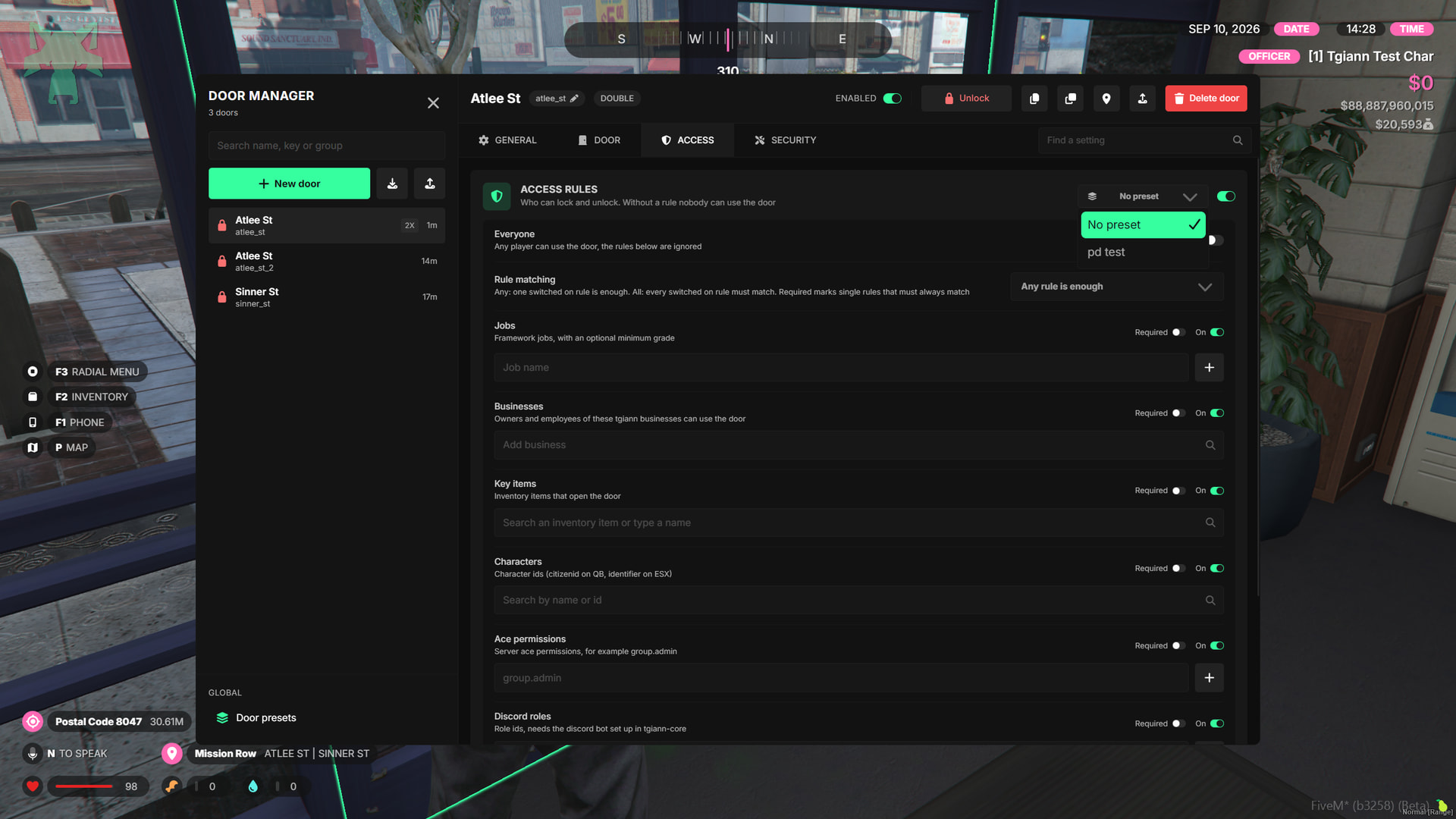
Advanced Access Rules - Control access using jobs, grades, businesses, items, character IDs, ACE permissions, Discord roles, or unrestricted access.
Flexible Access Logic - Configure whether any access rule is enough, all rules are required, or specific rules must always be satisfied.
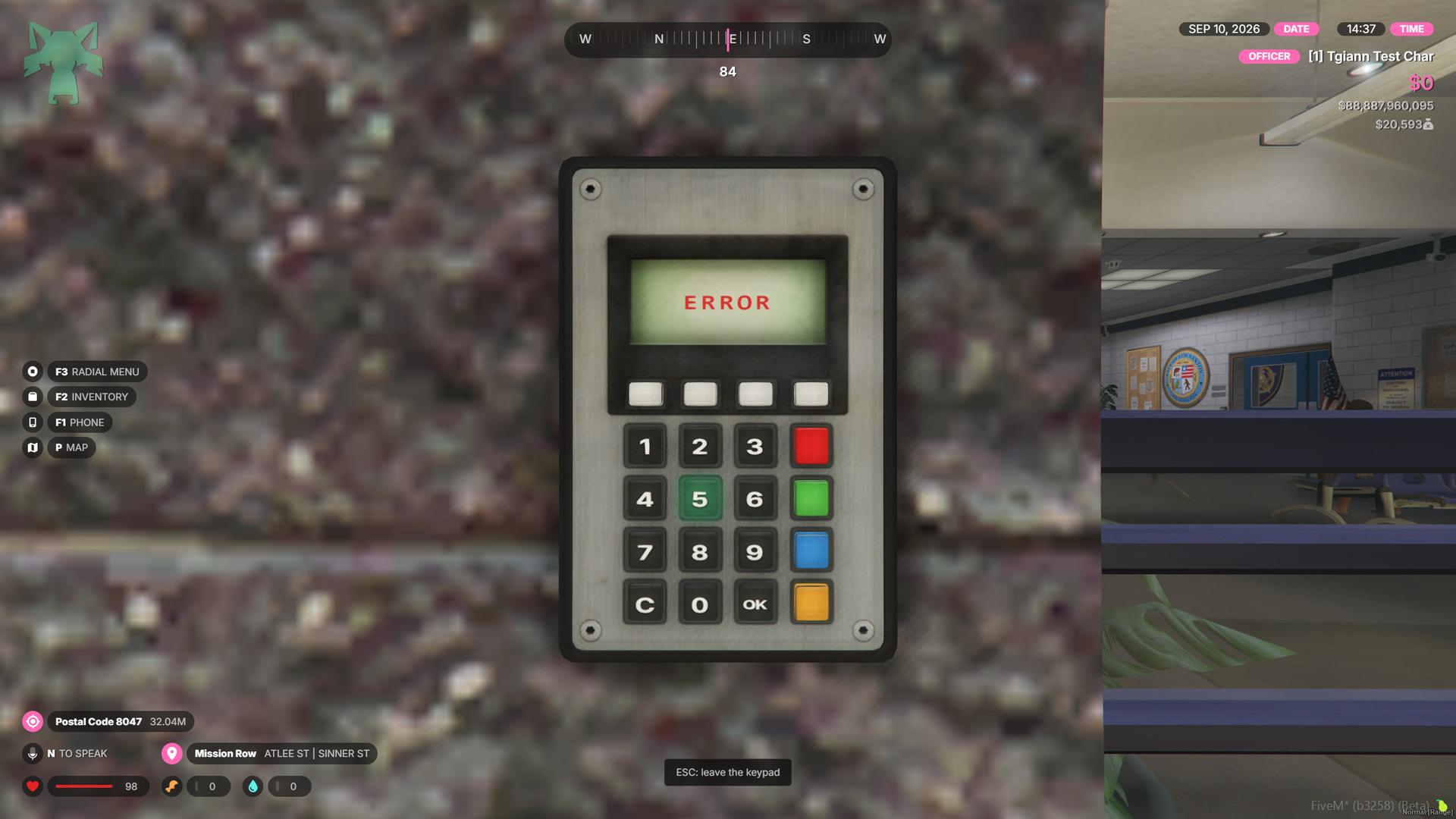
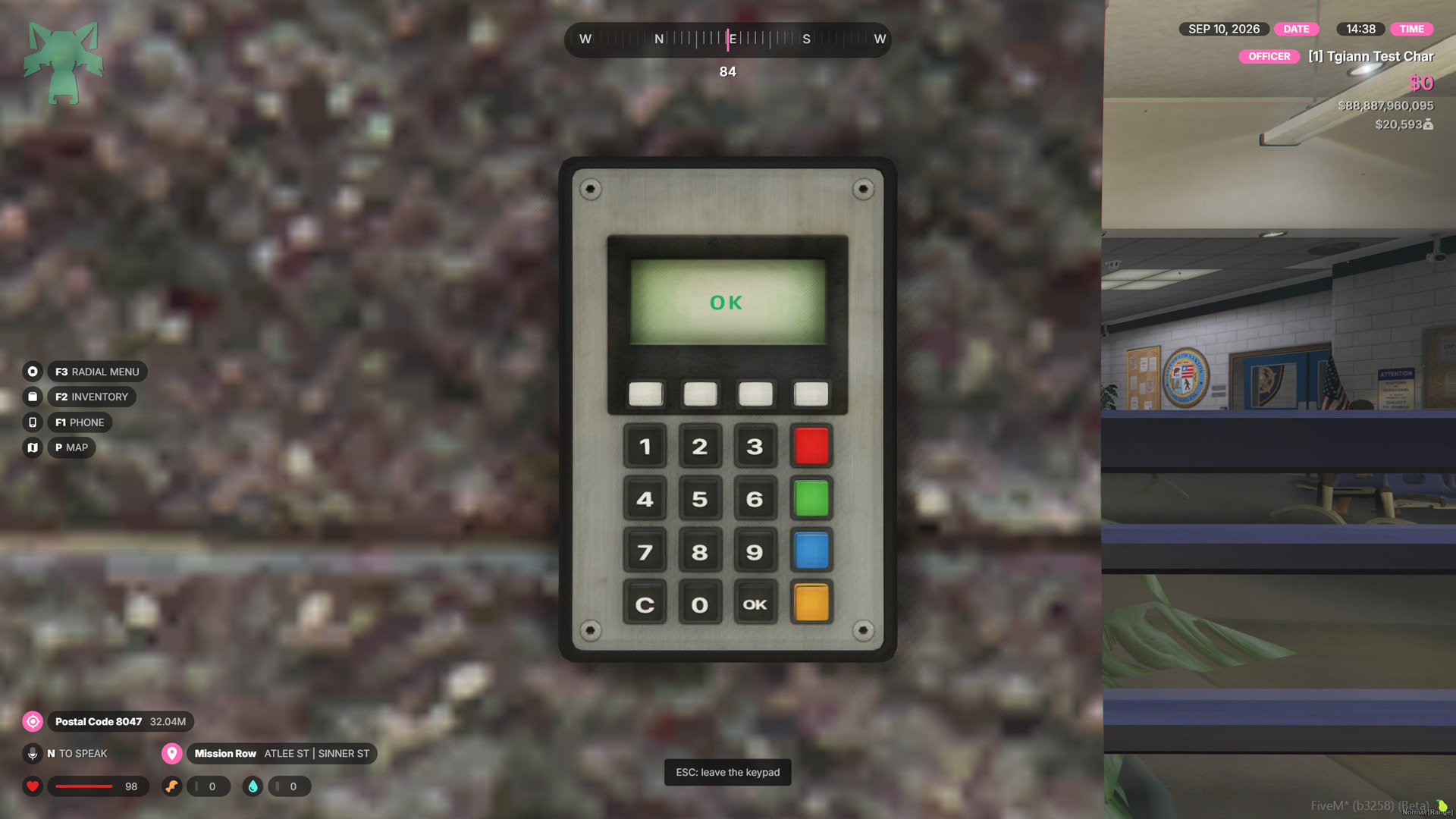
Real Keypad System - Place an interactive keypad beside doors with clickable buttons, keyboard support, sounds, visual feedback, attempt limits, lockouts, and optional police alerts.
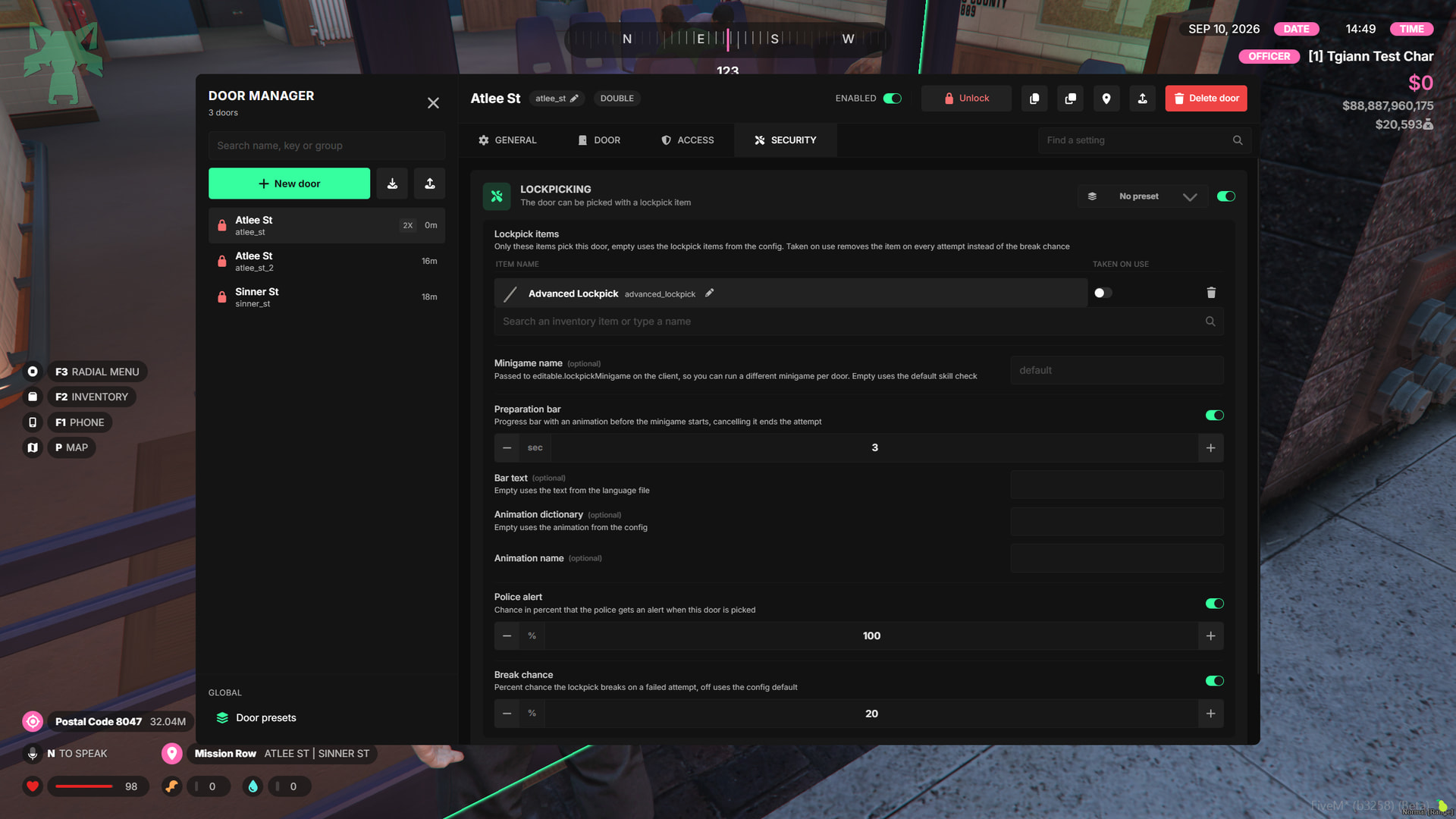
Lockpick System - Allow selected doors to be lockpicked with configurable items, minigames, break chances, and police alert chances.
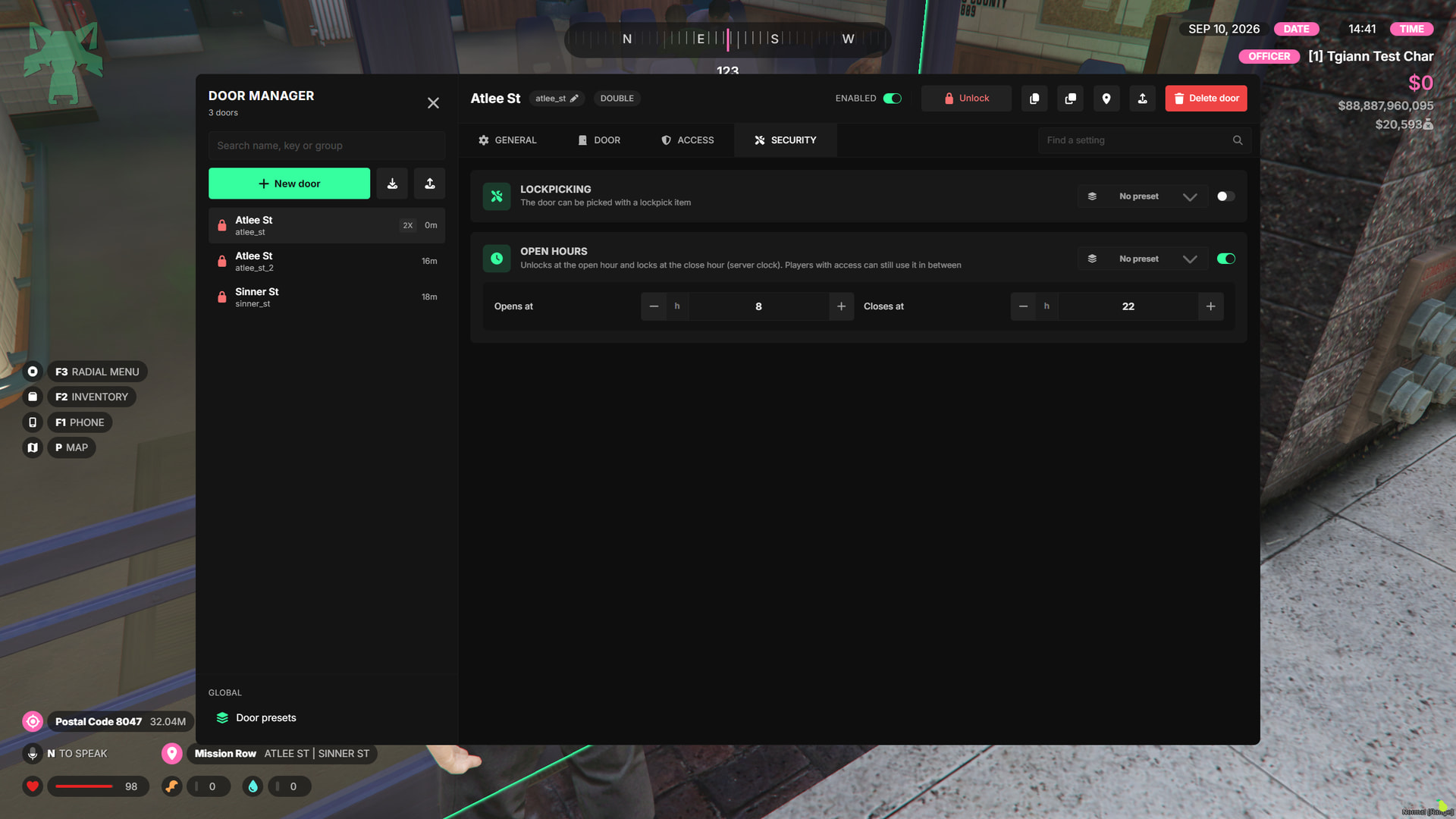
Opening Hours - Automatically unlock or lock doors based on configured server times.
Door Groups - Group multiple doors together and control them at once, perfect for lockdown systems and restricted areas.
3D Prompt System - Interaction text follows the actual door position and works correctly with sliding doors, barriers, and double doors.
Target Support - Use the default 3D interaction system or integrate with
ox_targetandqb-target.Door Knock System - Players can knock on locked doors with animations and positional sounds that nearby players can hear.
3D Door Sounds - Lock, unlock, and knock sounds use directional 3D audio with distance-based volume.
Normal, Sliding & Barrier Doors - Support standard doors, sliding gates, garage doors, and barriers with specific behavior settings.
Automatic Locking - Doors can automatically relock after a configurable amount of time, with timers preserved through restarts.
Keycard Animations & Custom Keybinds - Includes door interaction animations, customizable keybinds, and fully editable notifications.
Unowned Business Support - Business doors can automatically remain accessible when a business has no owner or employees, allowing players to enter and purchase it.
ox_doorlock Import - Existing
ox_doorlockdoors can be imported with a command.Door Duplication & Settings Copy - Duplicate complete doors or copy selected settings and apply them to other doors.
JSON-Based Door Storage - Door data is stored server-side in
data/doors.jsonand can be imported or exported between servers.
Admin Panel
- Easily create and edit doors directly from the in-game Admin Panel without dealing with config files.
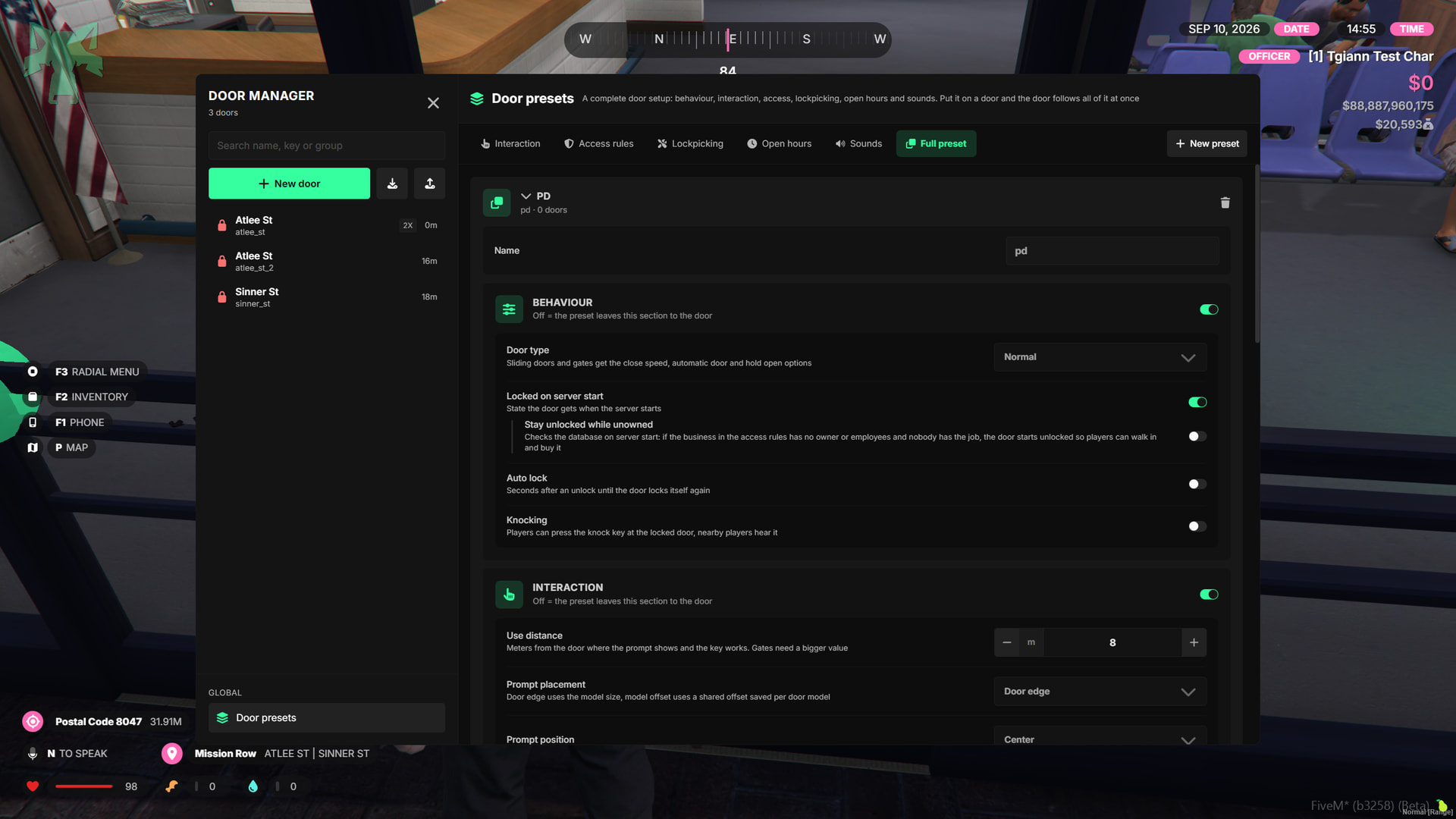
- After creating a door for a specific job or use case, you can save its complete setup as a preset, or create separate presets for categories such as Access Rules.
- If you do not want to use presets, you can simply copy a door’s settings and paste them onto other doors, or create a new door directly using the copied configuration.
–
Preset System
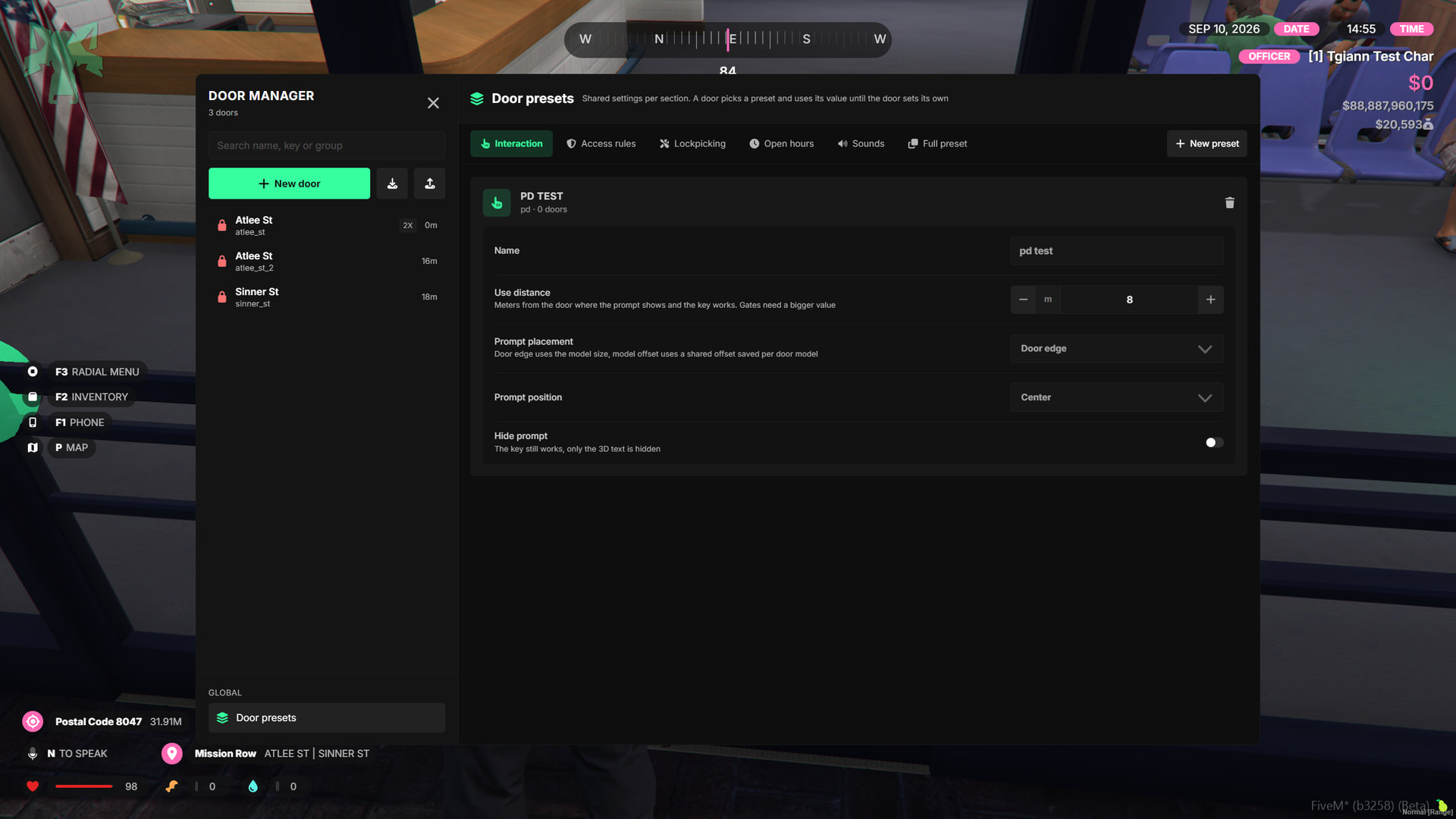
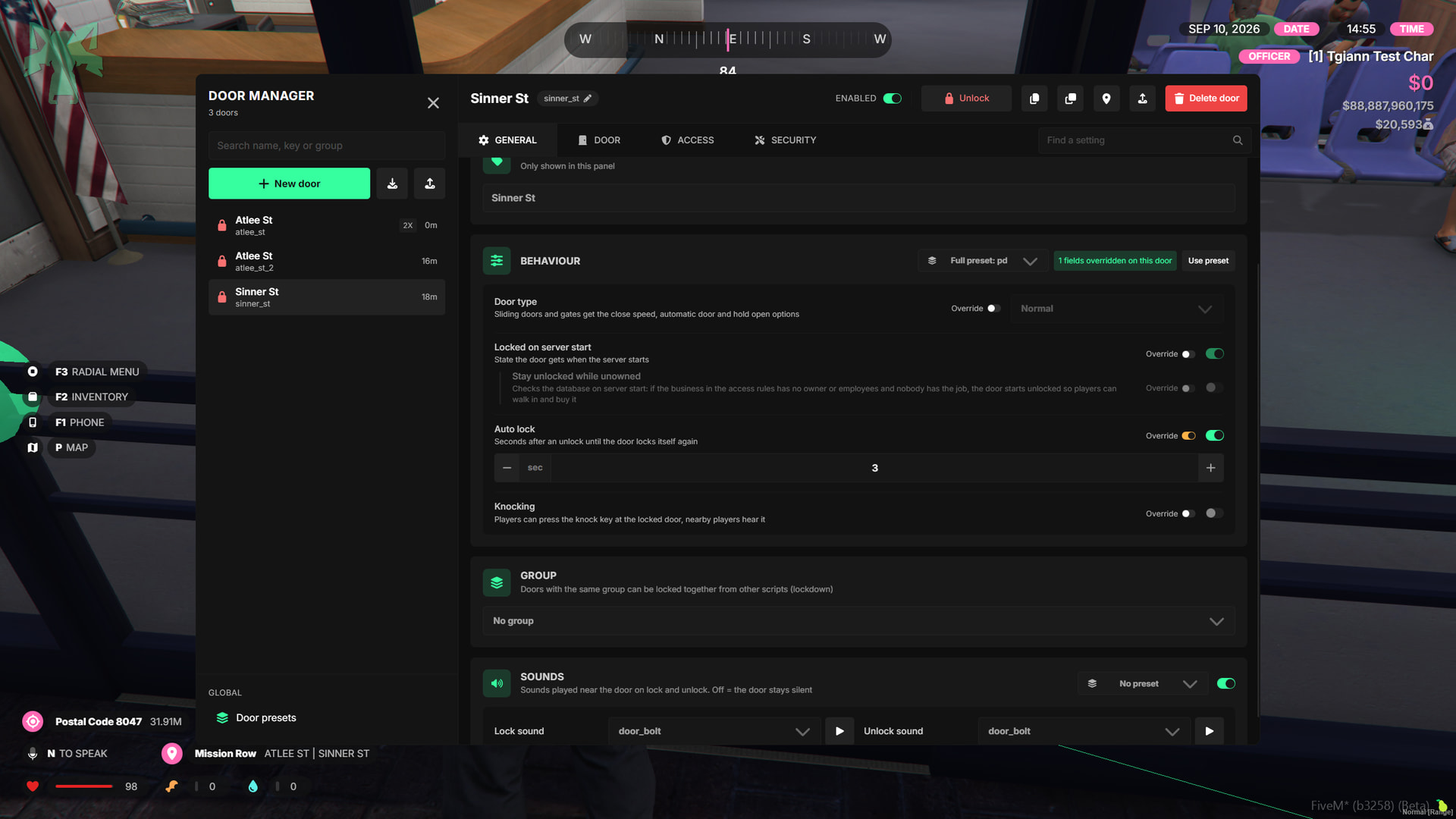
- Create reusable presets so you do not have to configure the same door settings again and again.
- The system includes two preset types:
- Full Preset - Saves and applies the complete door configuration.
- Category Presets - Create separate presets for individual setting categories.
- Using a preset does not lock the door configuration. You can enable Override for specific settings and customize them separately for that door.
- Presets make it much easier to manage repeated setups such as job doors, business doors, and other shared access configurations.
Door Access Settings
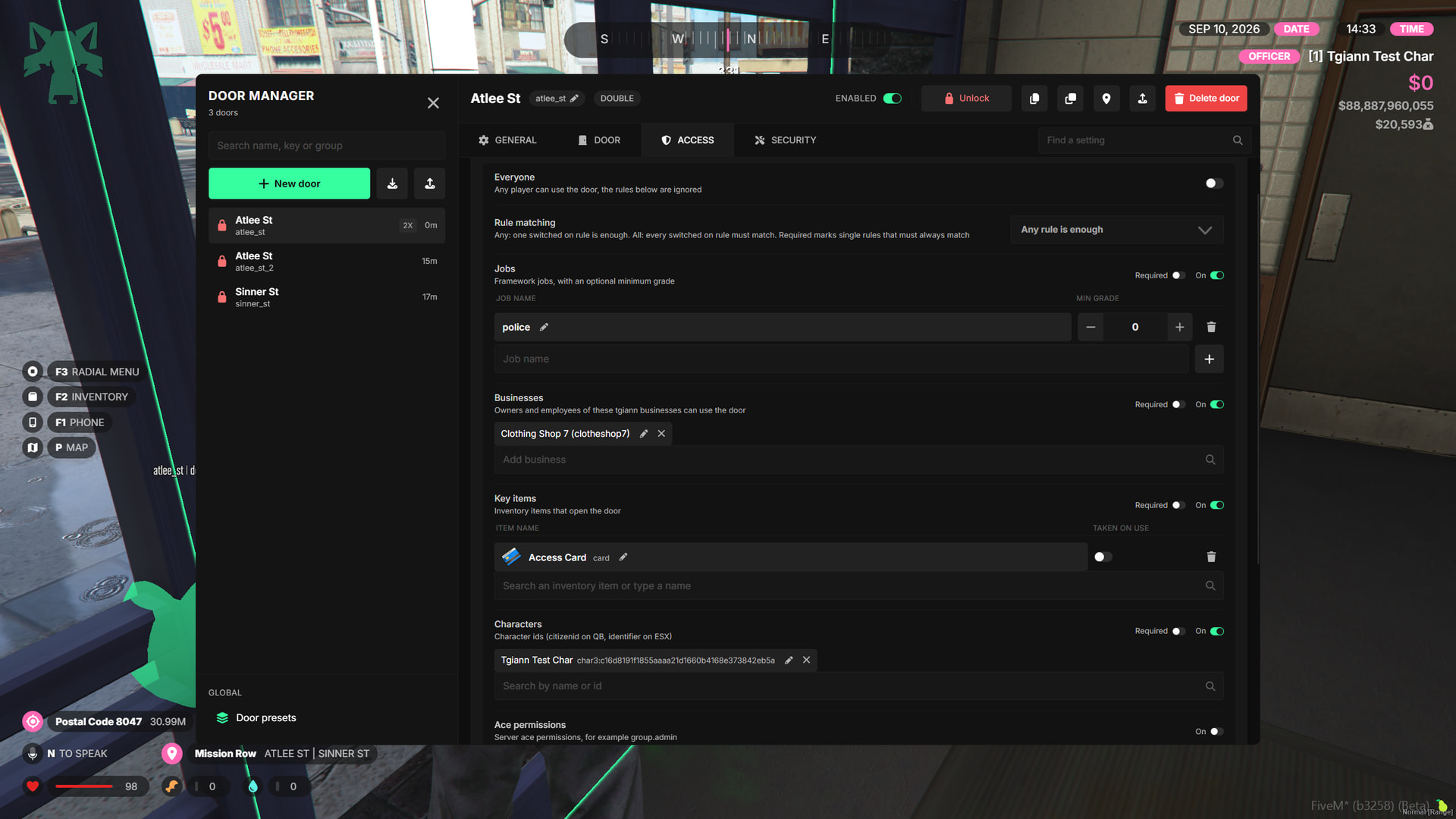
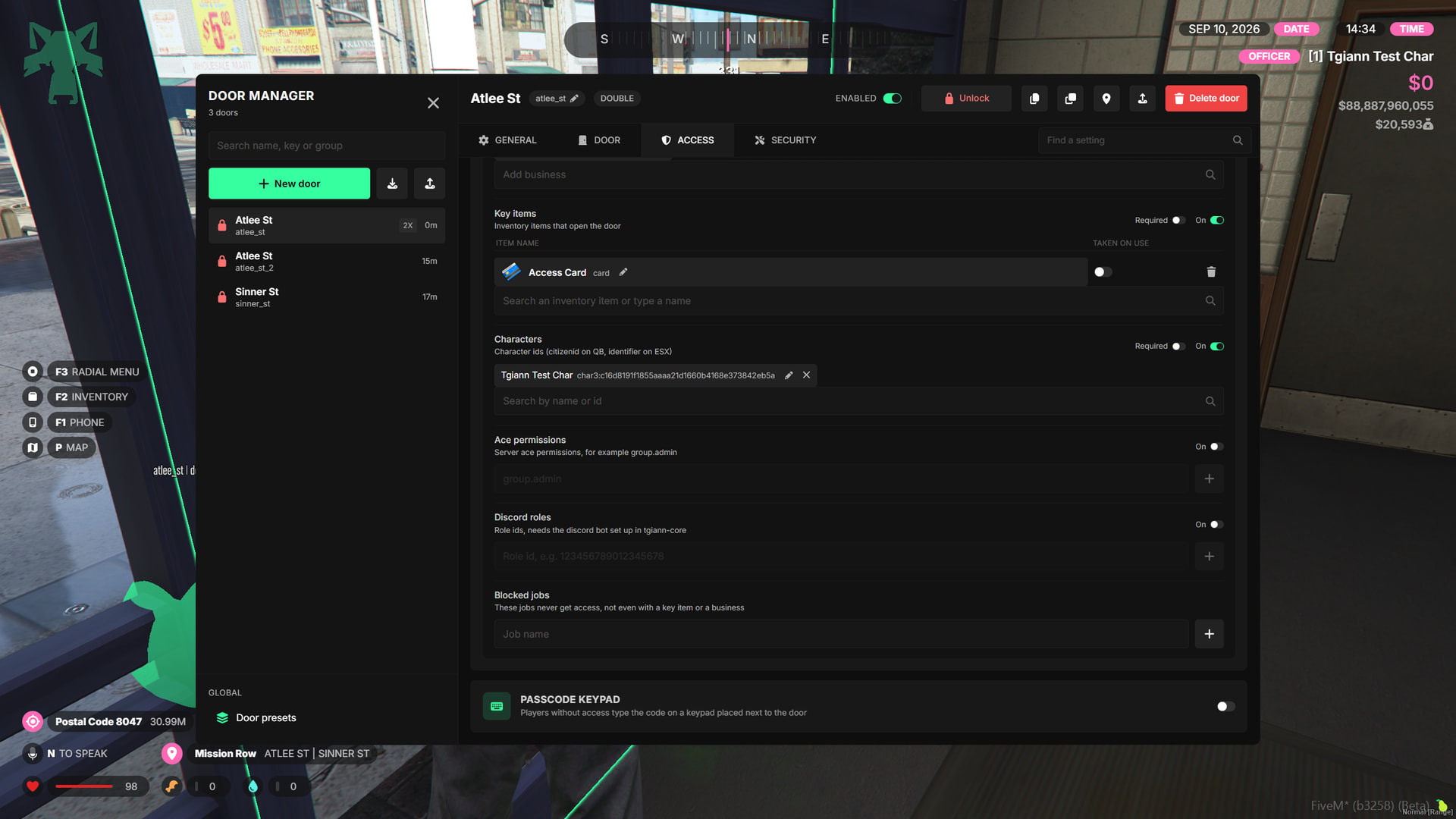
- Configure exactly who can interact with each door using flexible access rules.
- Access options include jobs, tgiann-core player-ownable businesses, required items, character Citizen ID or License ID, ACE permissions, and Discord roles.
- You can also allow the door to be used by everyone, while blocking specific jobs from interacting with it.
- Access rules support two different logic types. You can require any enabled rule to match, or require all enabled rules to match before the player can use the door.
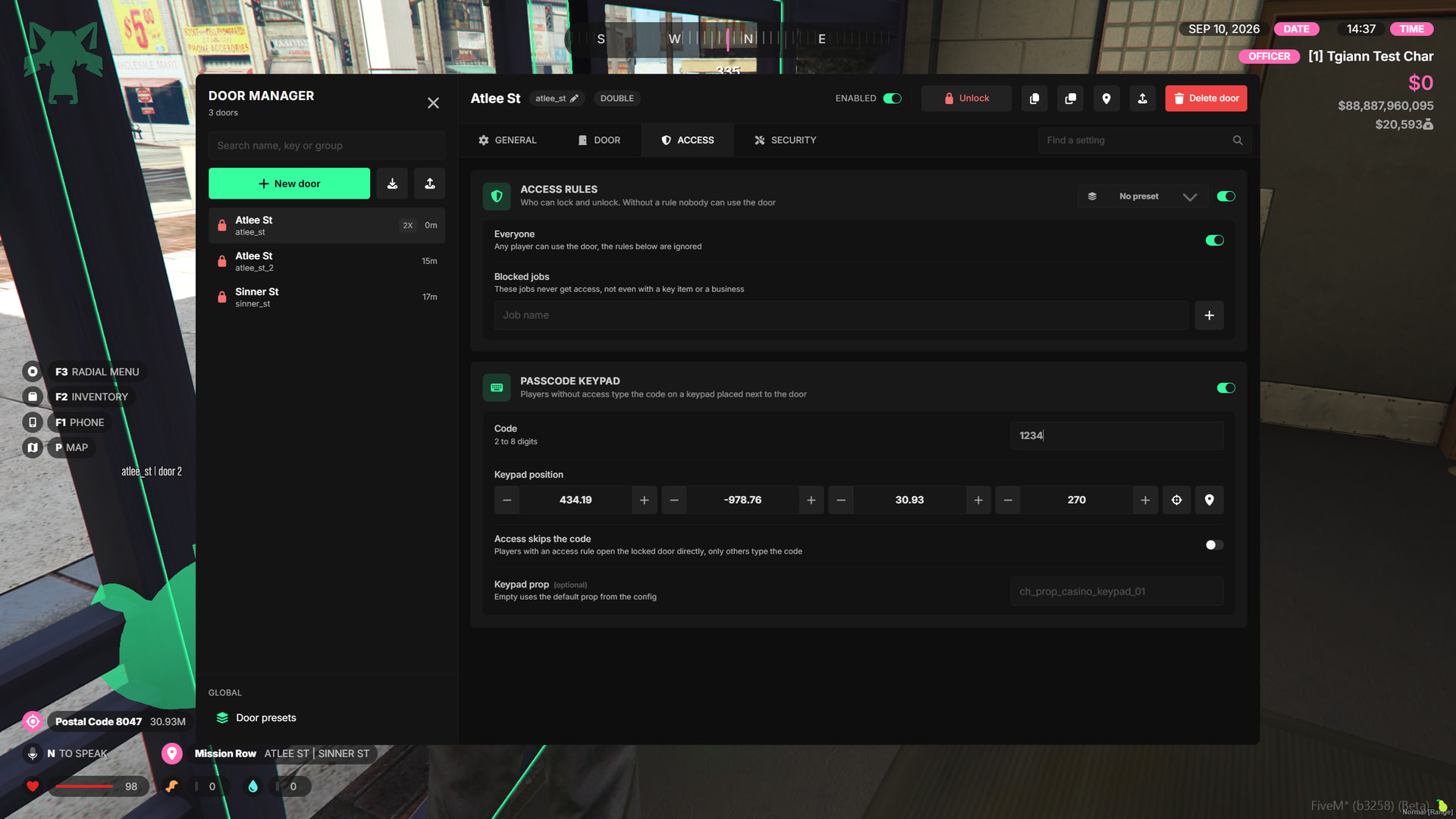
Passcode Keypad
- Add passcodes to doors as an additional security layer. Players can be required to both match the configured Access Rules and know the correct passcode.
- You can also configure a door for Everyone and use the passcode as the main access requirement.
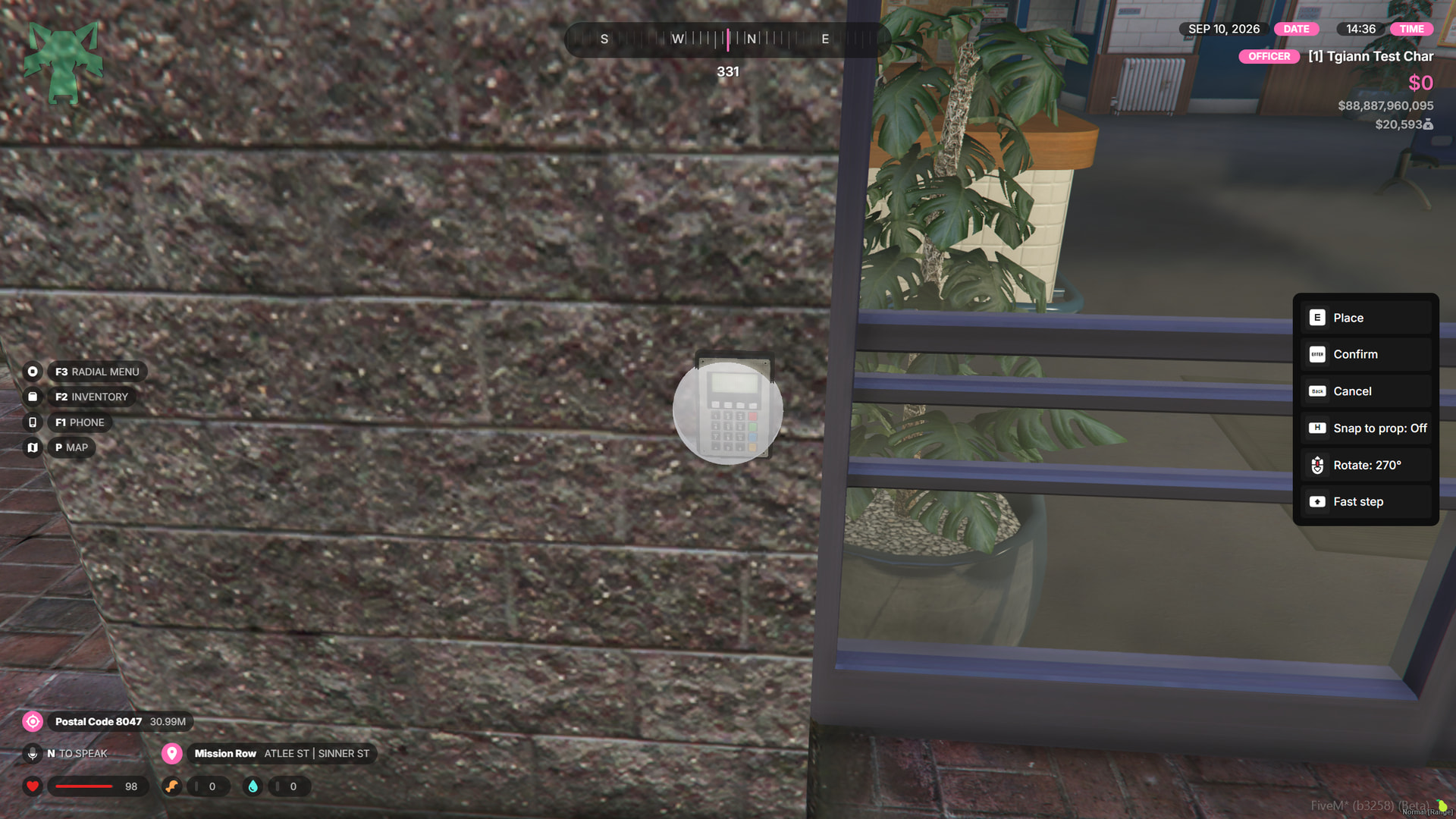
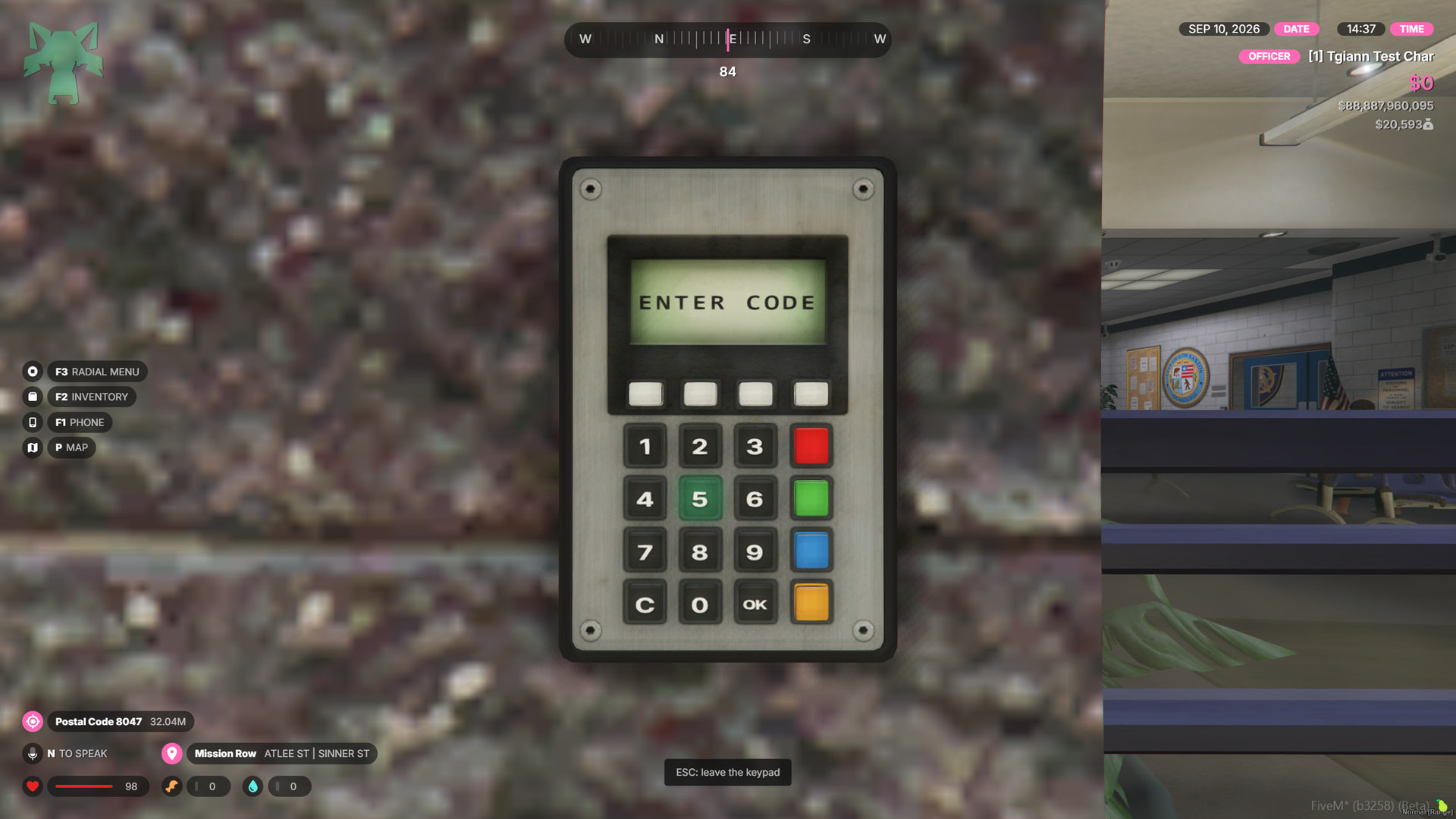
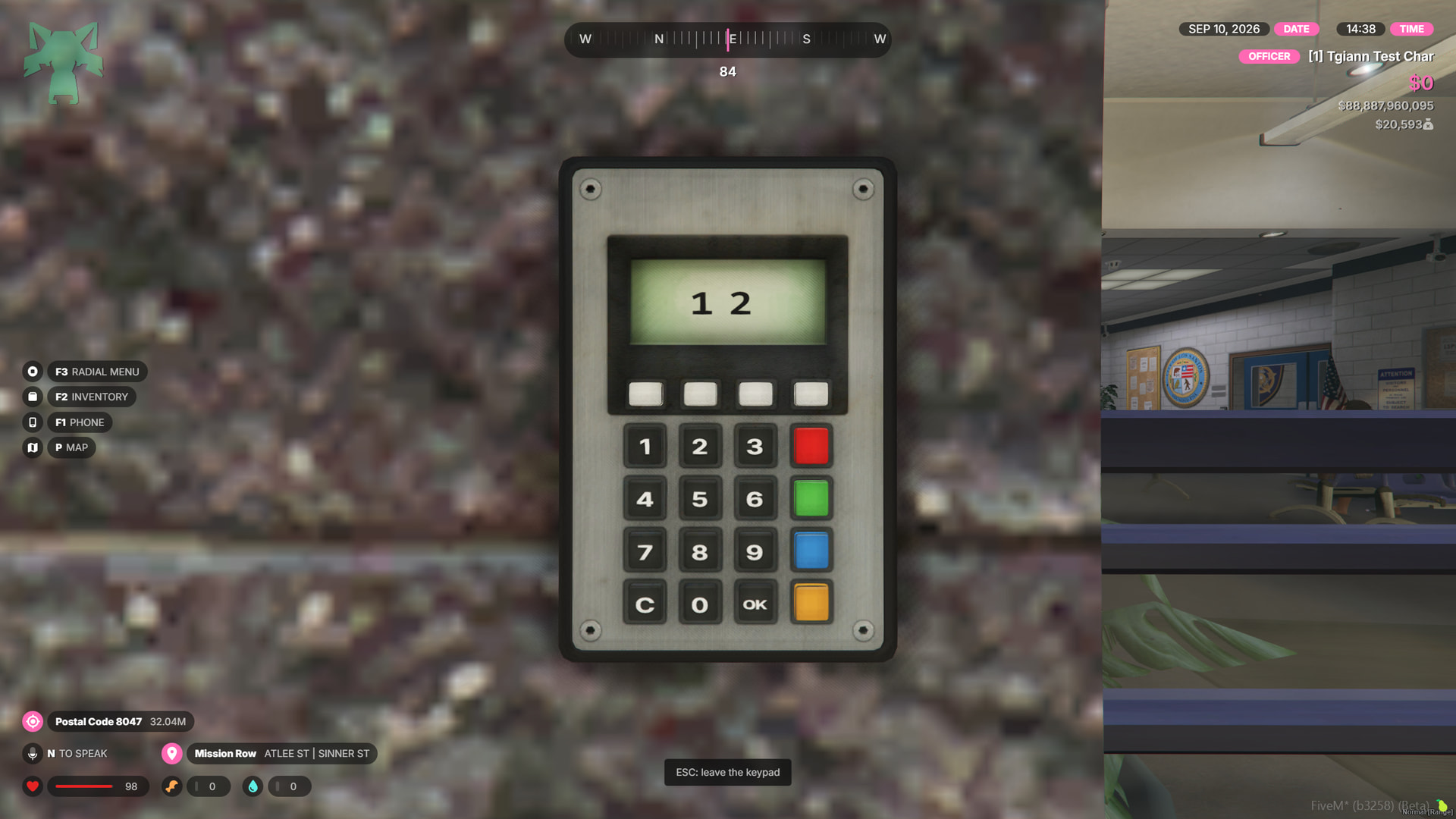
- The keypad is not a simple UI popup. It uses a real 3D world interaction, allowing players to enter the code directly through the keypad placed next to the door.
Opening Hours
- If you want a location to remain inaccessible outside certain hours, you can configure its doors to work only within a specific time range.
- Doors can automatically unlock and lock at the hours you define, making them ideal for businesses or locations with scheduled opening times.
Lockpicking System
- Configure selected doors to be lockpickable using specific items.
- You can decide whether required items are removed after use, require multiple different items, or allow lockpicking without any item requirement.
- Different minigames can be assigned per door through the editable files.
- Add an optional preparation progress bar before the minigame starts.
- Configure the chance of notifying the police after a lockpick attempt.
- You can also set the chance of required items breaking after the minigame.
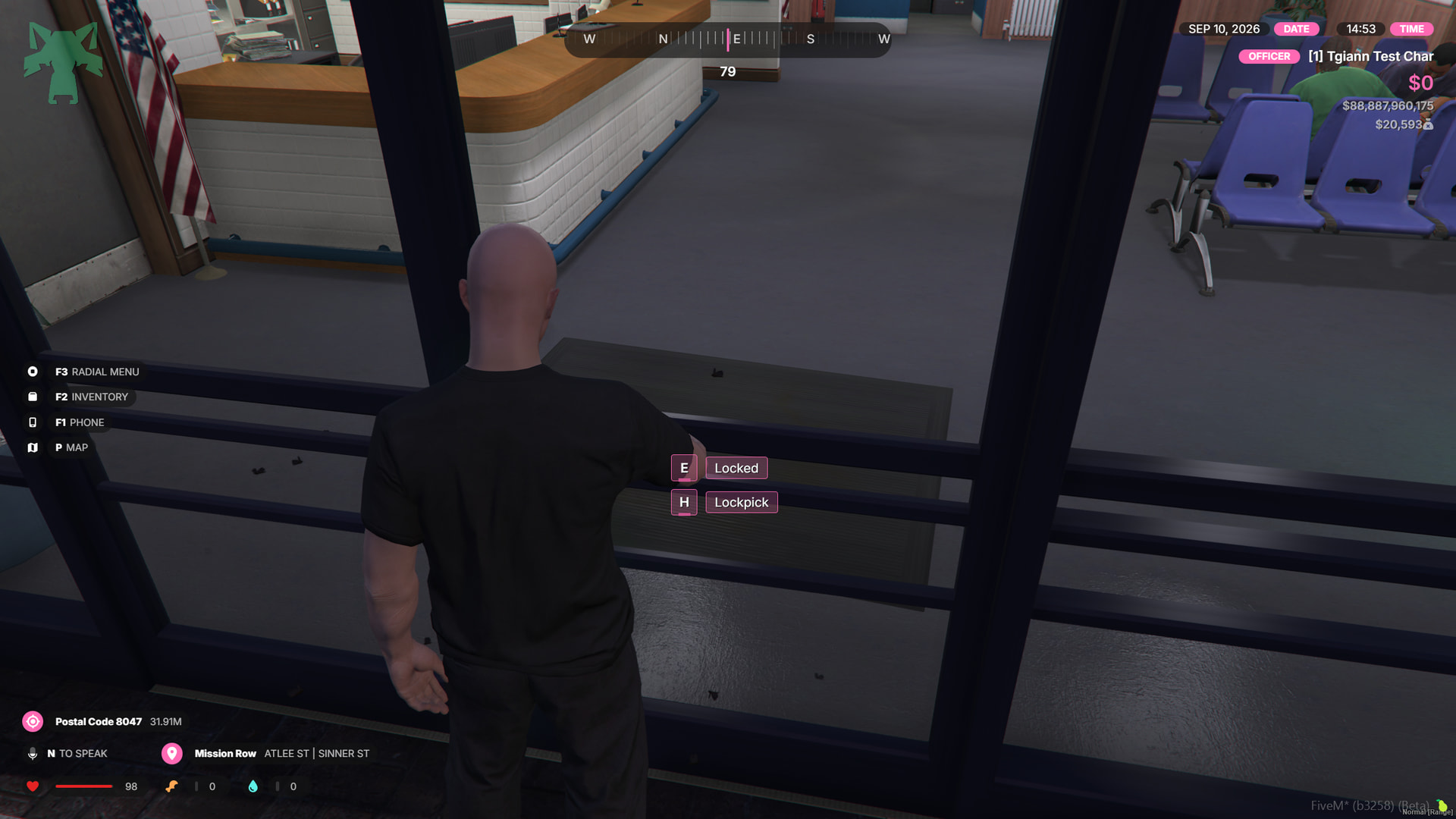
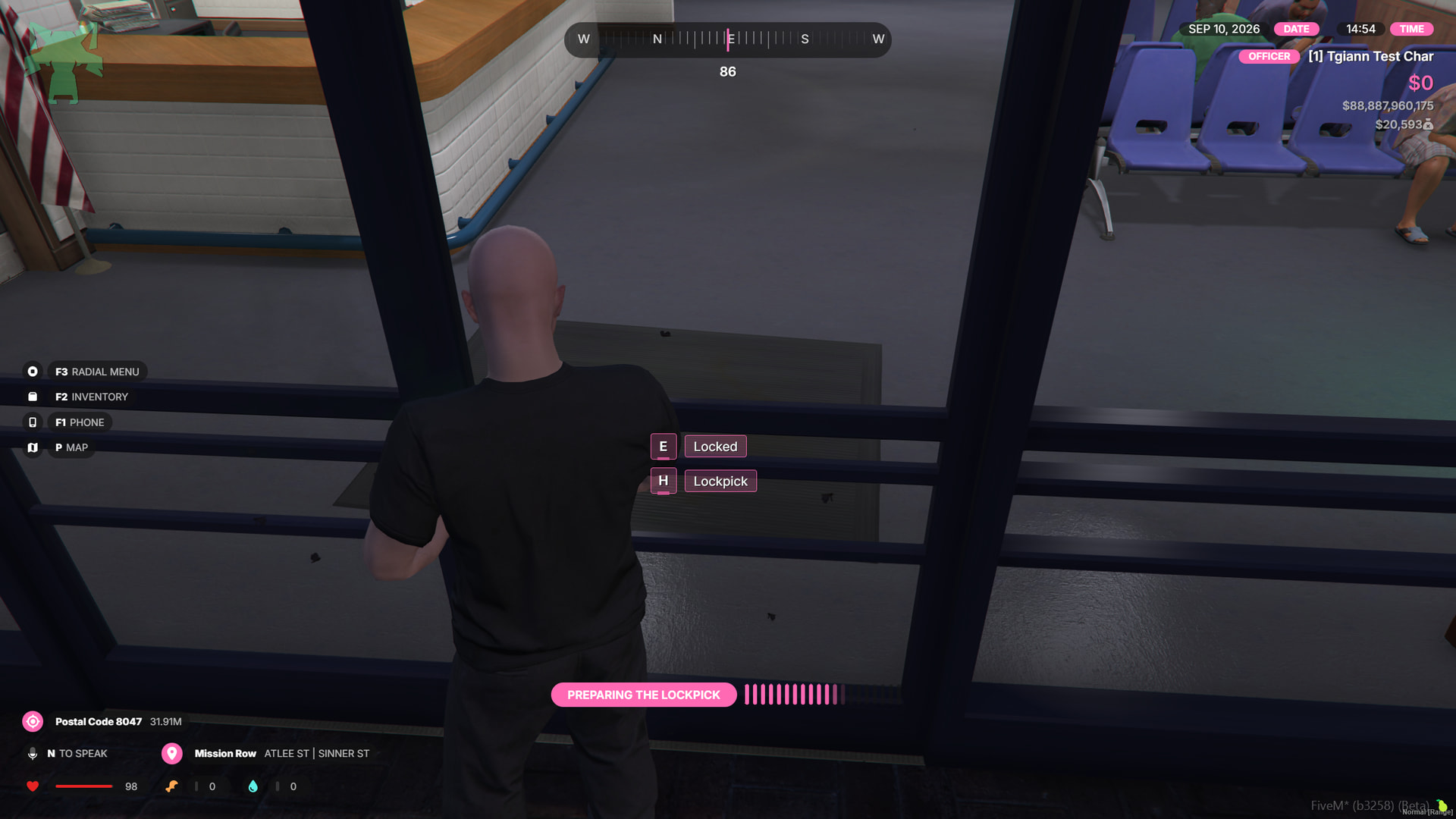
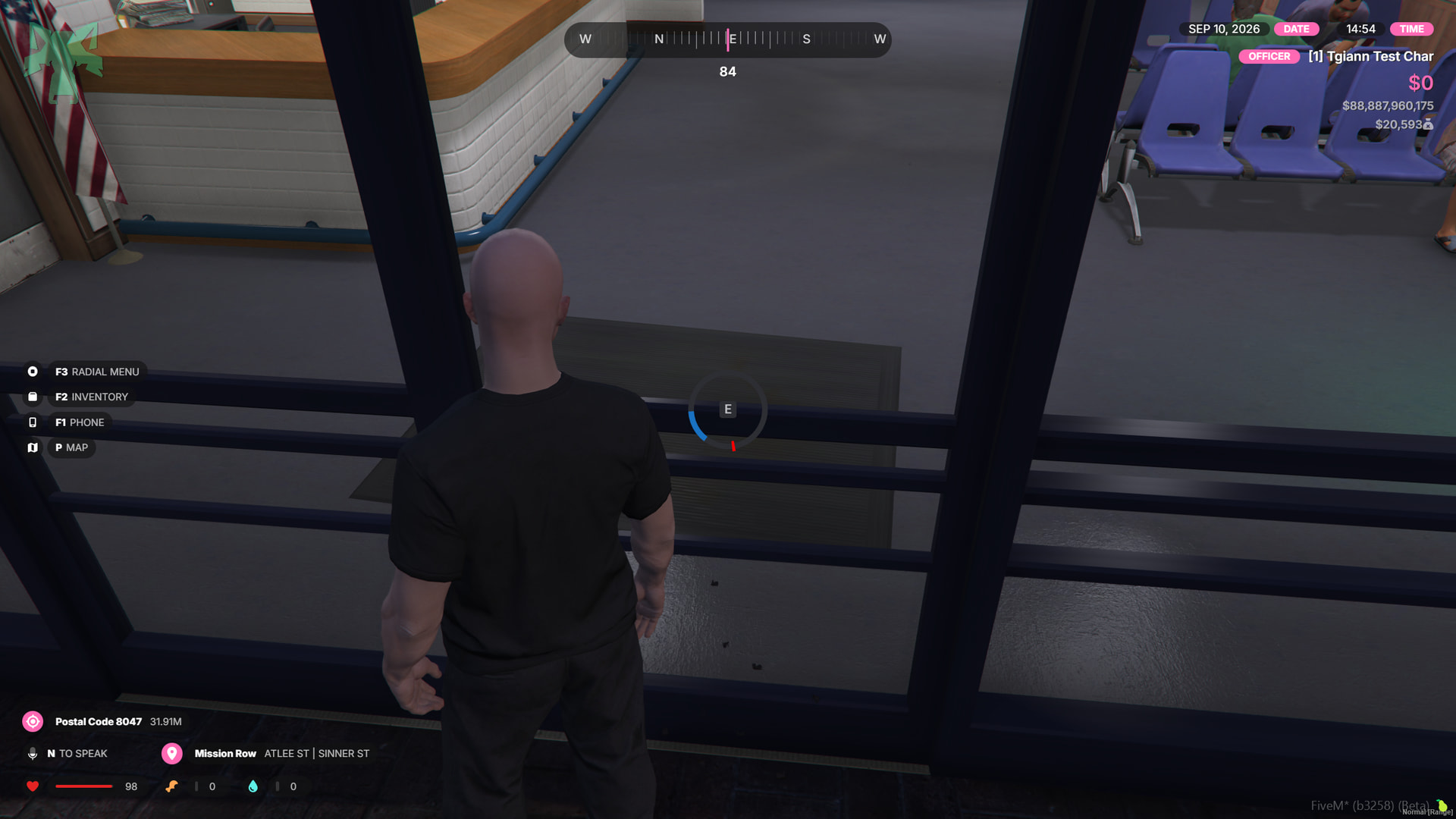
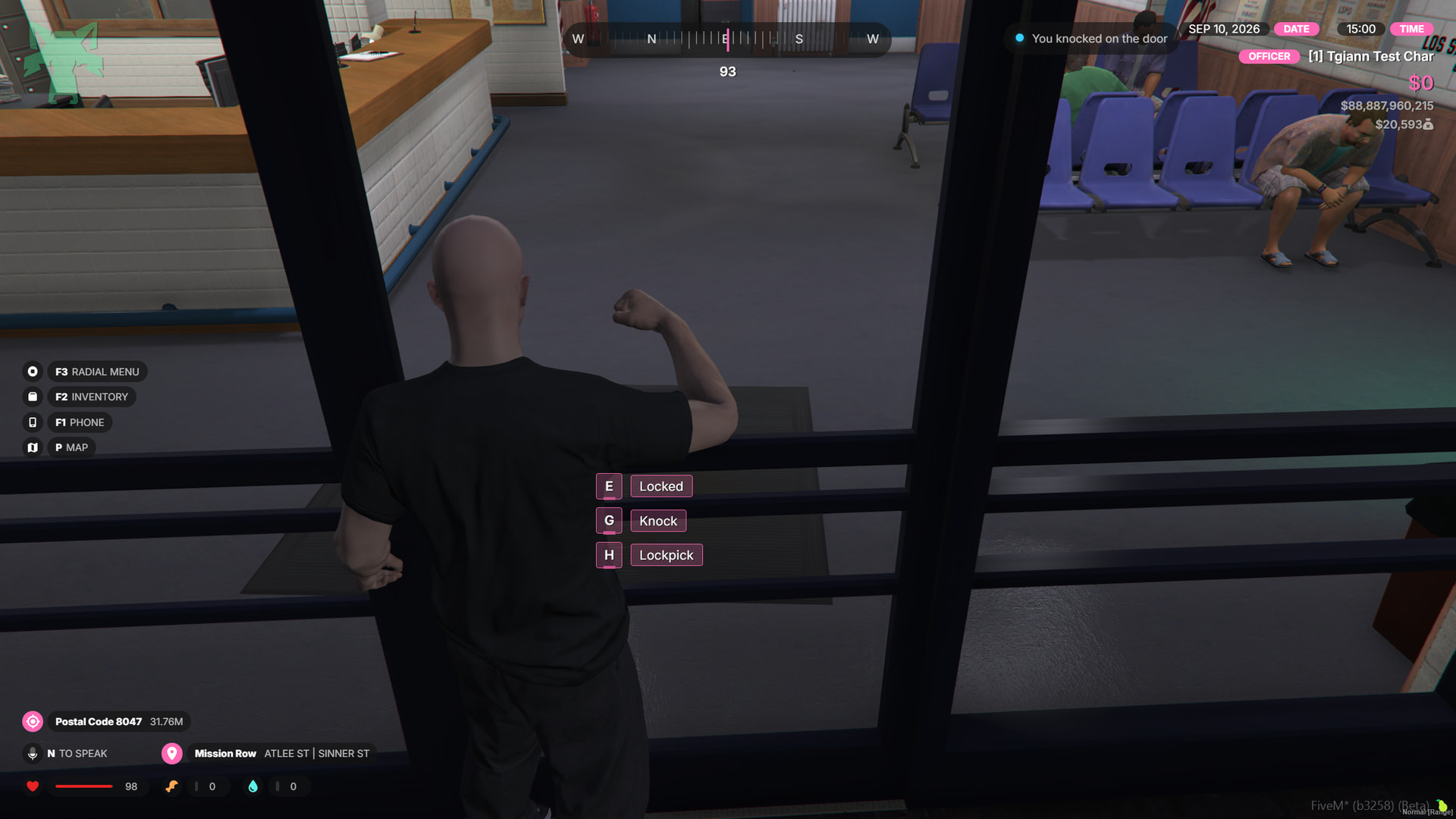
Door Knock System
- Configure selected doors as knockable directly from the Admin Panel.
- When a player knocks on the door, a 3D positional sound is played from the actual door location.
- Because the sound comes from the door itself, it feels natural and directional instead of sounding like a generic sound playing inside the player’s head.
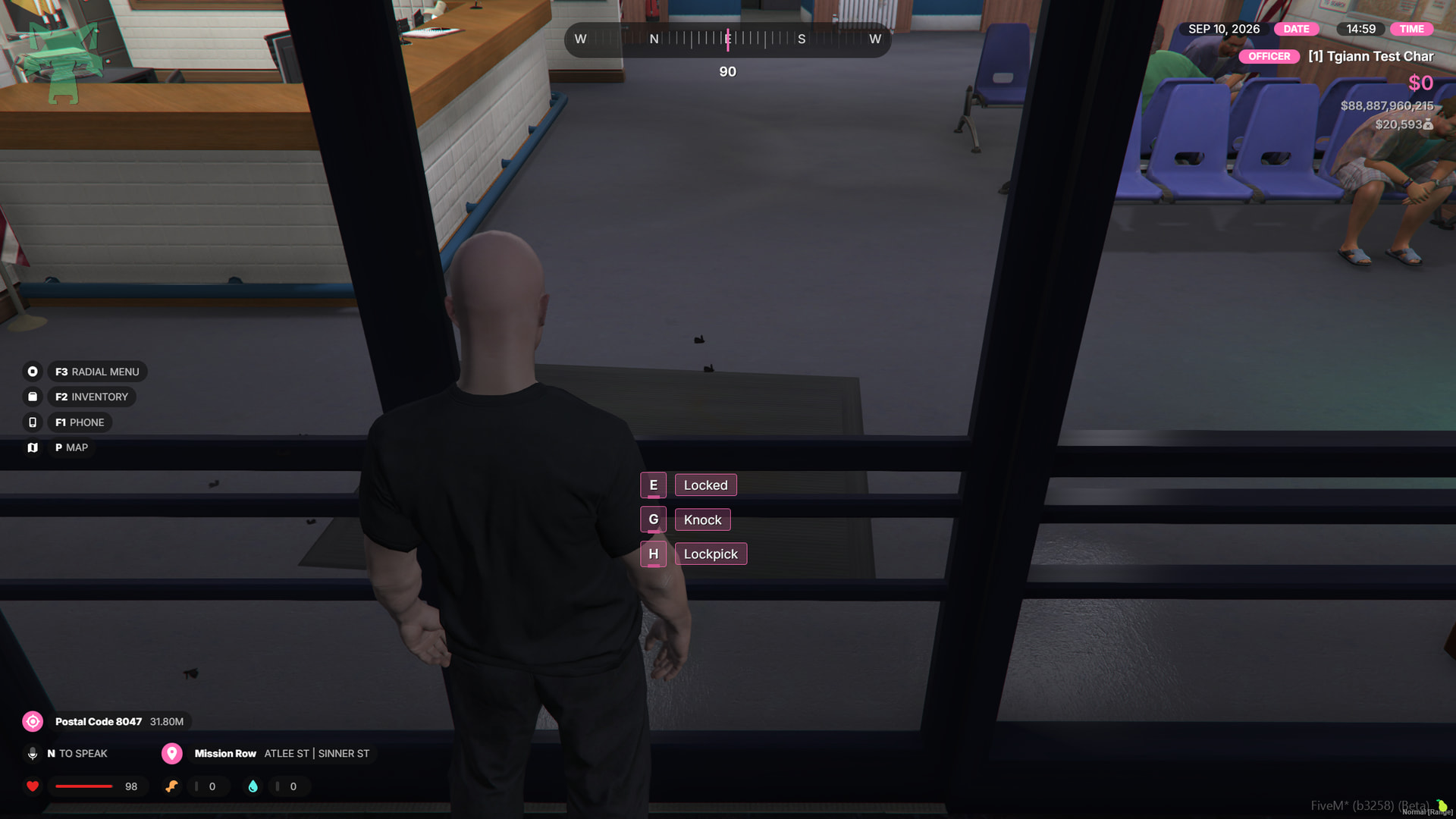
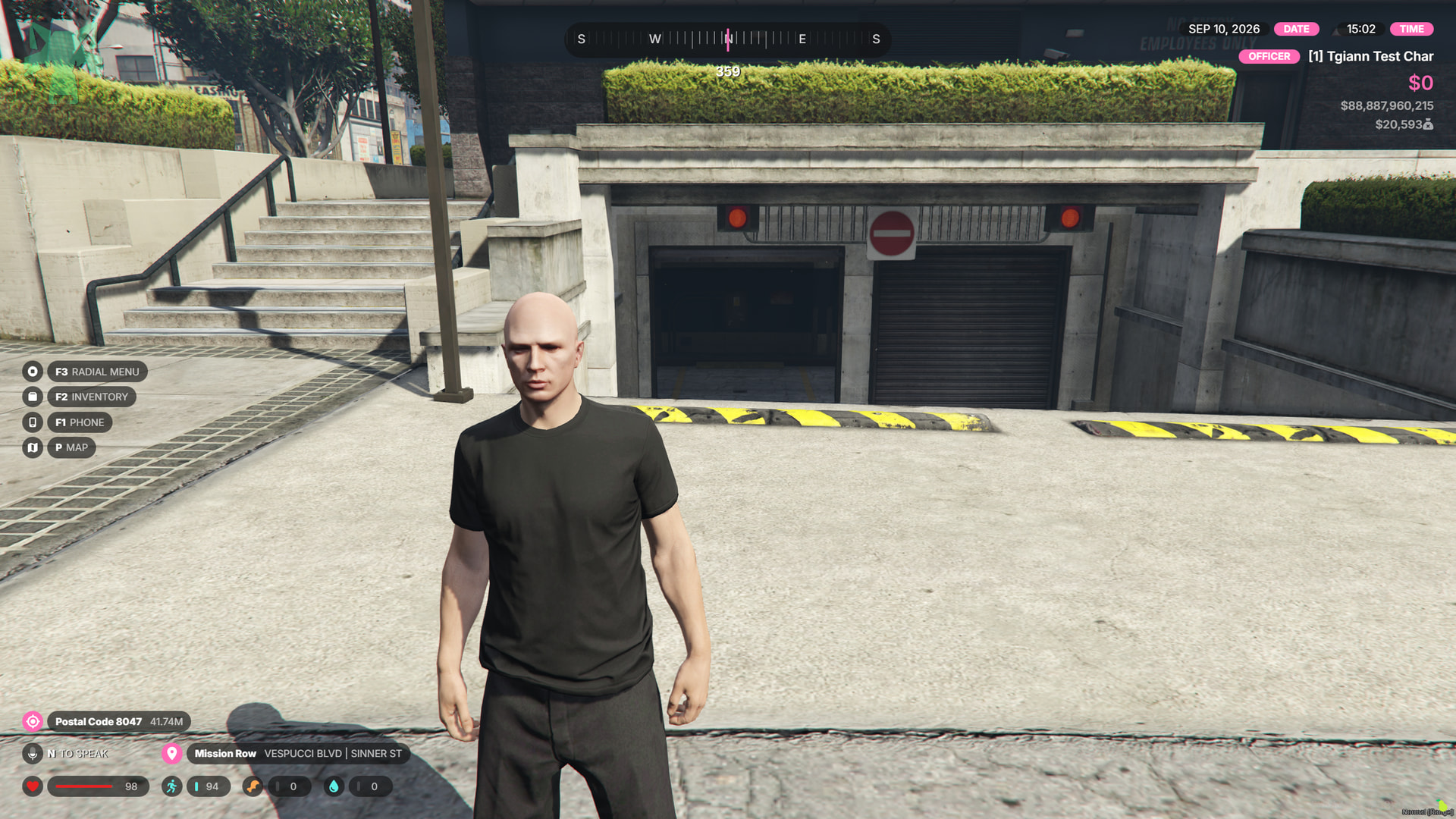
Hold Open When Unlocked
- For sliding doors and gates, you can configure them to remain open while they are unlocked.
- This is useful for garages, barriers, and entrances that should stay open until they are locked again.
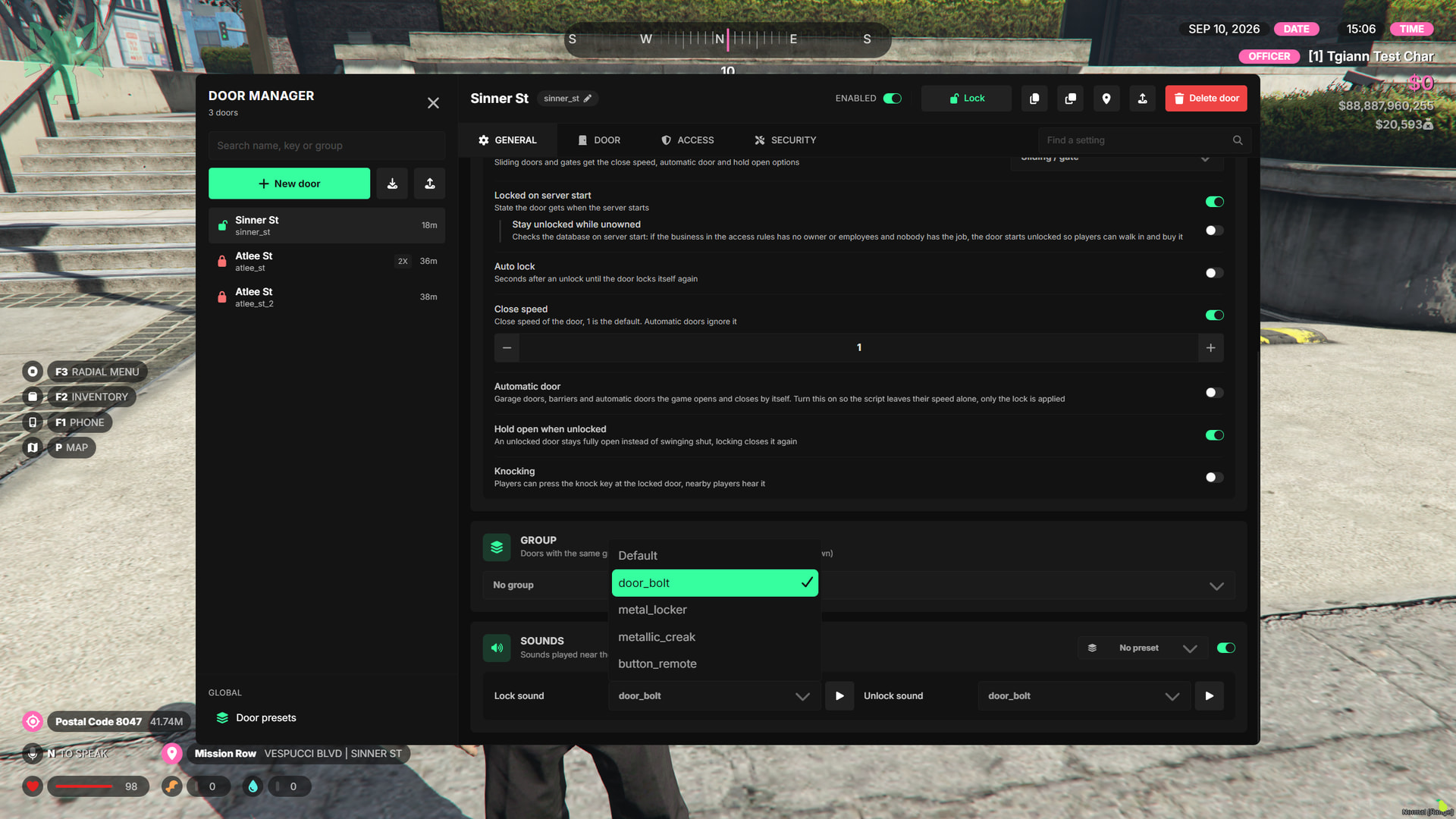
Lock & Unlock Sounds
- Configure separate lock and unlock sounds for each door.
- Sounds can be customized individually per door or disabled completely when not needed.
ox_doorlock Migration
- Use the built-in migration command to transfer your existing
ox_doorlockdoors directly into tgiann-doorlock. - This makes it easy to switch systems without recreating all of your doors manually.
Requirements
- tgiann-core (free)
- ox_lib