ShowCase
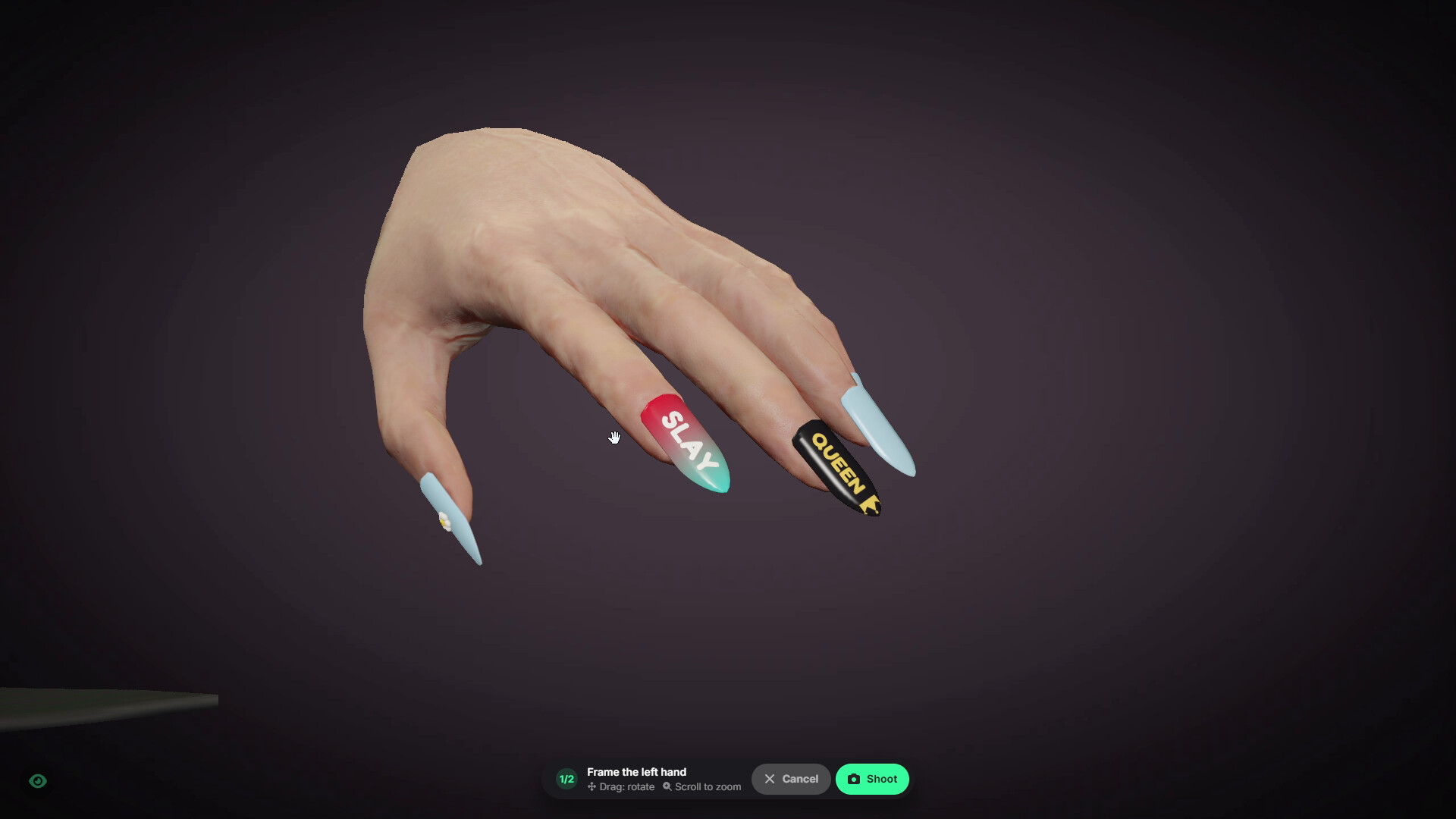
Every nail is a real 3D model attached to the character’s fingertips, so the design created in the studio is exactly what other players see in the game world.
Players design their nails directly on their own hands in a 3D studio, while salon staff complete the work through an interactive painting minigame. Salons can be operated by NPCs, jobs, or purchased and managed by players as full businesses.
Almost everything can be configured directly in-game through the admin panel, including salons, prices, unlocks, bills, NPC customers, nail breaking, and nail positioning for custom clothing.
Main Features
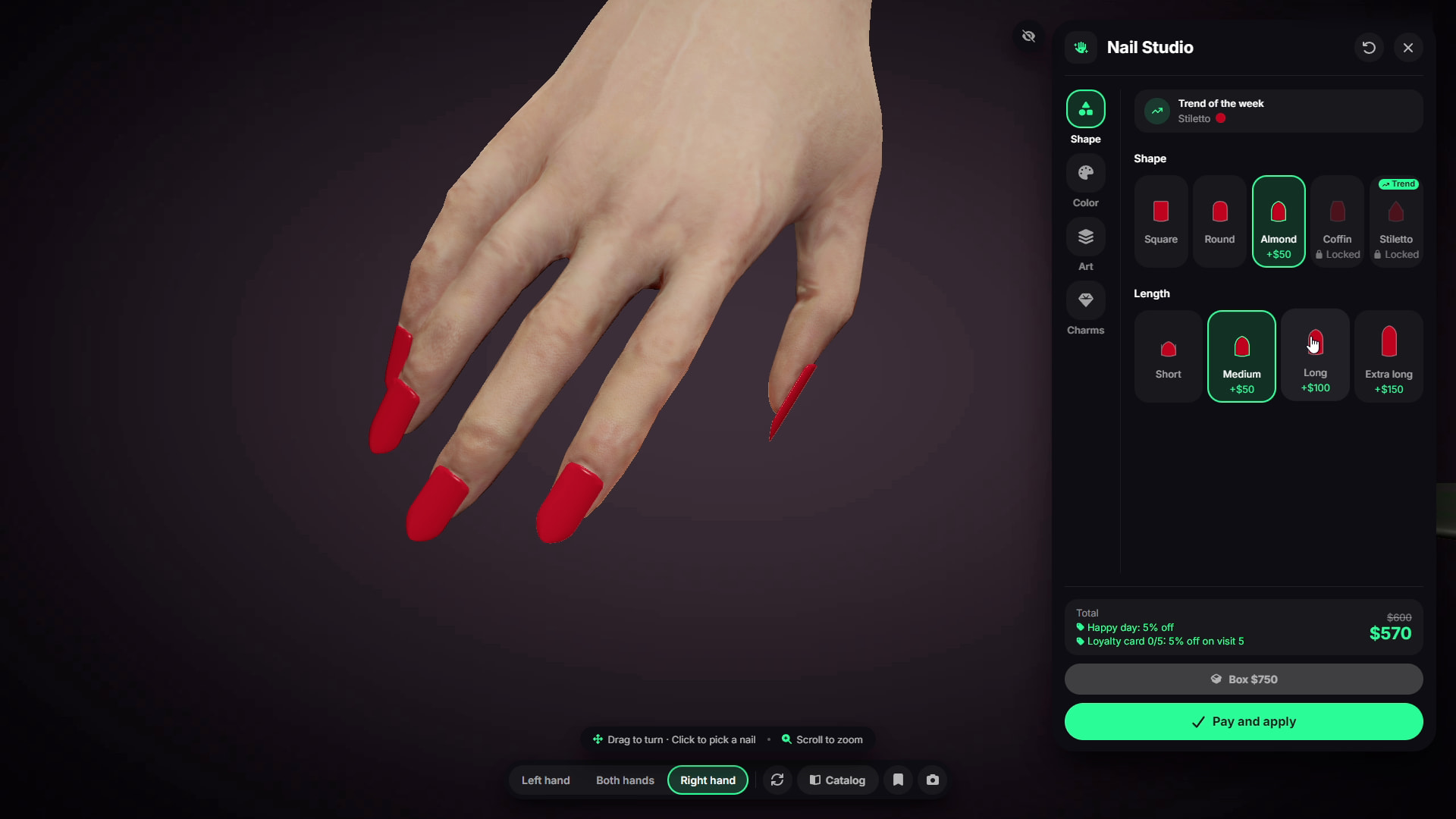
- Real 3D Nails - Every nail is a real 3D model with customizable shape, length, color, patterns, and 3D charms.
- 3D Nail Studio - Design nails directly on the player’s hands with rotation and zoom controls.
- 5 Shapes & 4 Lengths - Square, Round, Almond, Coffin, and Stiletto with multiple length options.
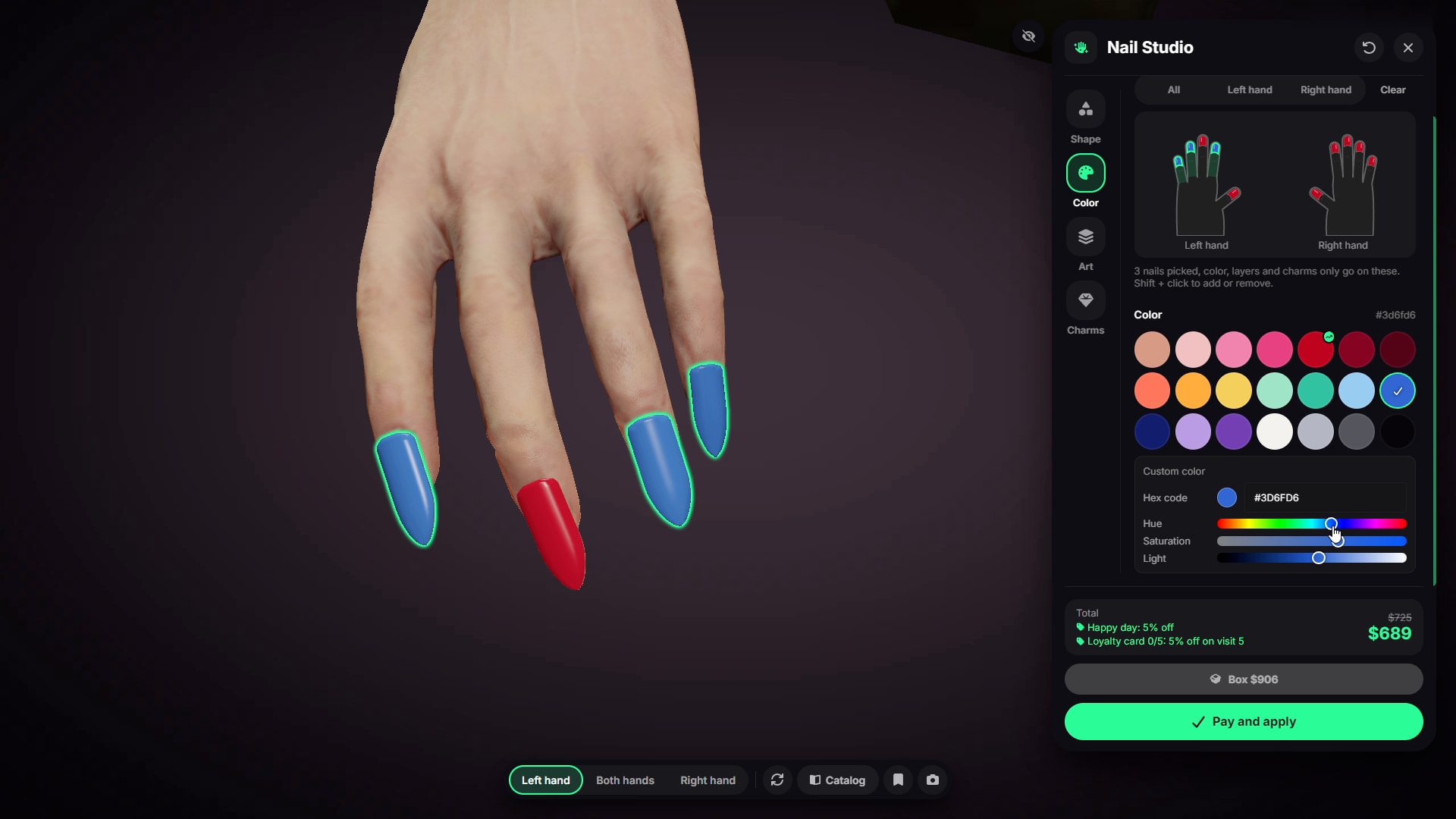
- Full Color Customization - Use preset colors or select any custom color.
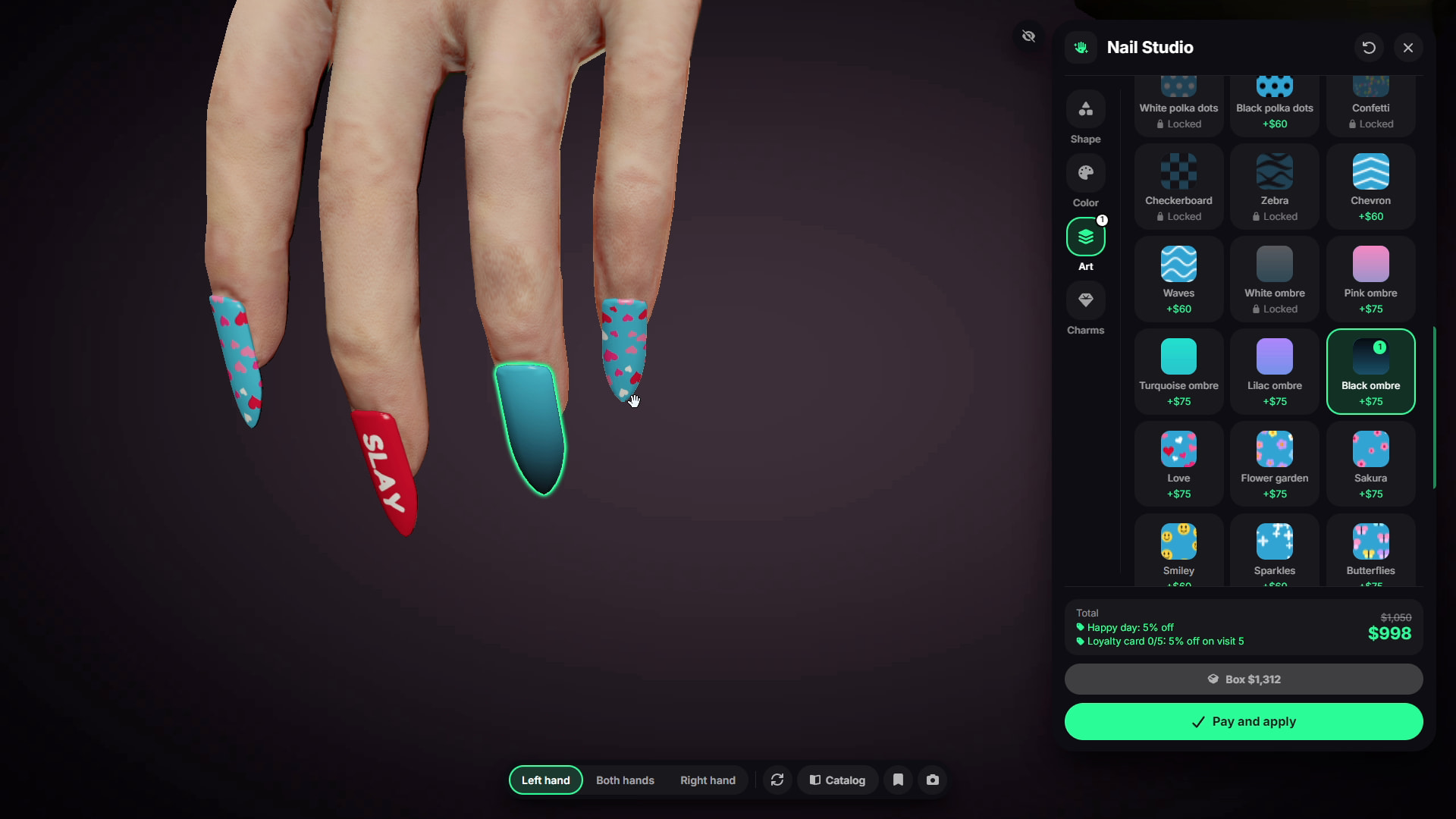
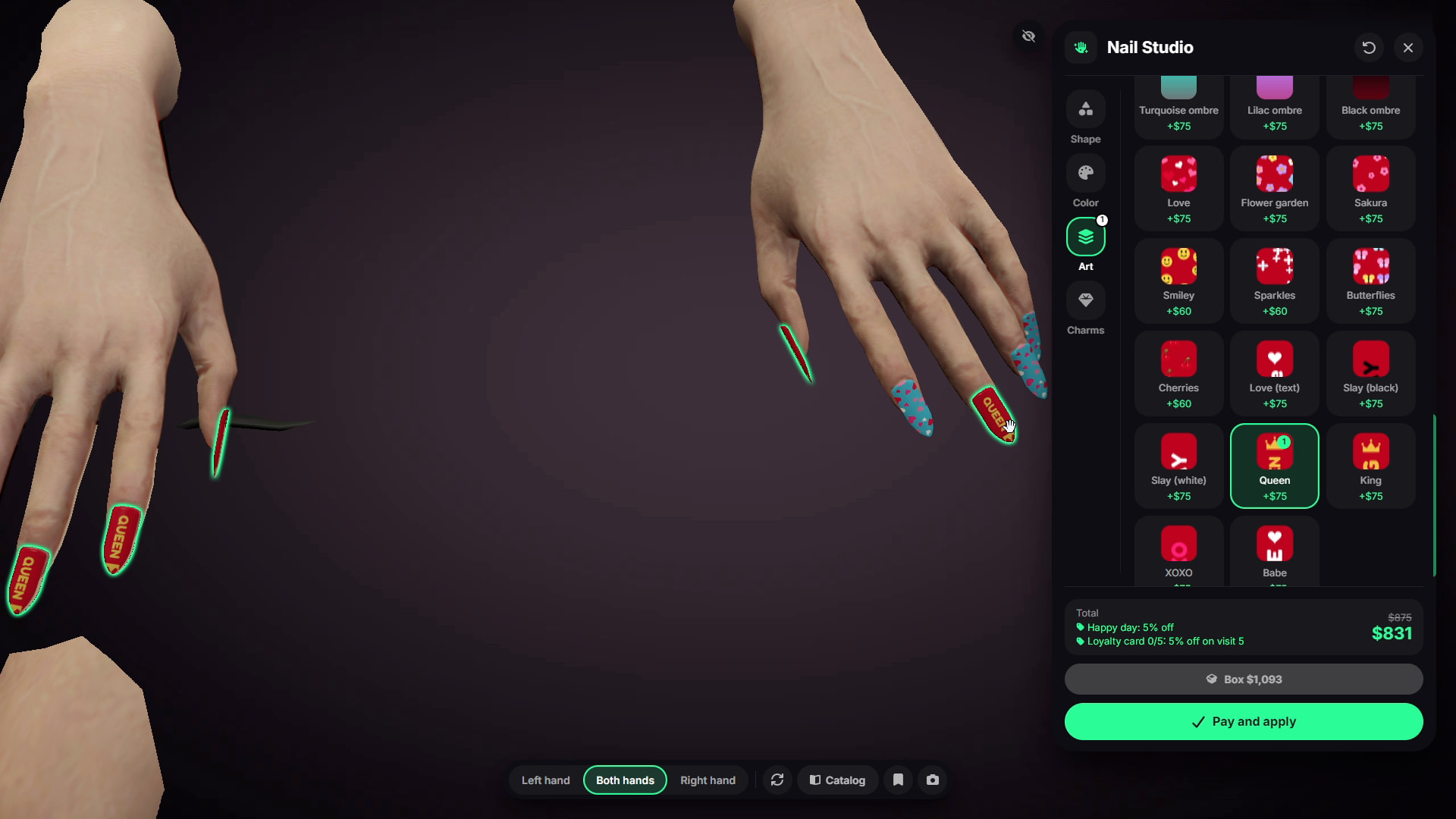
- Pattern Layers - Includes 41 different layers such as glitter, French tips, hearts, leopard patterns, stripes, ombres, and text.
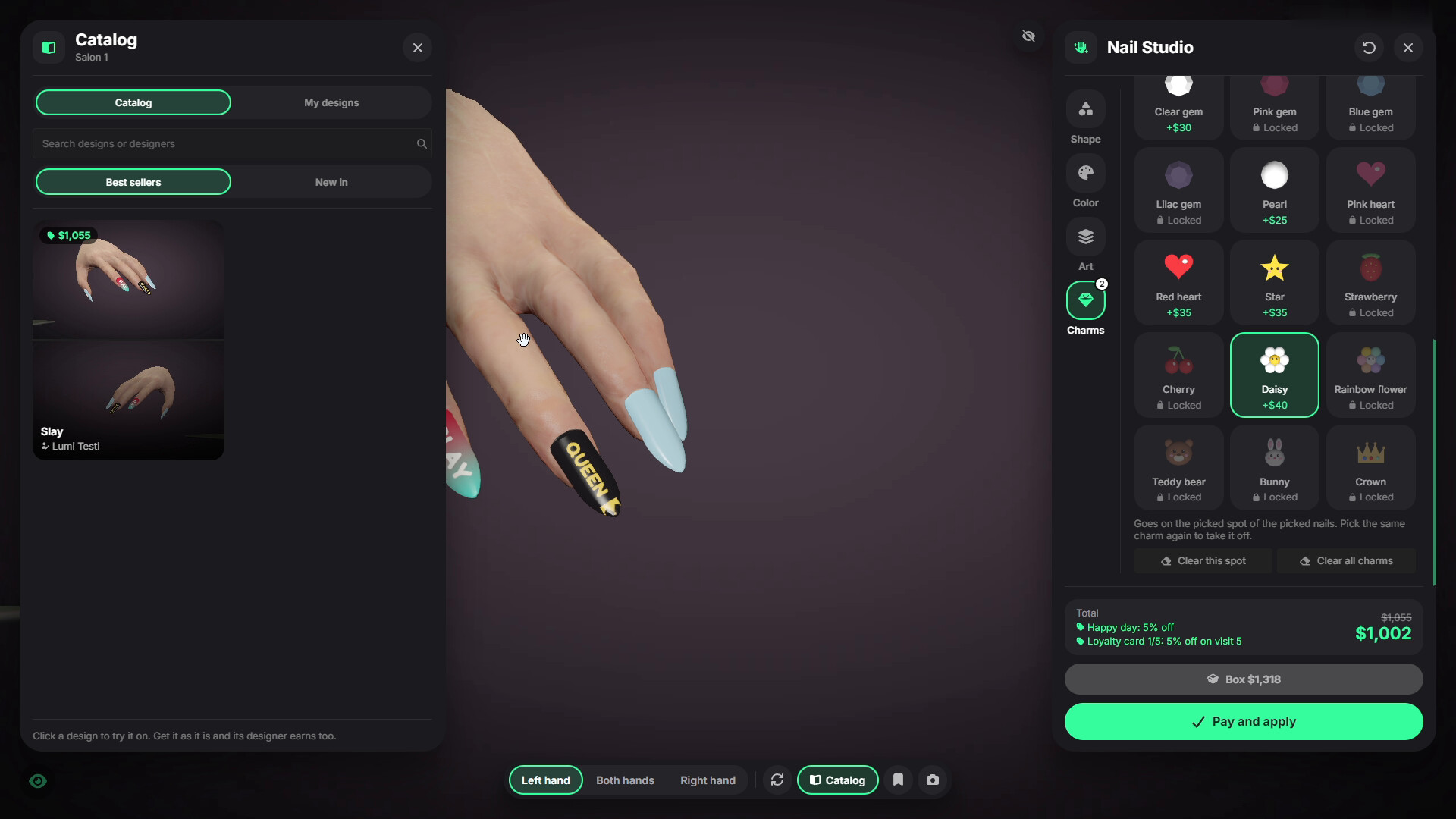
- 3D Charms - Includes 21 different charms such as gems, pearls, bows, flowers, and hearts.
- Per-Nail Customization - Customize individual nails, selected nails, or all ten at once.
- Hand Painting Minigame - Staff manually file, paint, and decorate nails.
- NPC Customers - NPC customers can visit salons and request specific nail designs.
- Player Customers - Players can serve other players and see their design choices live.
- Ownable Salons - Players can buy or rent salons and manage them as businesses.
- 3 Salon Types - NPC-operated salons, job salons, and player-owned salons.
- Owner Panel - Manage income, bills, staff, prices, upgrades, promotions, and transaction history.
- Unlocks & Upgrades - Unlock new shapes, lengths, layers, charms, and salon upgrades.
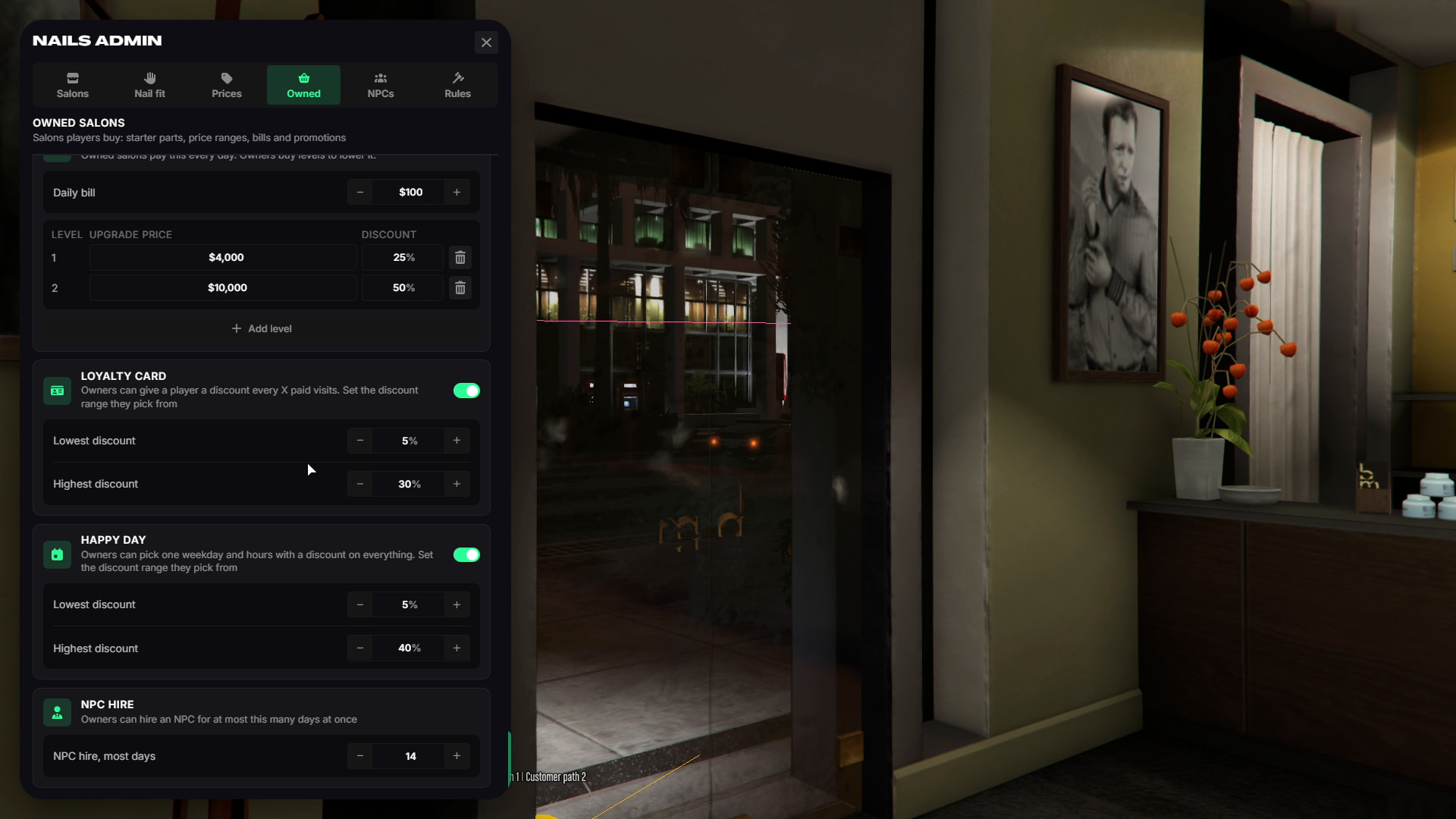
- Loyalty Card & Happy Hour - Create customer discounts and scheduled promotions.
- Design Catalog - Staff can create and sell custom nail designs through the salon catalog.
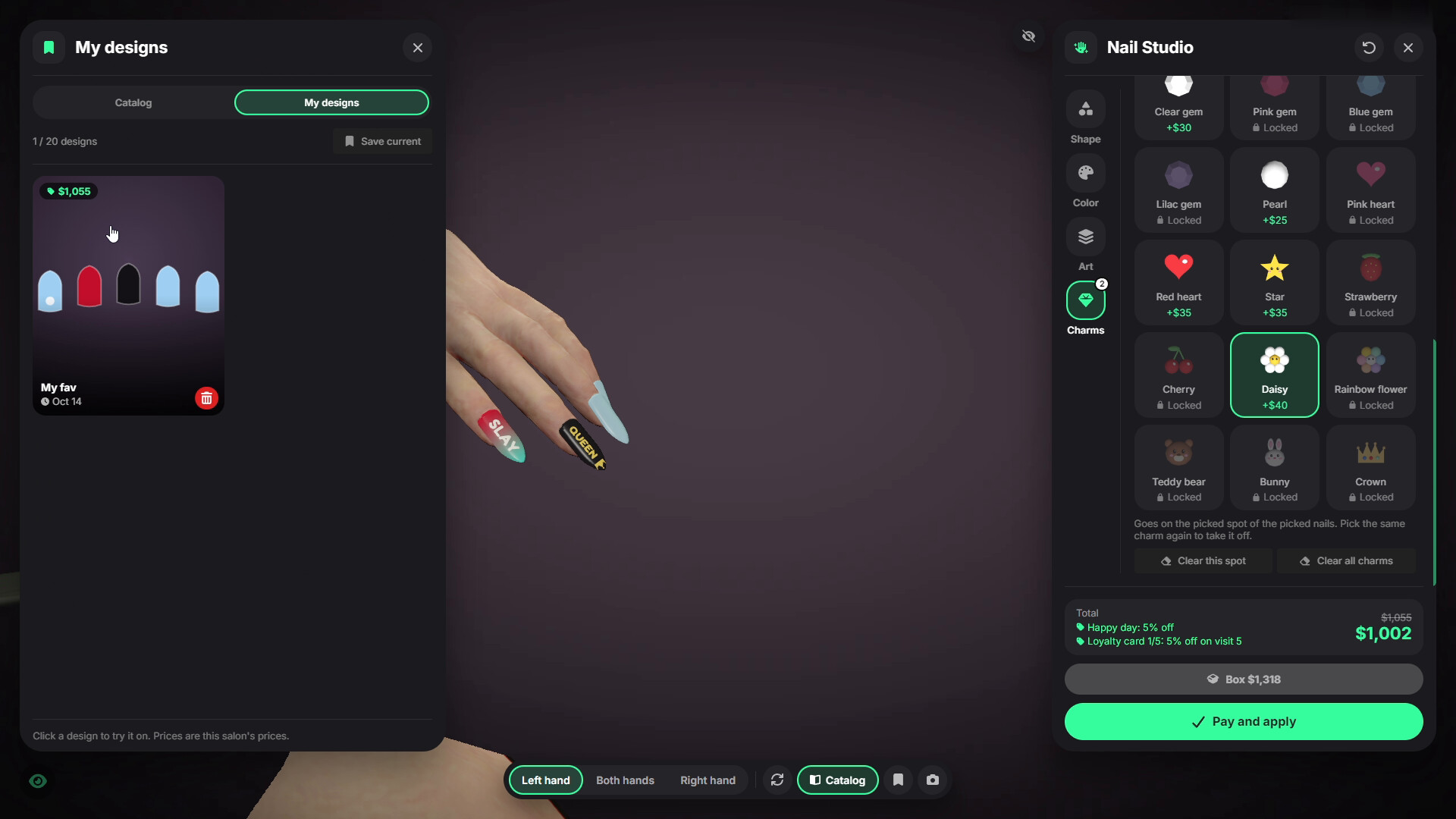
- Saved Designs - Players can save and reuse their favorite nail designs.
- Press-On Nails - Turn catalog designs into portable press-on nail boxes.
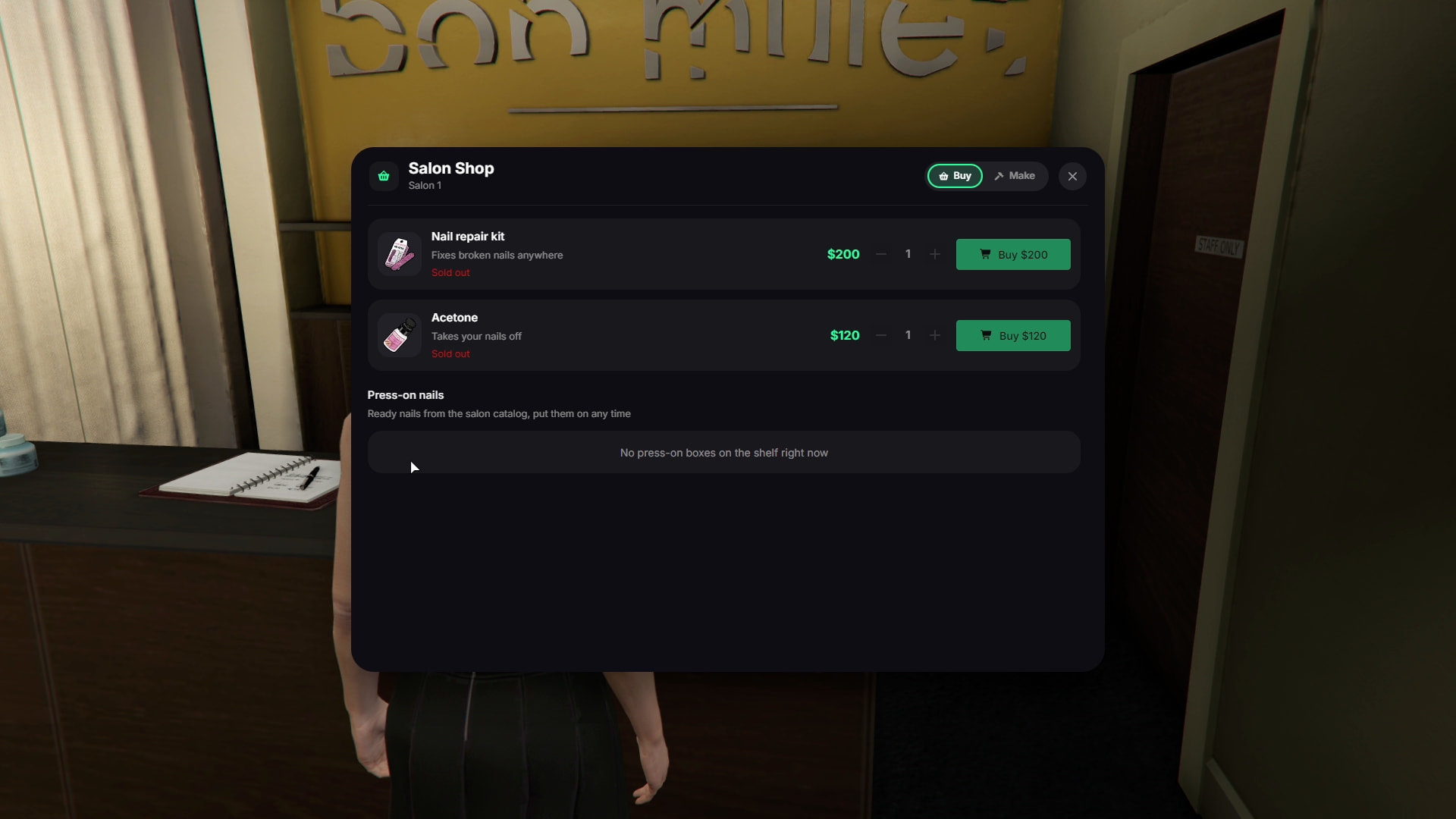
- Salon Shop - Sell repair kits, acetone, and press-on nail boxes.
- Nail Breaking & Wear - Nails can break from crashes, falls, fights, gunshots, and other events.
- Repair Kit & Acetone - Repair broken nails or remove them without visiting a salon.
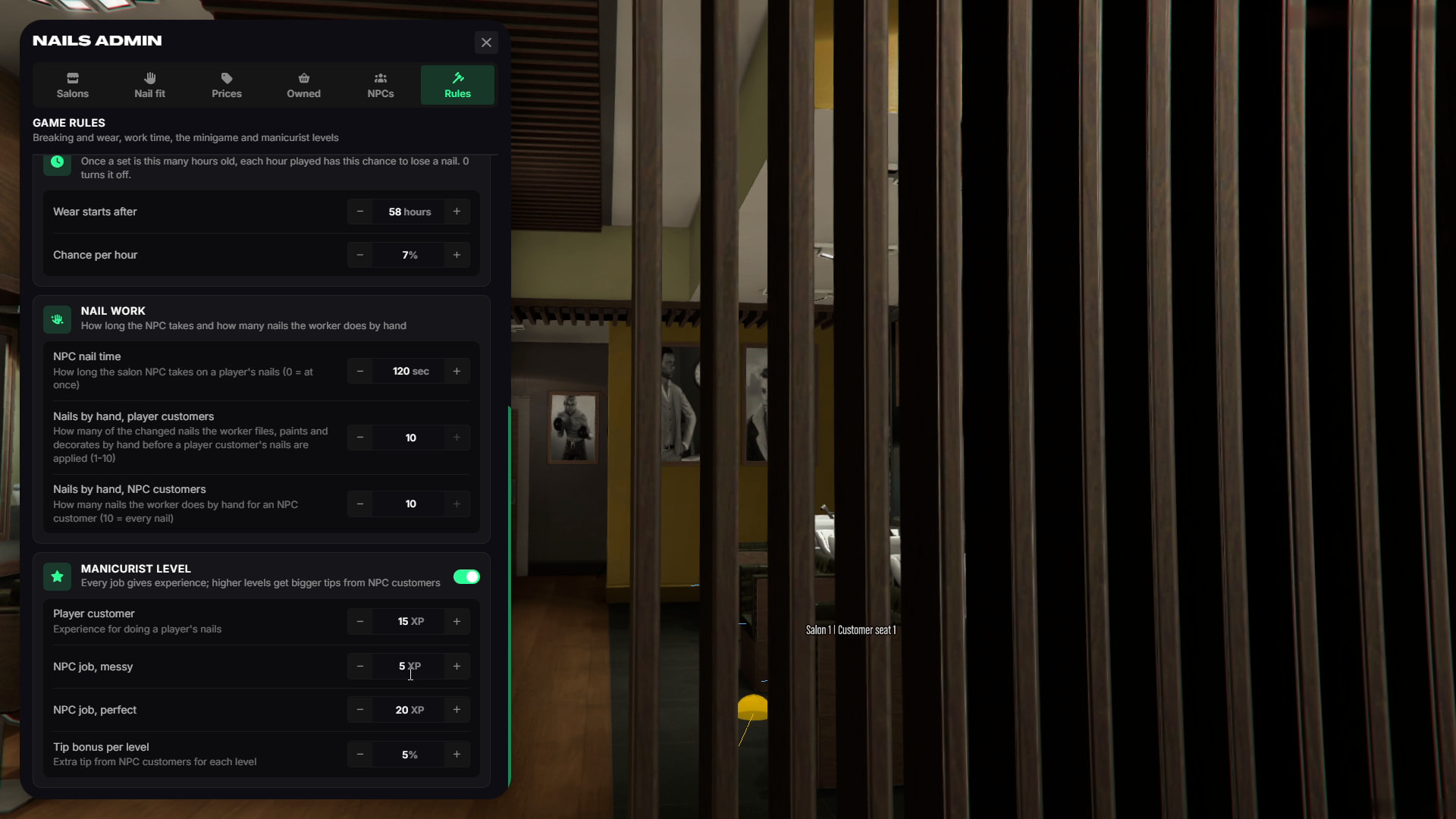
- Manicurist Levels - Staff gain experience and earn better tips as they level up.
- CityHub Reviews - With TGIANN Phone, NPC customers can leave salon reviews.
- Trend of the Week - Weekly popular styles can give customers extra rewards.
- In-Game Admin Panel - Configure the entire system live without editing config files or restarting.
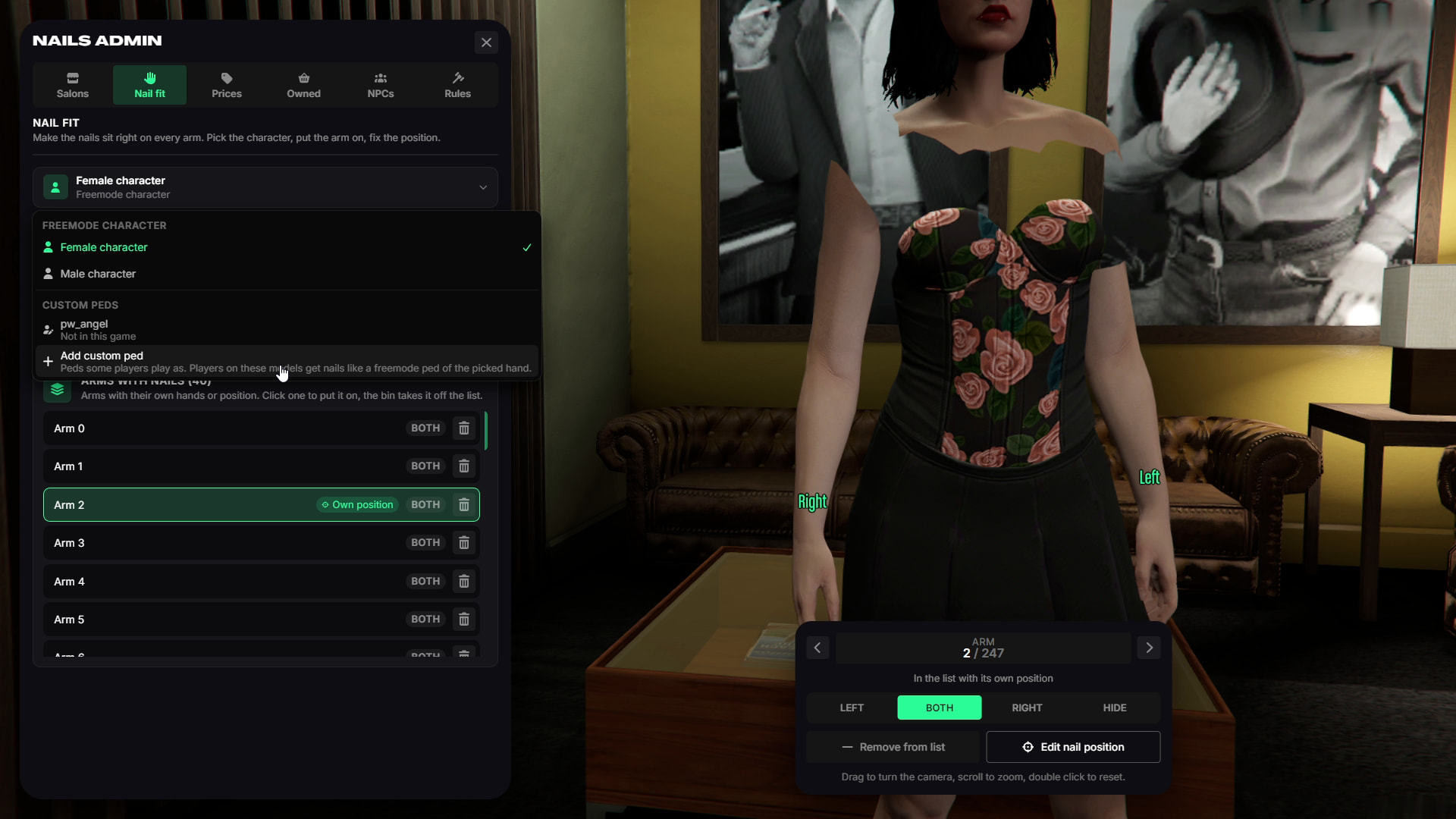
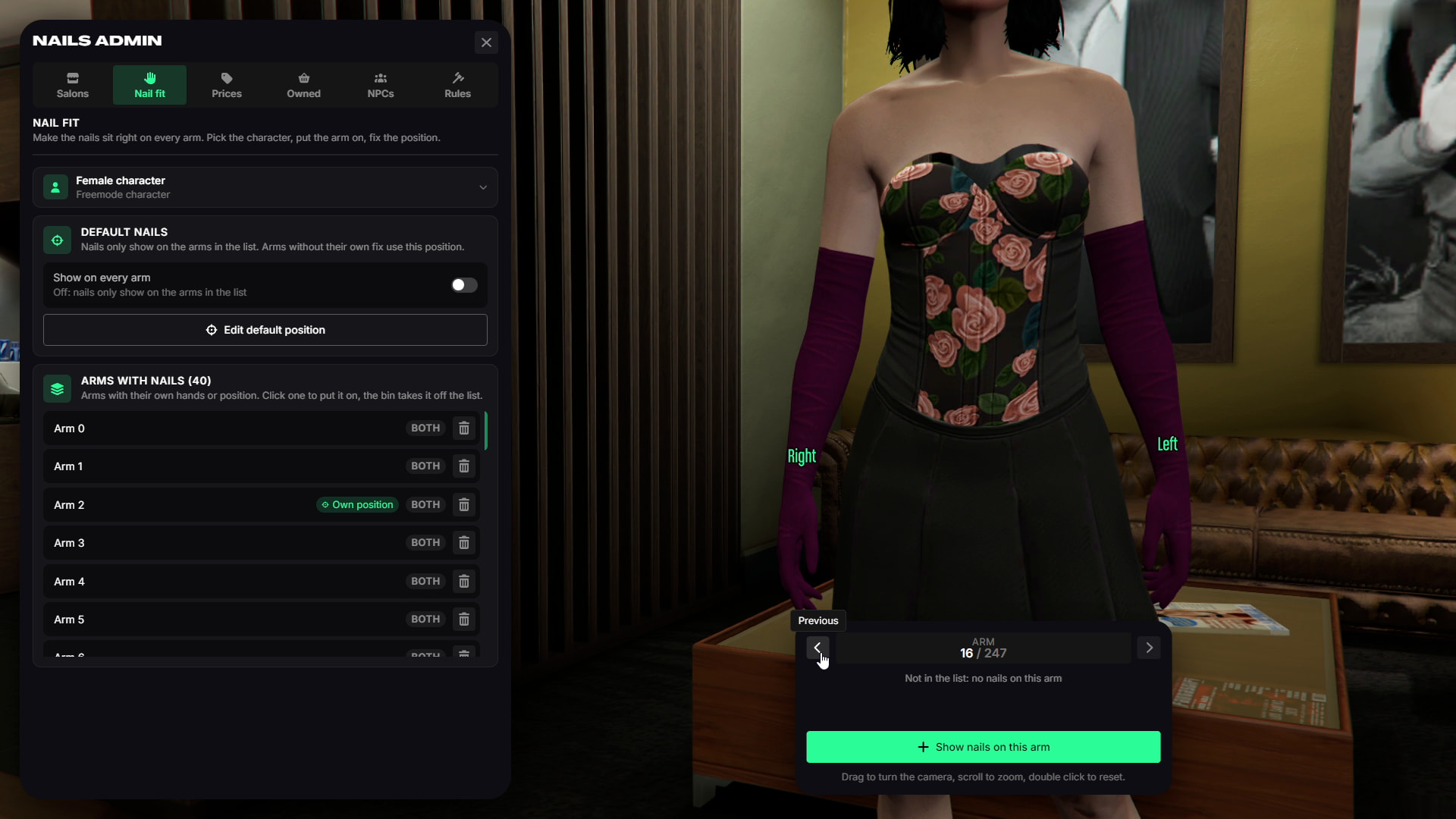
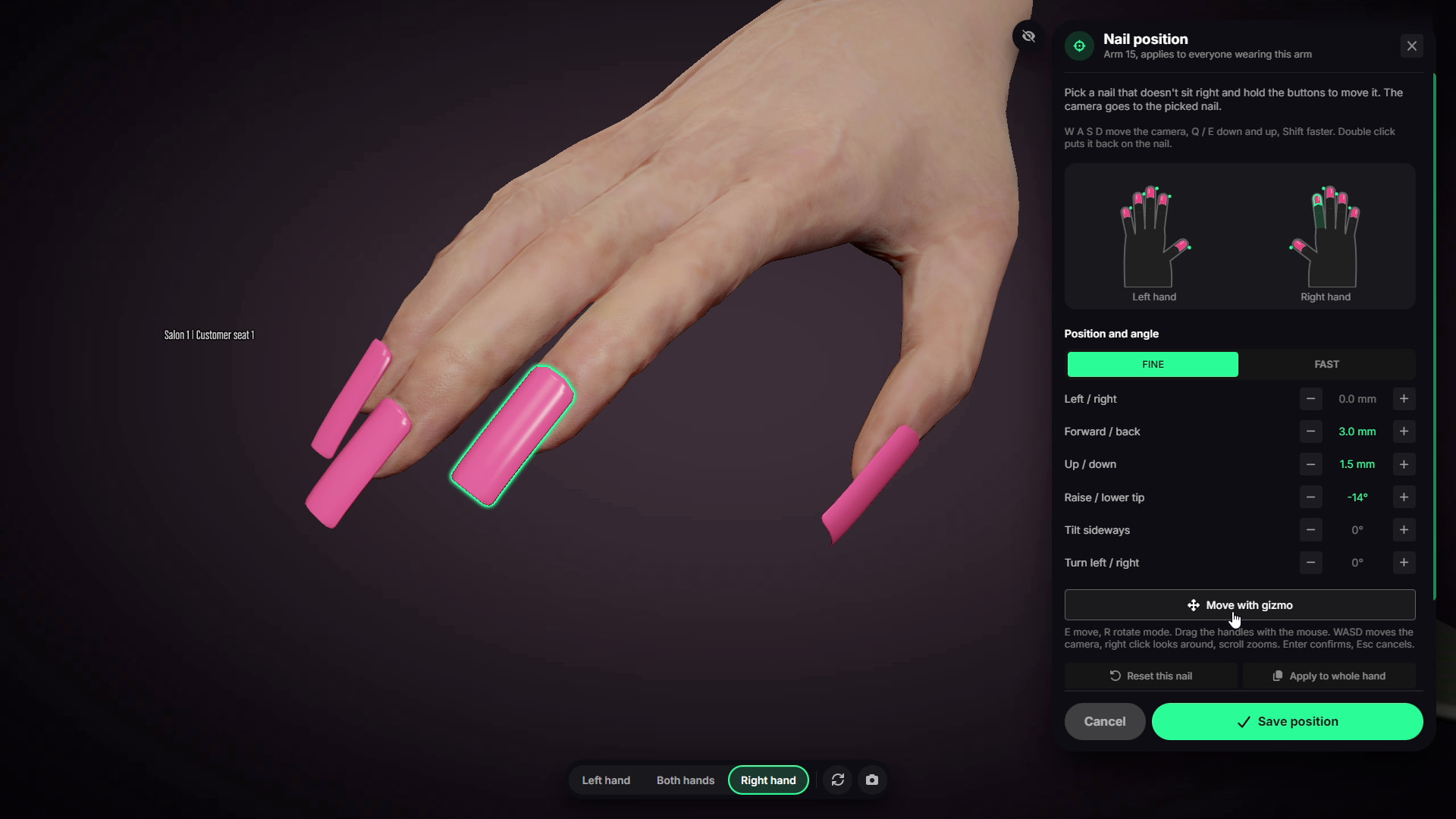
- Custom Clothing Support - Adjust nail positions for different arm clothing and gloves.
- Custom Peds & Pets - Add custom ped models and configure their nail positions.
- Male & Female Support - Compatible with freemode male and female characters.
- Target or DrawText - Supports ox_target, qb-target, or standard press E interaction.
3D Nail Studio
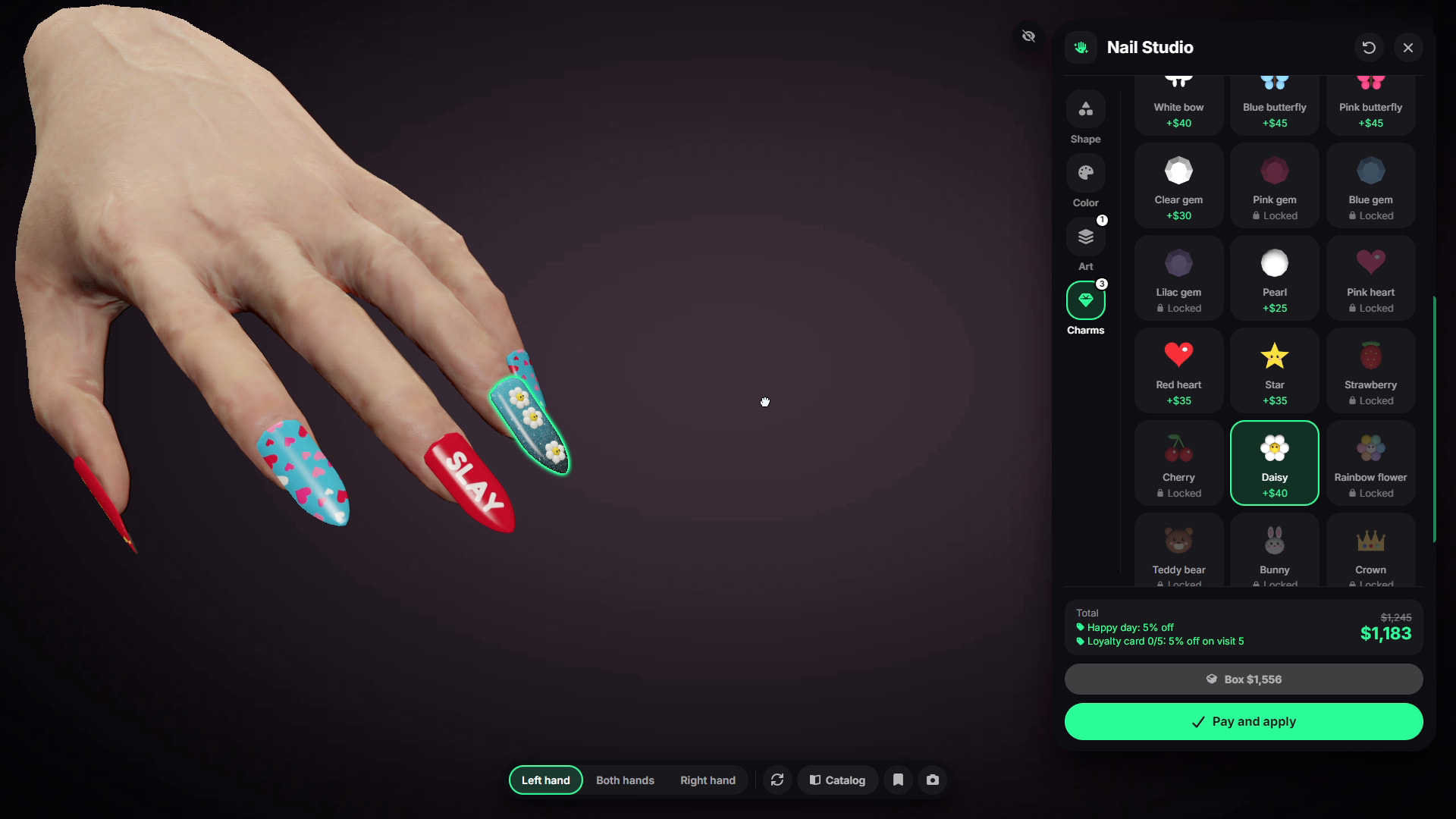
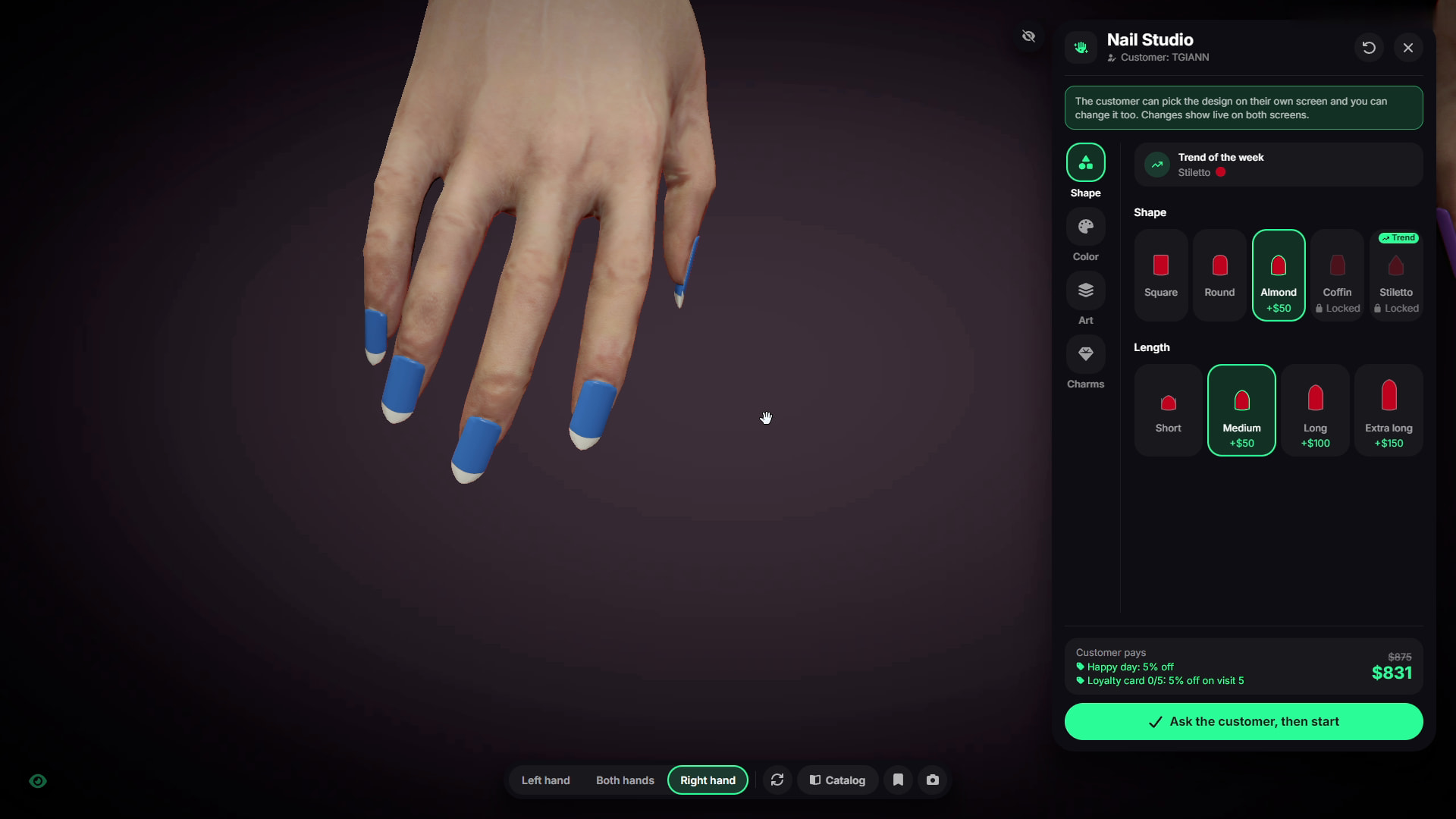
- The studio opens directly on the player’s own hands.
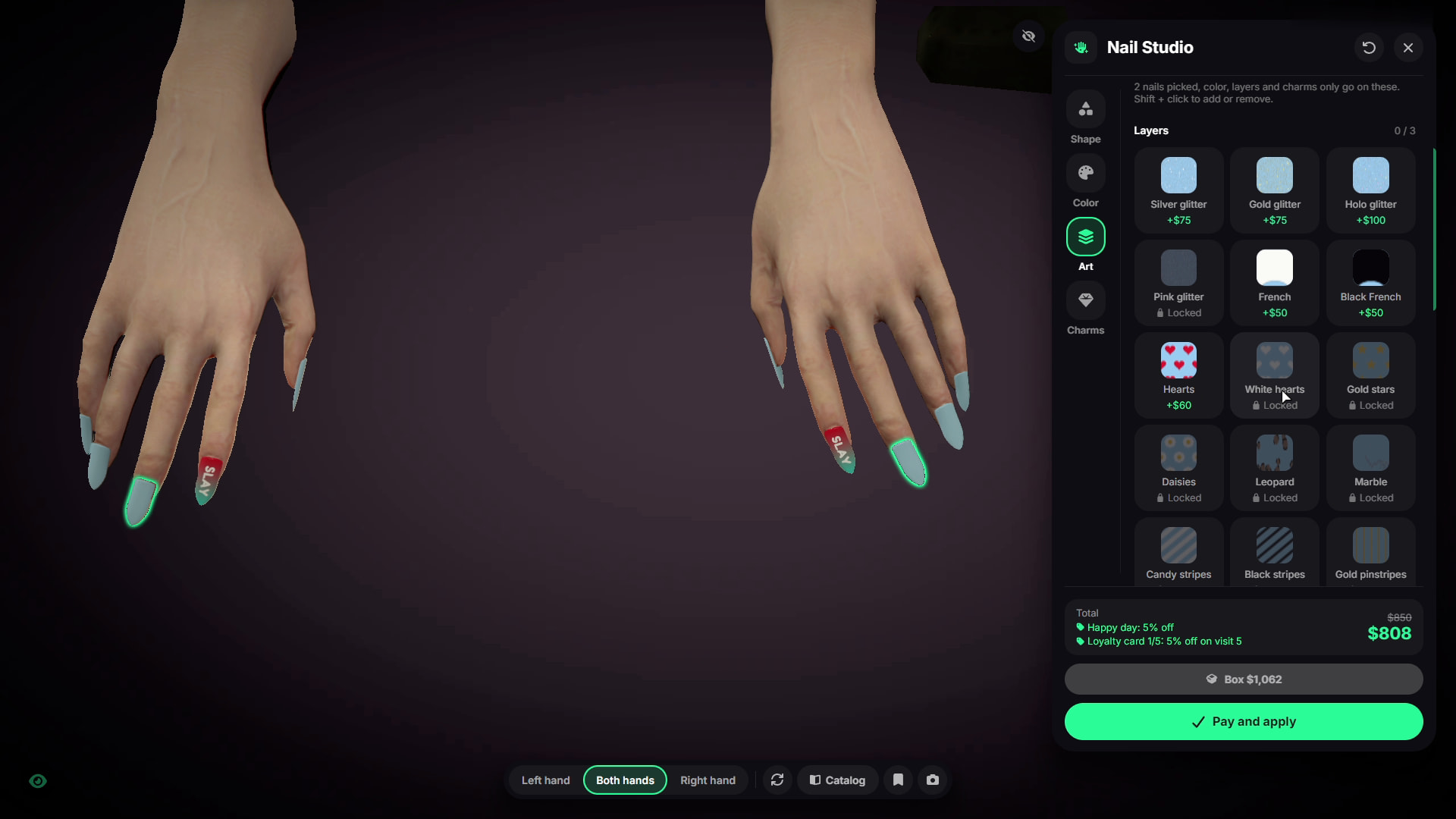
- Players can rotate the hands, zoom in on individual nails, and switch between the left hand, right hand, or both.
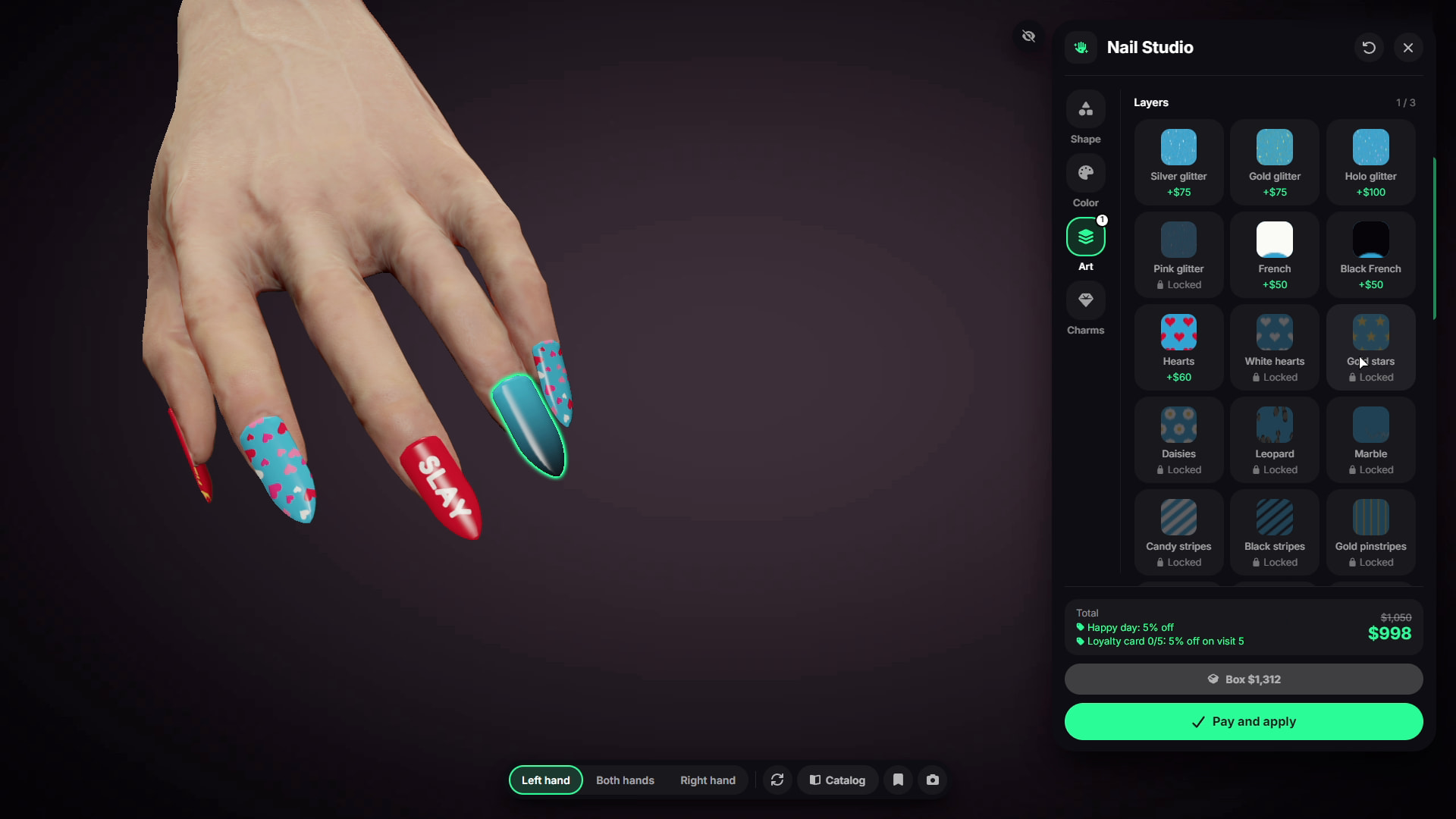
- Choose a nail shape, length, and color, then customize individual nails or multiple nails at once.
- Each nail can use up to 3 pattern layers and up to 3 different 3D charms.
- Salon unlocks are also reflected directly in the studio. Locked content is shown as unavailable until the salon owner unlocks it.
- Prices update live as the design changes.
Hand Painting Minigame
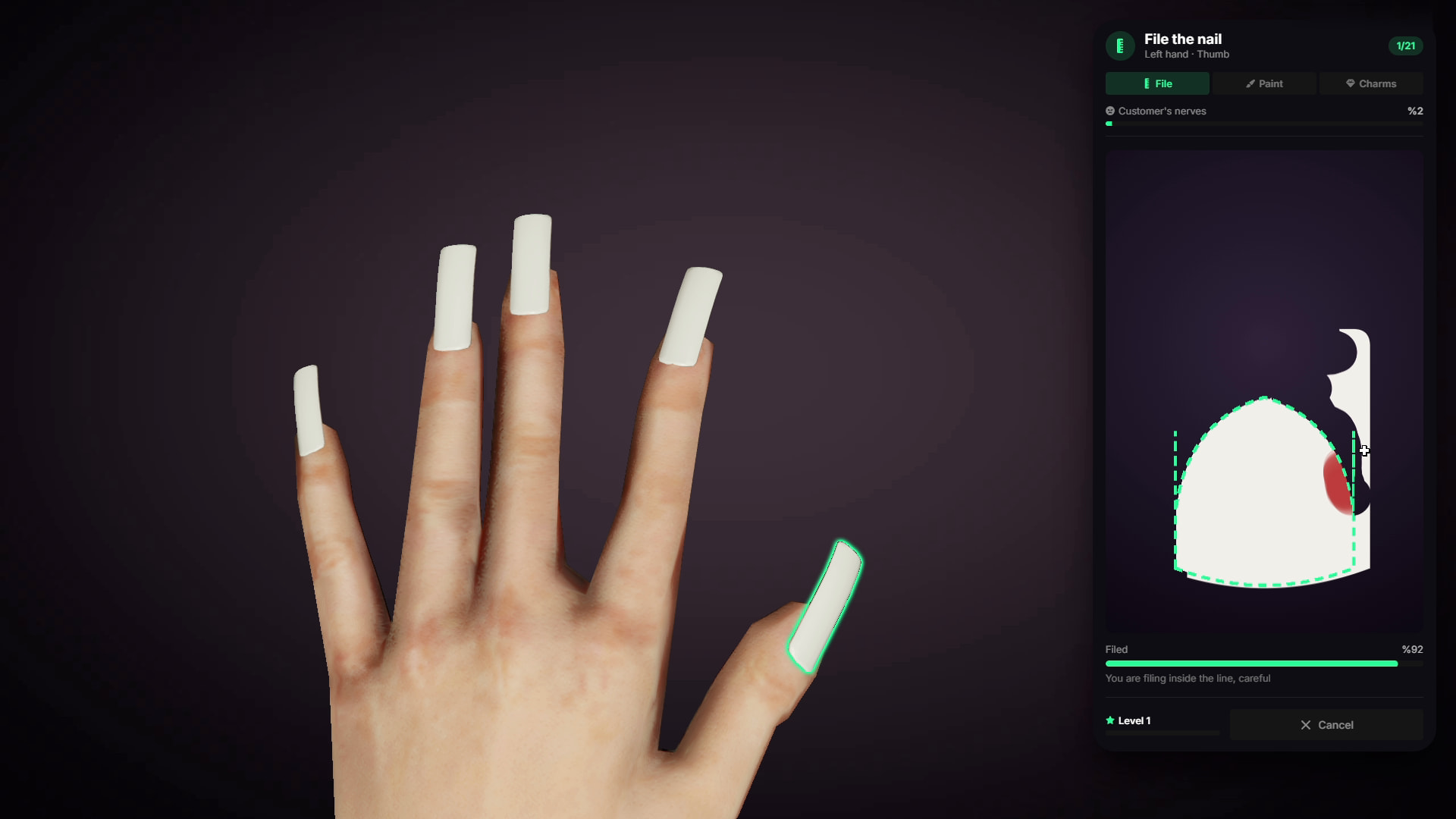
- Nails are not completed with a single click.
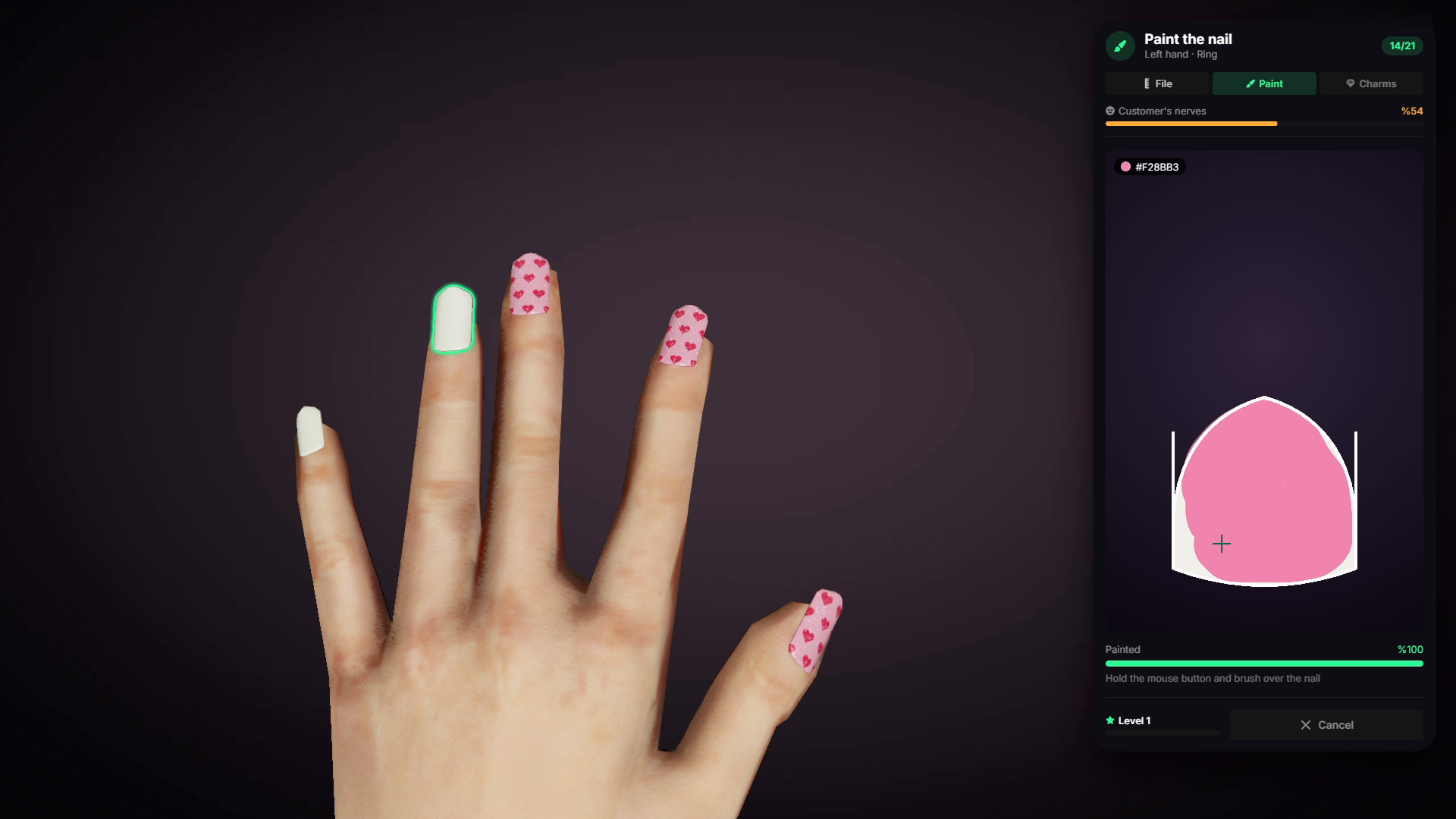
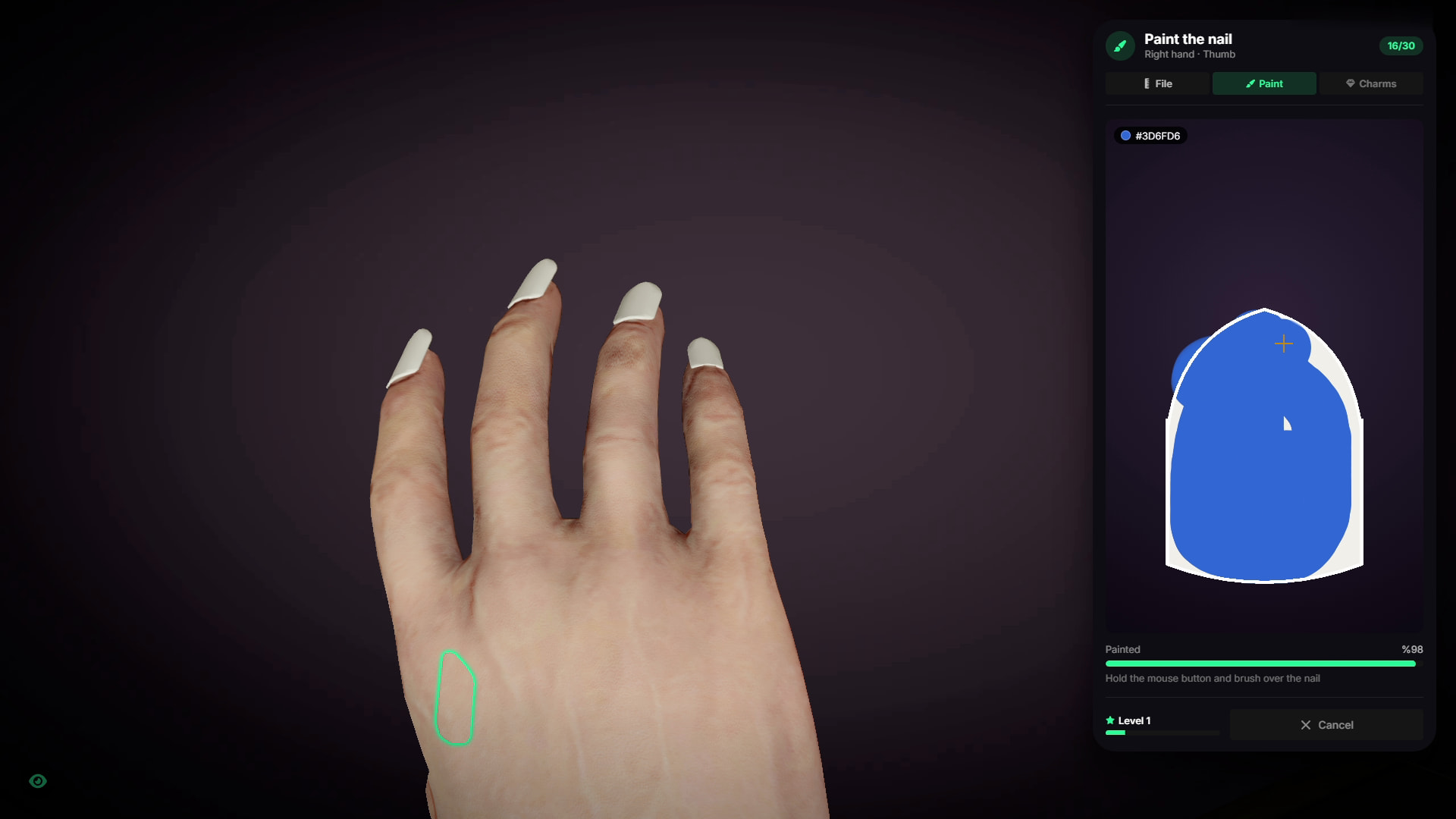
- Staff manually file, paint, and decorate nails through an interactive minigame.
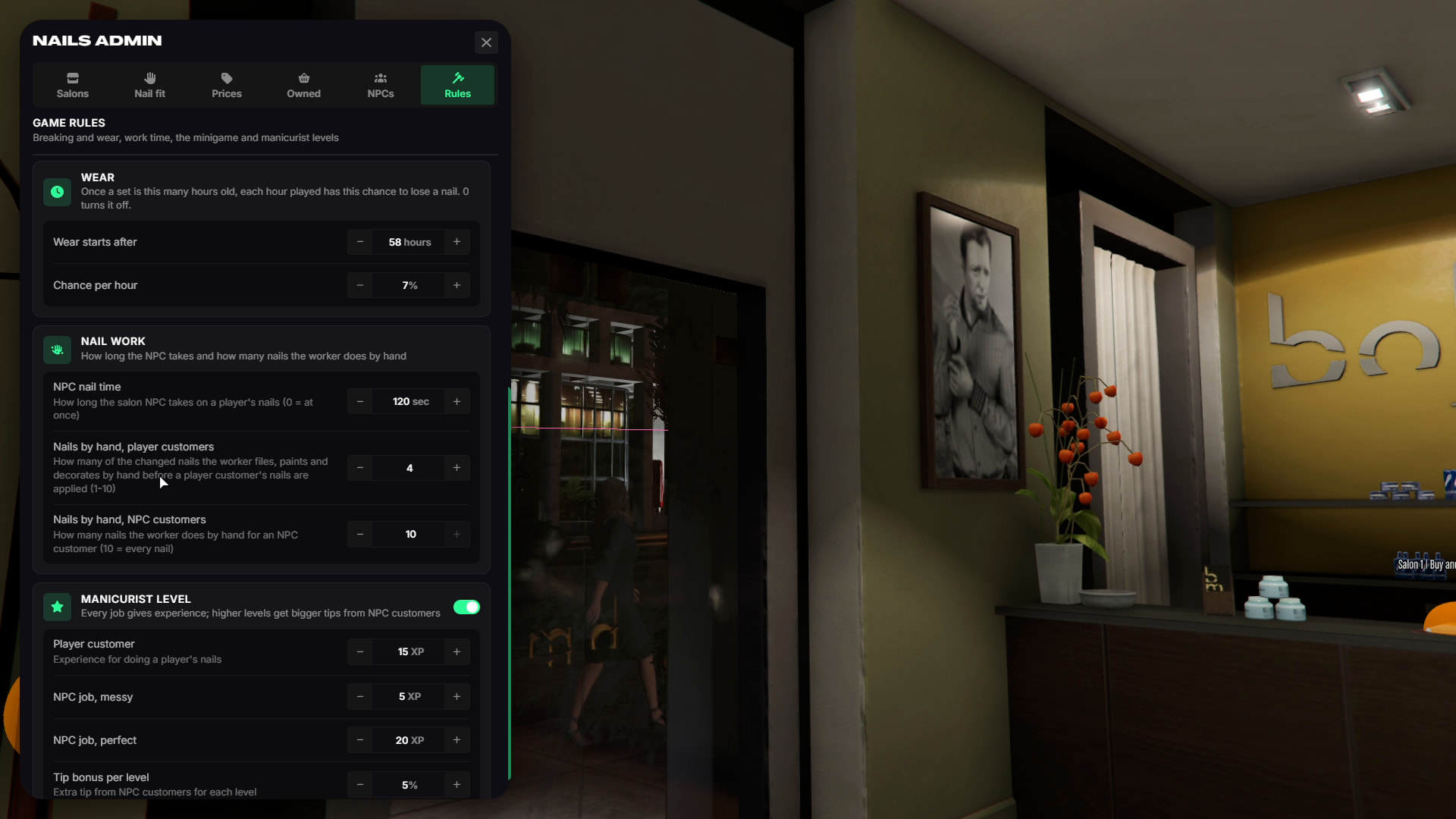
- Poor accuracy makes the customer more nervous. If their nervousness reaches the limit, they may leave before the service is completed.
- Better work can result in higher tips.
- Admins can configure customer tolerance, work requirements, and NPC salon service times.
NPC & Player Customers
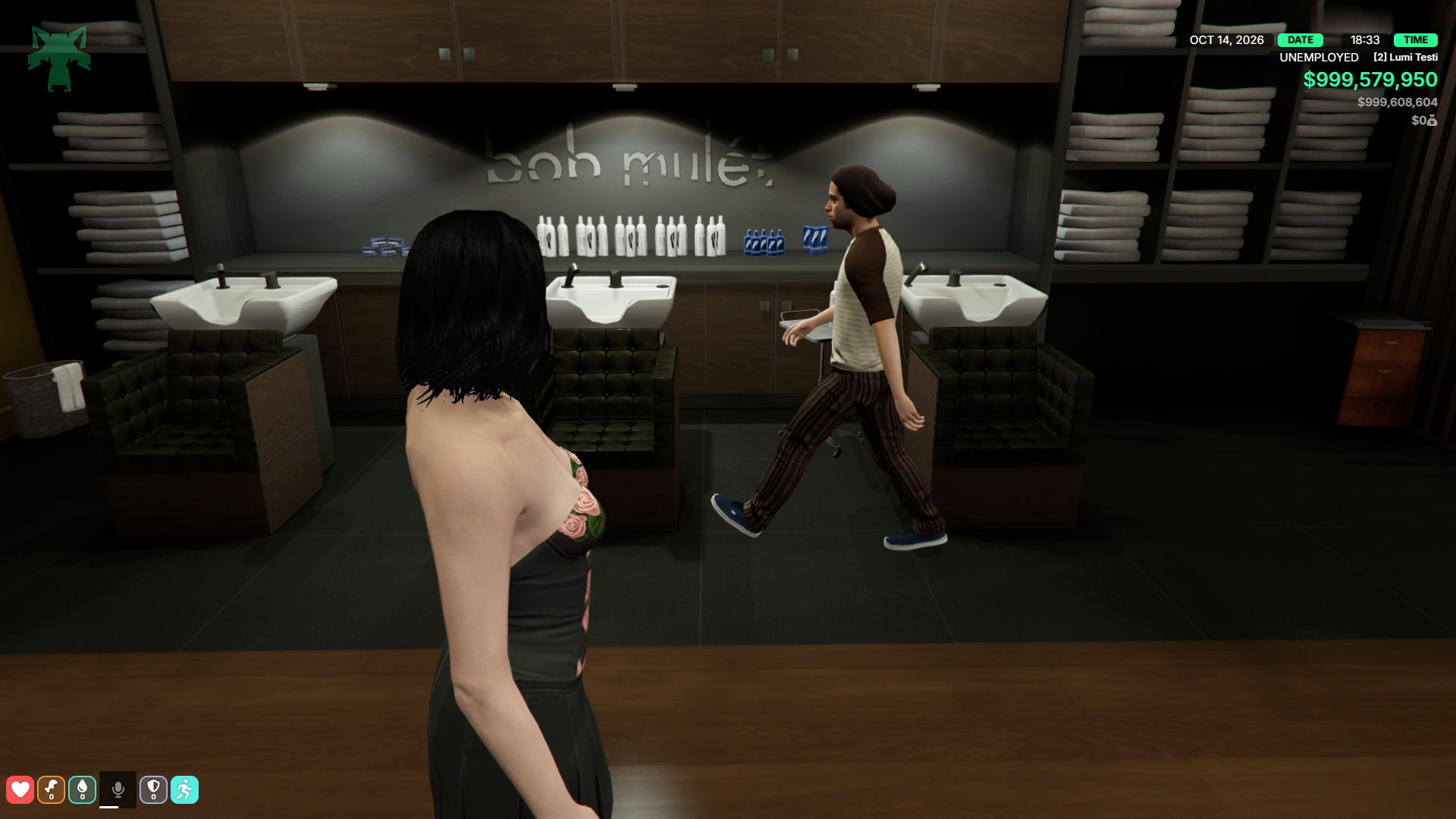
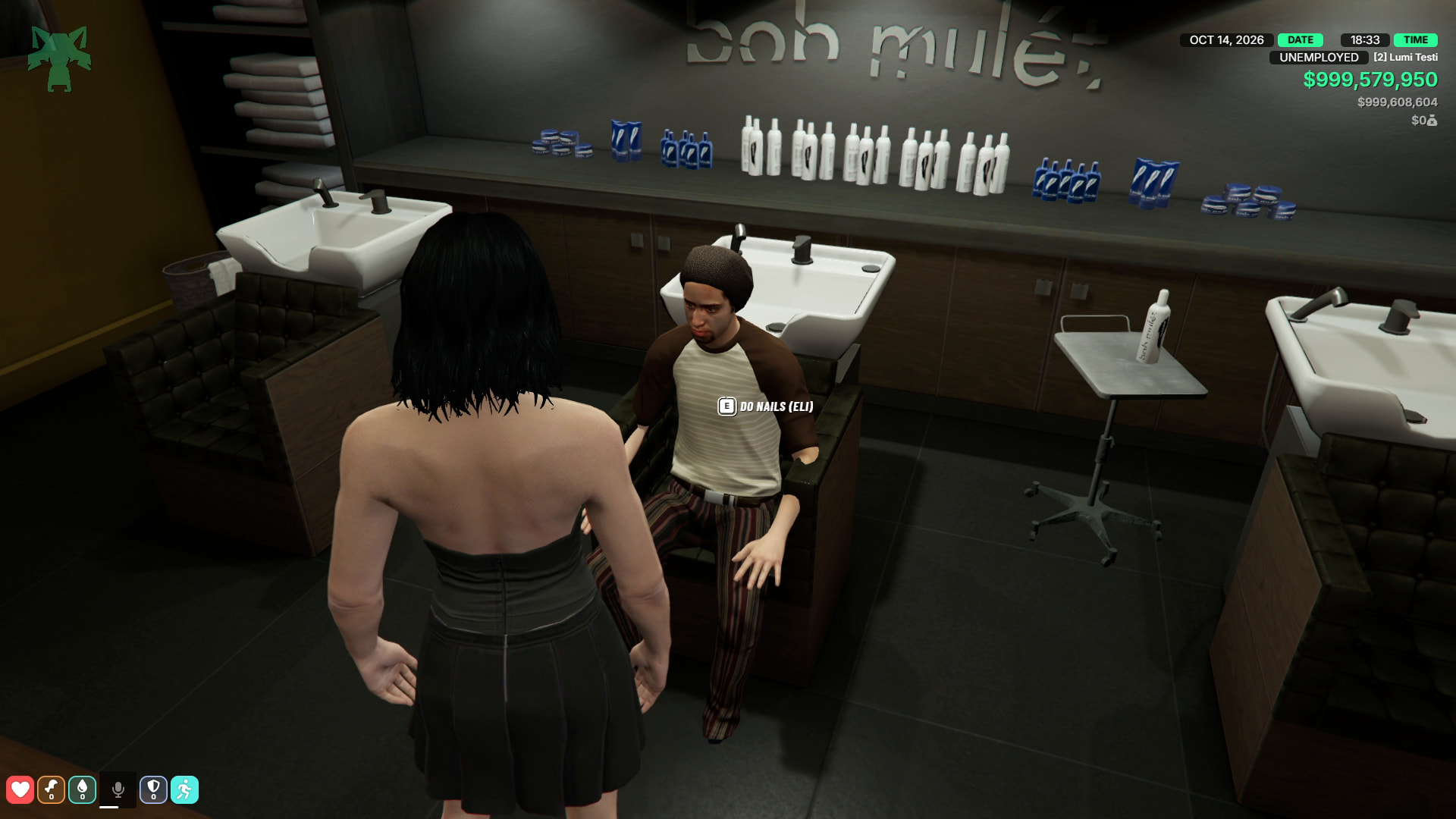
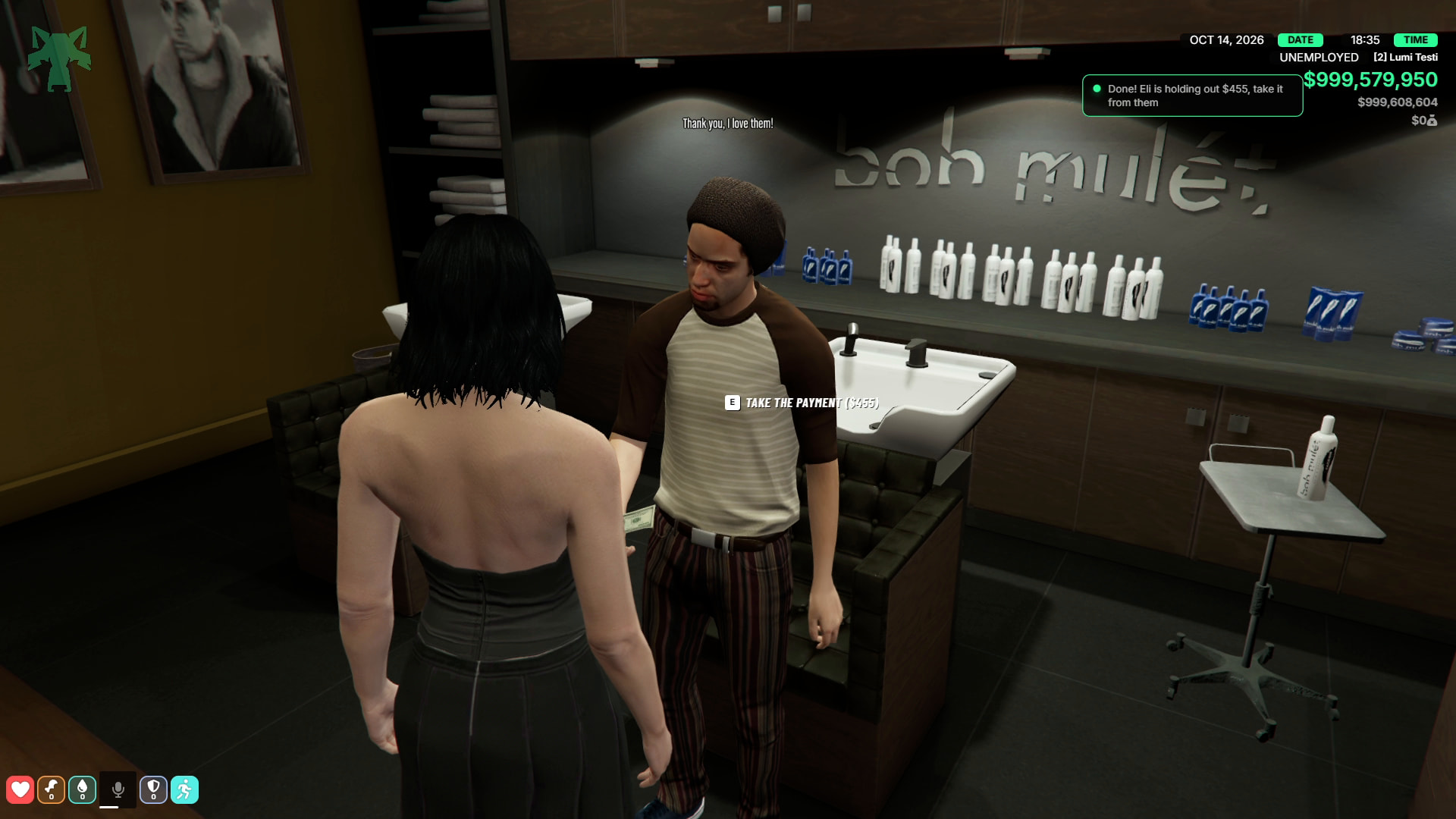
- When salon staff are on duty and NPC customers are enabled, customers can automatically enter the salon, take an available seat, and request a nail design.
- The worker can view the requested design and complete it through the minigame.
- The salon receives payment while the worker earns commission and tips.
- Players can also serve other players. The customer creates their design in the studio while the worker sees the changes live.
- Salon owners can also hire an NPC worker to keep the salon operating when no employees are available.
- With TGIANN Phone, NPC customers can leave CityHub reviews based on the quality of the service.
Ownable Salons & Owner Panel
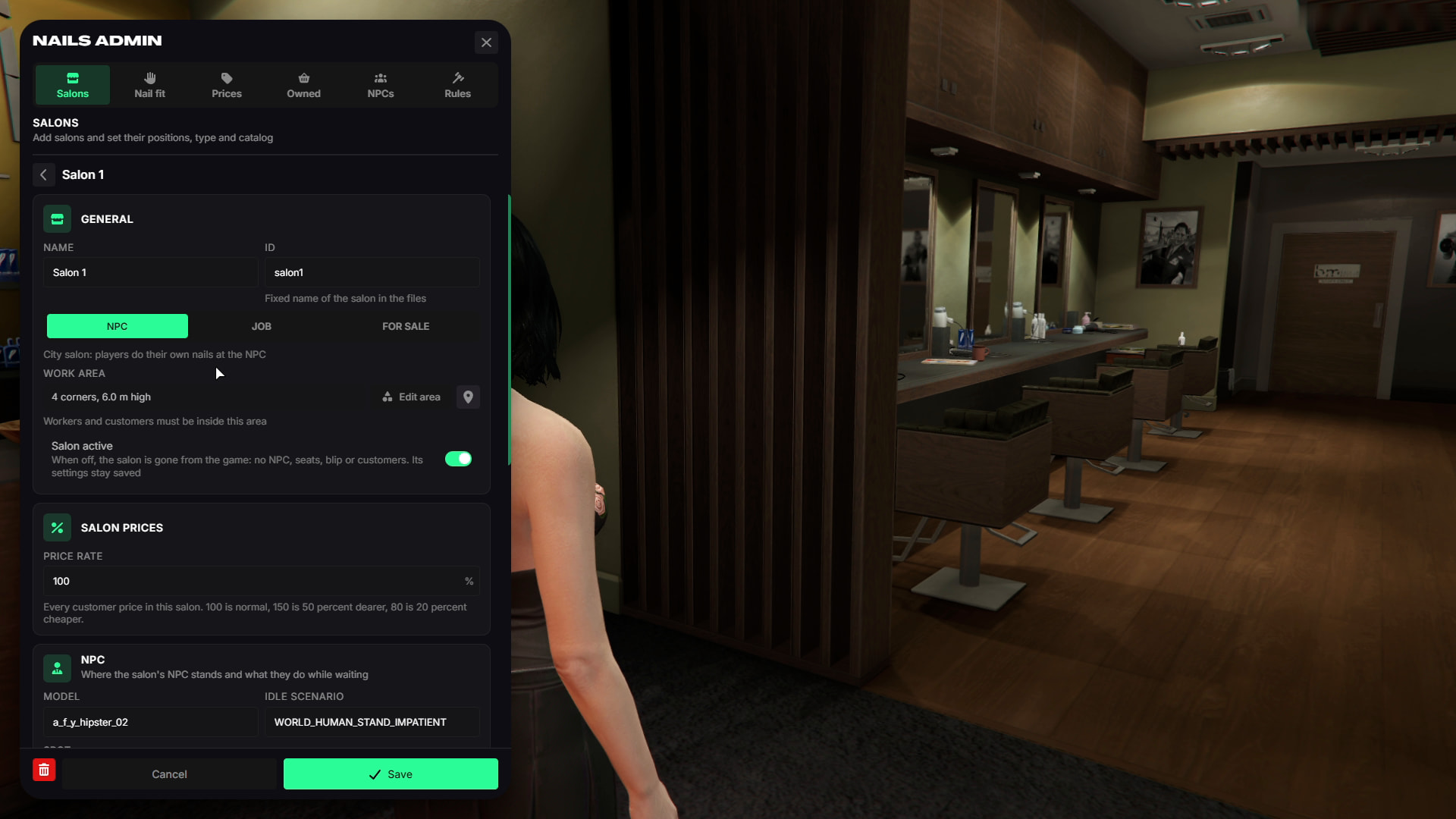
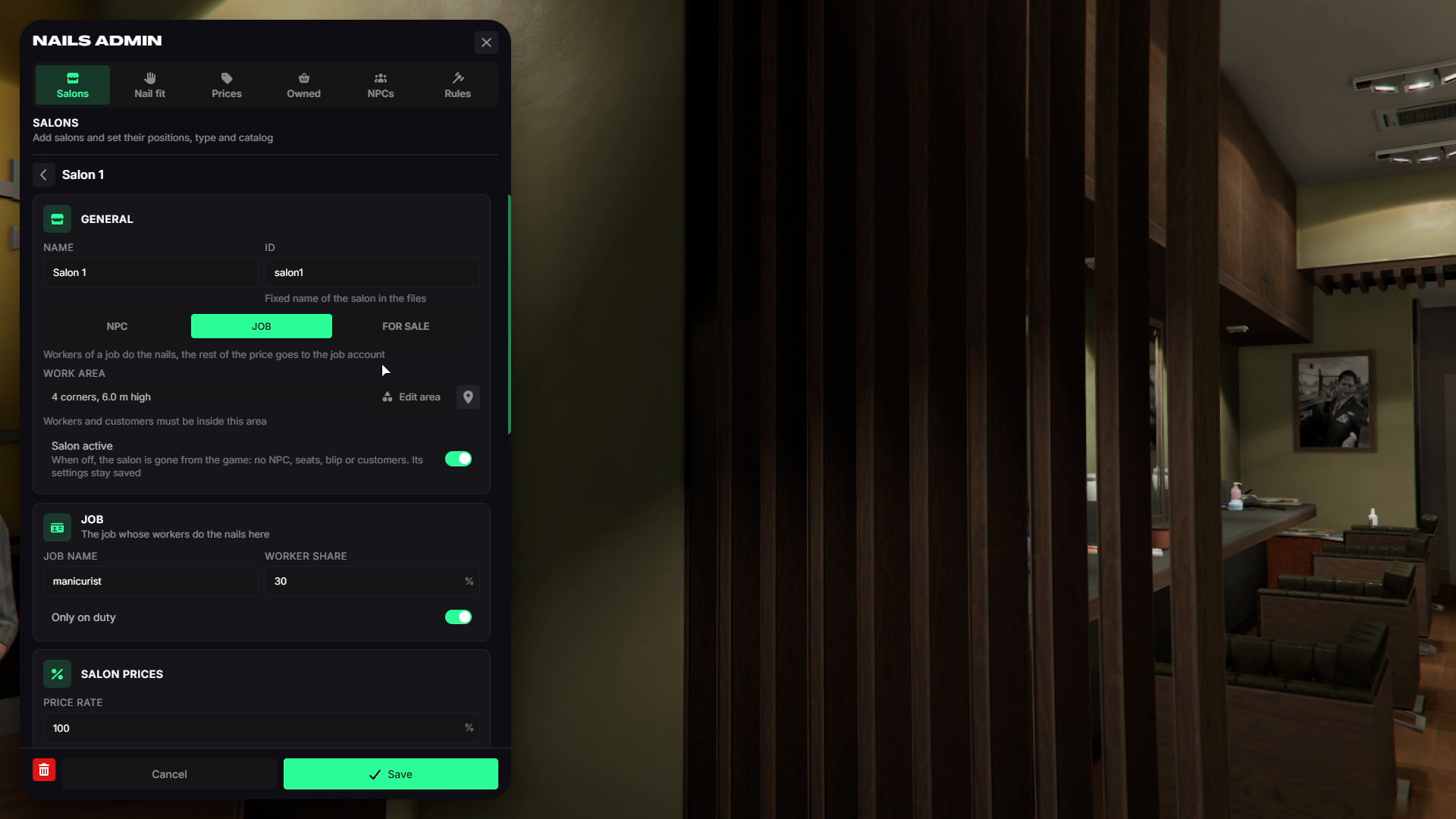
- Salons can operate in three different ways:
- City Salon - Operated by an NPC.
- Job Salon - Job employees provide services and earn commission.
- Salon for Sale - Players can buy or rent the salon and operate it as a business.
Salon owners have access to a complete management panel.
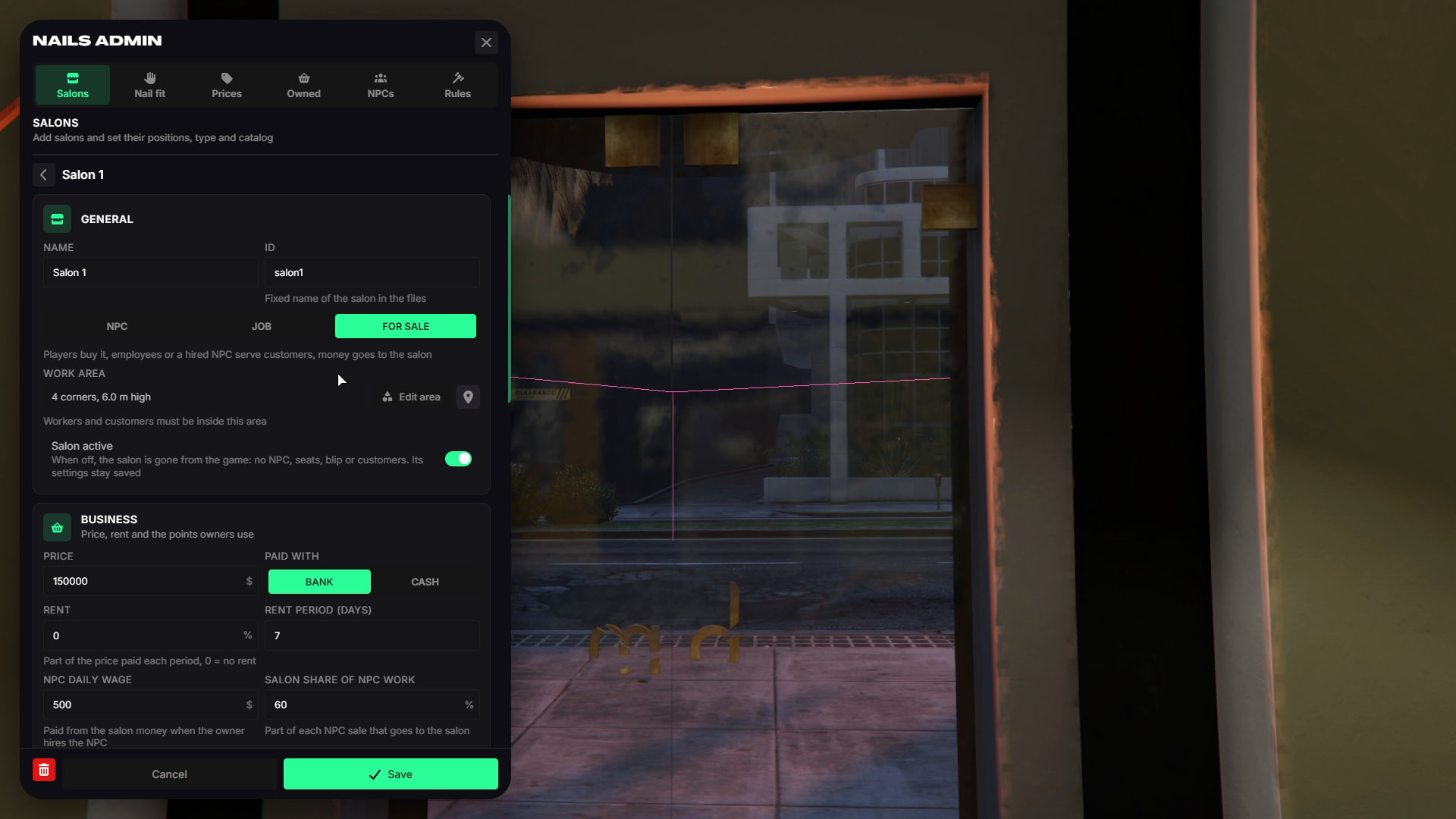
Overview
- View salon balance, income charts, bills, NPC worker status, deposits, withdrawals, and business ownership options.
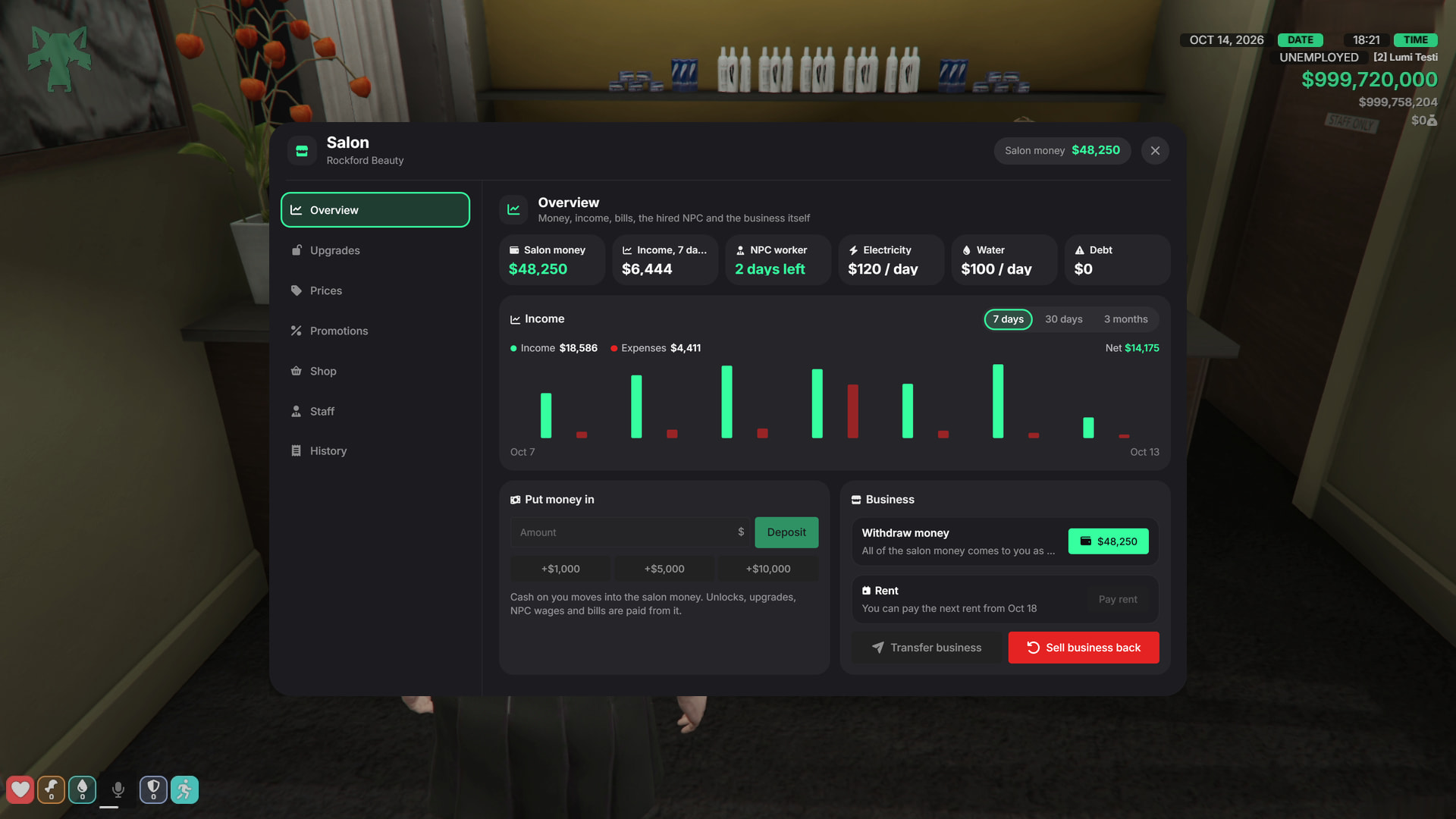
Upgrades
- Unlock new nail shapes, lengths, layers, and charms. Owners can also purchase upgrades that reduce operating costs.
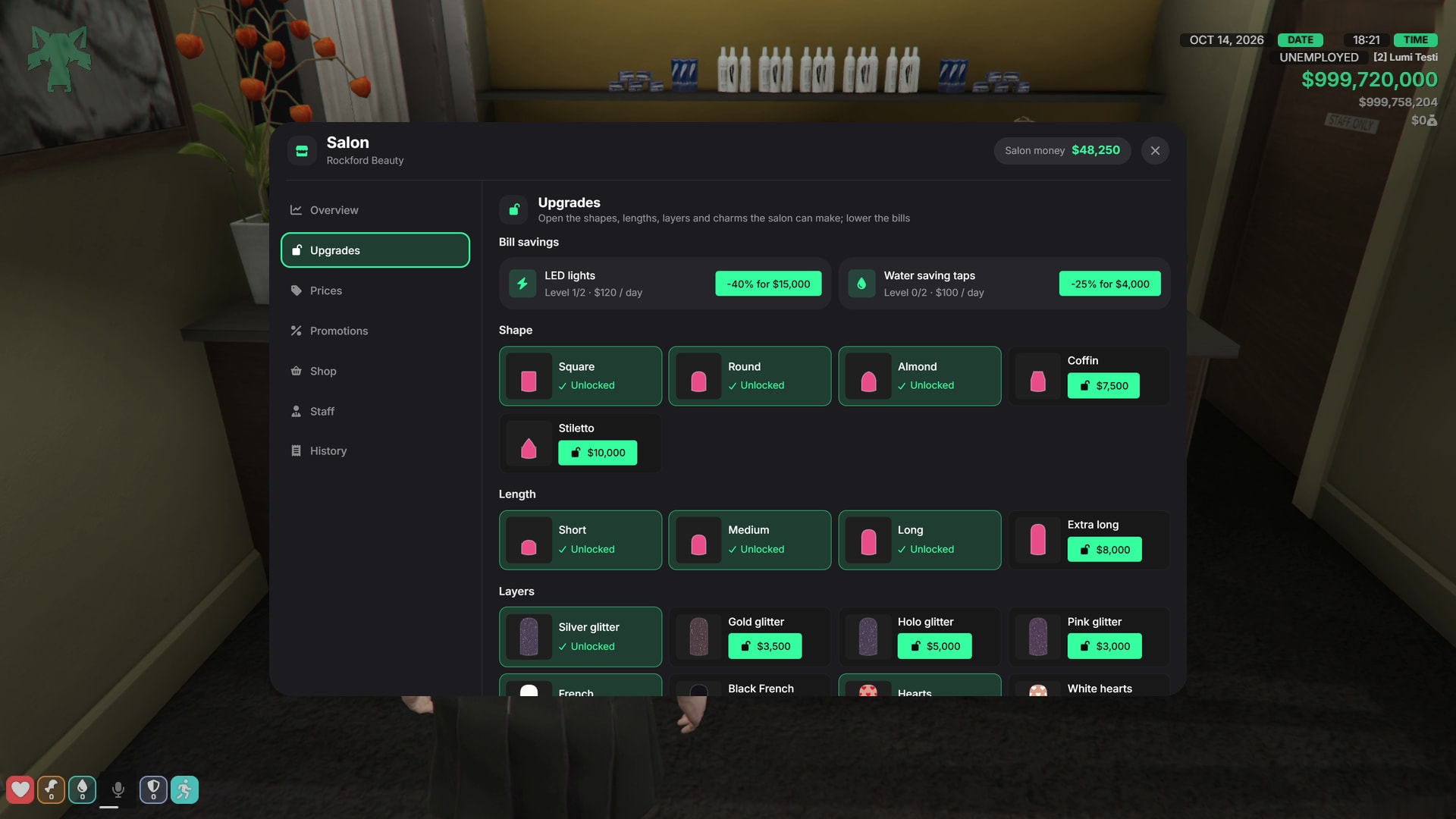
Prices
- Set service and product prices within the limits configured by the server admin.
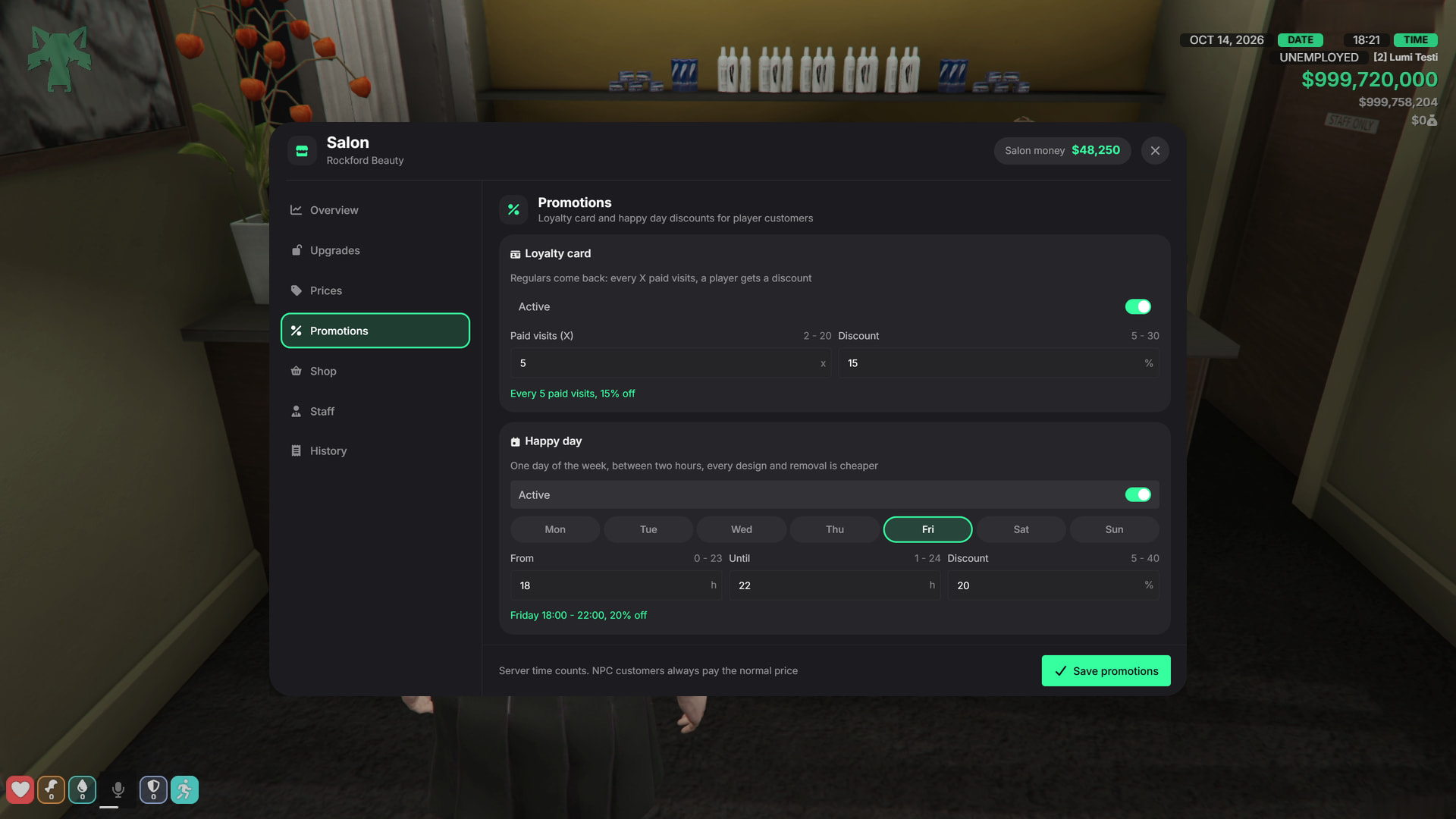
Promotions
- Configure loyalty rewards and scheduled Happy Hour discounts.
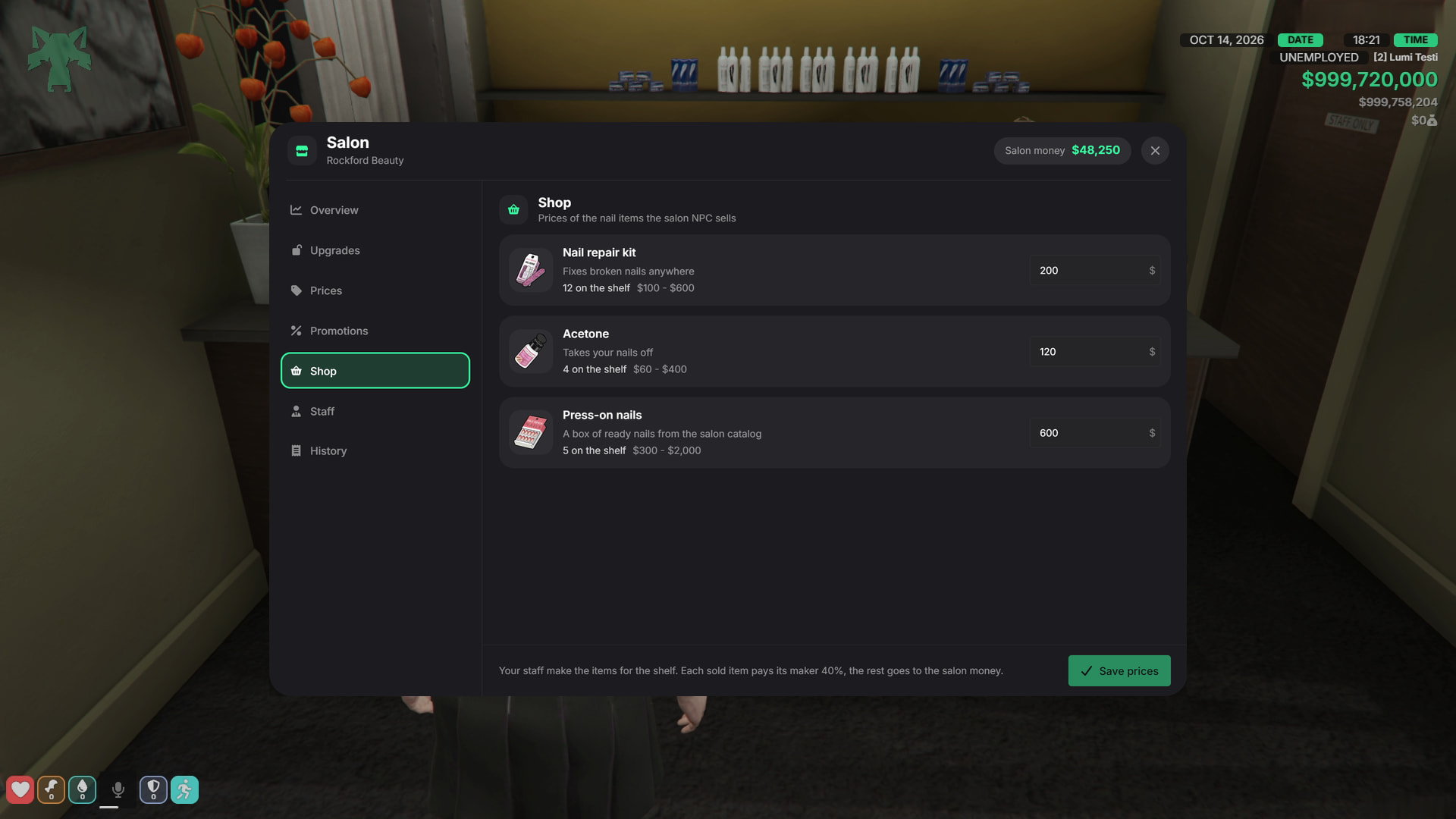
Shop
- Manage prices for repair kits, acetone, and press-on nail boxes.
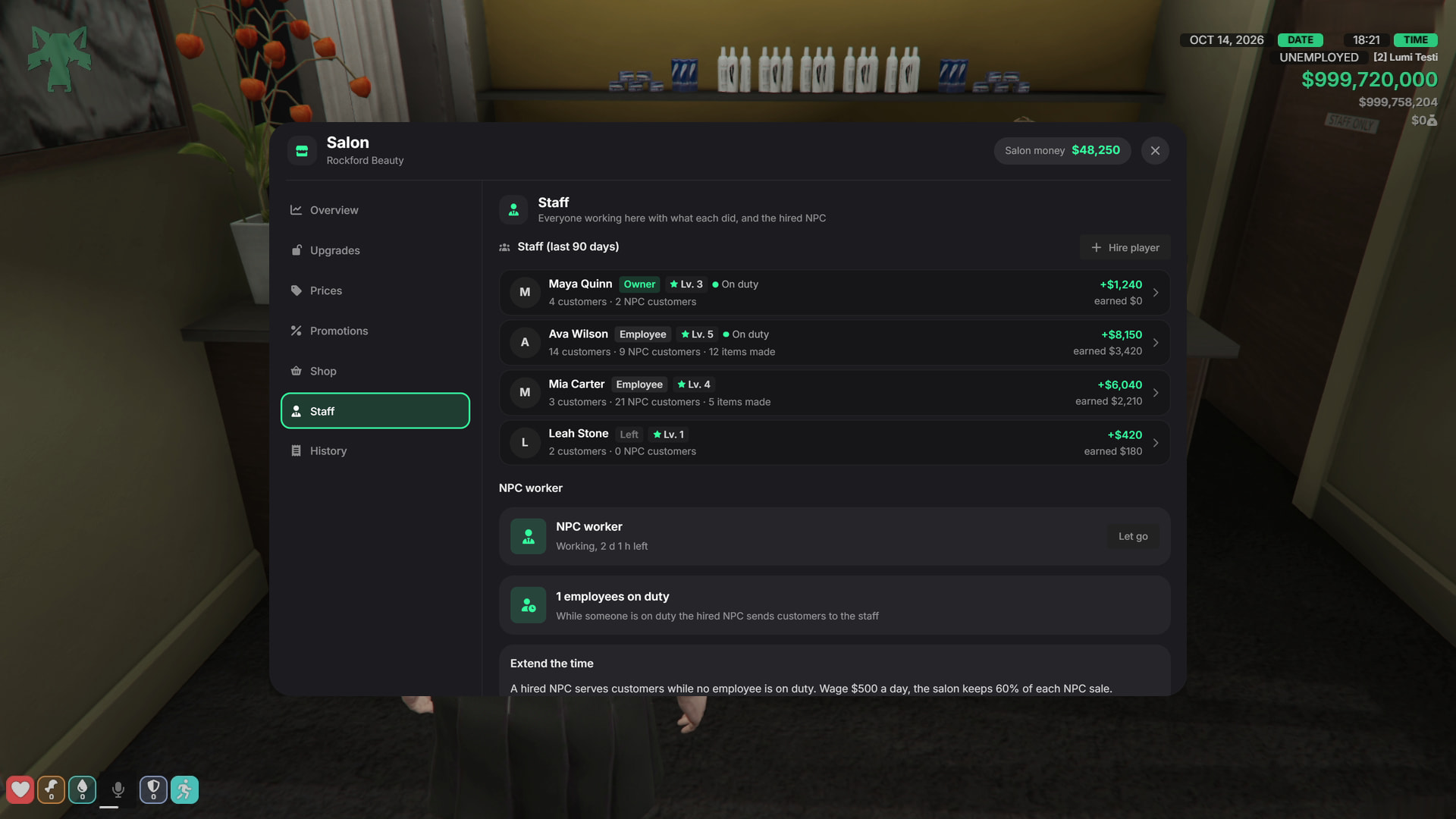
Staff
- View employee activity, levels, earnings, and manage NPC workers.
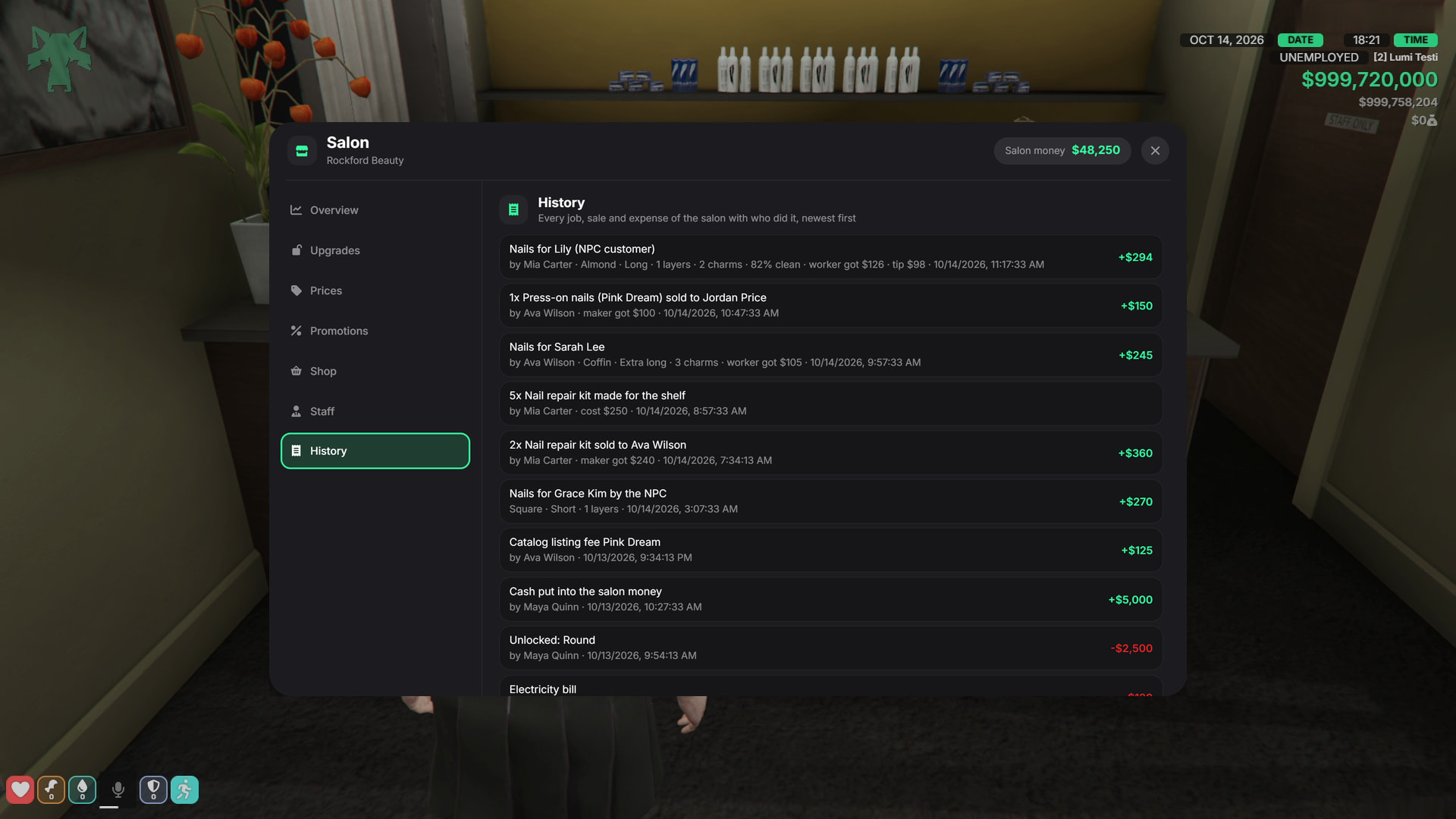
History
Track sales, unlocks, payments, and salon changes.
Electricity and water bills are generated regularly. If bills remain unpaid, the salon can stop operating until they are paid.
Design Catalog & Saved Designs
- Salon staff can photograph their custom designs and list them in the salon catalog.
- Customers can browse available designs, preview them directly on their own hands, and purchase them.
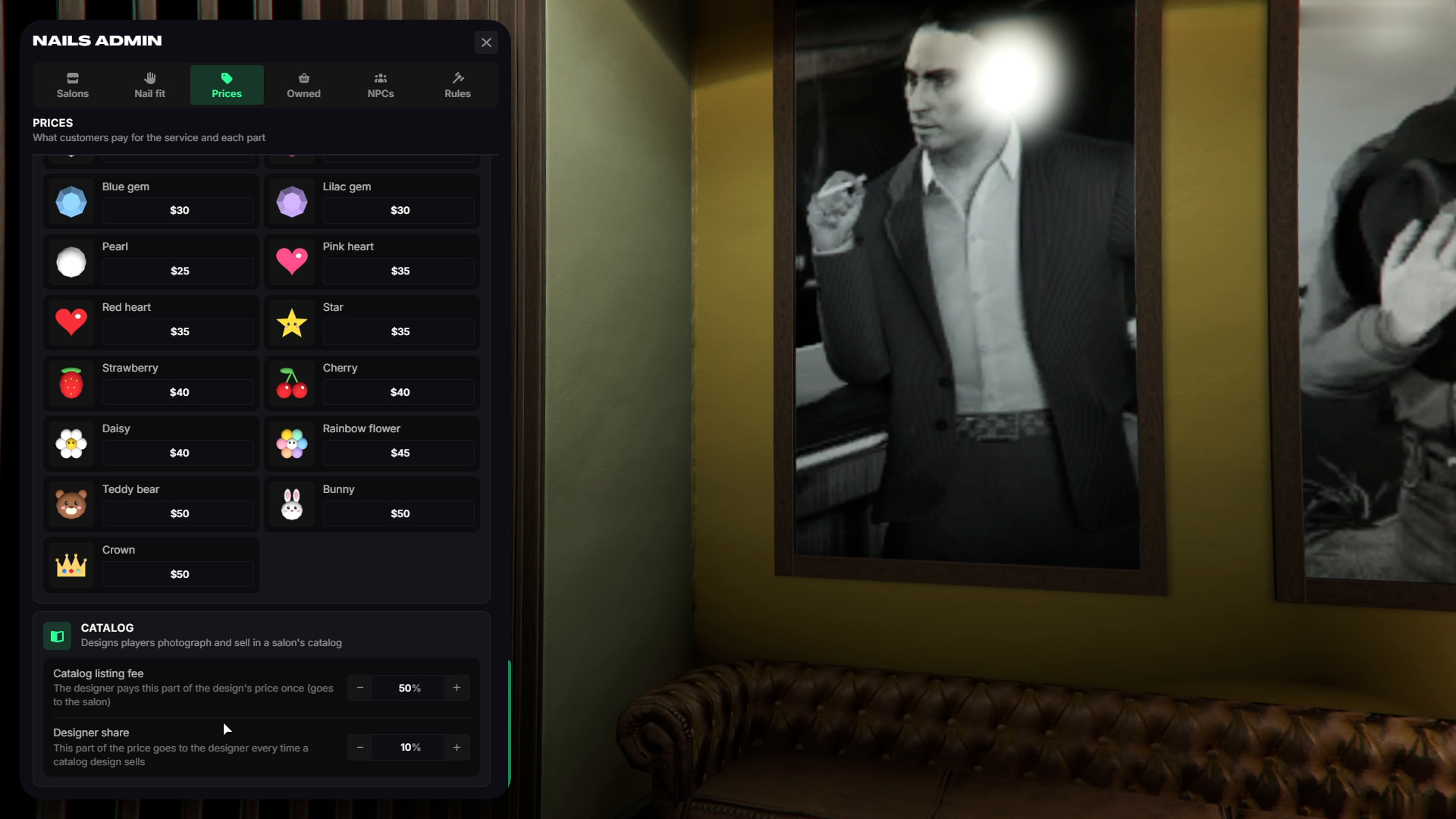
- The original designer receives a configurable share from each sale.
- Players can also save their own favorite designs and apply them again later.
Press-On Nails & Salon Shop
- Salons can sell:
- Repair Kits
- Acetone
- Press-On Nail Boxes
- Staff can create these items and place them in the salon shop.
- Press-on nail boxes are generated from catalog designs, allowing players to purchase a complete design and apply it anywhere.
- The built-in shop can also be disabled if you prefer to sell these items through another shop or crafting system.
Nail Breaking, Wear & Repairs
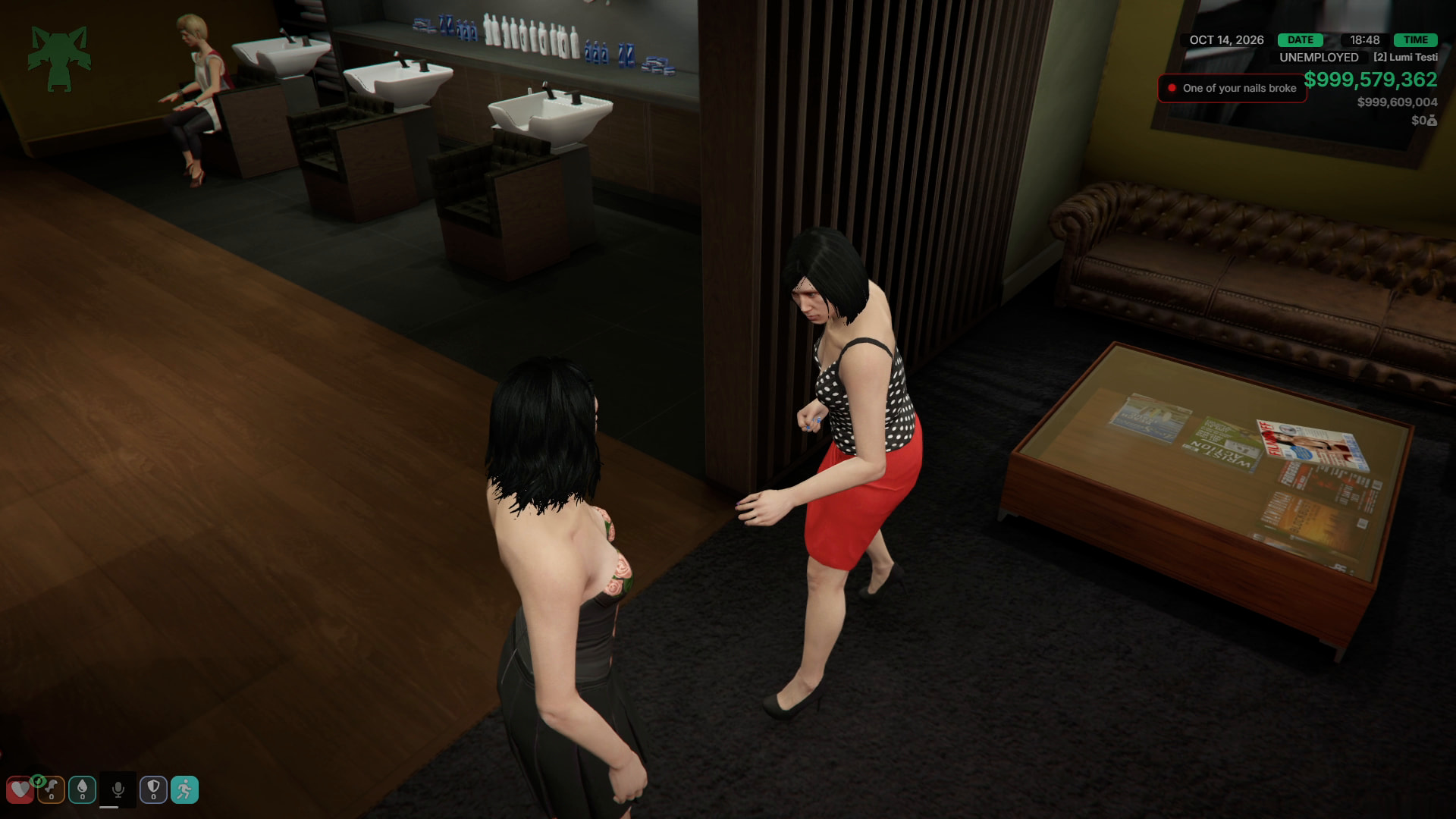
- Nails can break from different gameplay events such as:
- Vehicle crashes
- Falls
- Fights
- Gunshots
- Explosions
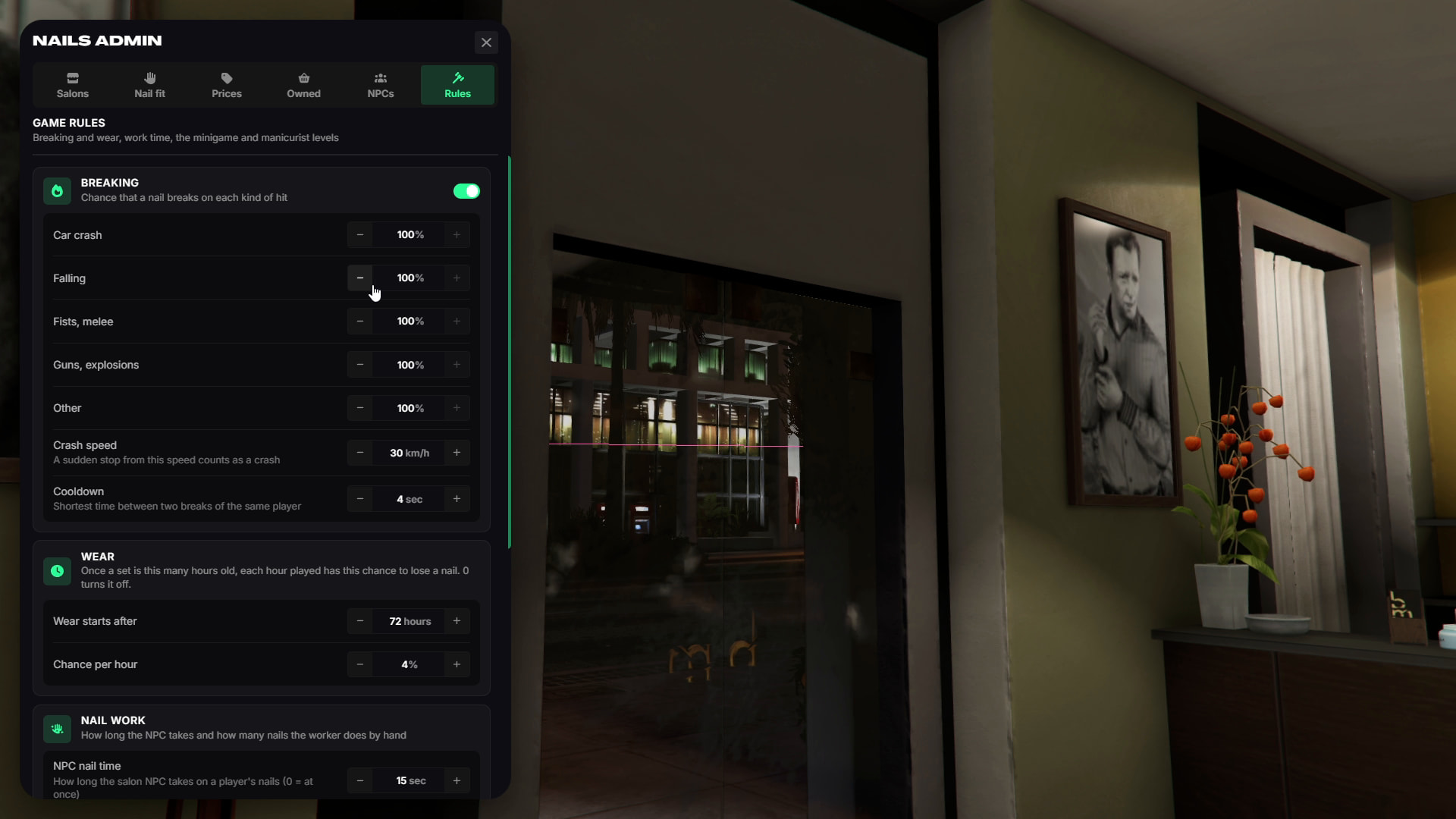
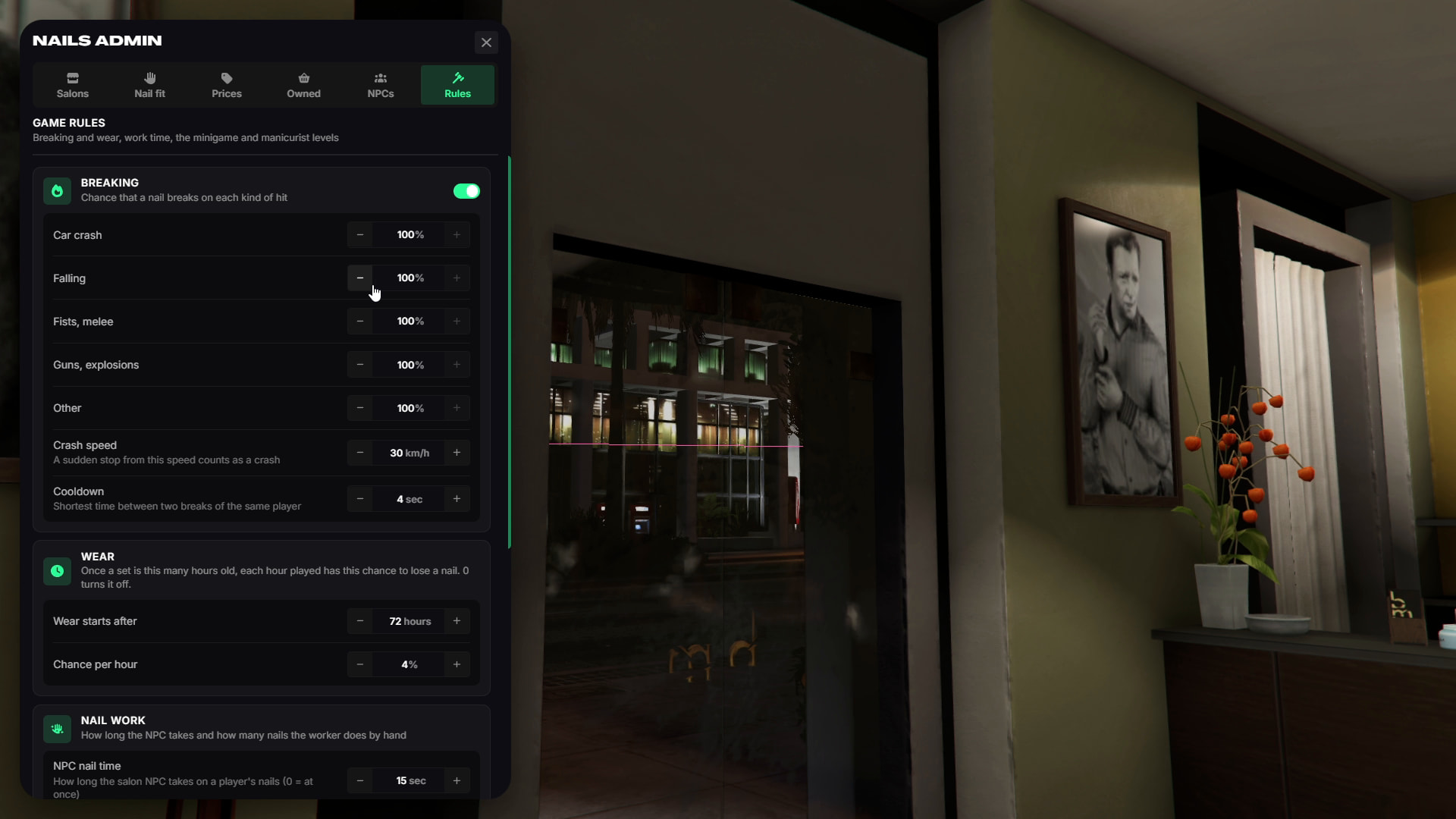
- Each event can have its own configurable break chance.
- Nail sets can also wear out over time.
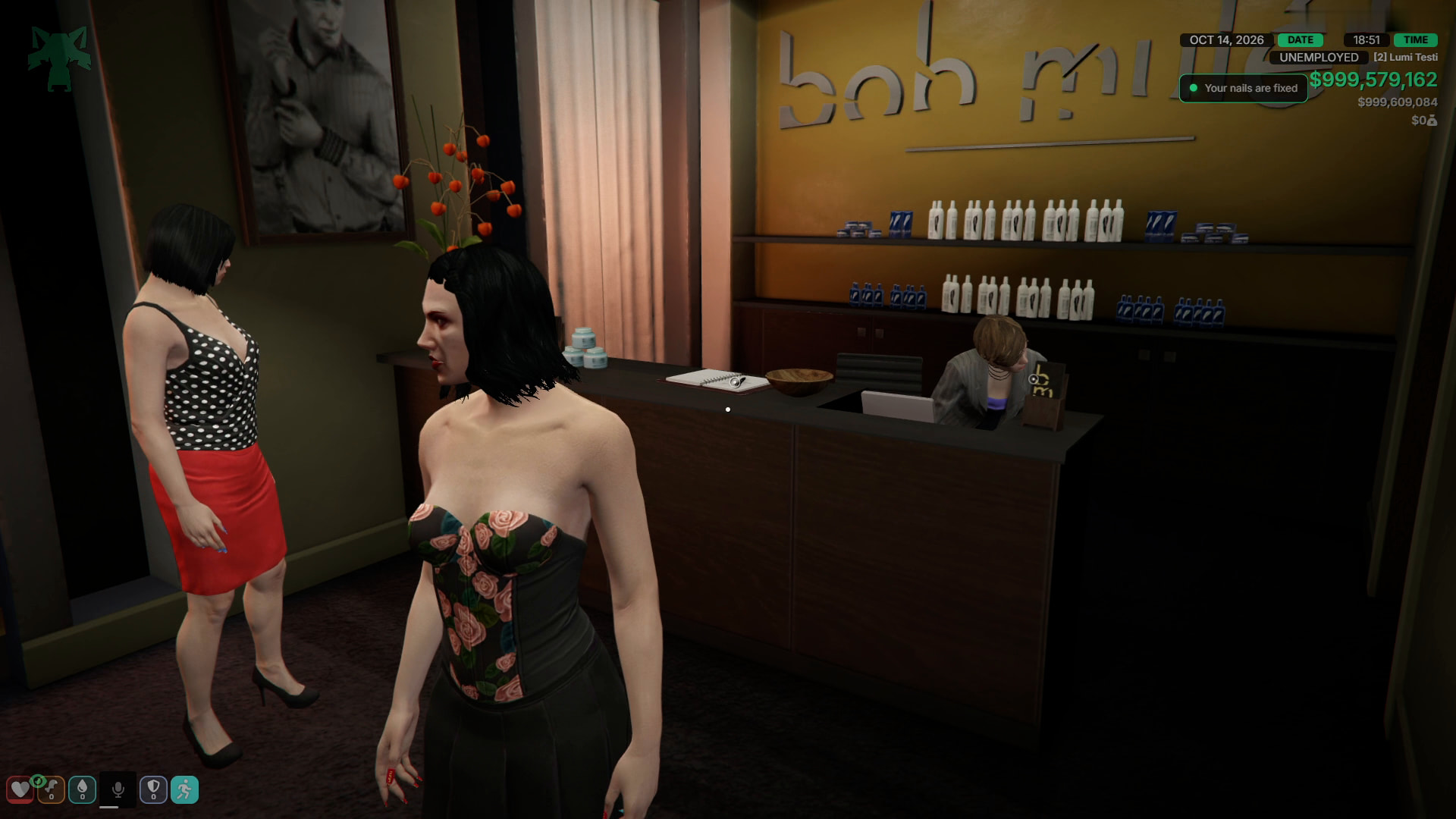
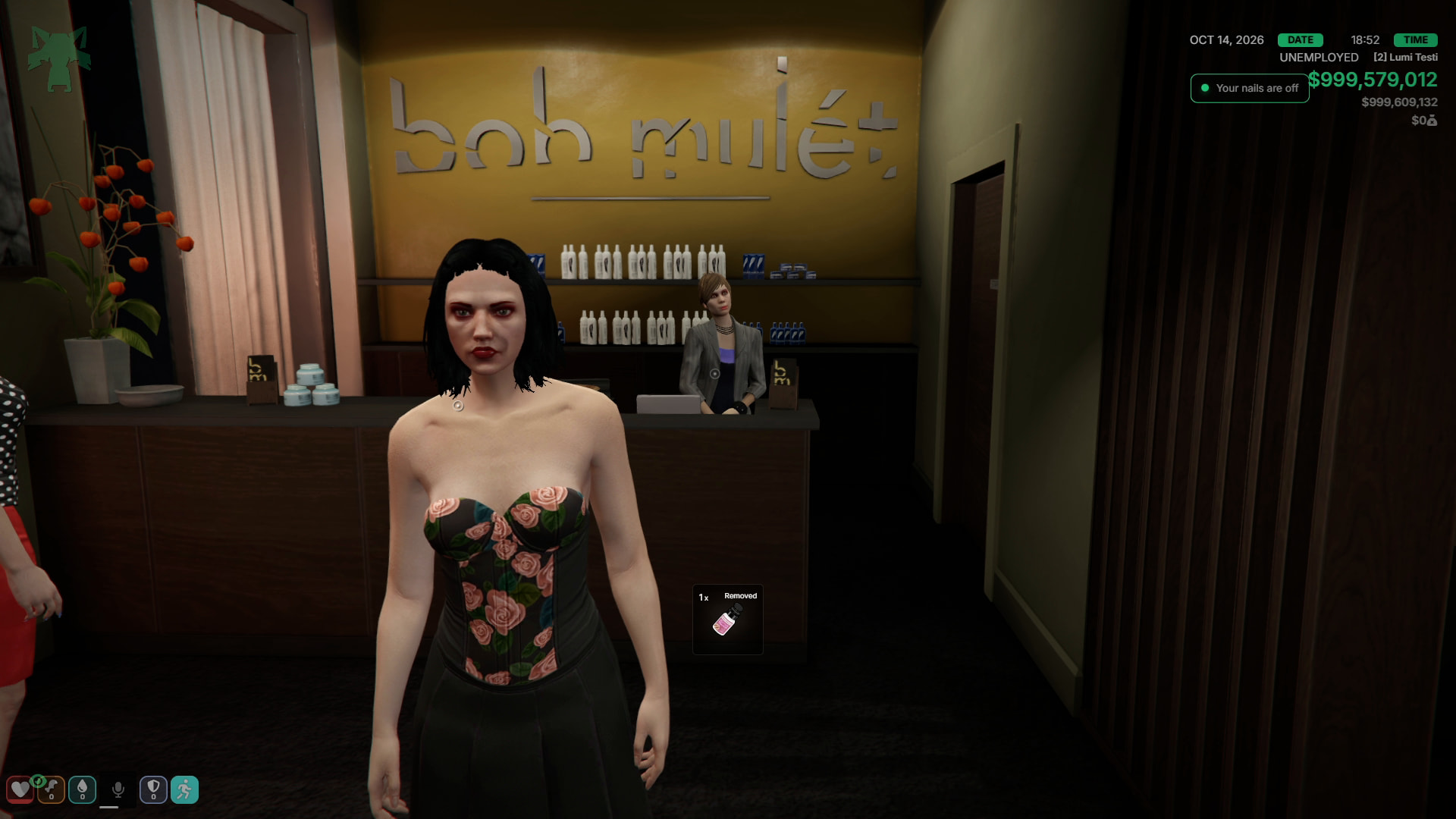
- Broken nails can be repaired at a salon or anywhere using a repair kit. Acetone can be used to completely remove the current nail set.
- The entire breaking system can also be disabled.
In-Game Admin Panel
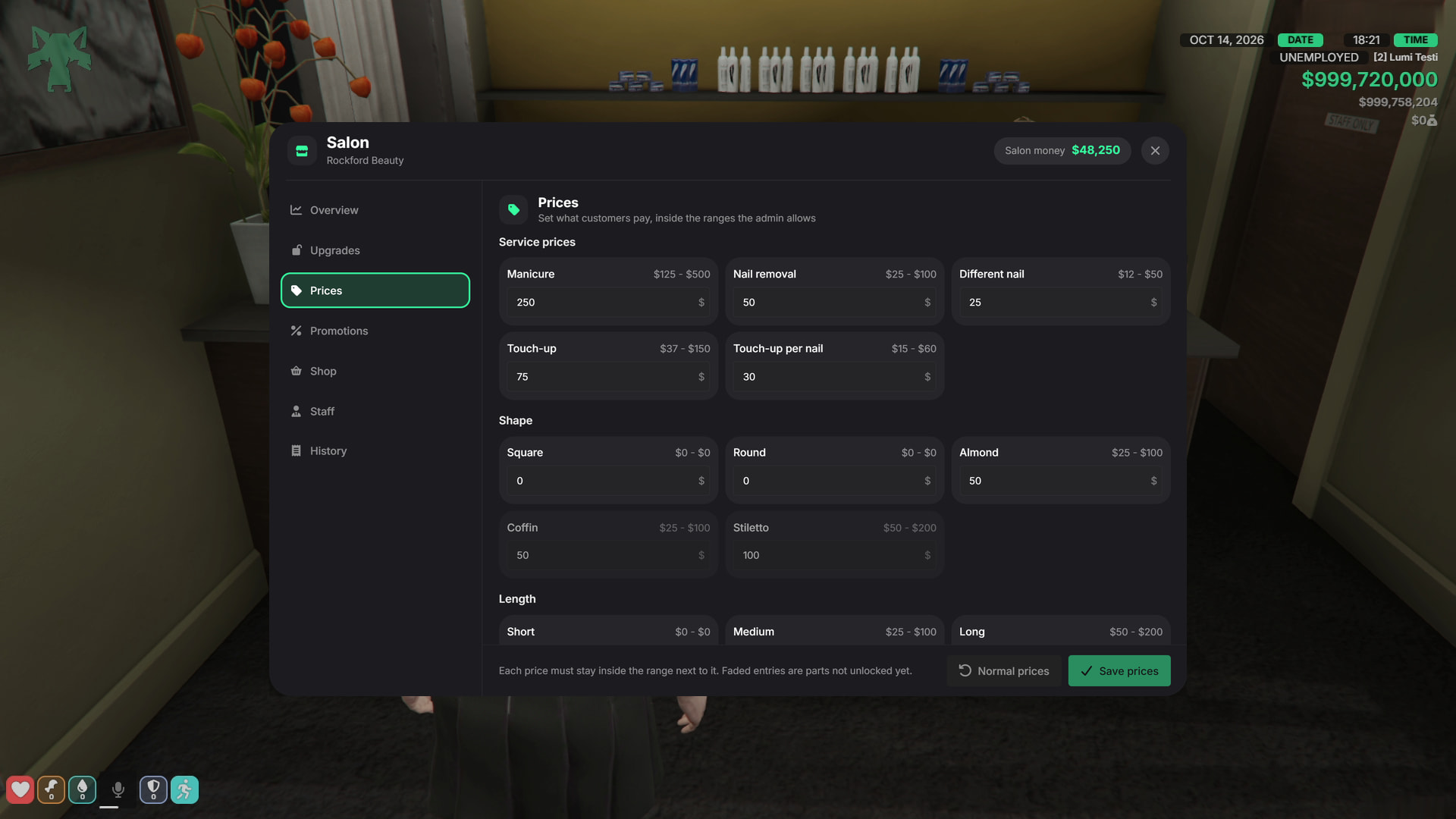
The complete system can be configured through /nailsadmin without restarting the server.
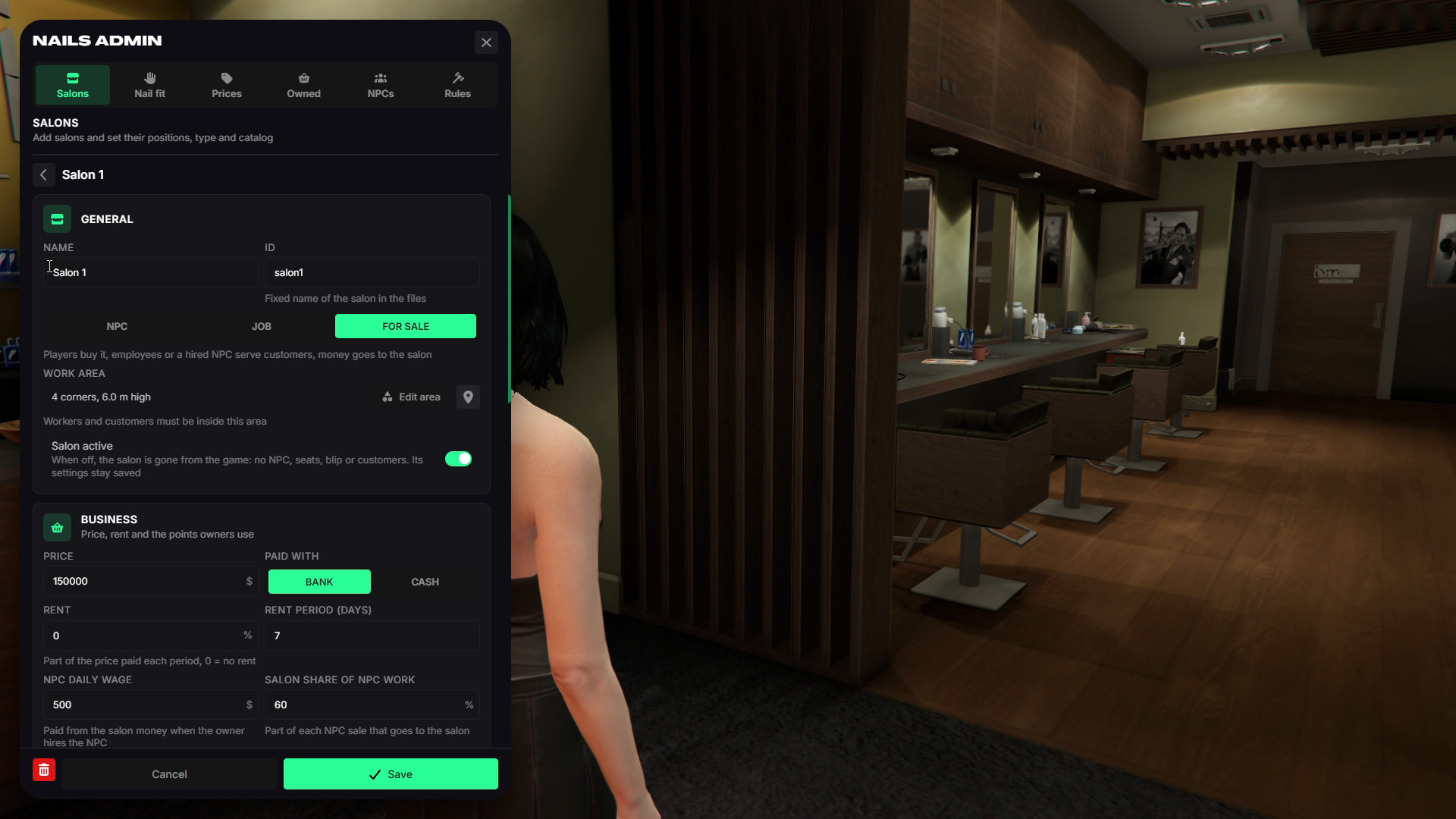
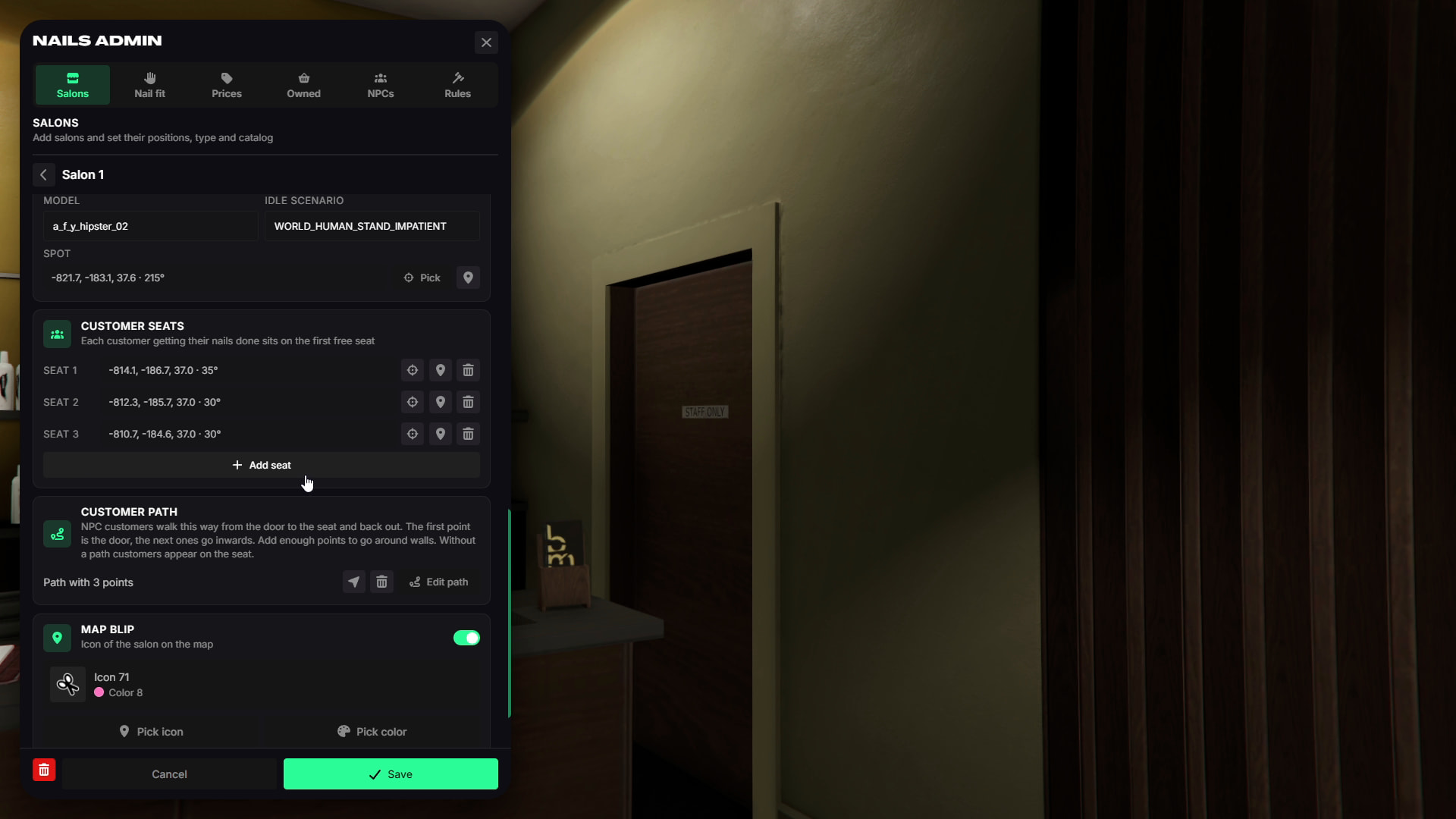
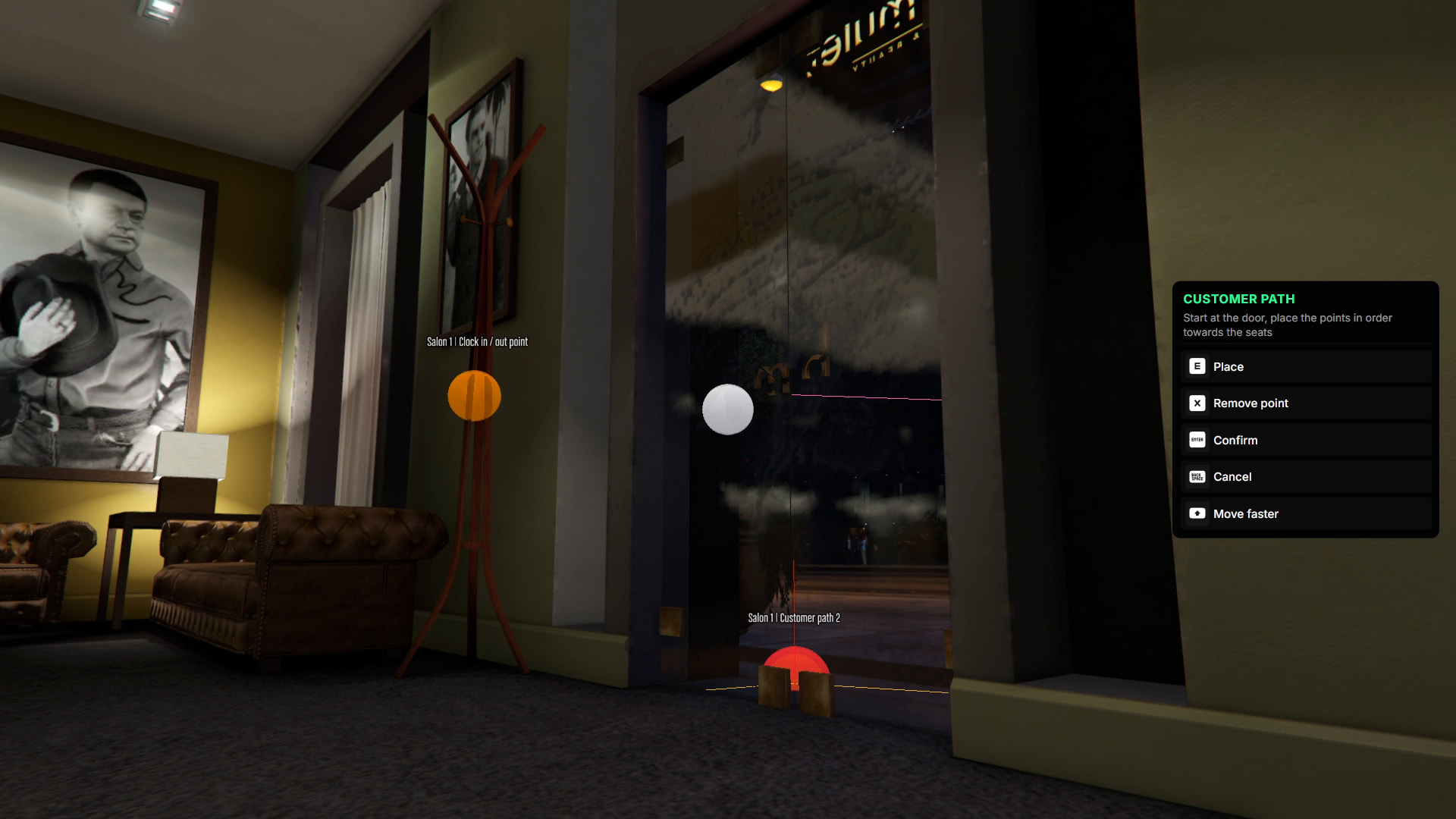
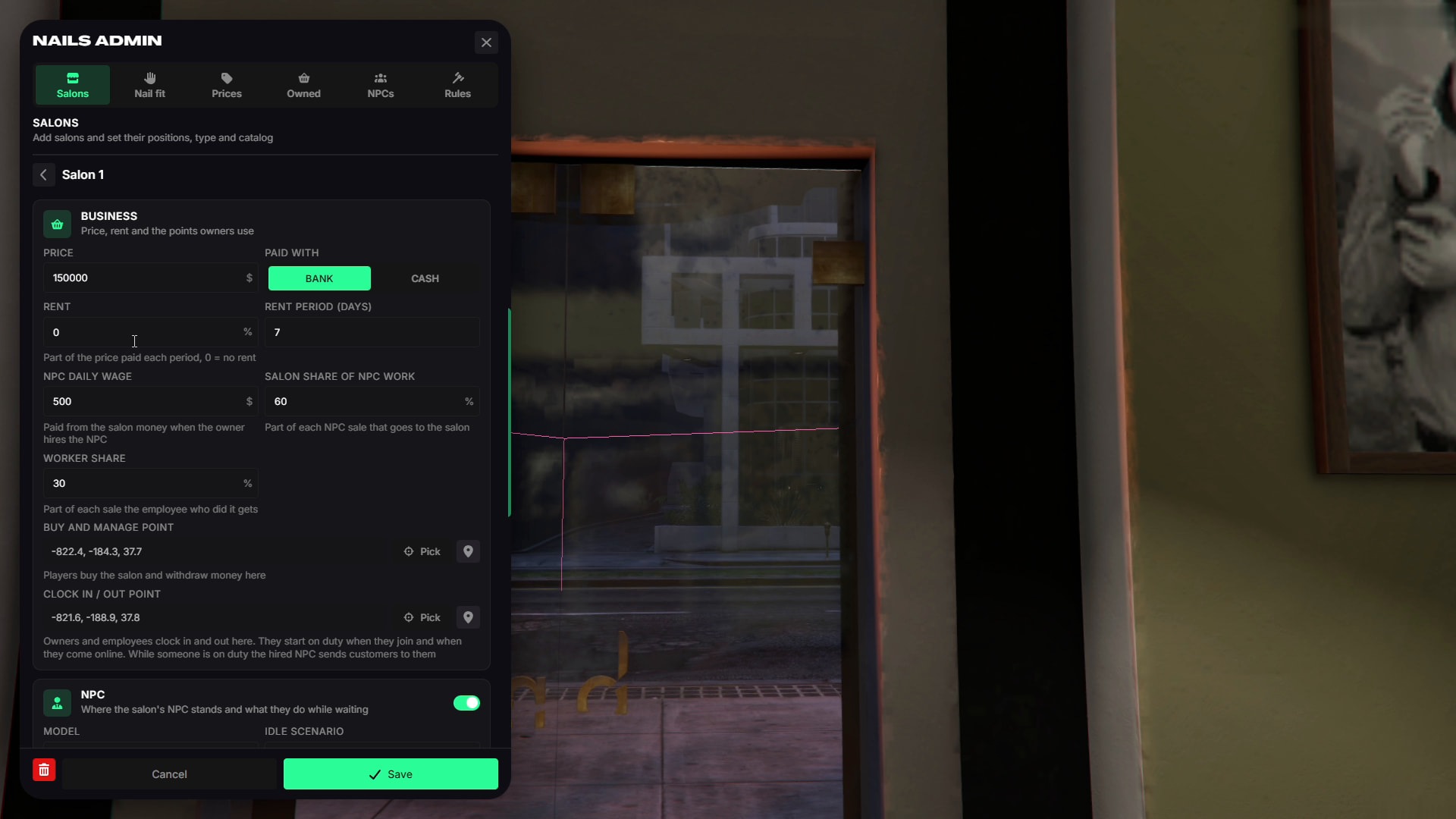
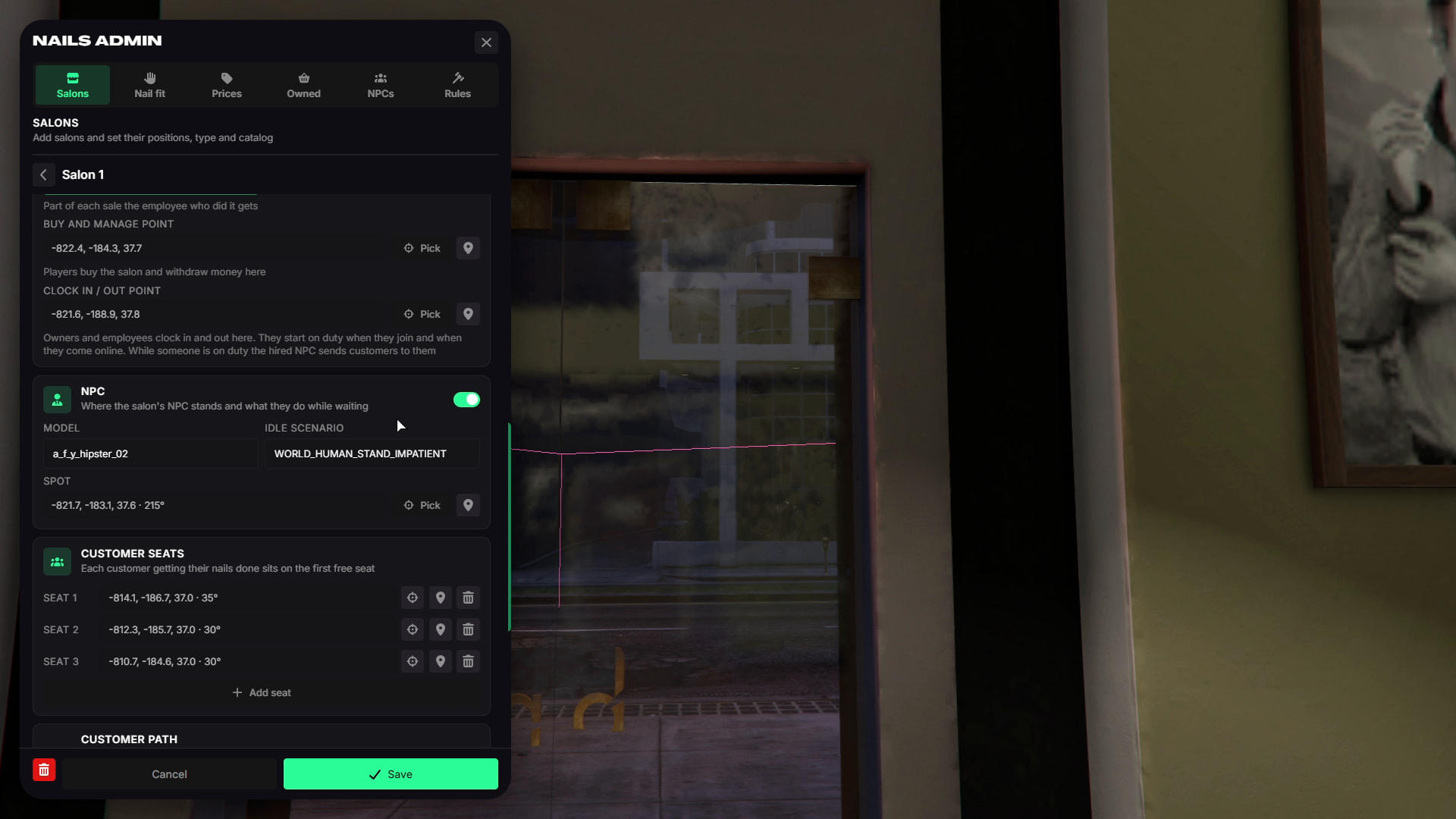
Salons
- Create salons, define work areas, configure salon type, business prices, rent, commissions, NPC wages, desks, duty points, NPCs, seats, customer paths, and map blips.
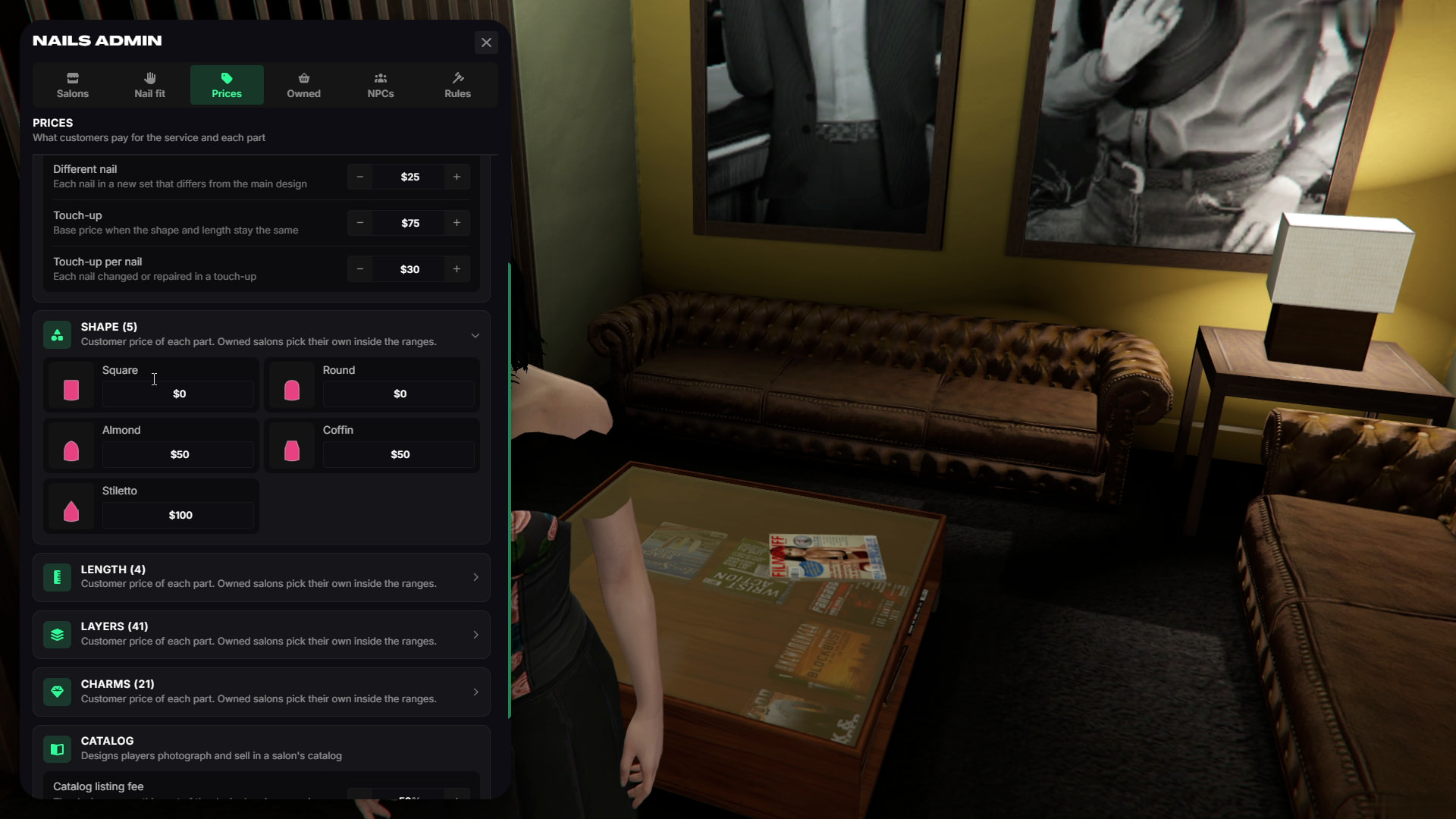
Prices
- Configure service prices, nail shapes, lengths, layers, charms, catalog fees, and designer shares.
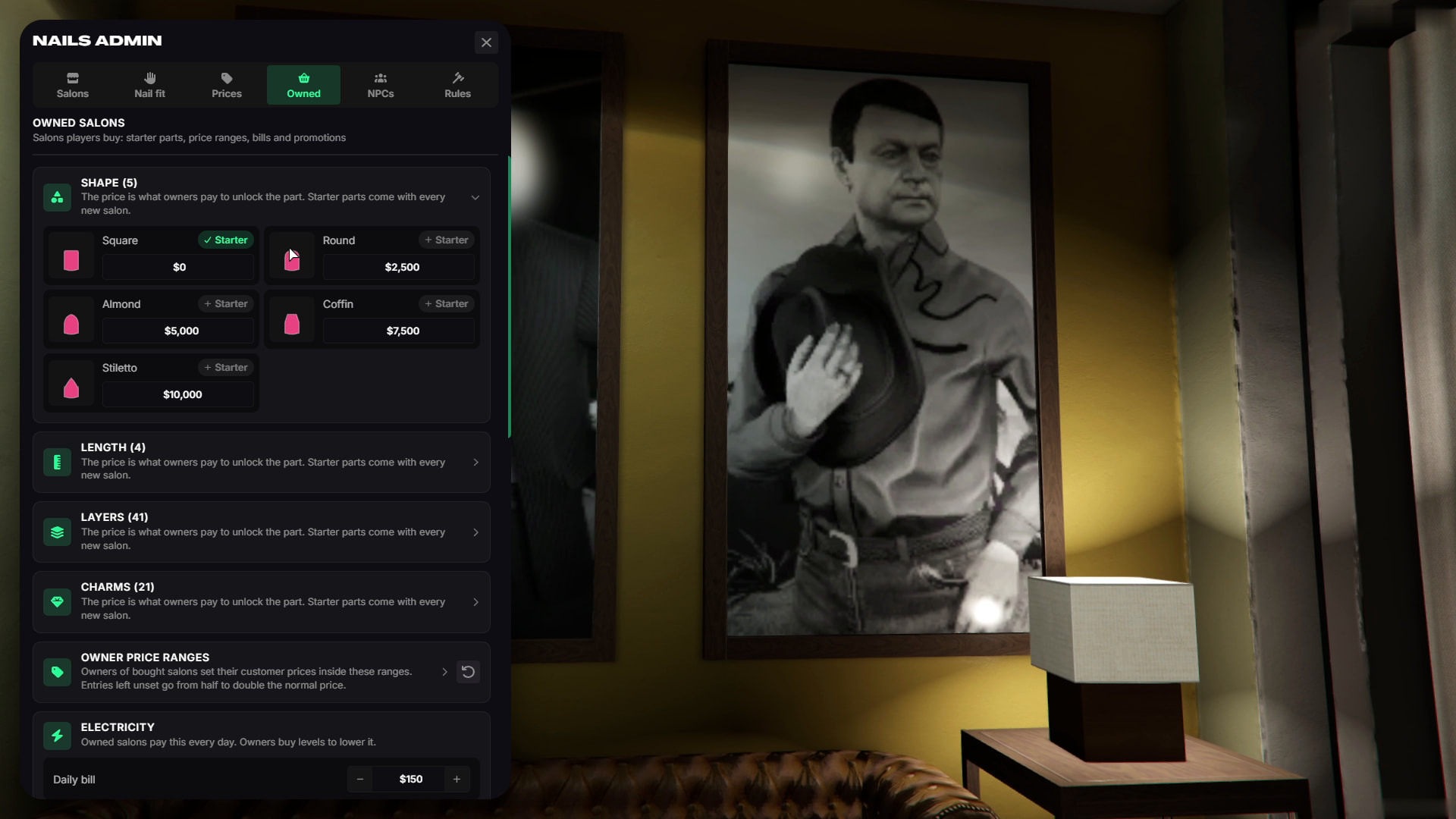
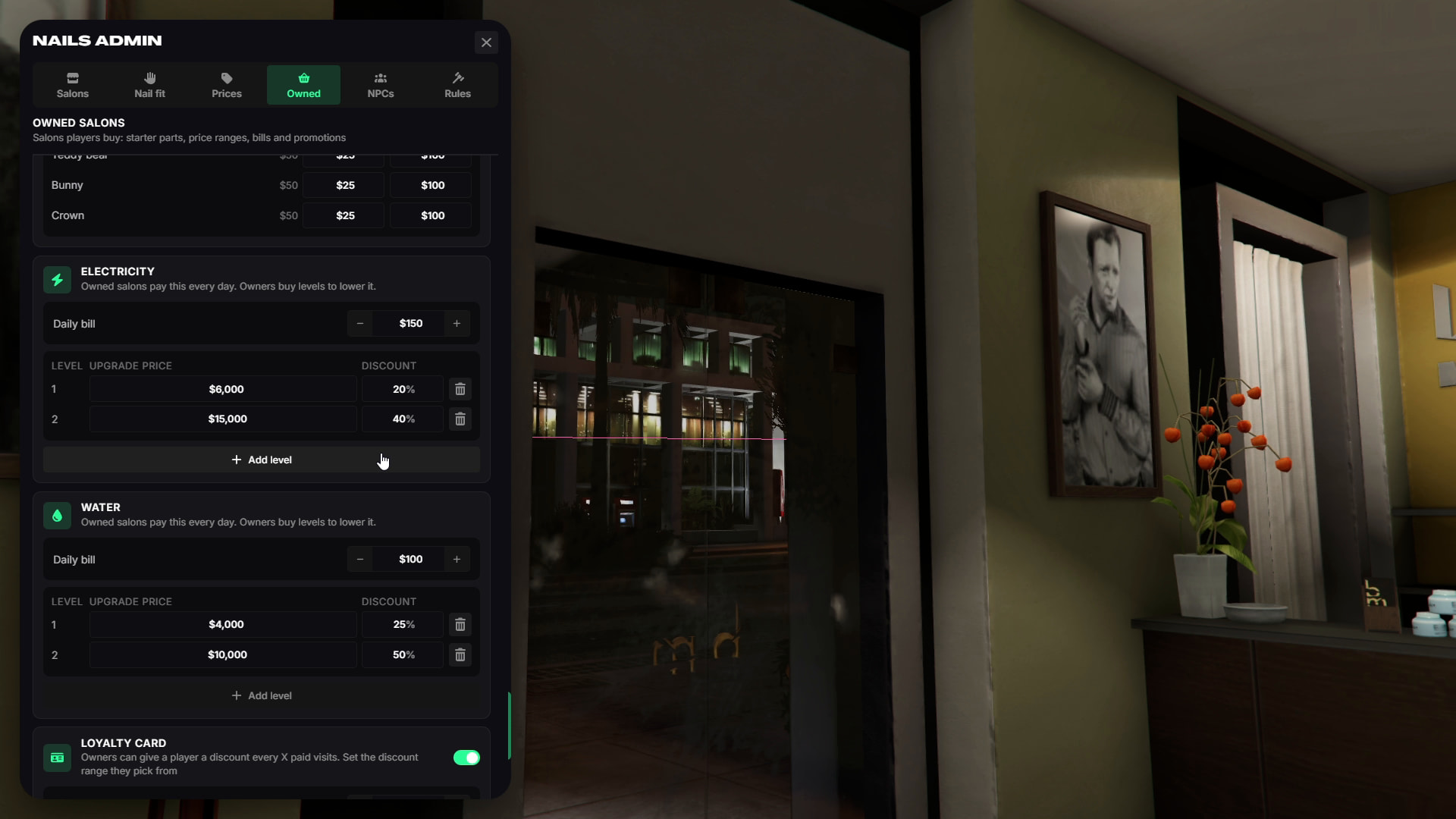
Owned Salons
- Configure default unlocks, upgrade prices, owner price limits, bills, business upgrades, promotions, and NPC worker settings.
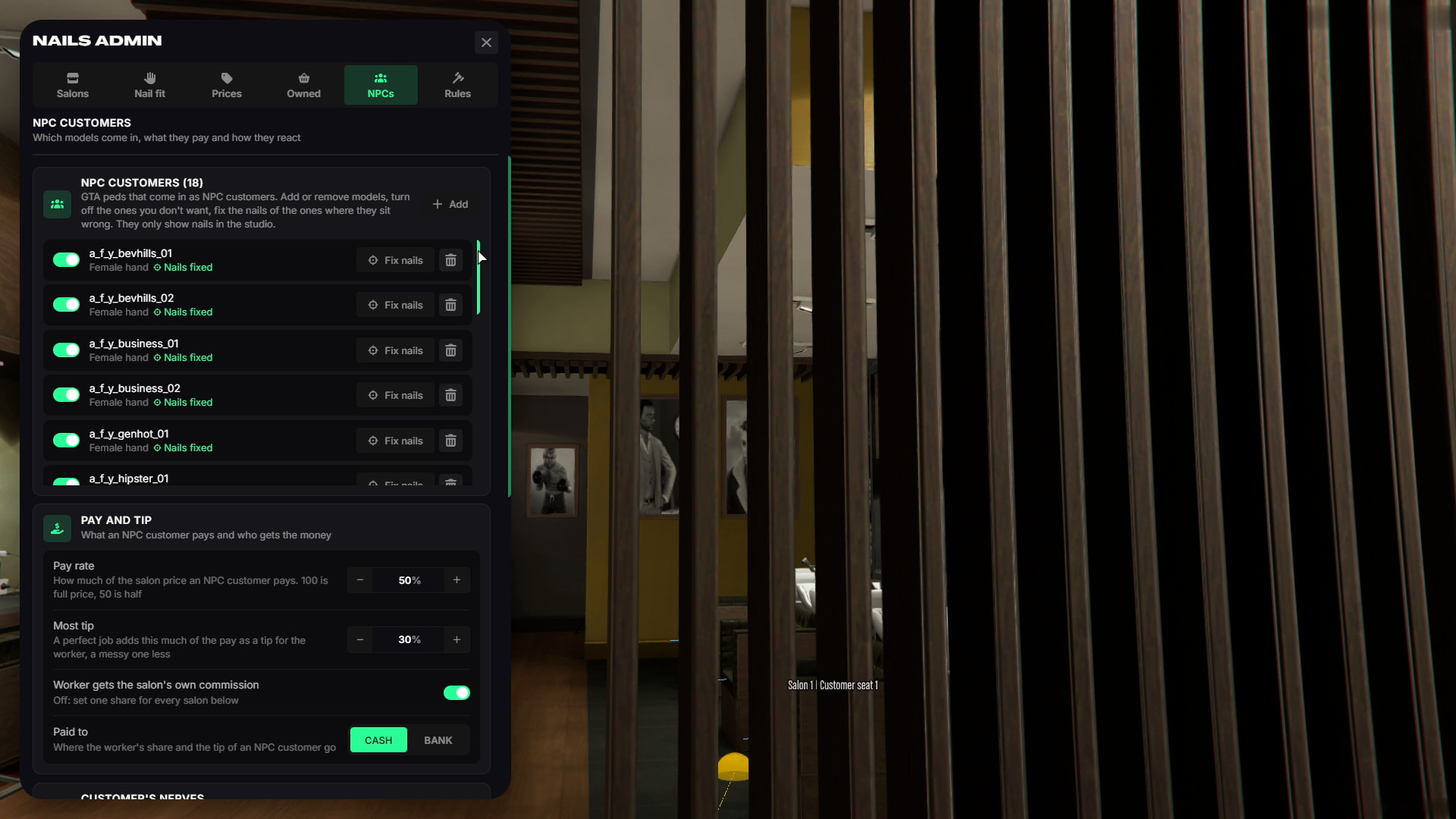
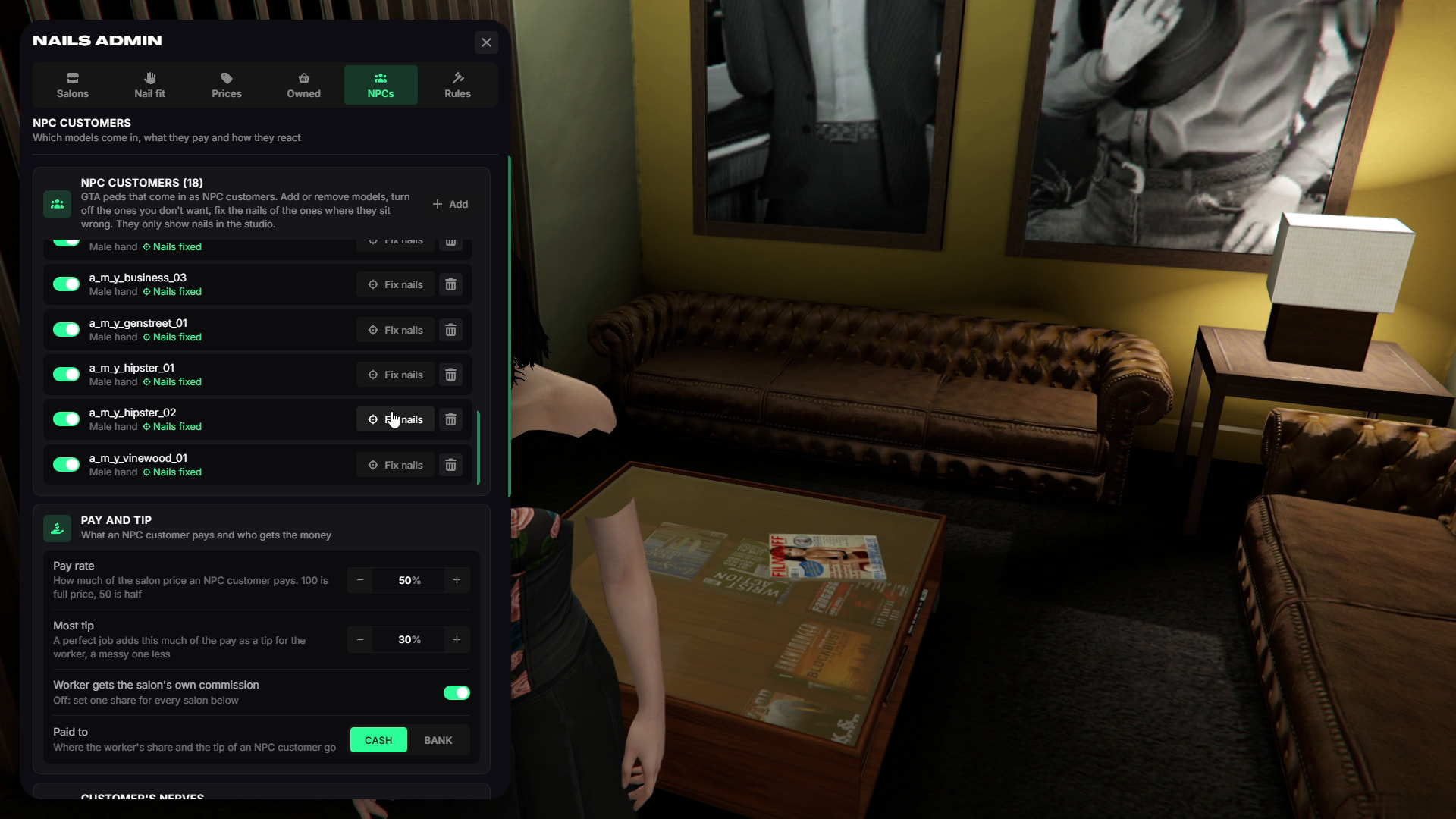
NPCs
Configure customer models, payments, tips, tolerance, reviews, and weekly trends.
Rules
Configure nail breaking, wear, work duration, minigame requirements, and manicurist levels.
Nail Fit for Every Arm
- Nails can be adjusted individually for the clothing used on your server.
- You can show nails on both hands, only one hand, or hide them completely under gloves.
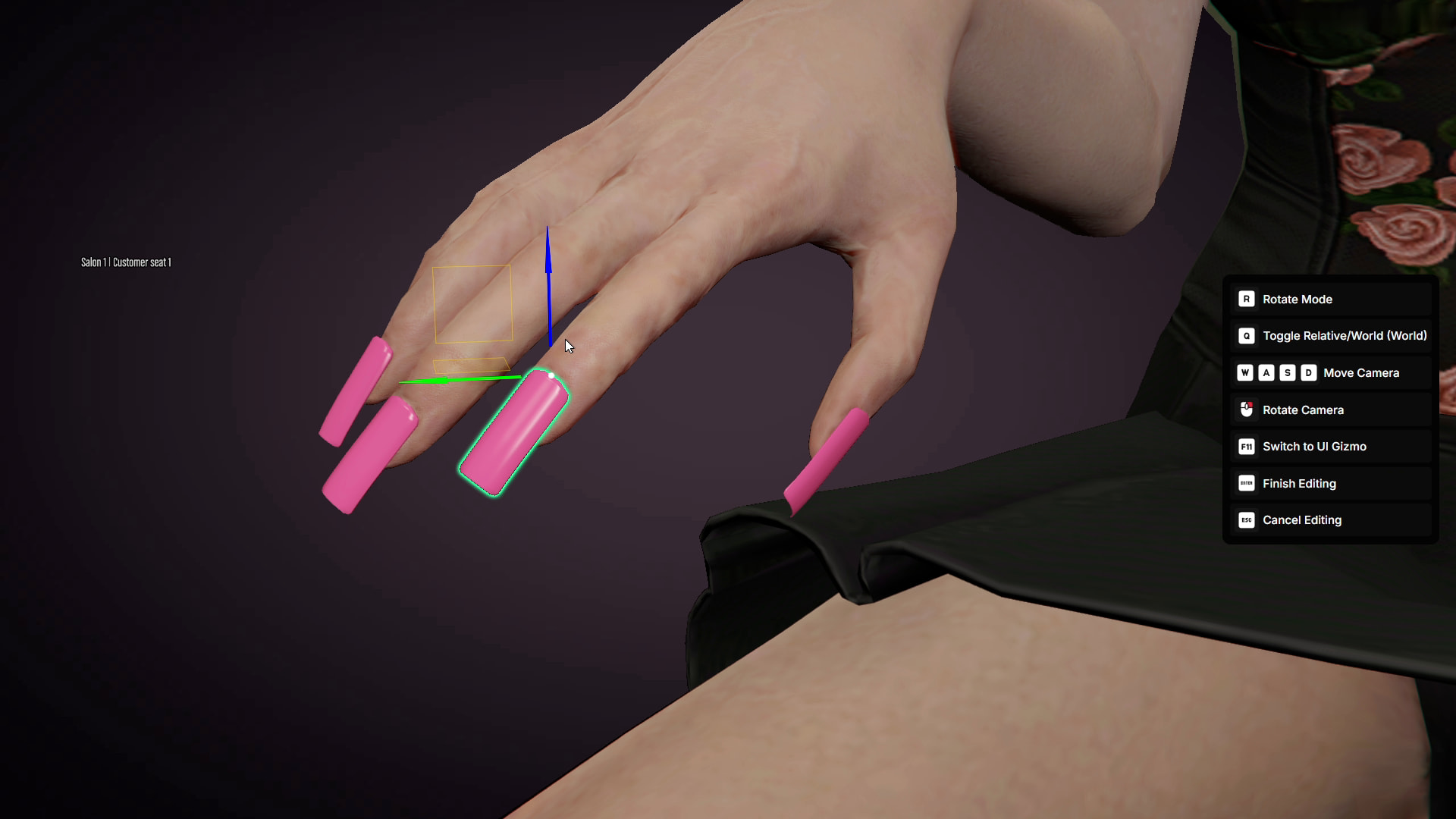
- If nails do not align correctly with custom arm clothing, their position can be adjusted using sliders or a 3D gizmo.
- Custom peds and pets can also have their own nail positions.