Vehicle Rental & Business System

ShowCase
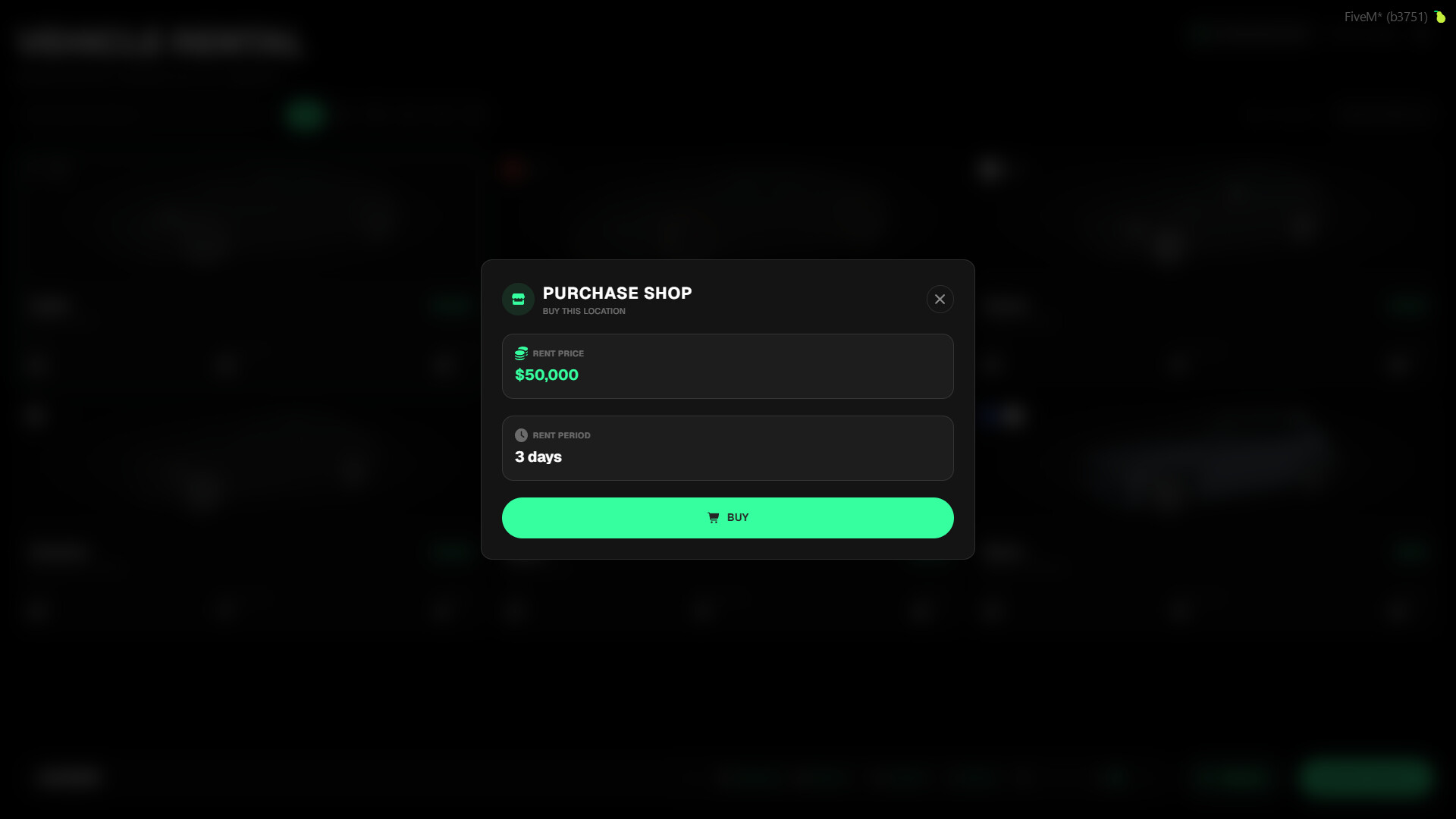
With the tgiann-vehiclerent script, players can rent specified vehicles from designated locations across the map. Additionally, if configured, players can purchase these rental locations to start their own business, stock them with their own vehicles, and earn money from every rental.
Main Features
- Player-Owned Rental Businesses: Players can buy rental locations, add their personal vehicles to the rental fleet, and generate passive income from players who rent them.
- Two Distinct Rental Systems:
- Timed Rental: A countdown timer starts the moment the player exits the vehicle. If the timer runs out before they return, the vehicle is automatically deleted.
- Untimed (Deposit) Rental: Players pay an extra deposit upfront. This deposit is fully refunded when the vehicle is safely returned to the rental location.
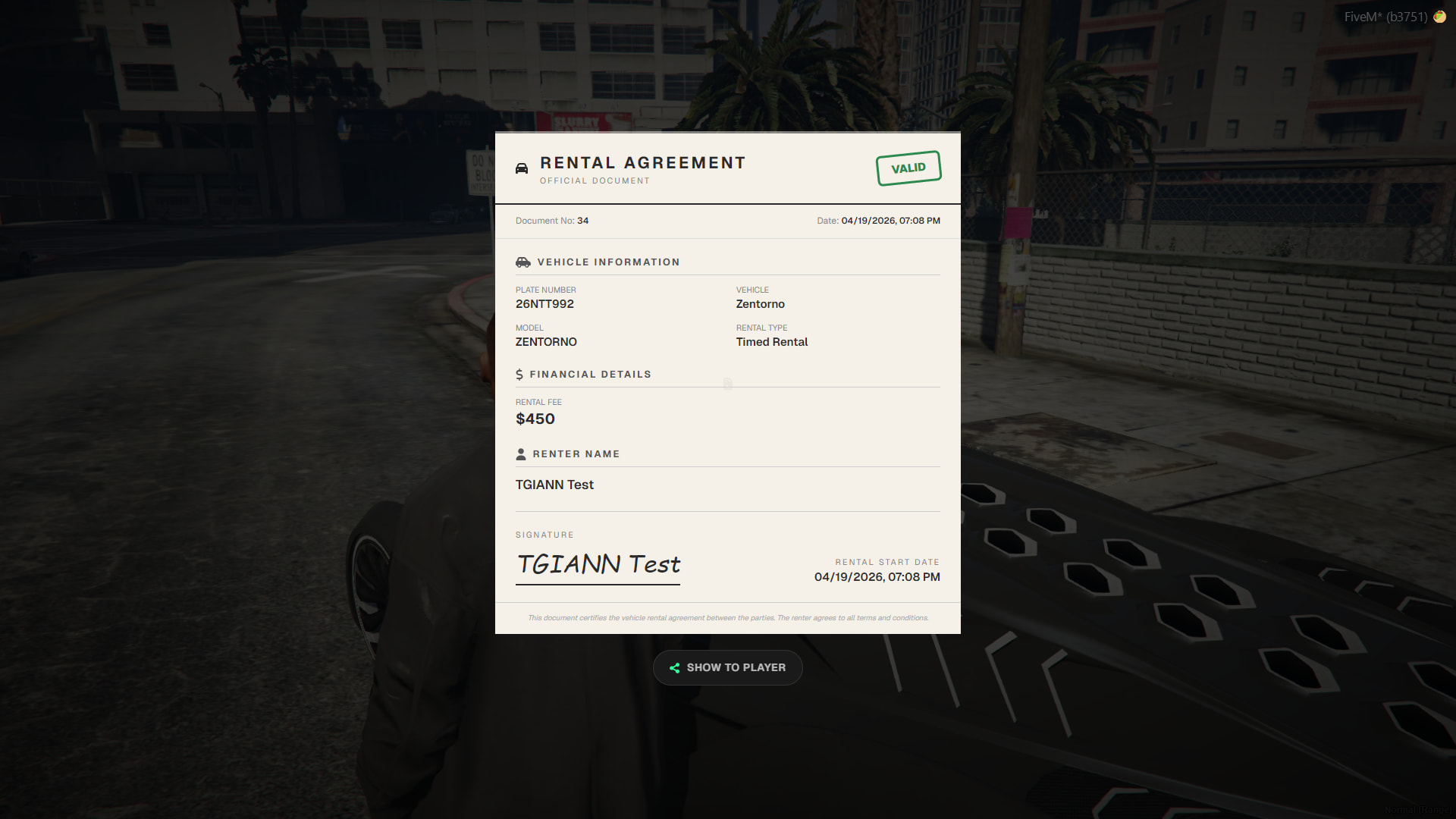
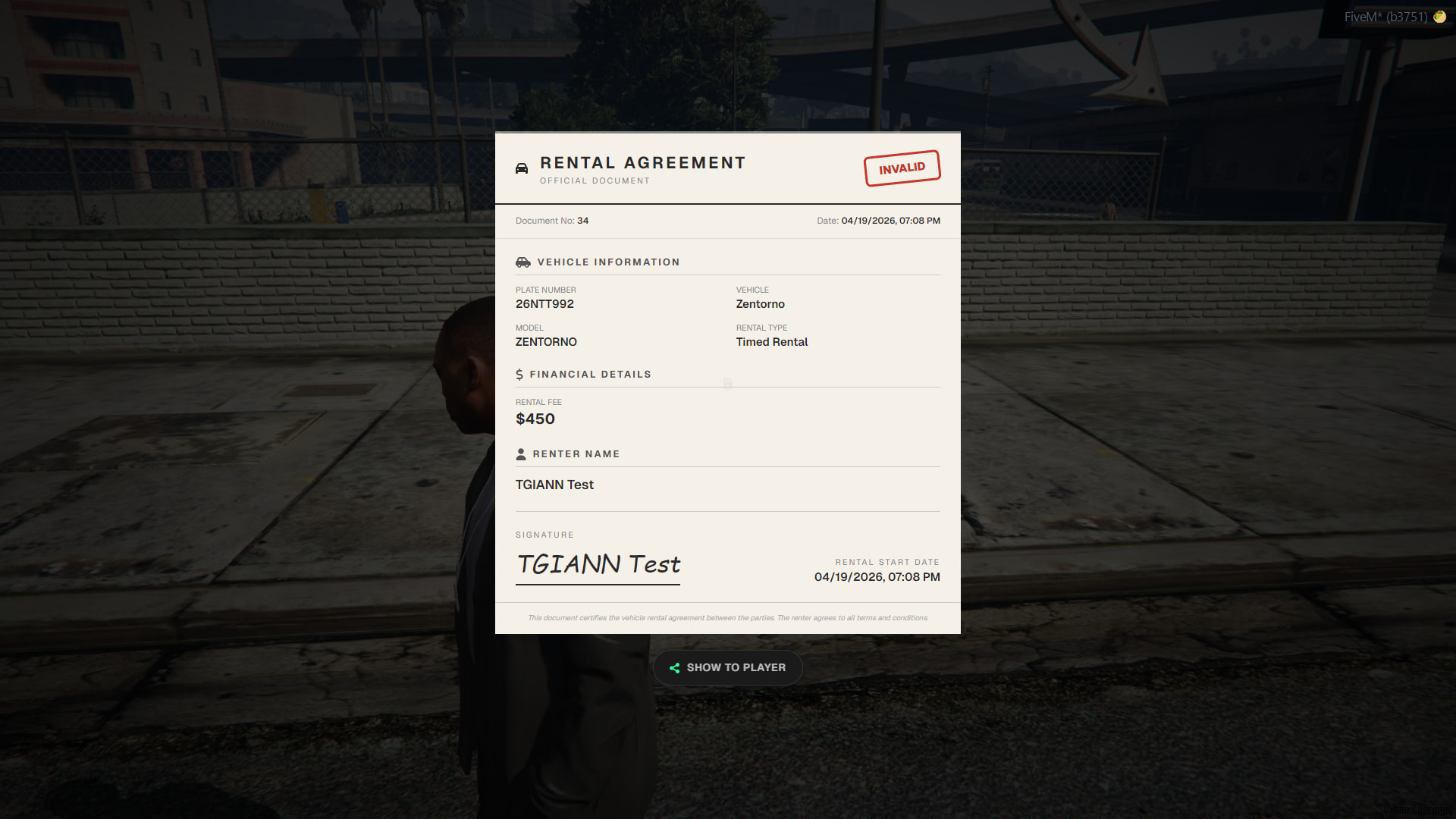
- Roleplay-Friendly Rental Documents: Upon renting a vehicle, the player receives an in-game rental document. This document can be physically shown to other players (such as law enforcement) to prove the vehicle was legitimately rented during RP.
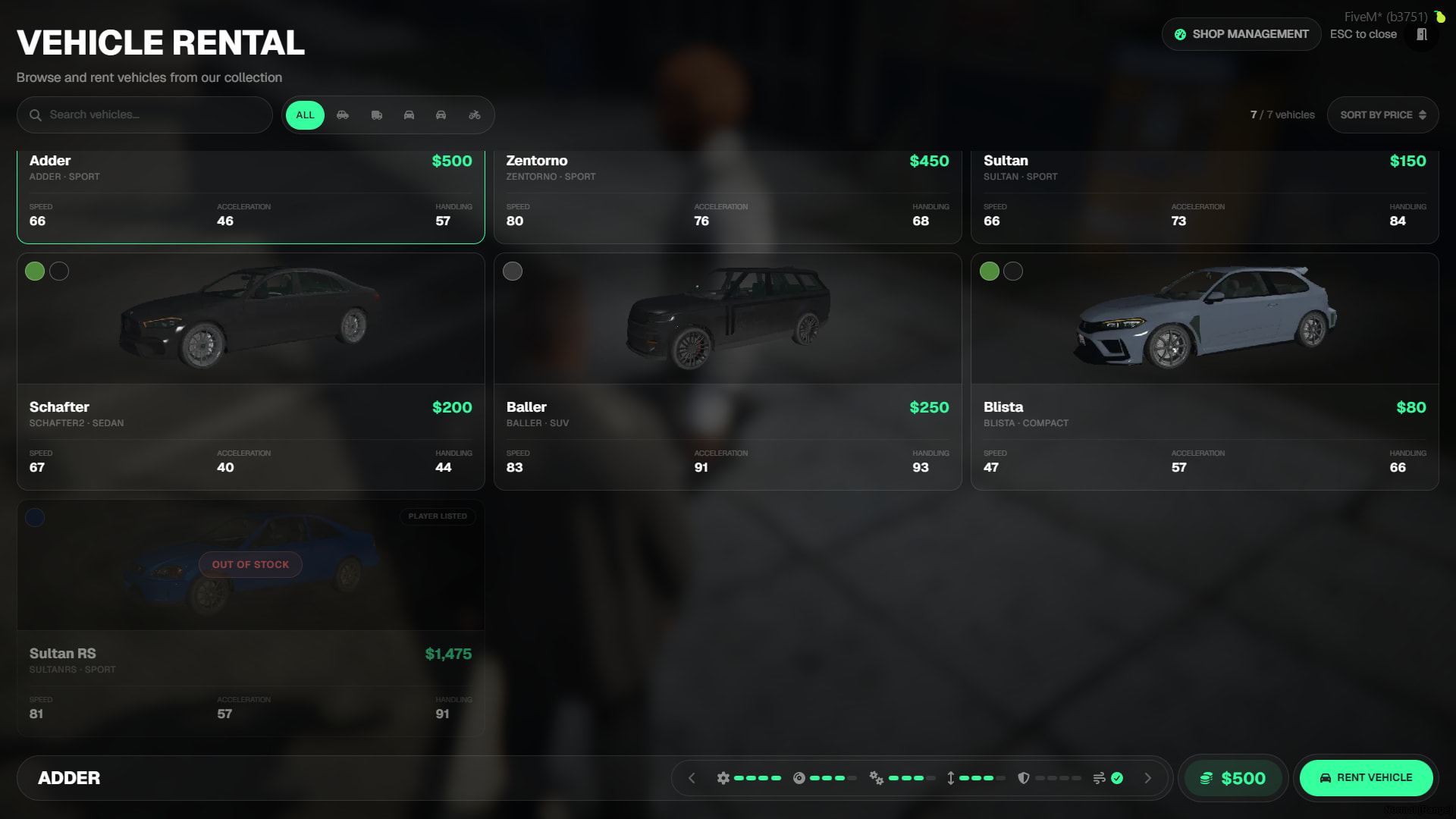
Main Interface
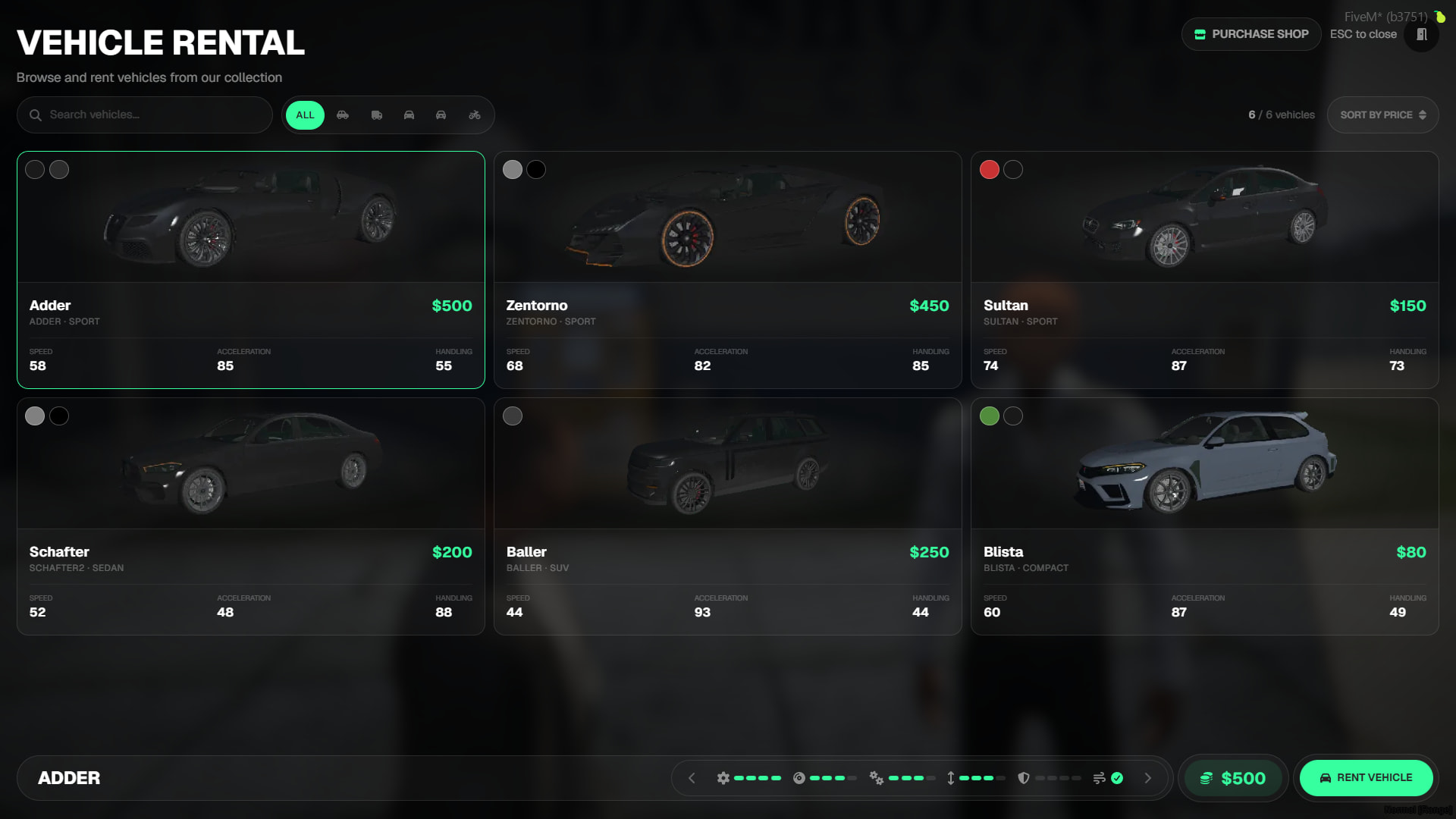
- All locations and their available rental vehicles can be fully customized via the config file.
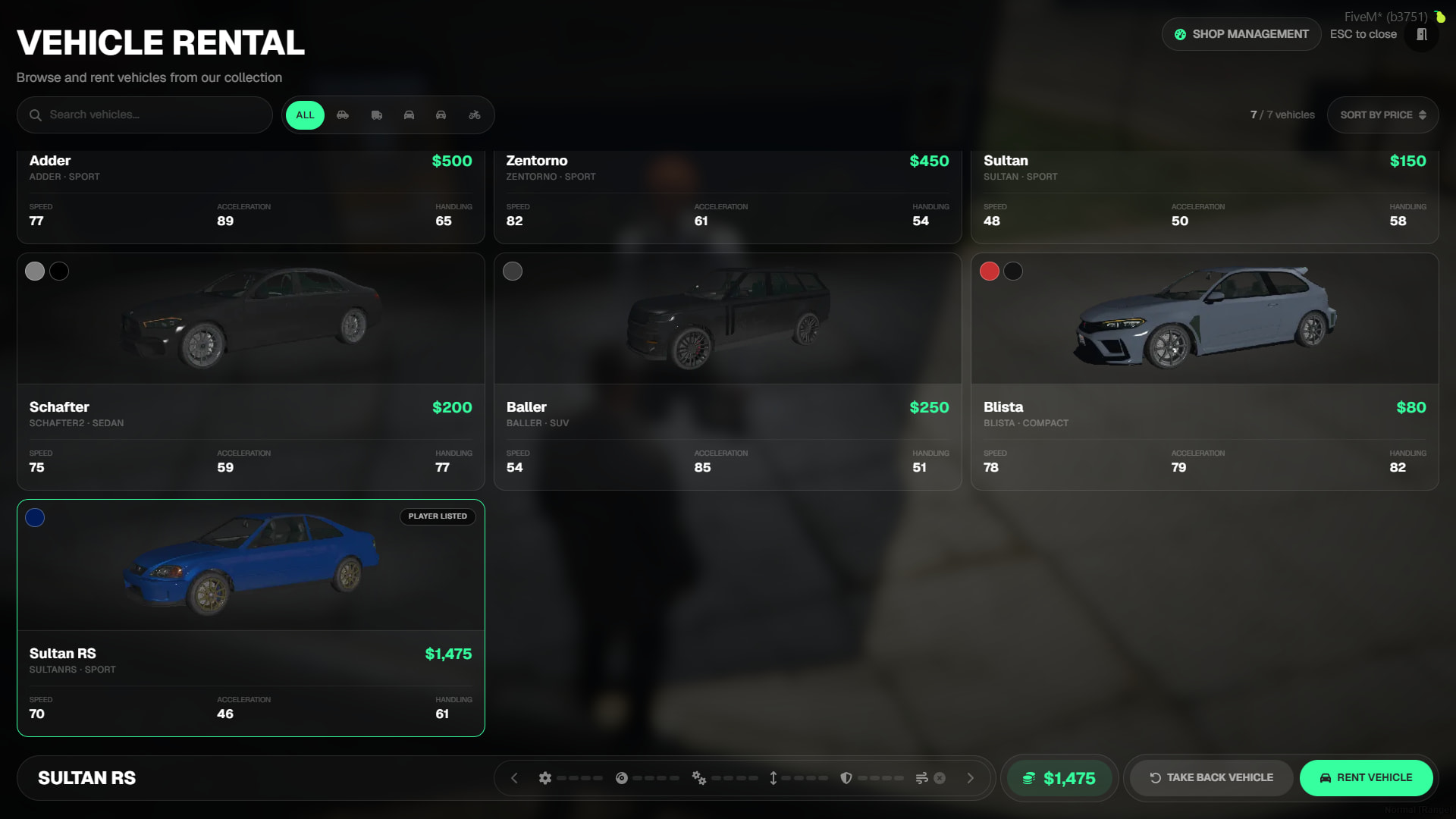
- The UI clearly displays the vehicle’s rental price, alongside performance stats such as speed, acceleration, engine, and braking levels.
- Features a built-in search and category system to easily find specific vehicles. You can also sort vehicles by price.
Vehicle Rental Systems
- Features two distinct rental methods to suit different playstyles:
- If desired, either of these two rental methods can be disabled via the config file.
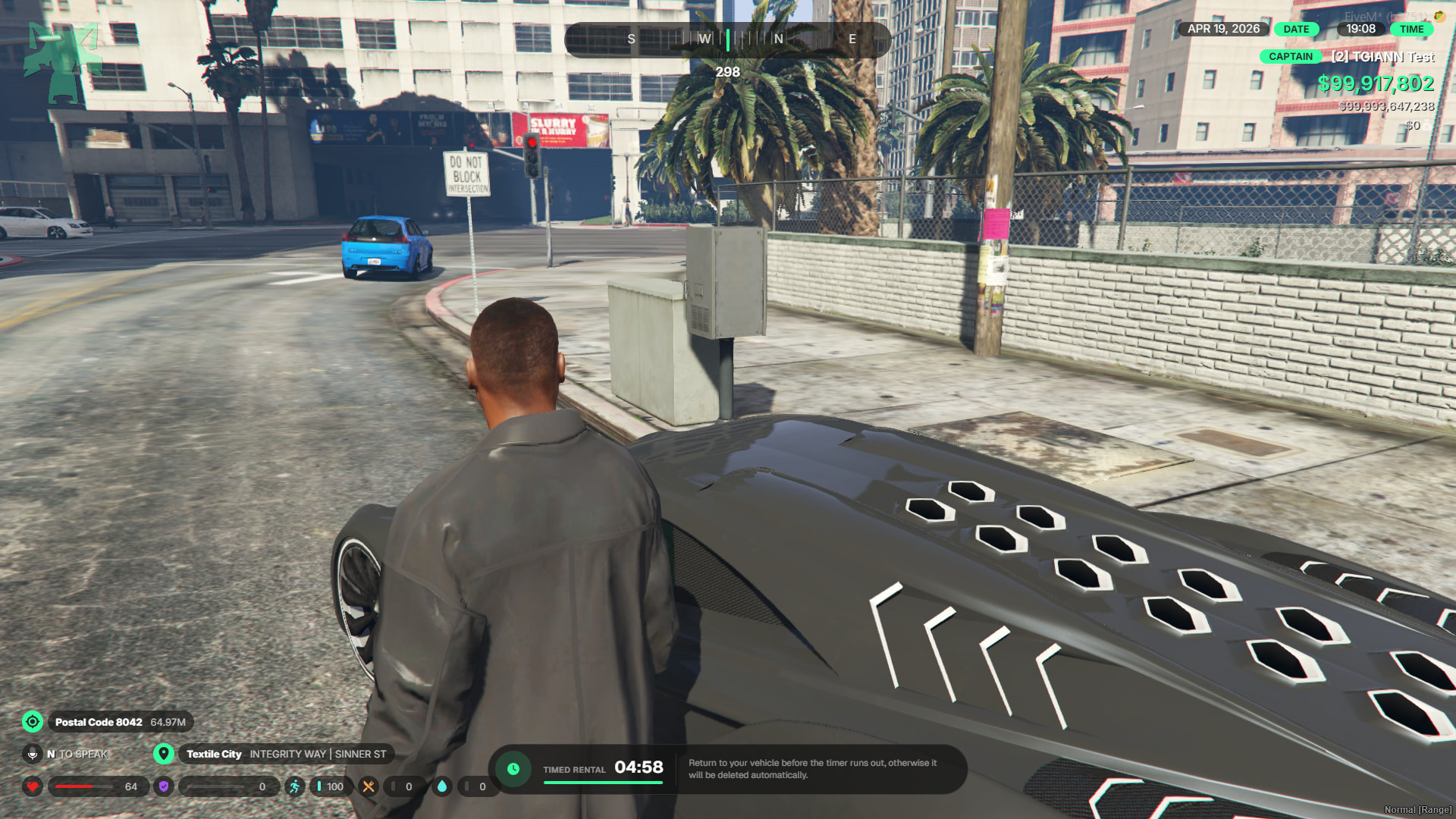
- Timed Rental: The vehicle is rented on a time limit. A countdown timer starts the moment you exit the vehicle. If the timer expires, or if the vehicle is deleted for any reason, it automatically despawns and returns to the rental location.
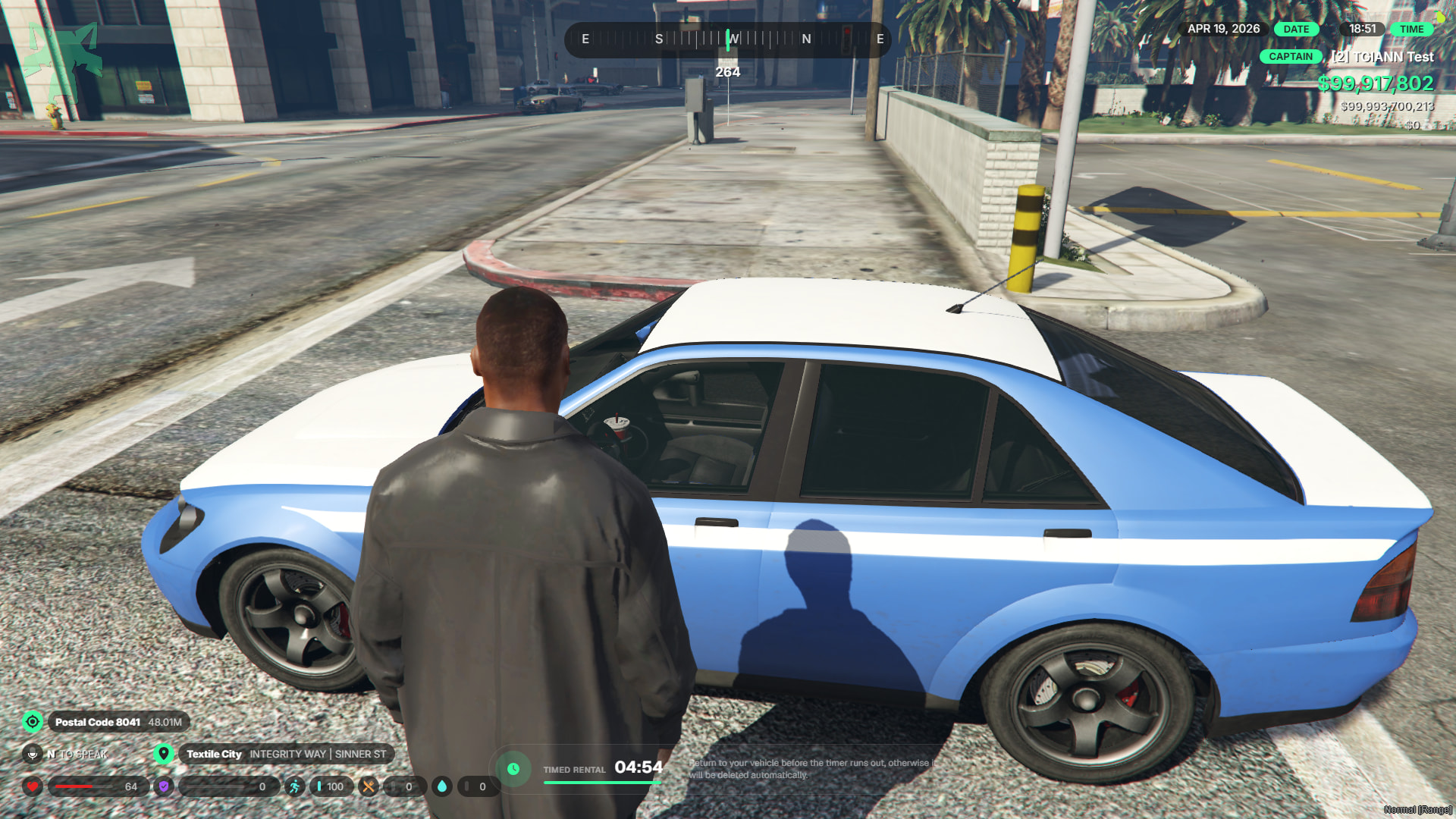
- Untimed Rental (Deposit-Based): The vehicle can be rented indefinitely, but requires an upfront security deposit. This deposit is automatically refunded to your bank account once you safely return the vehicle to the rental point.
Location Rental System
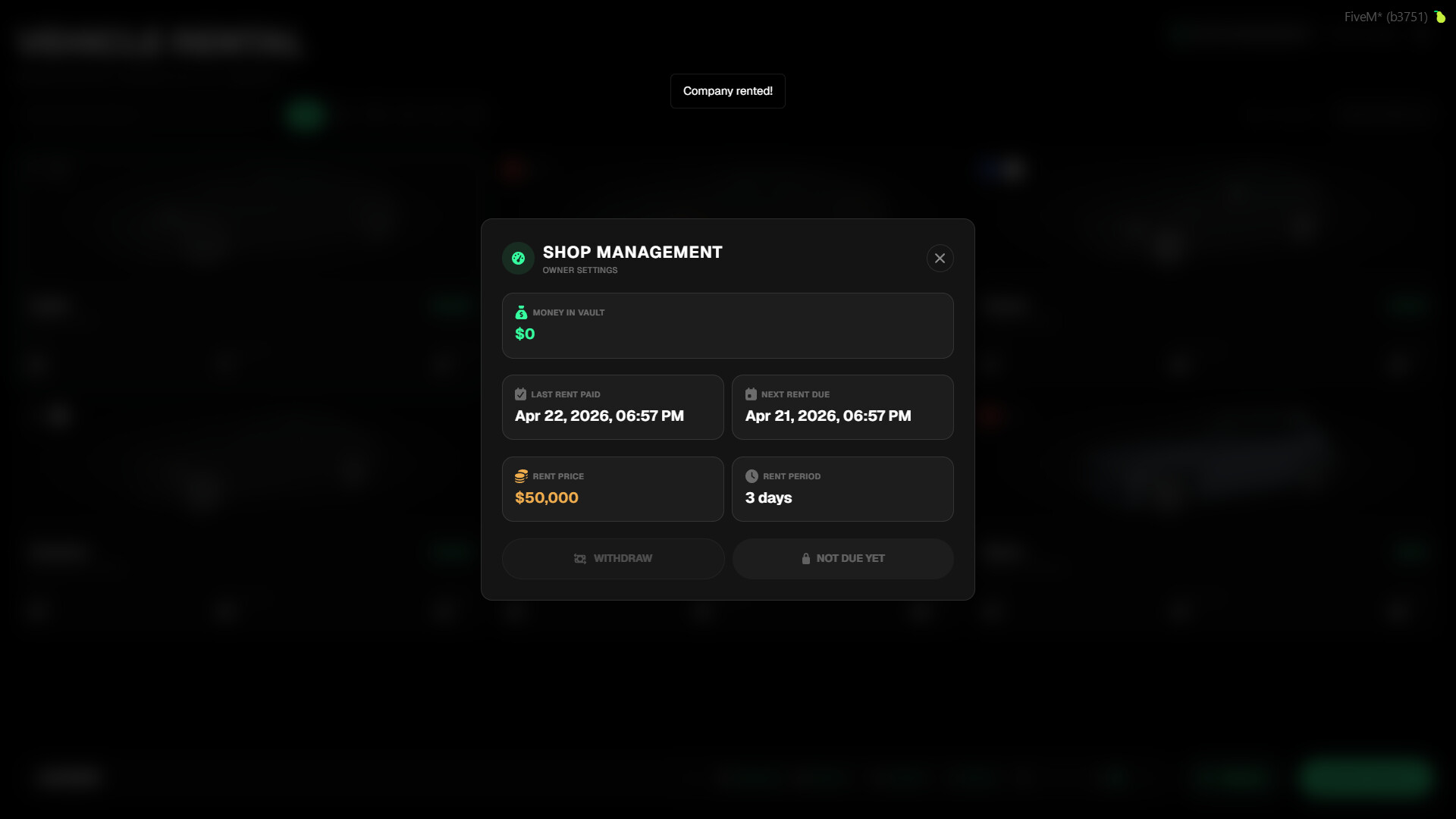
- The rental price, duration (days), and other specific details for each location can be fully configured in the config file.
- If desired, this rental business system can be disabled globally for all locations or just for specific locations.
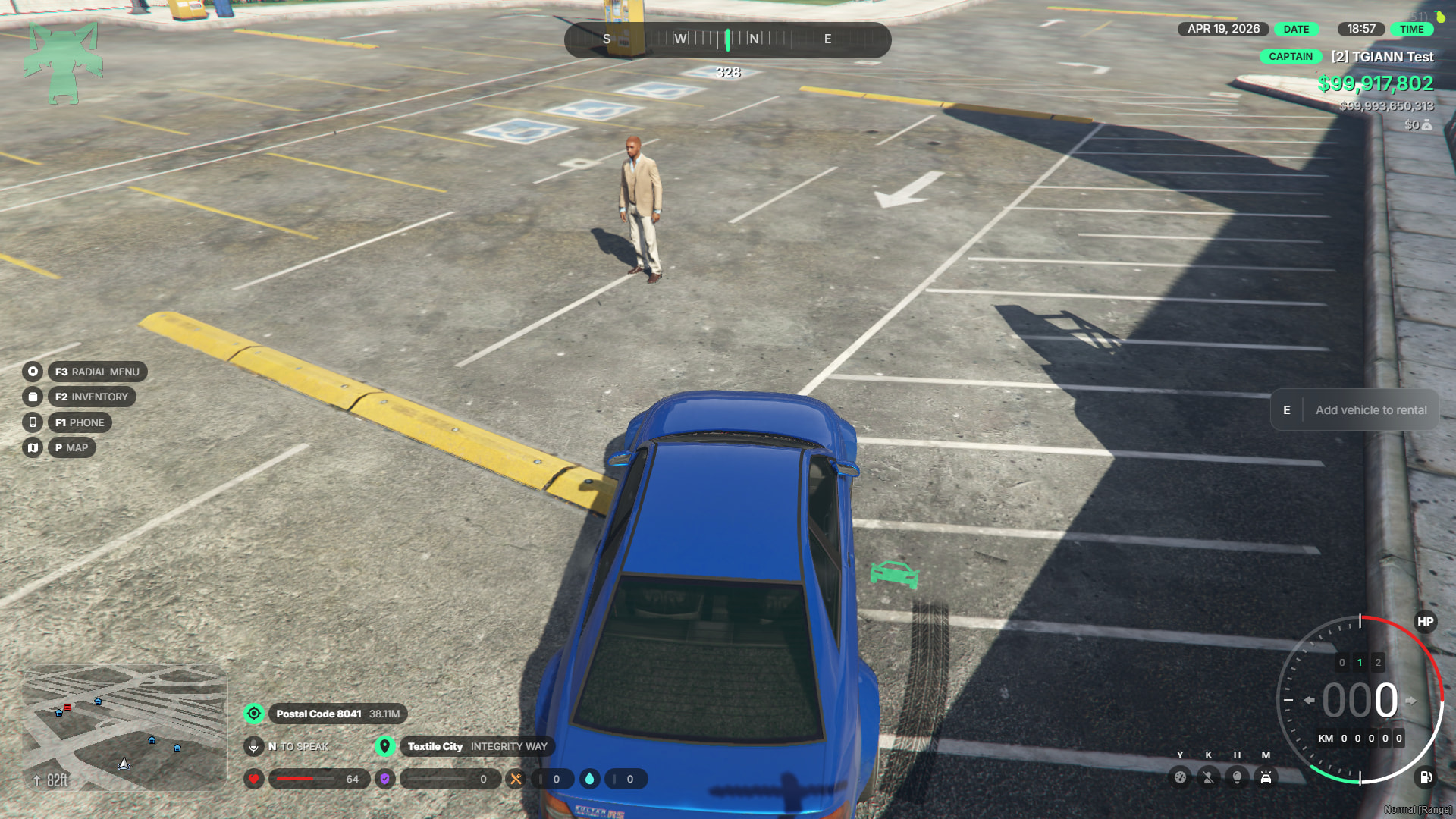
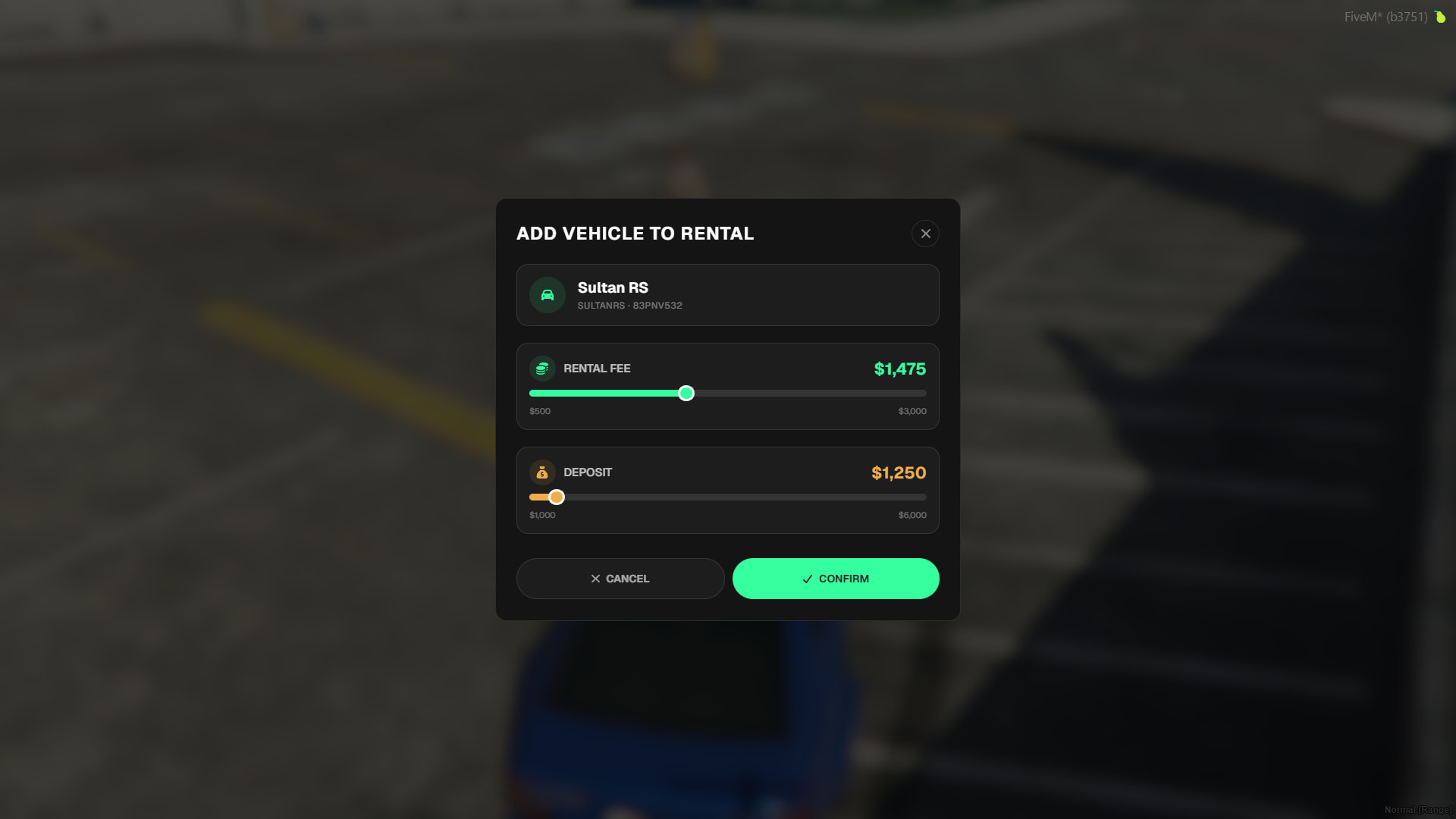
- Once a location is rented by a player, they can add their own personal vehicles to the system, making them available for other players to rent.
- When a player’s custom vehicle is rented out, it becomes unavailable to others until it is properly returned to the location.
- The maximum rental and deposit prices for these vehicles can be adjusted in the config based on their specific vehicle class.
Vehicle Rental Document
- When you rent a vehicle, you receive a physical rental document as an inventory item.
- You cannot return the vehicle without having this document in your possession.
- If the vehicle is deleted or destroyed before it can be safely returned, the document’s status will automatically update to show as “Invalid”.
Requirements
- tgiann-core (free)
- ox_lib
- ESX, QB, QBOX
Config File
Editable File