ShowCase
tgiann-fivem-stats-script connects your FiveM server to the FiveM Stats panel on fivemstats.net: one place for players, playtime, sessions, economy, items, vehicles, jobs, combat, chat, a live map, server logs, screenshots and database backups.
Instead of paying a storage or logging service per GB, everything stays on your own server. The resource starts its own media and log service next to FXServer, so screenshots, videos, logs, statistics and database backups are stored on your machine or VPS. Nothing is uploaded to a third-party storage service, and there are no per-GB fees, no log volume limits and no extra plans.
It costs €1.99 / month per server, with the first 30 days free. Every panel is included, staff accounts are unlimited, and you can cancel any time. ESX, QB-Core and QBox are supported out of the box.
Main Features
See Everything - Players, playtime, sessions, economy, items, vehicles, jobs, combat, chat, a live map, logs, media and backups in one panel.
Keep It Yours - Screenshots, videos, logs, statistics and backups are stored on your own server, next to the game server.
Self-Hosted Media Service - Take screenshots of a player's screen and store images, videos and audio without a third-party storage plan.
Media Management - Folders, uploads from the panel, move, keep forever, bulk clean-up, folder ZIP downloads and automatic deletion of old files.
Server Logs & Log API - Every log line your scripts write, in datasets, with filters, metadata and a Live mode.
Automatic Logs - Joins and leaves, resource starts and stops, txAdmin actions and optionally chat are logged on their own.
Database Backups - Scheduled, compressed backups of your game database, downloadable from the panel.
Player Files - Sessions, daily activity, money, kills, inventory, vehicles, identifiers, chat and movement for every character.
Inactivity Reports - See who stopped playing and export the list as a PDF for staff checks and whitelist clean-ups.
Economy Tracking - Money created and removed, every transaction, and large transactions to spot exploits and dupes.
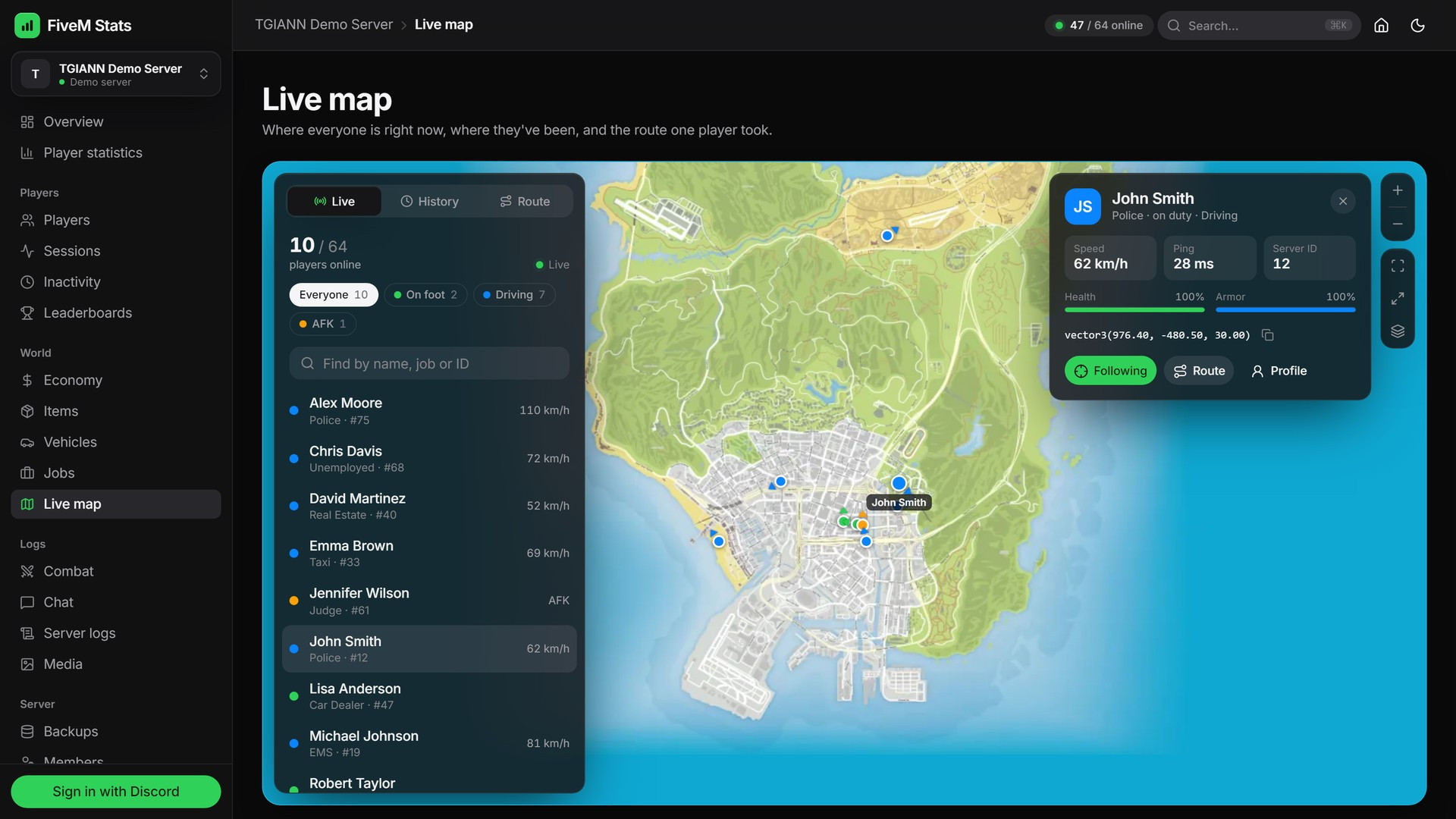
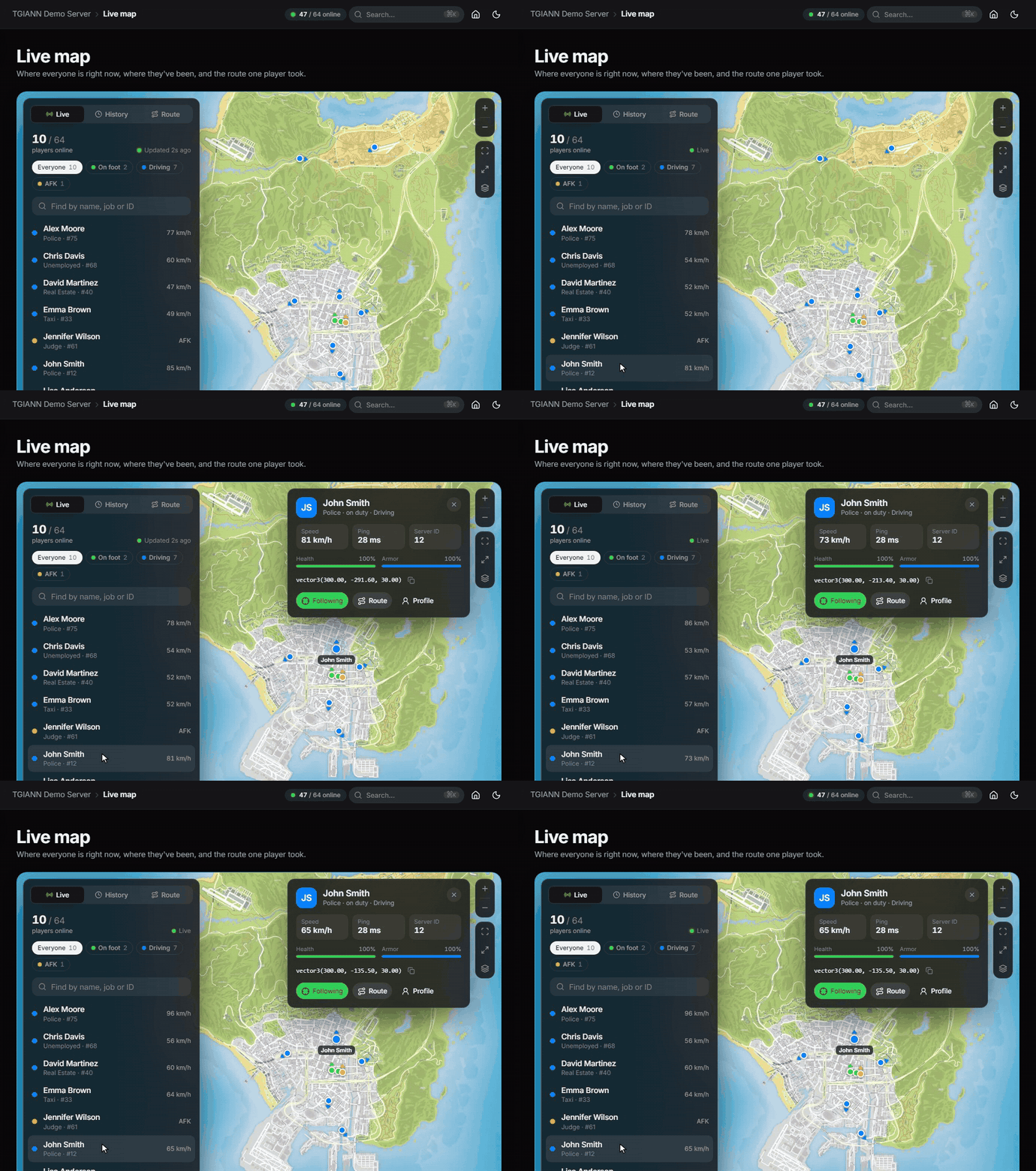
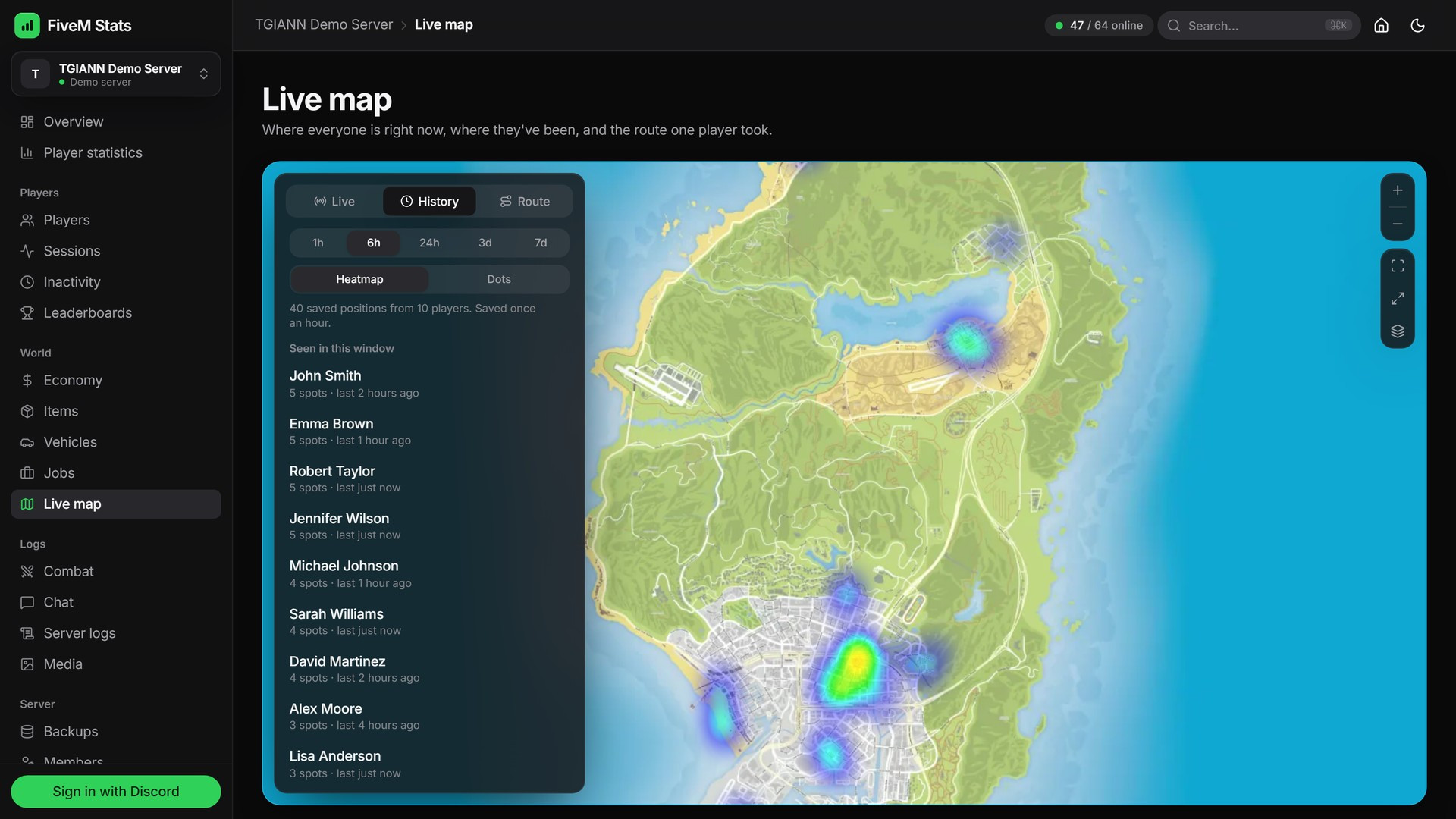
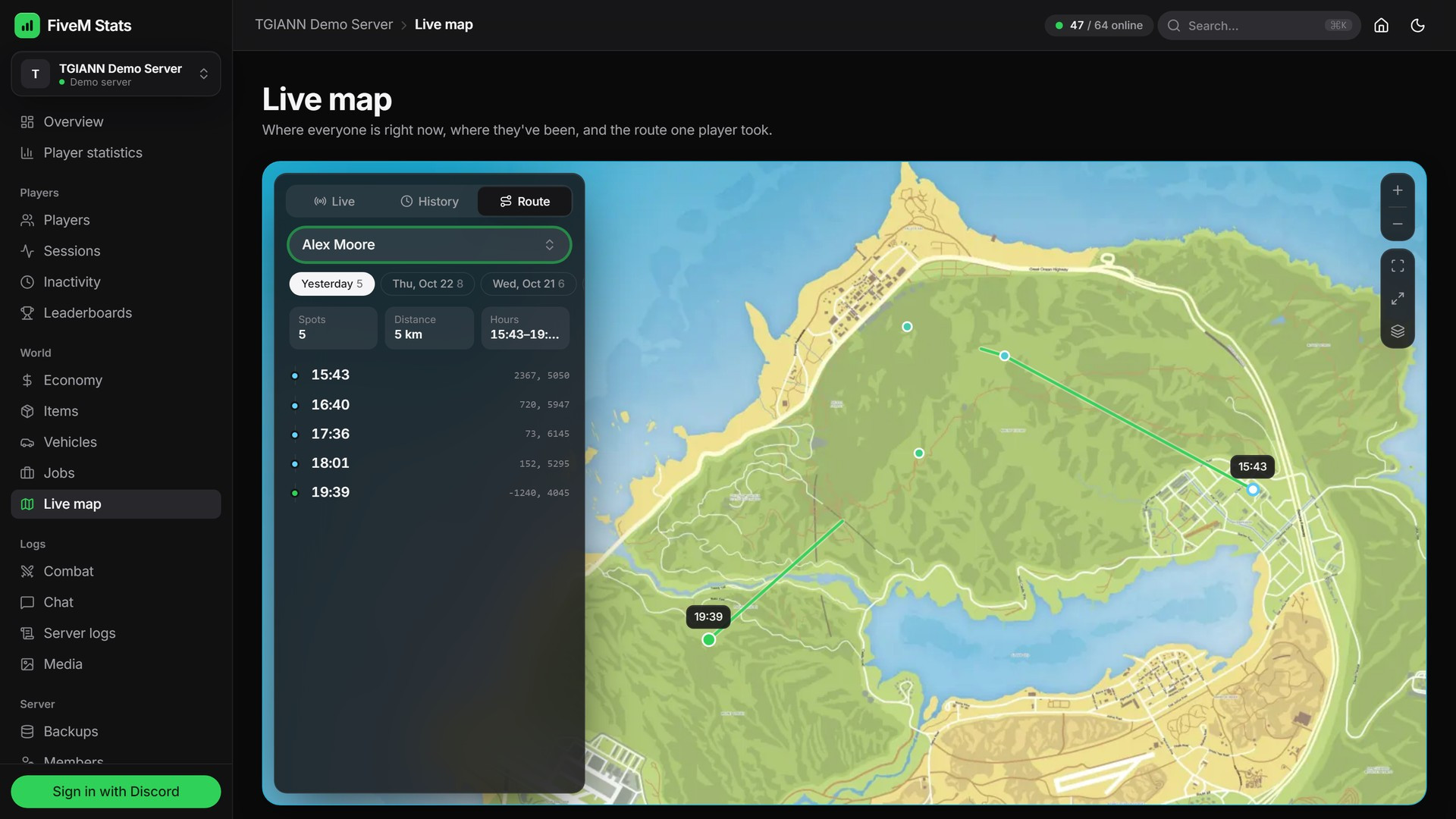
Live Map - Every player's position live on the GTA map, a history heatmap and the route a single player took.
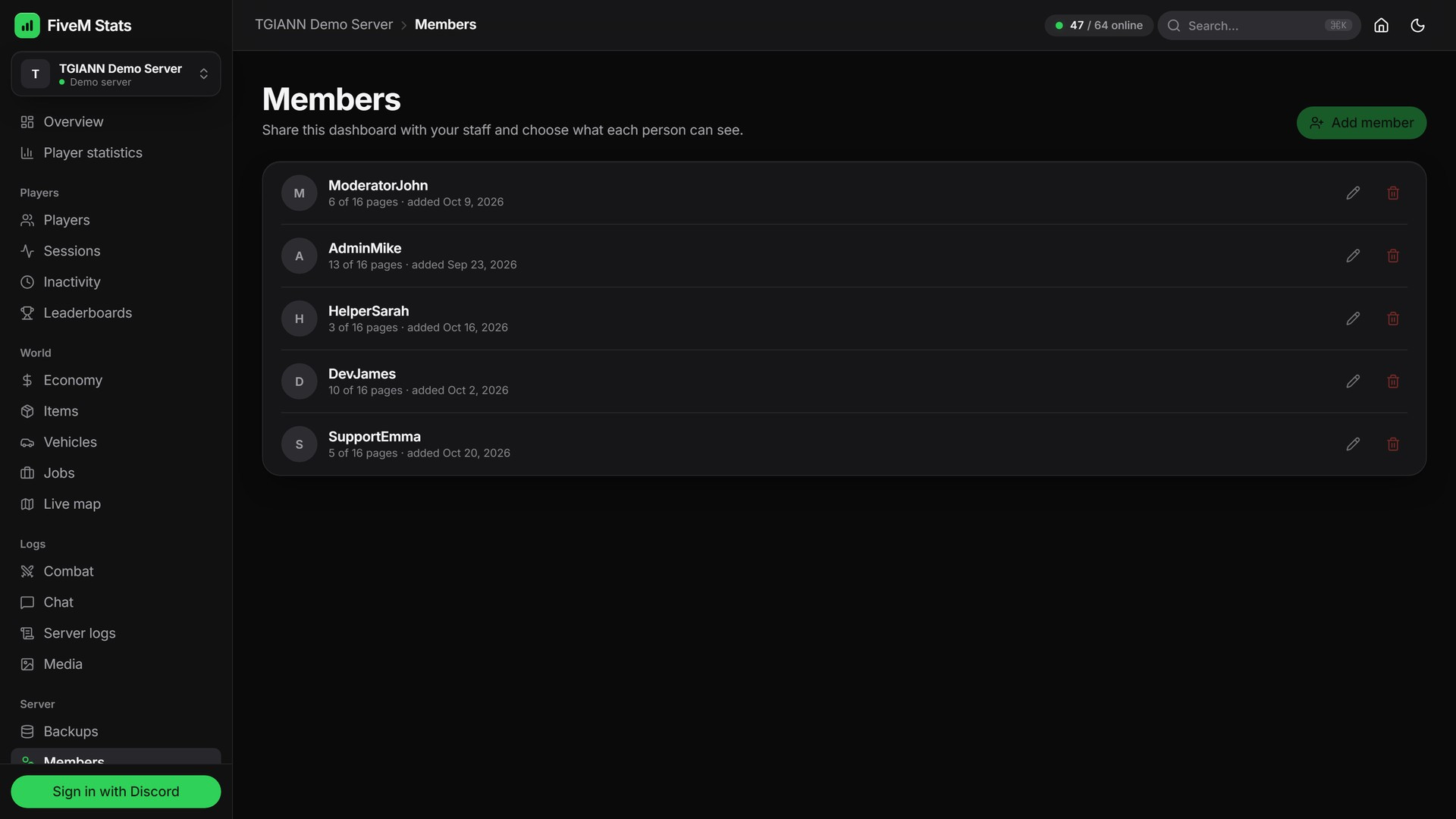
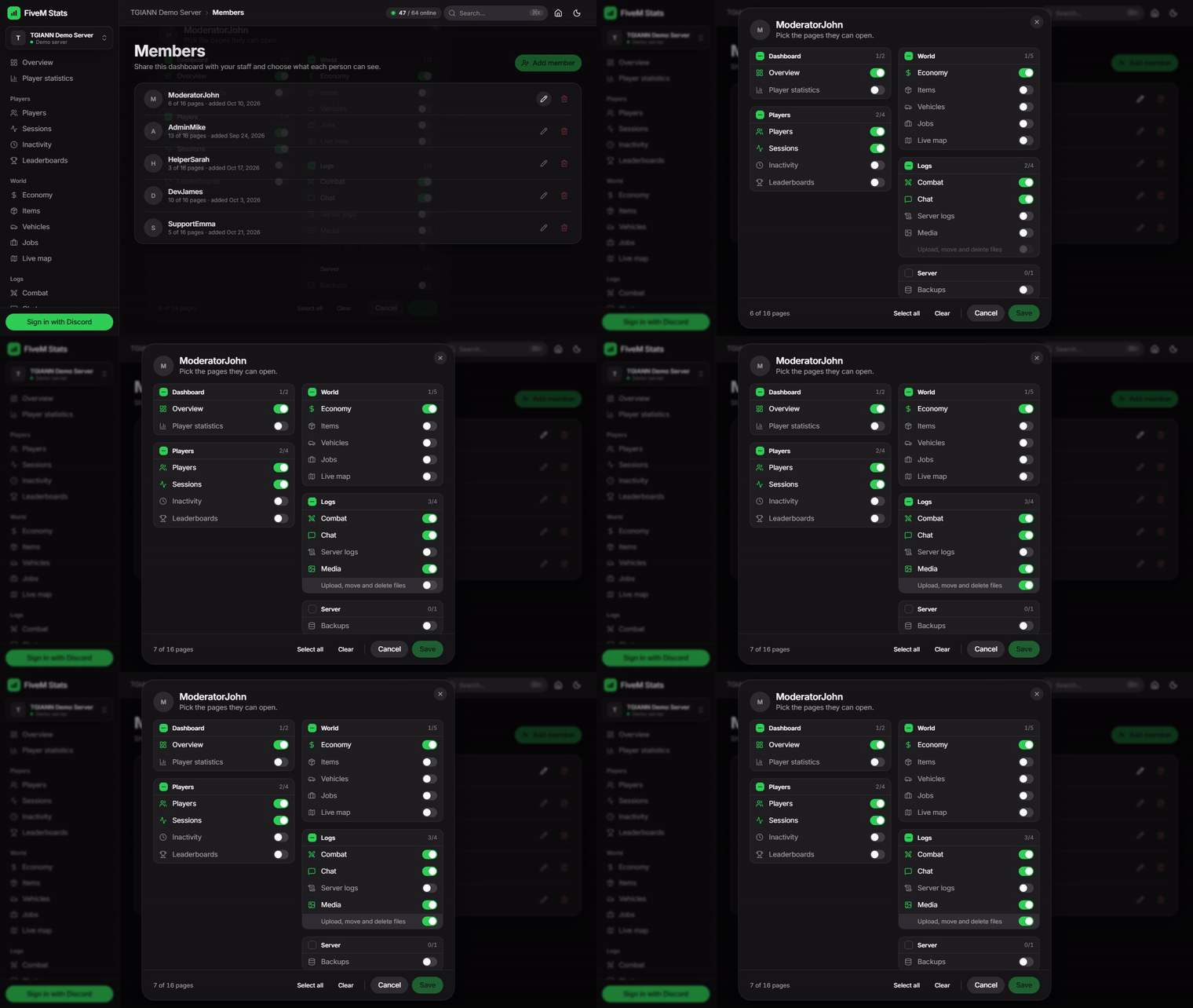
Staff Permissions - Invite staff by Discord and choose, page by page, what each person can see, and who may upload or delete media.
Live Settings - Retention, AFK time, ignored items, screenshot limits and log options apply on the game server at once, no restart.
Exports - PDF, Excel, CSV and JSON exports on lists and reports.
Command Menu - Press
Ctrl + Kto jump to any page or player.Built Properly - Heavy work runs in a separate native process, events are collected in batches, and the game database is only read, never written to.
Public Demo - Anyone can try the full panel on the demo server without signing in.
Self-Hosted Media Service
The resource starts a small media service next to FXServer as its own process. Screenshots, videos and audio files are stored on your own server, not on a third-party storage service.
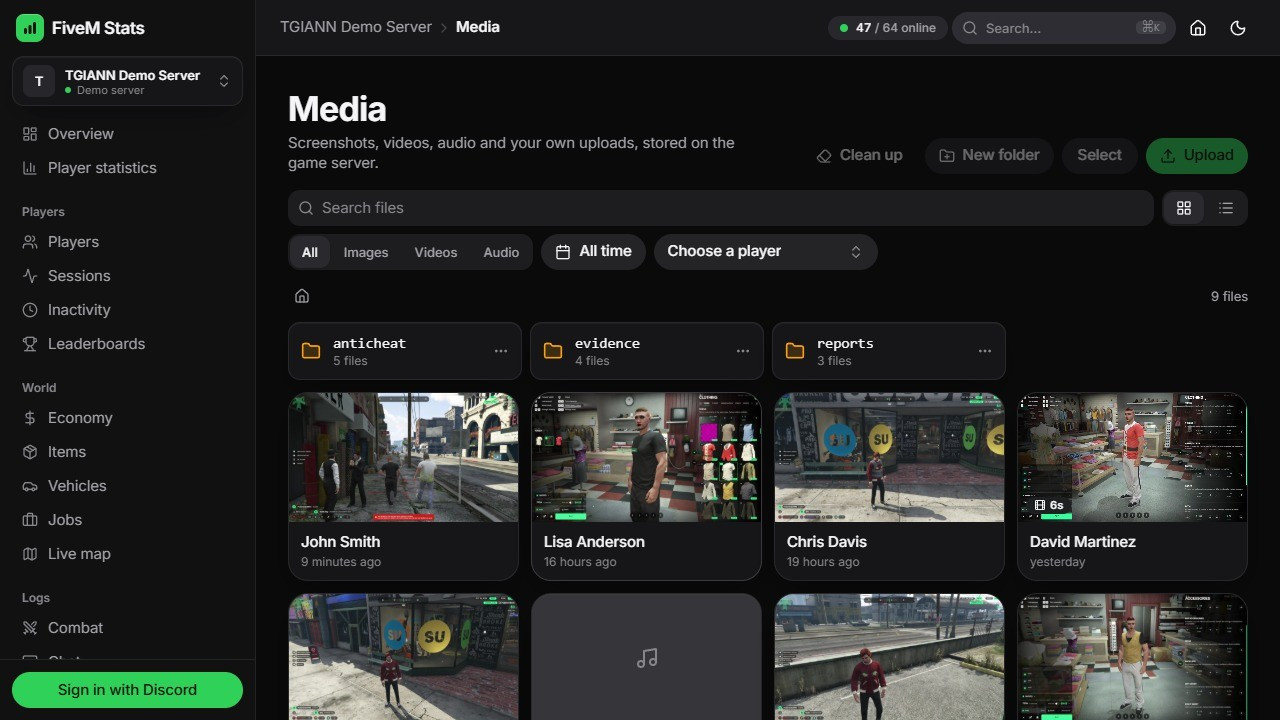
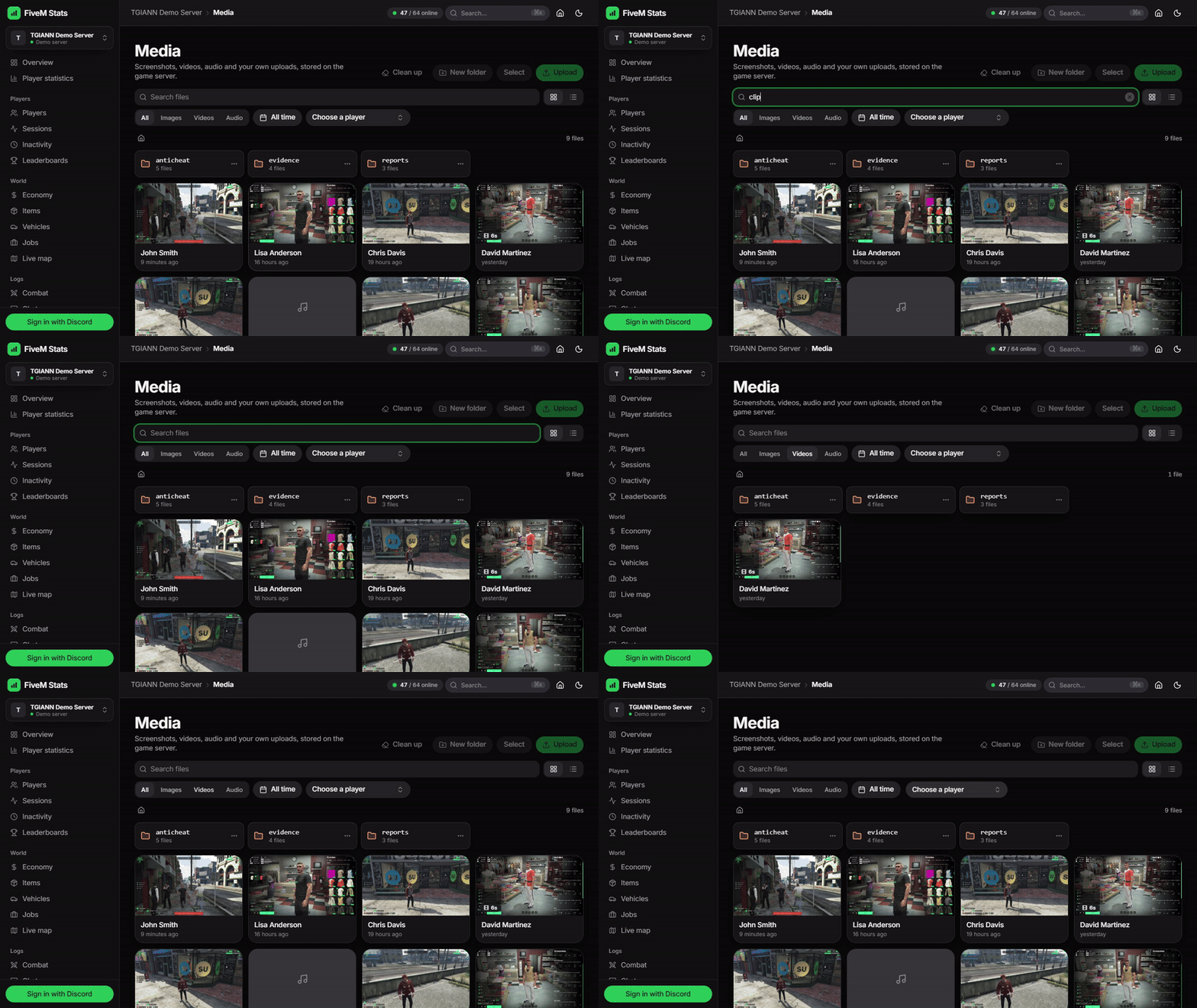
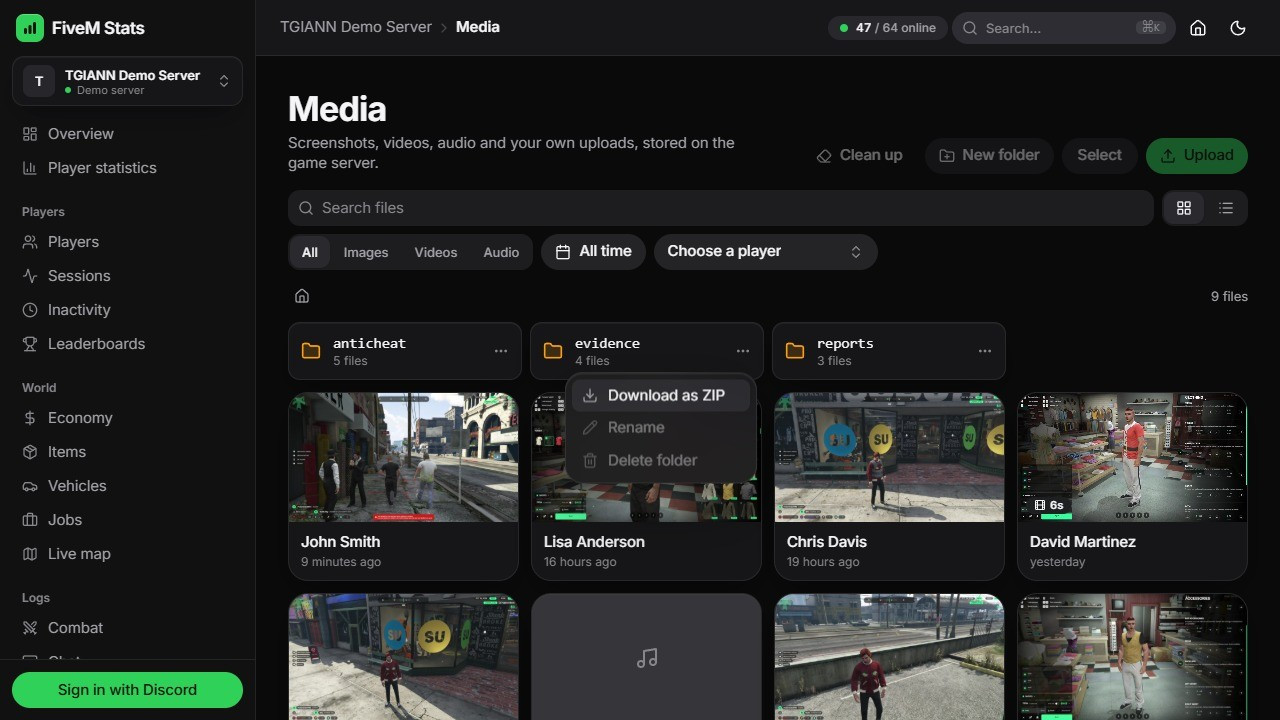
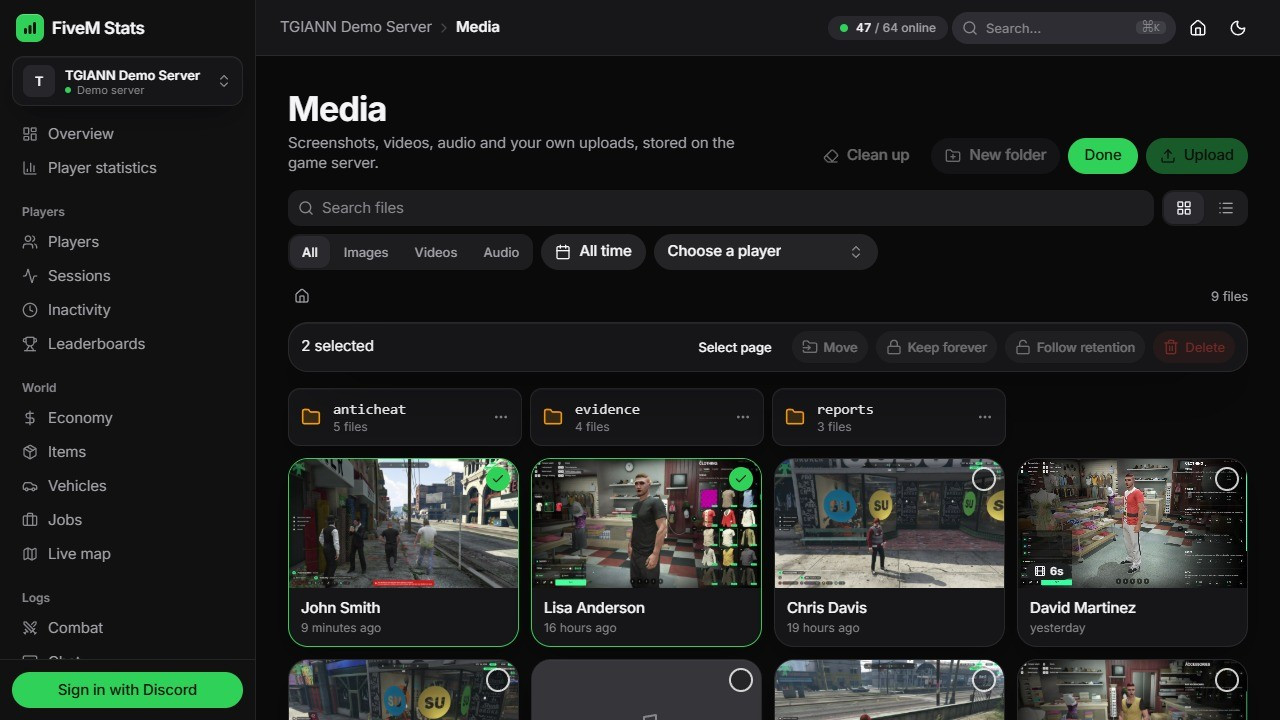
The Media page is a gallery of every file the server stored, with the player it belongs to. Search by name, or filter by type, date and player.
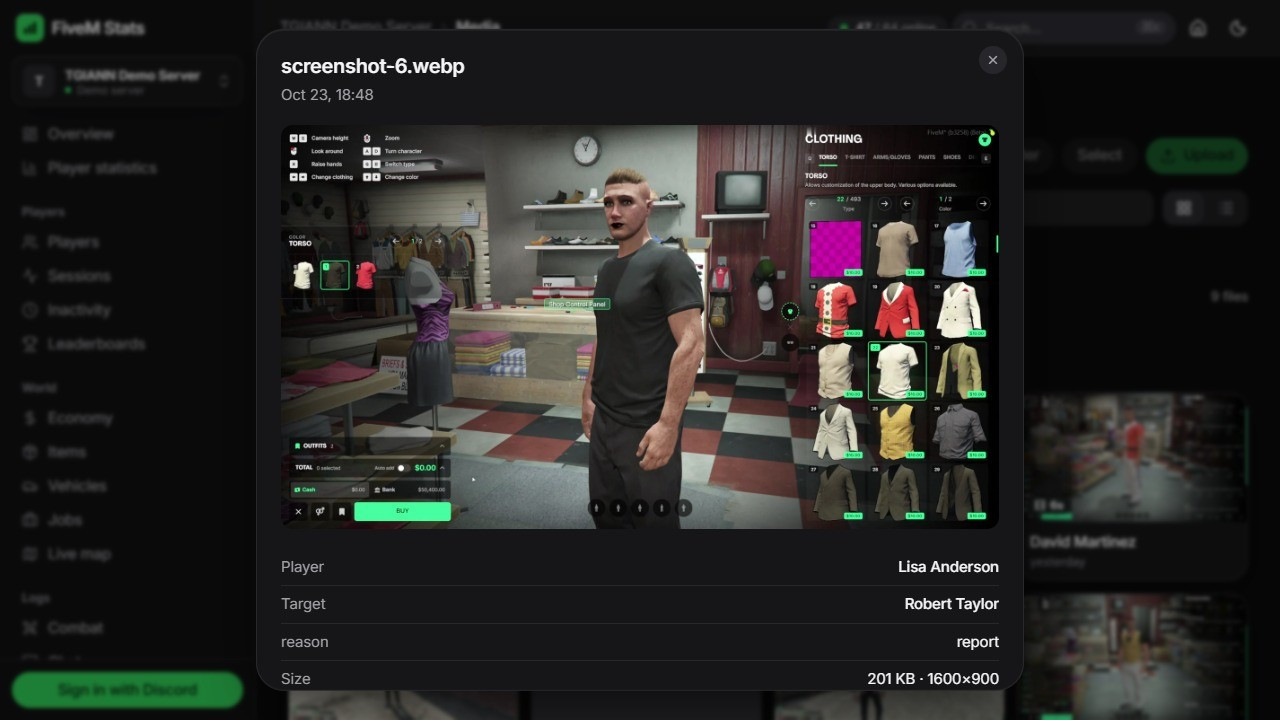
Open any file for a full-size preview with its player, target, reason, size and link.
Folders: your scripts choose the folder, and you can make your own. Upload images, videos and audio from the panel, and download a whole folder as a ZIP.
Select many files to move them to another folder, keep them forever or delete them in one go. Clean up removes files by type and date in a folder or everywhere.
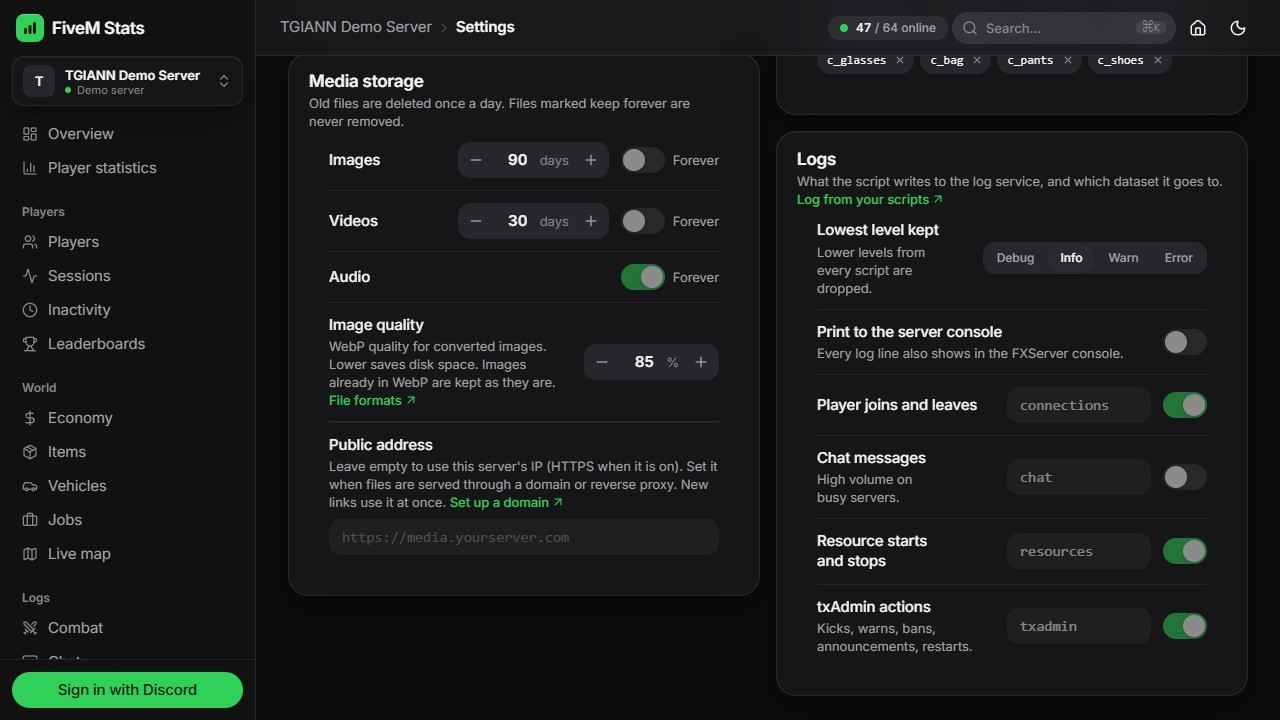
Old files clean themselves up: choose how many days images, videos and audio are kept. Files marked keep forever are never removed.
Links keep working when files are moved or a folder is renamed.
A screenshot goes straight from the player's game to the service through a single-use upload link. It never passes through the game server.
Uploads are converted to modern web formats (WebP images, VP9 / Opus video and audio) by a bundled converter. Image quality is set from the panel, and files the browser already plays are kept untouched.
HTTPS is automatic: the service gets and renews a free certificate for your server's IP on its own (Let's Encrypt). Want your own domain? The docs show it step by step with Cloudflare Tunnel (free). Custom certificates and reverse proxies are supported too.
Admins can check the whole chain with the
/mediatestcommand, which takes a test screenshot through the service.Staff can be given the Media page read-only, or with the extra Upload, move and delete files permission.
Server Logs
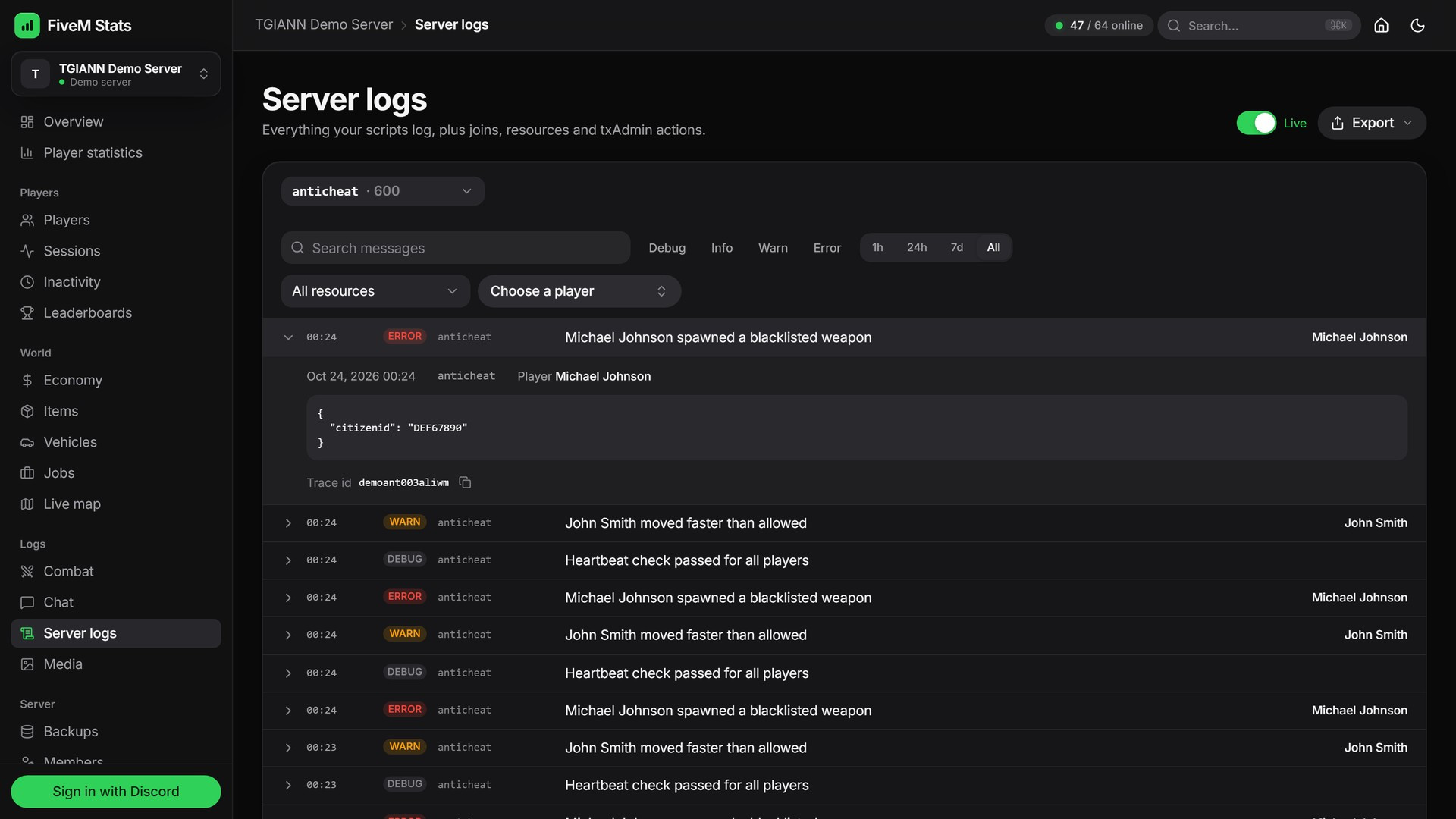
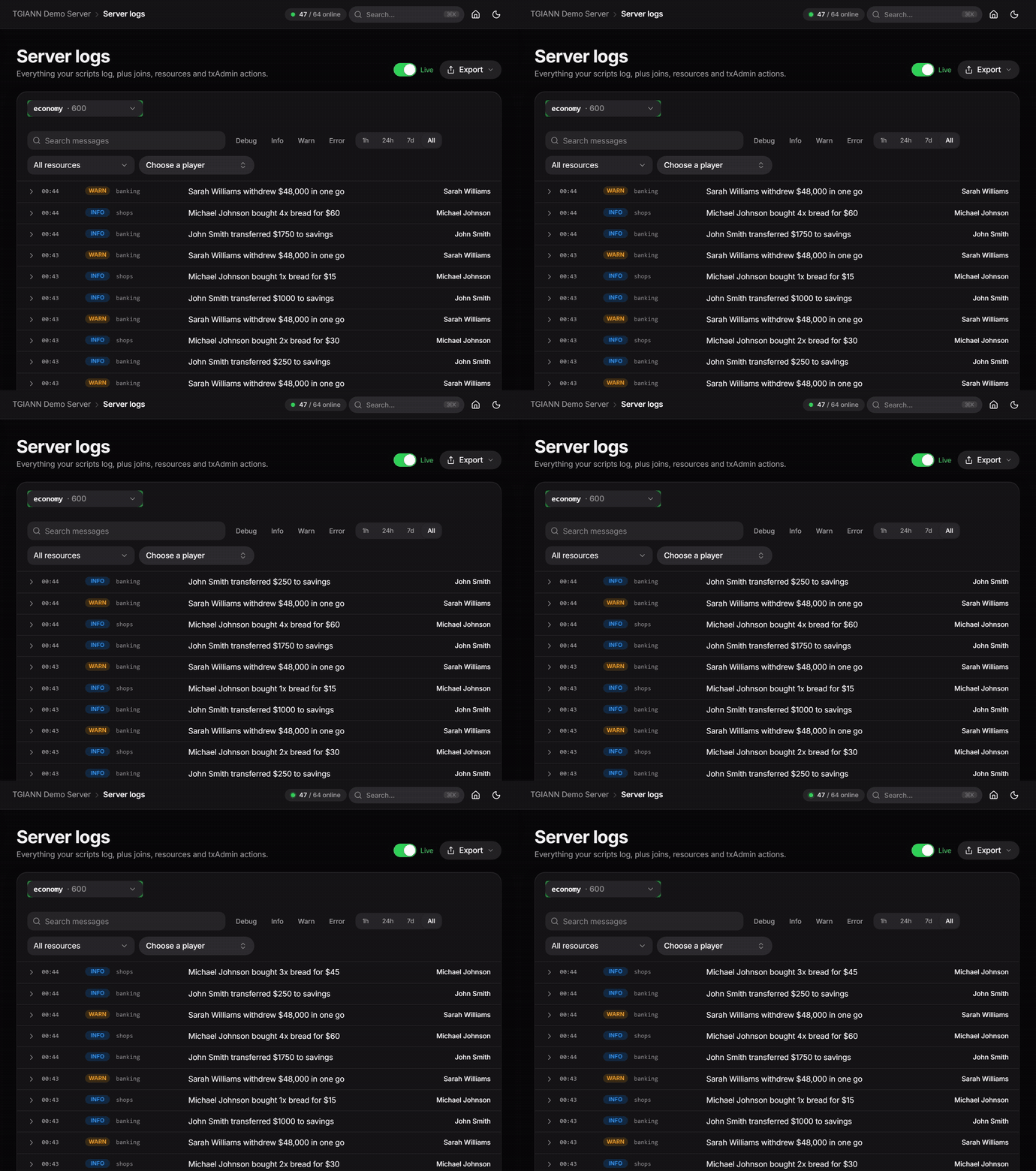
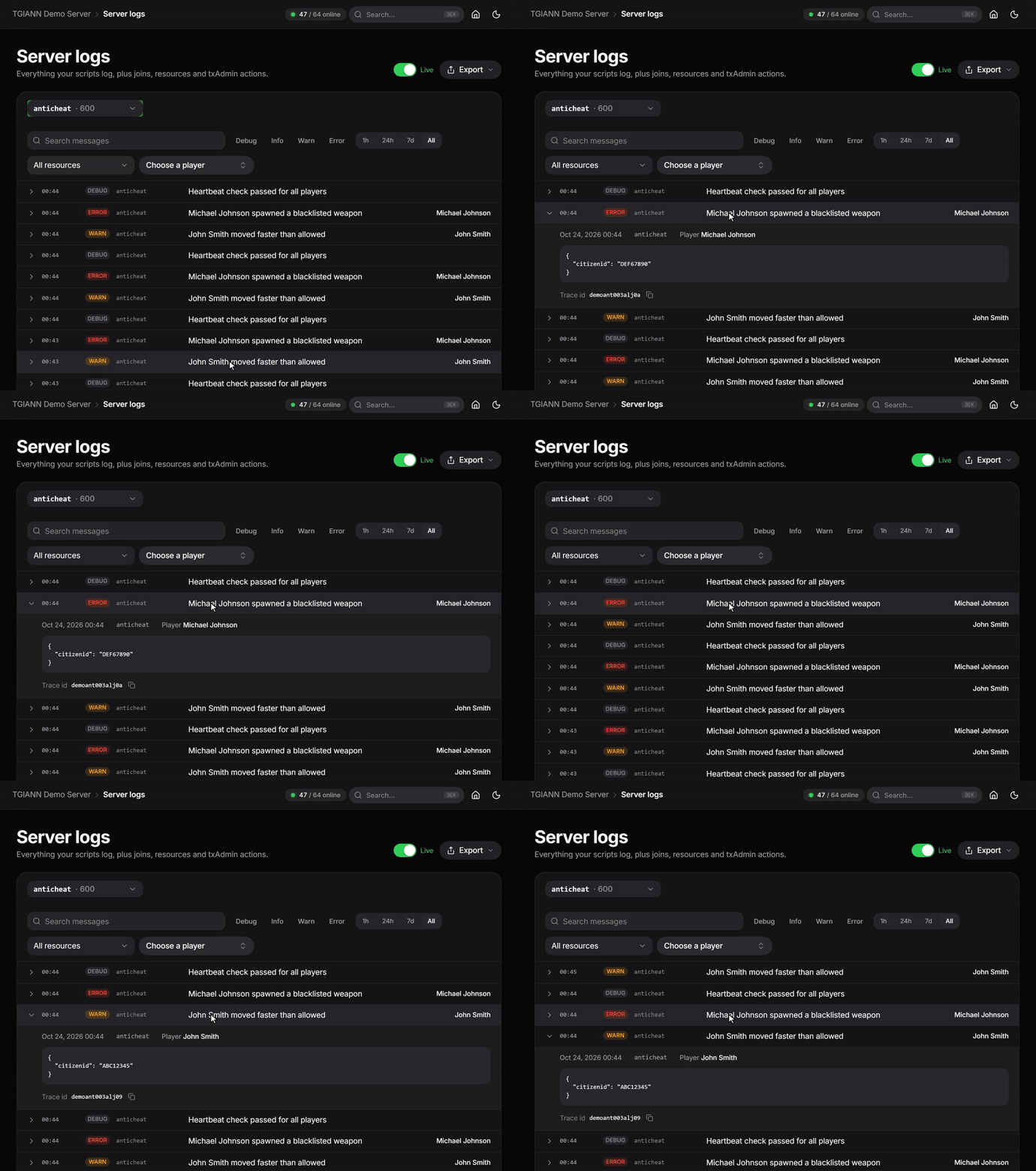
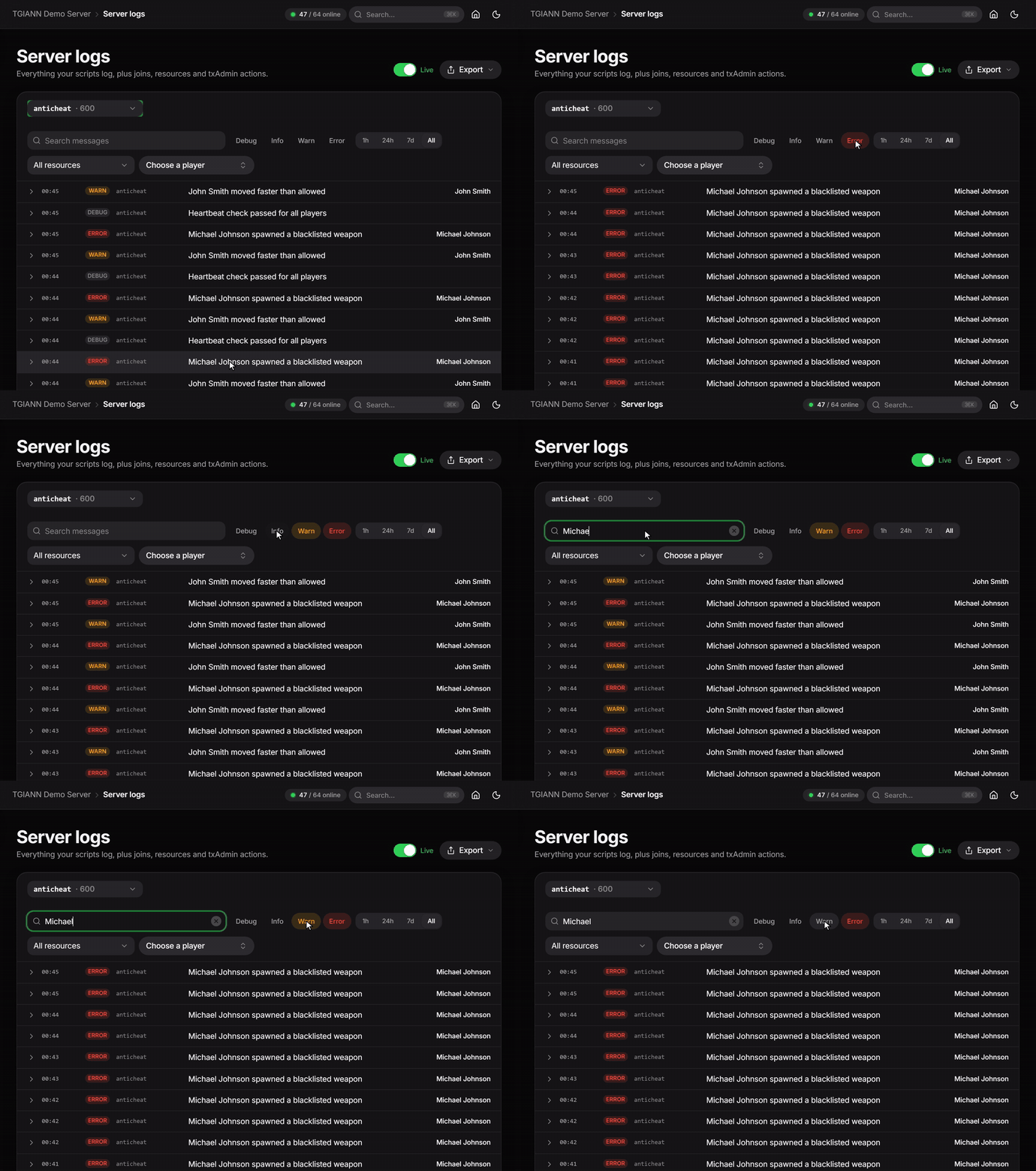
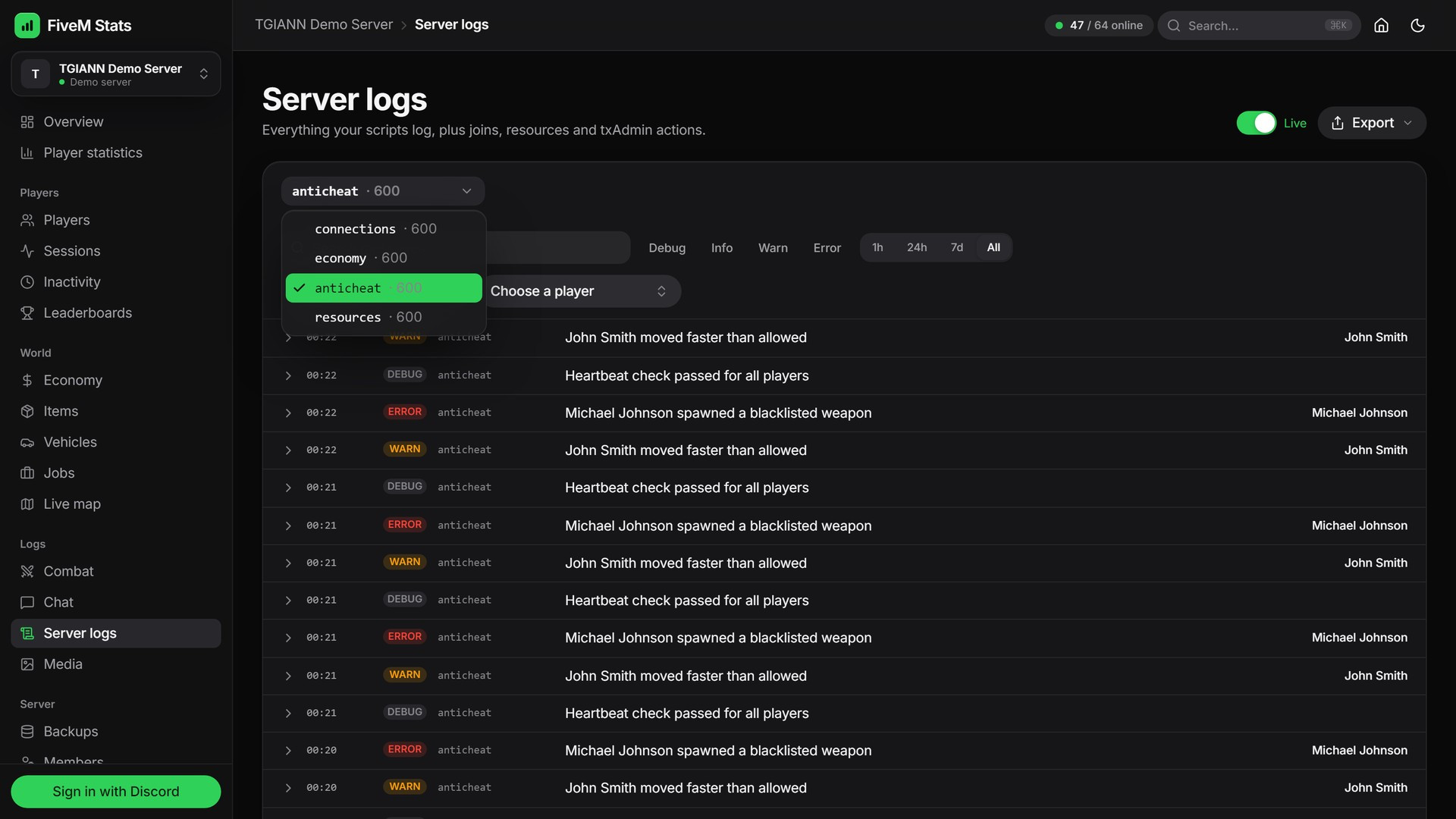
Every log line your scripts write is stored in datasets on your own server and shown on the Server logs page.
Filter by level (debug, info, warn, error), resource, text, player and time.
Open a line to see its metadata, player and trace id. When a script names a player, the panel shows exactly who the line is about.
Live mode adds new lines as they happen, so you can watch your server without refreshing.
Some logs are written on their own: joins and leaves, resource starts and stops, txAdmin actions (kicks, warns, bans, announcements) and optionally chat. Each one can be turned on or off from the settings.
There are no log volume limits and no per-GB fees. The lines stay on your machine.
Database Backups
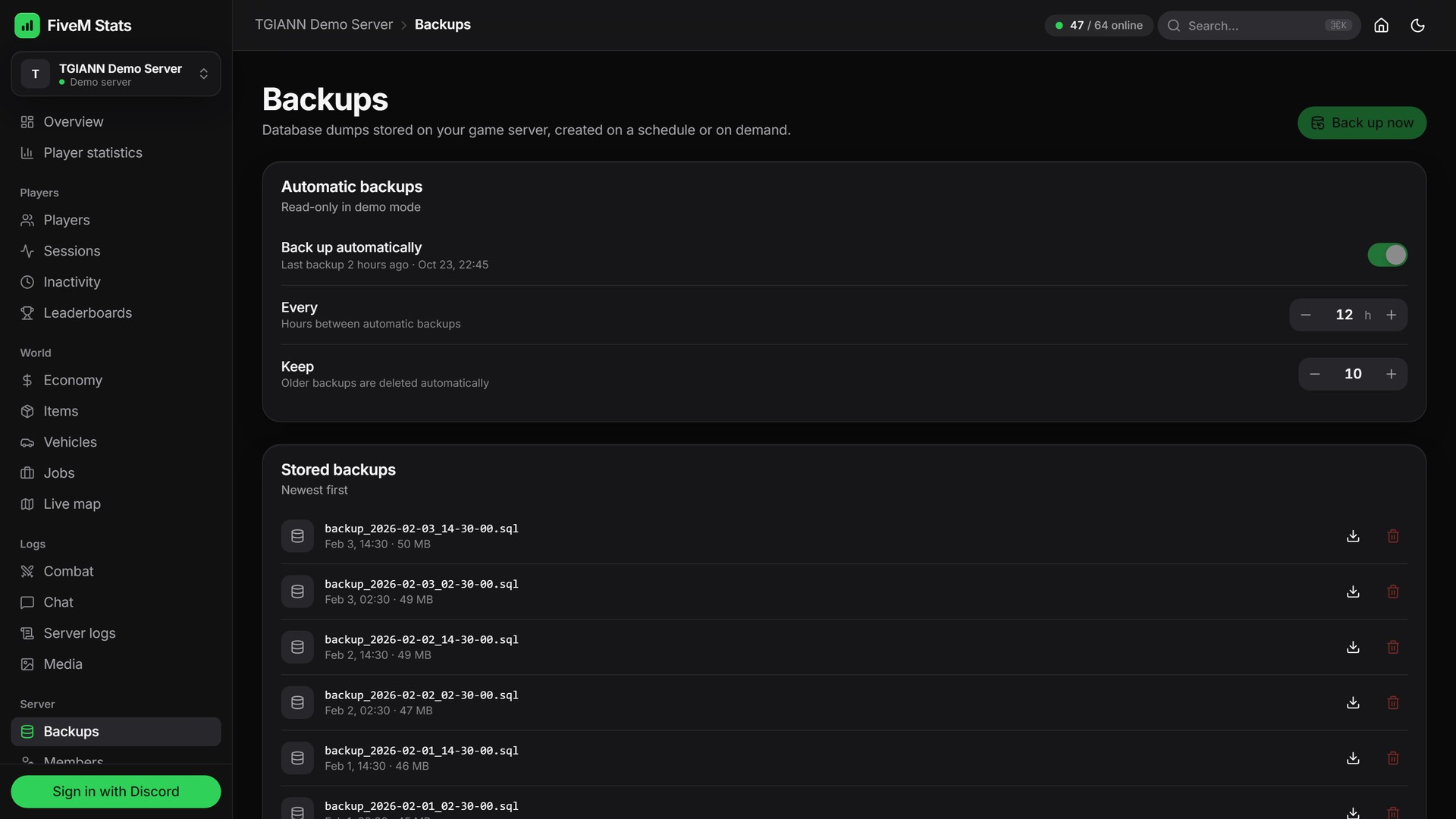
Schedule automatic backups of your game database, for example every 12 hours, and keep the last N backups. Older ones are deleted automatically.
Backups are compressed
.sql.gzfiles stored on your own server.Back up now with one click, or download and delete backups directly from the panel.
A backup is one consistent snapshot and restores exactly, even float coordinates.
Overview
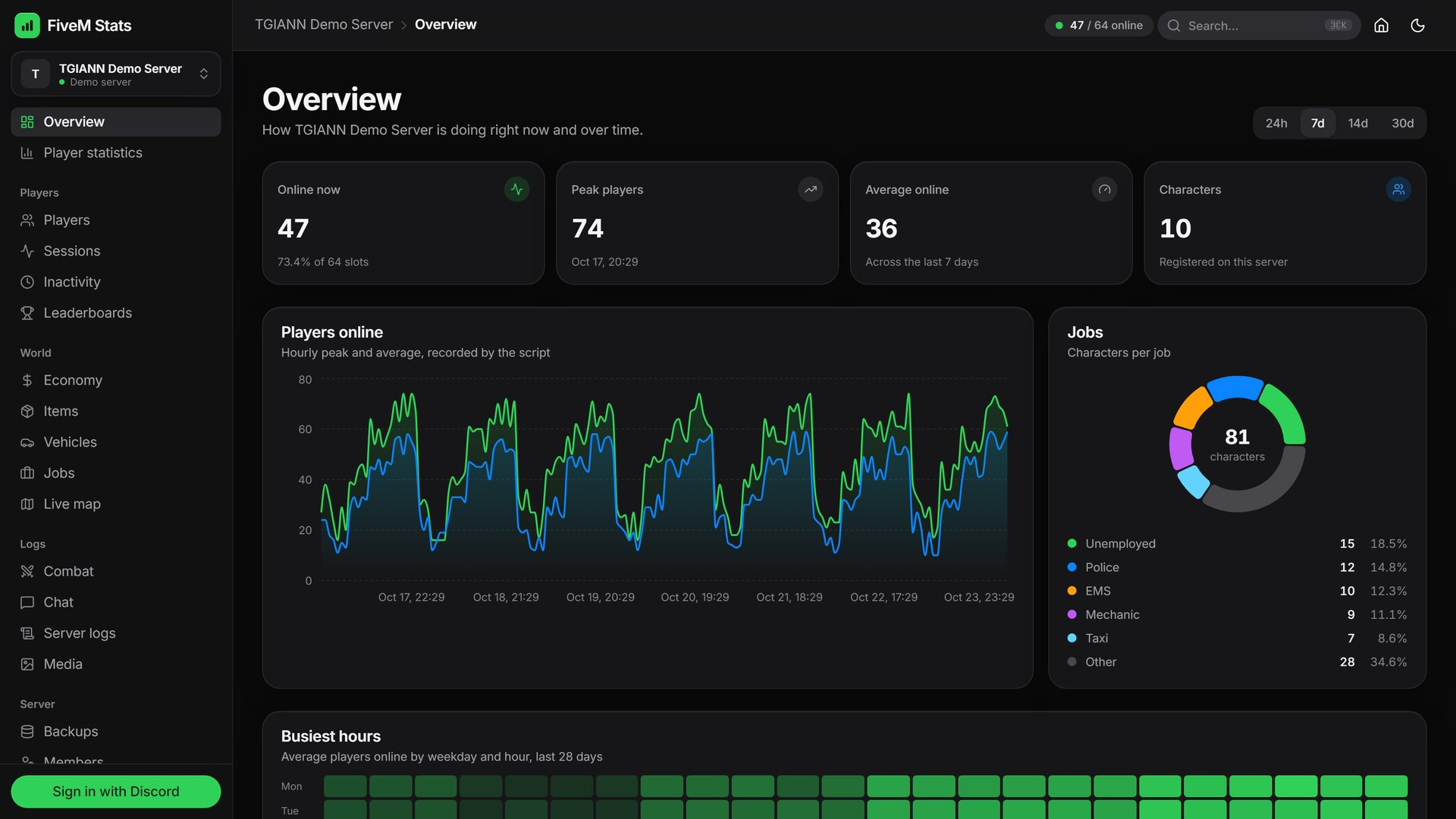
The first page shows how your server is doing right now and over time: players online, peak and average players and registered characters.
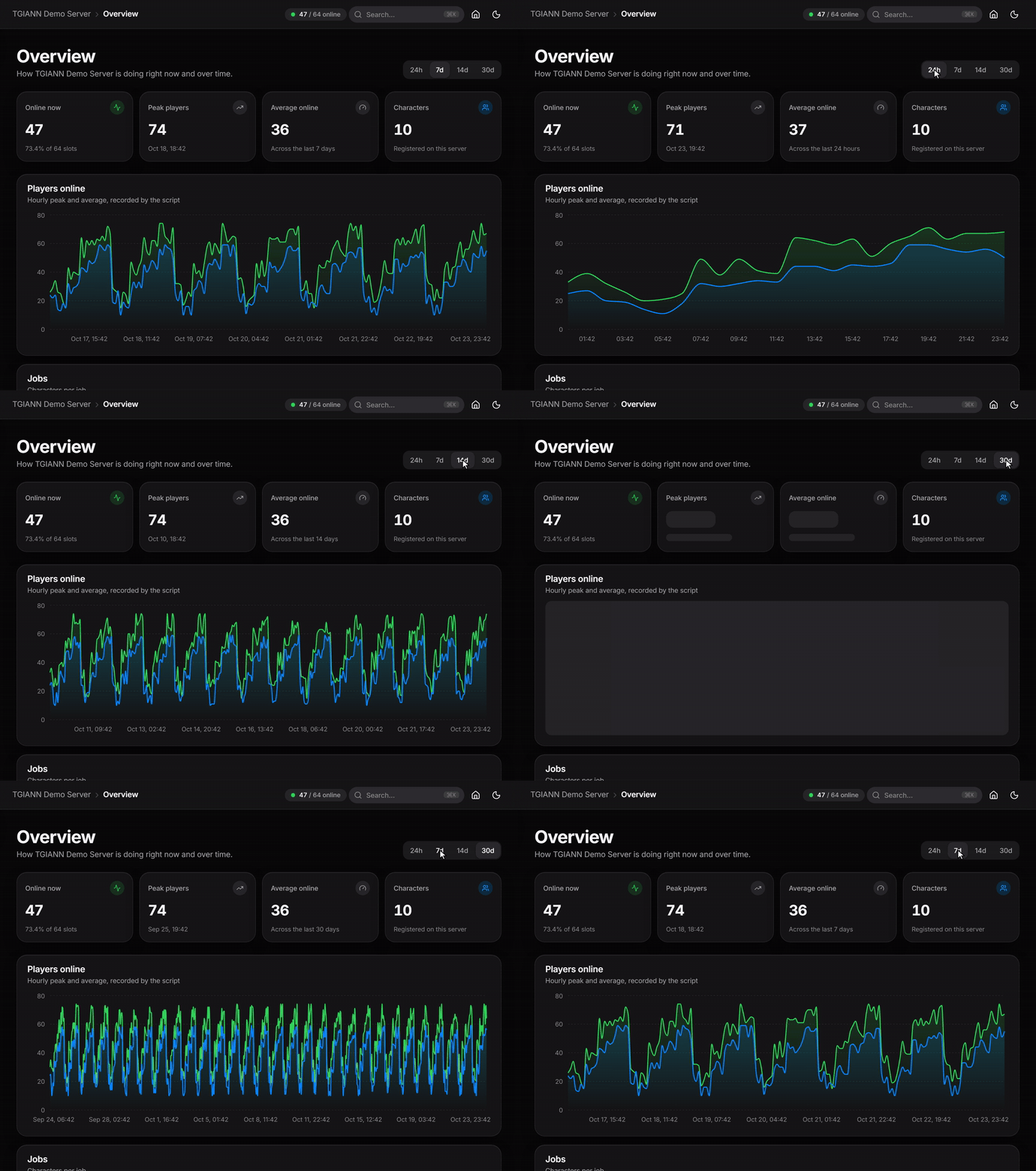
The players online chart shows the hourly peak and average for the last 24 hours, 7, 14 or 30 days.
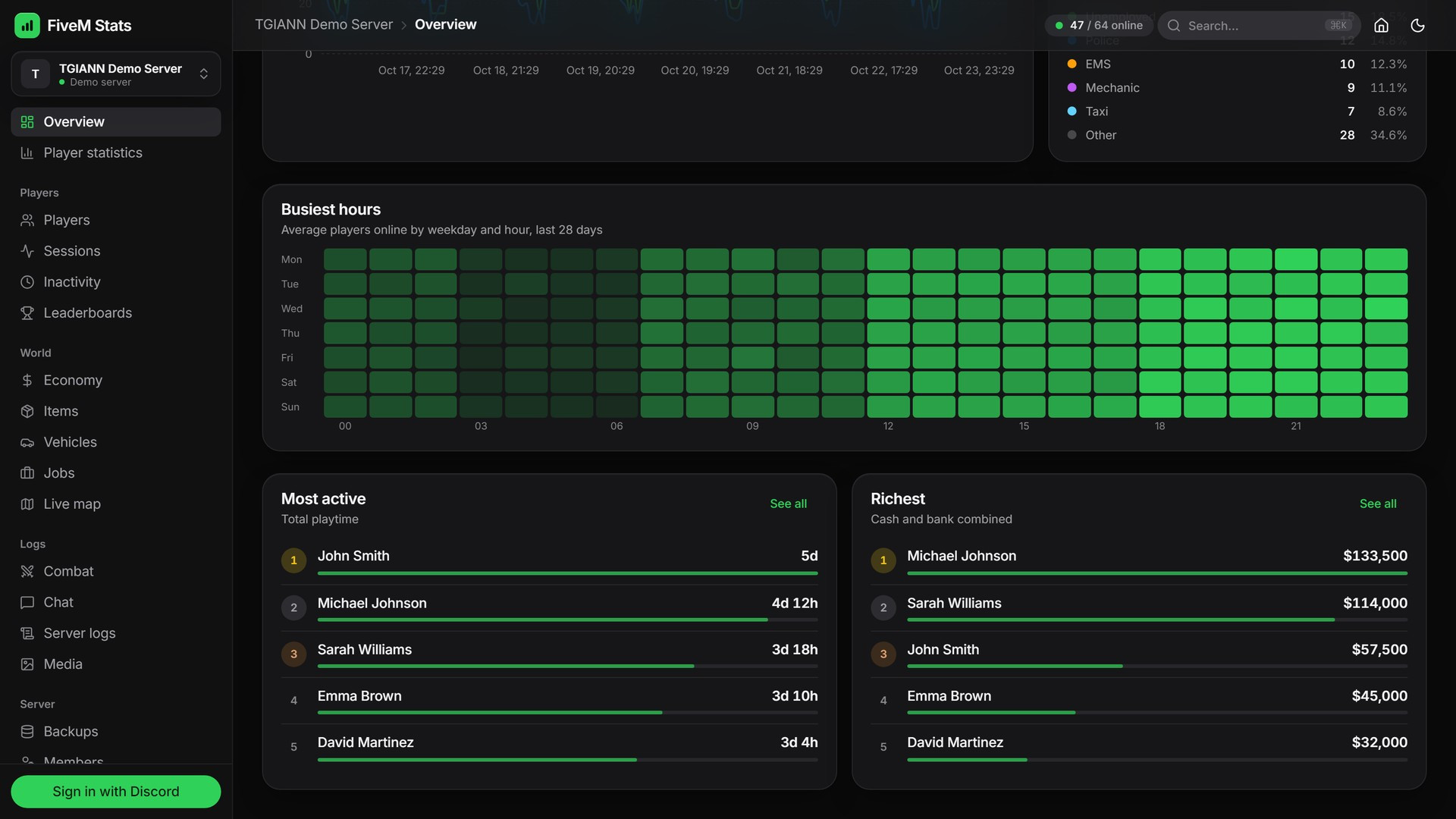
The busiest hours heatmap shows when your server is full, by weekday and hour.
Job distribution and top player lists (most active, richest) are one click away.
Player Statistics
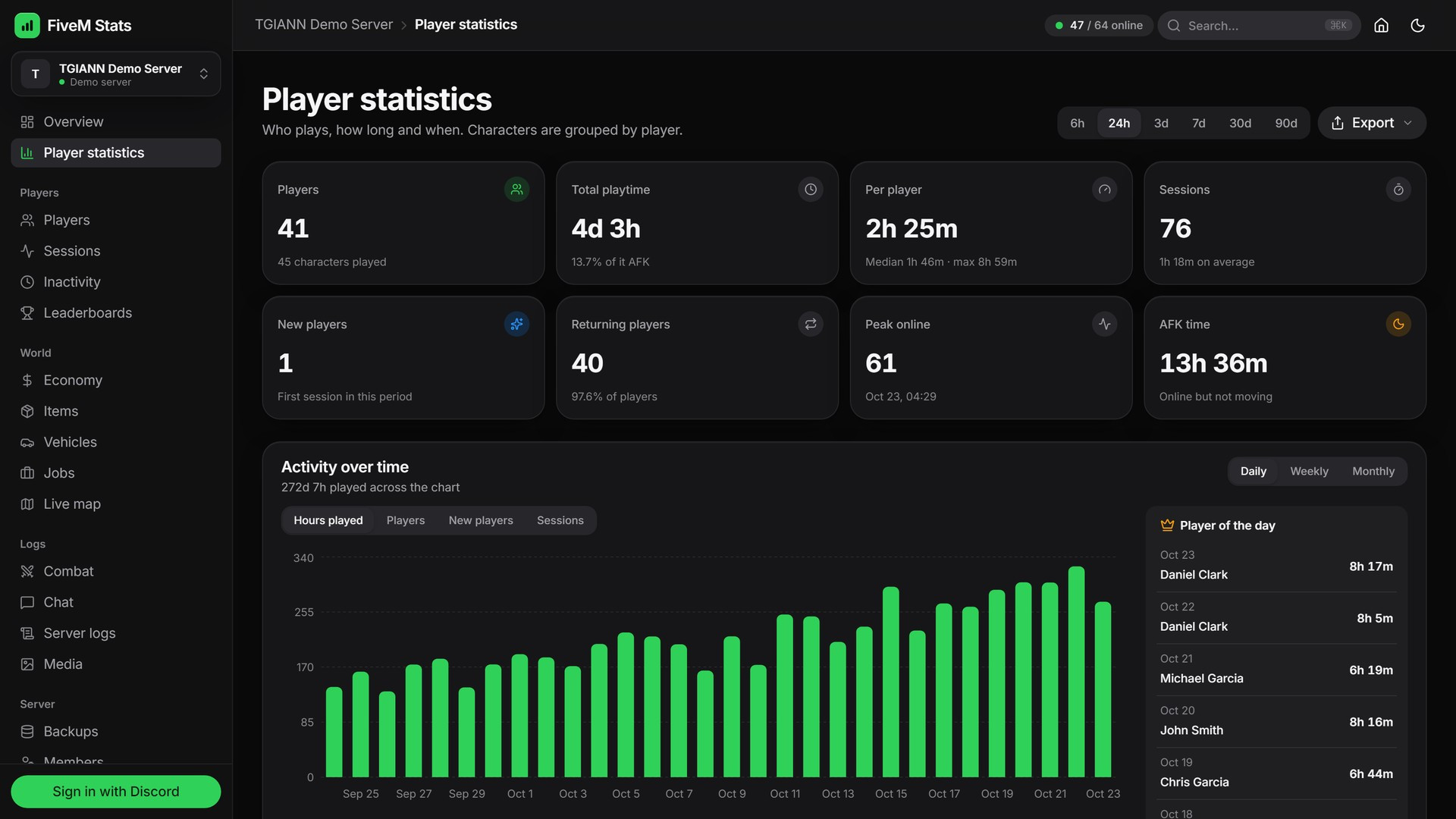
See who plays, how long and when. Characters are grouped by player, so playtime is counted across all of their characters.
New and returning players, total playtime, sessions, peak online and AFK time for any period.
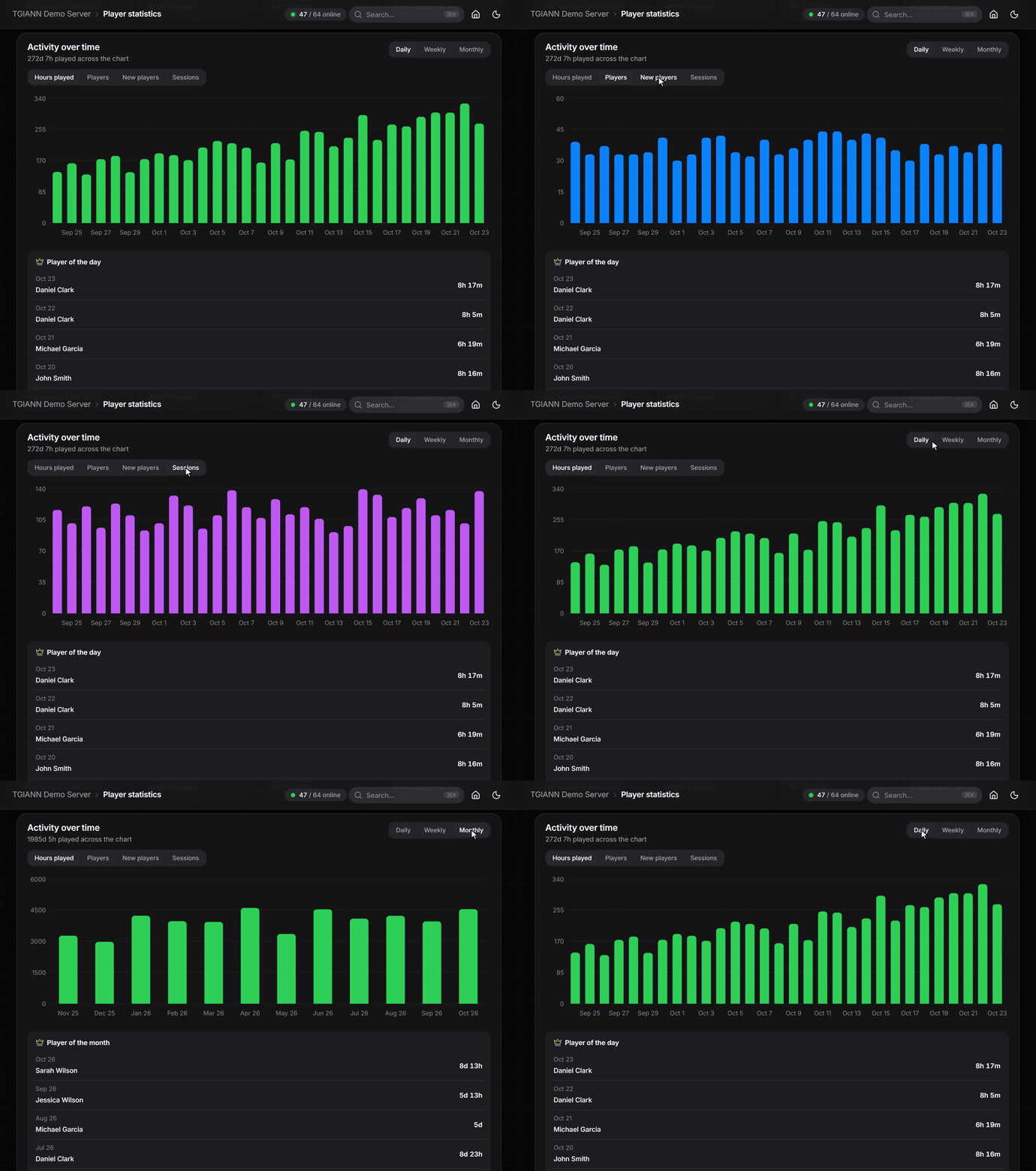
Activity over time shows hours played, players, new players or sessions daily, weekly or monthly, with the player of the day.
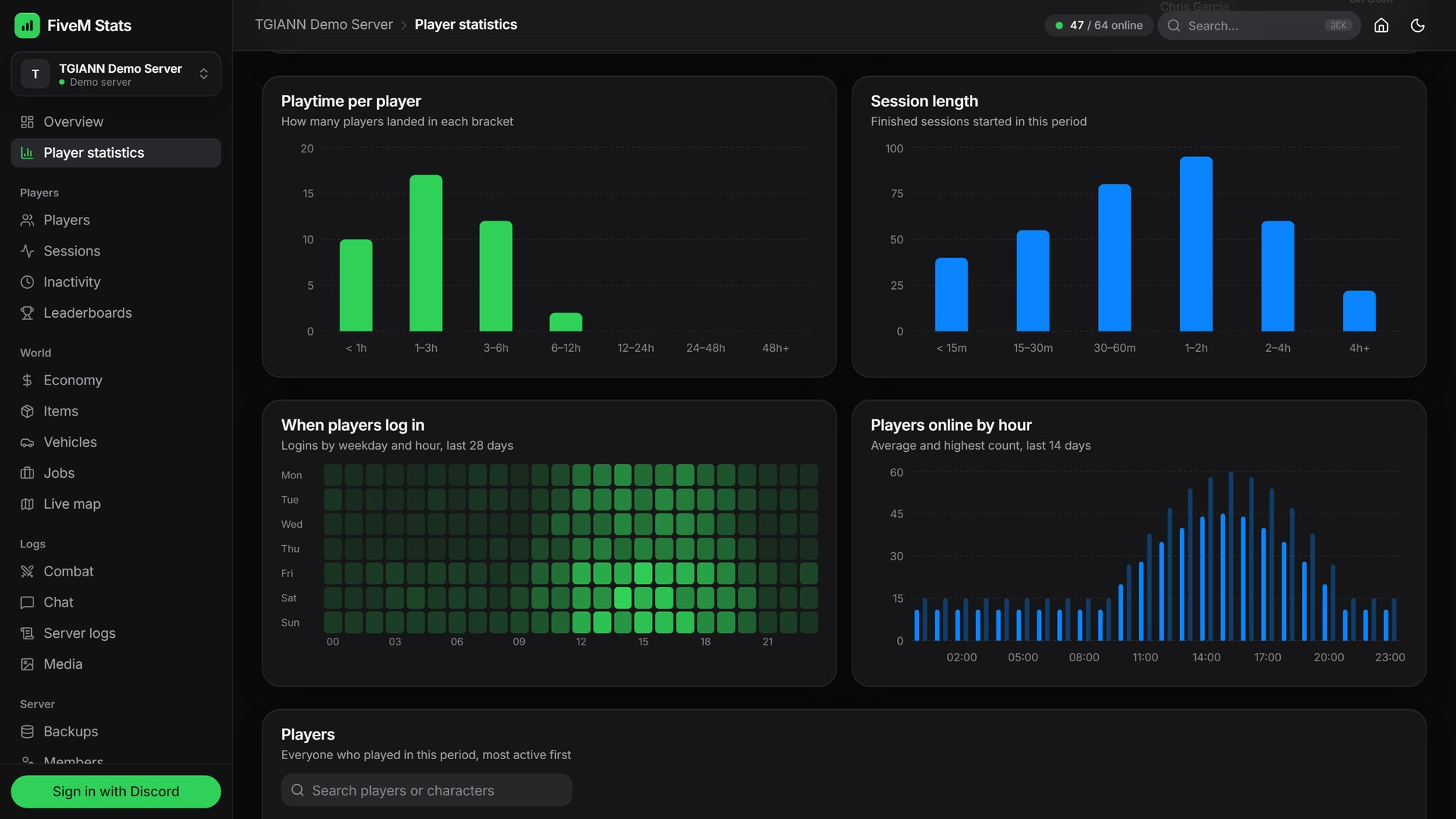
Playtime per player, session length, a login heatmap (day x hour) and players online by hour.
Players & Player Files
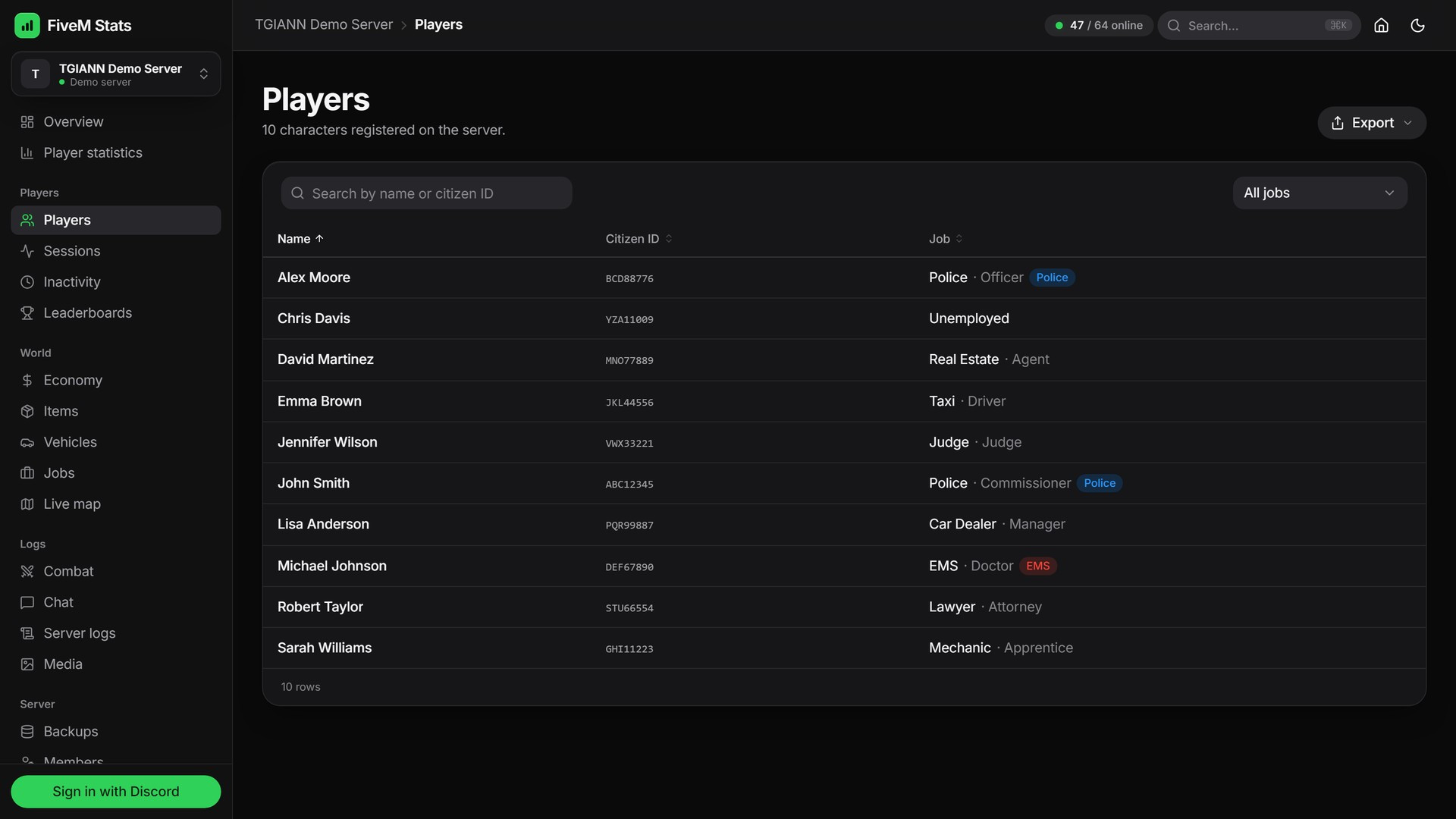
Every character with job, money and playtime, searchable by name or citizen ID.
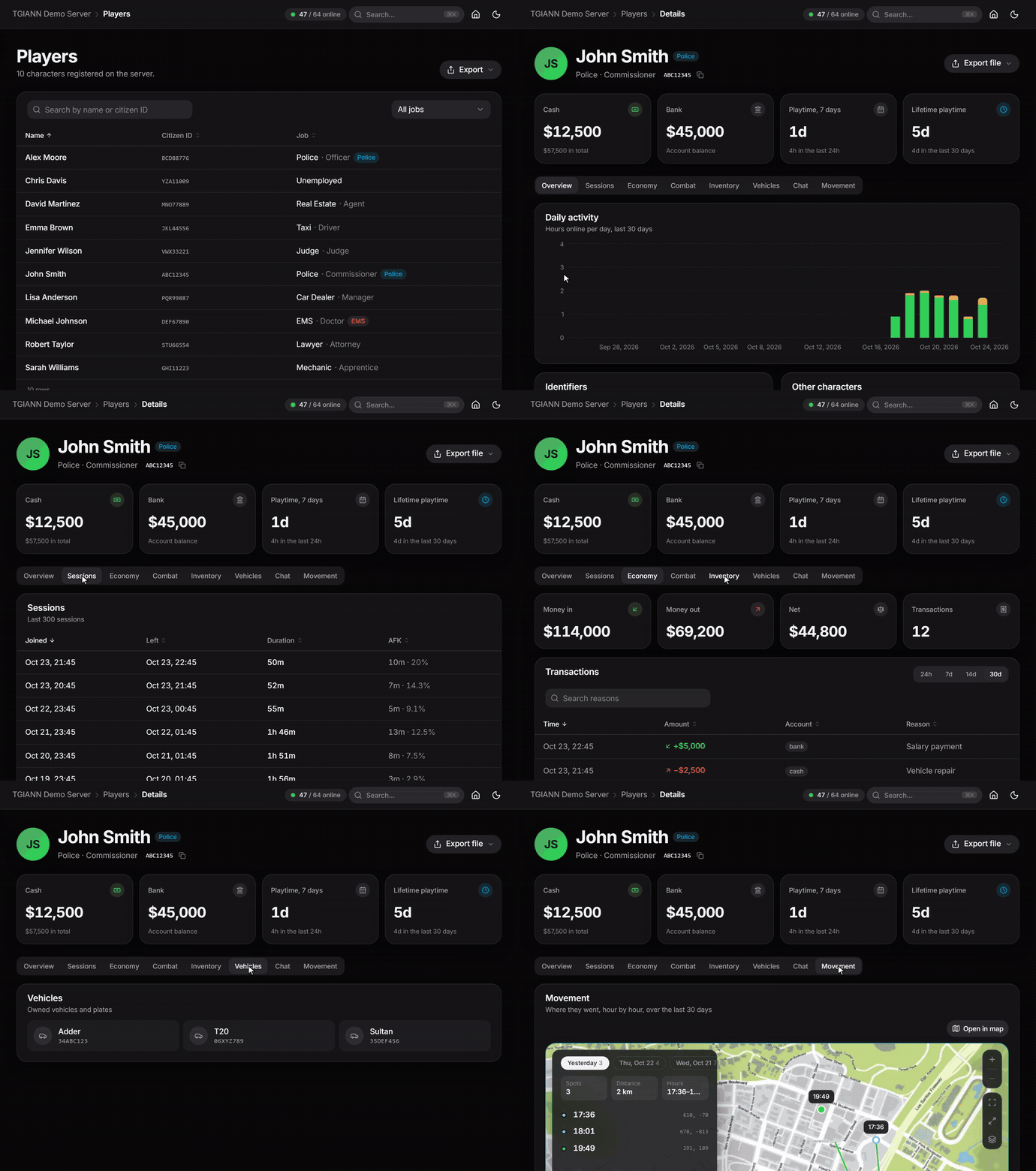
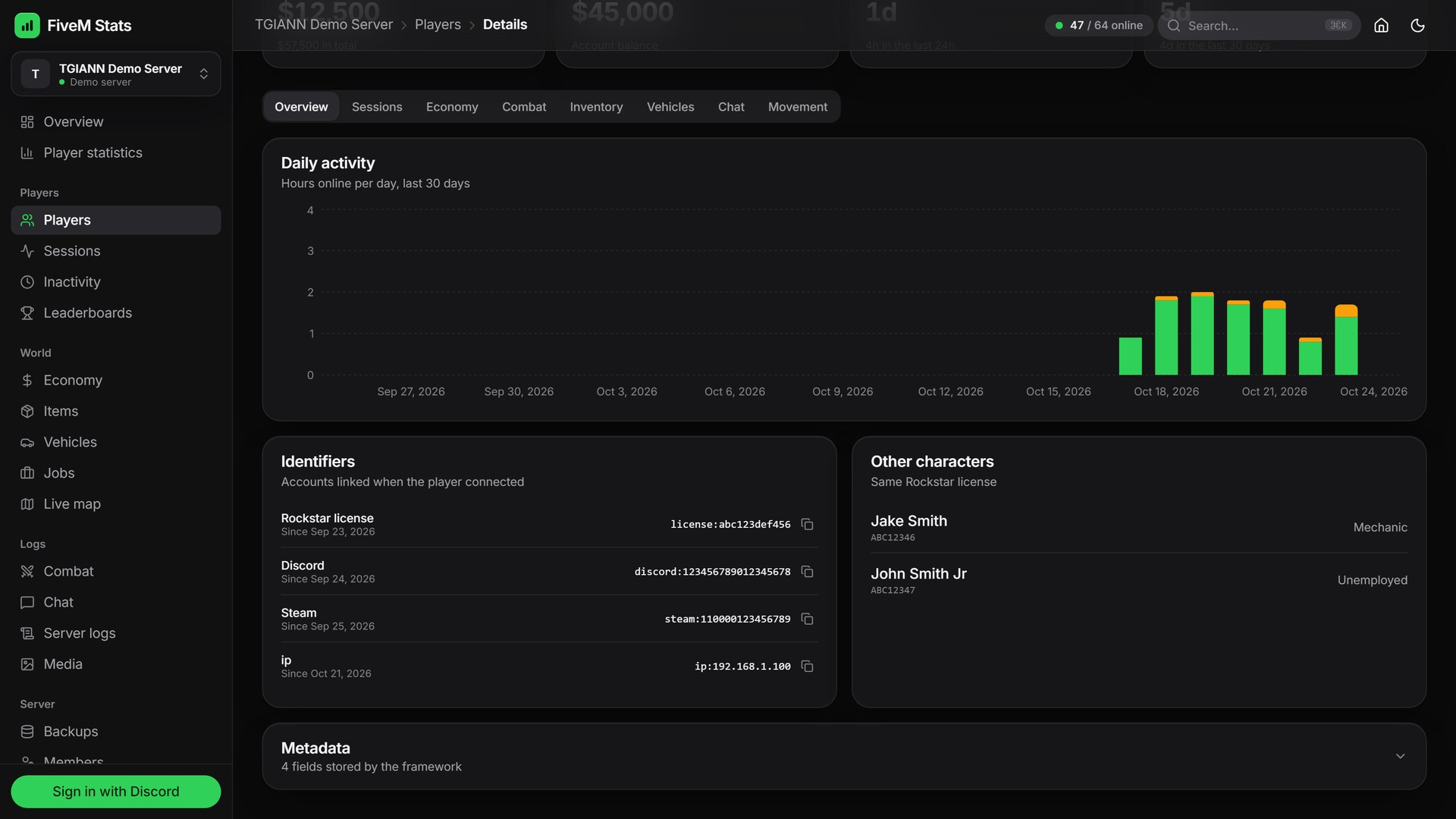
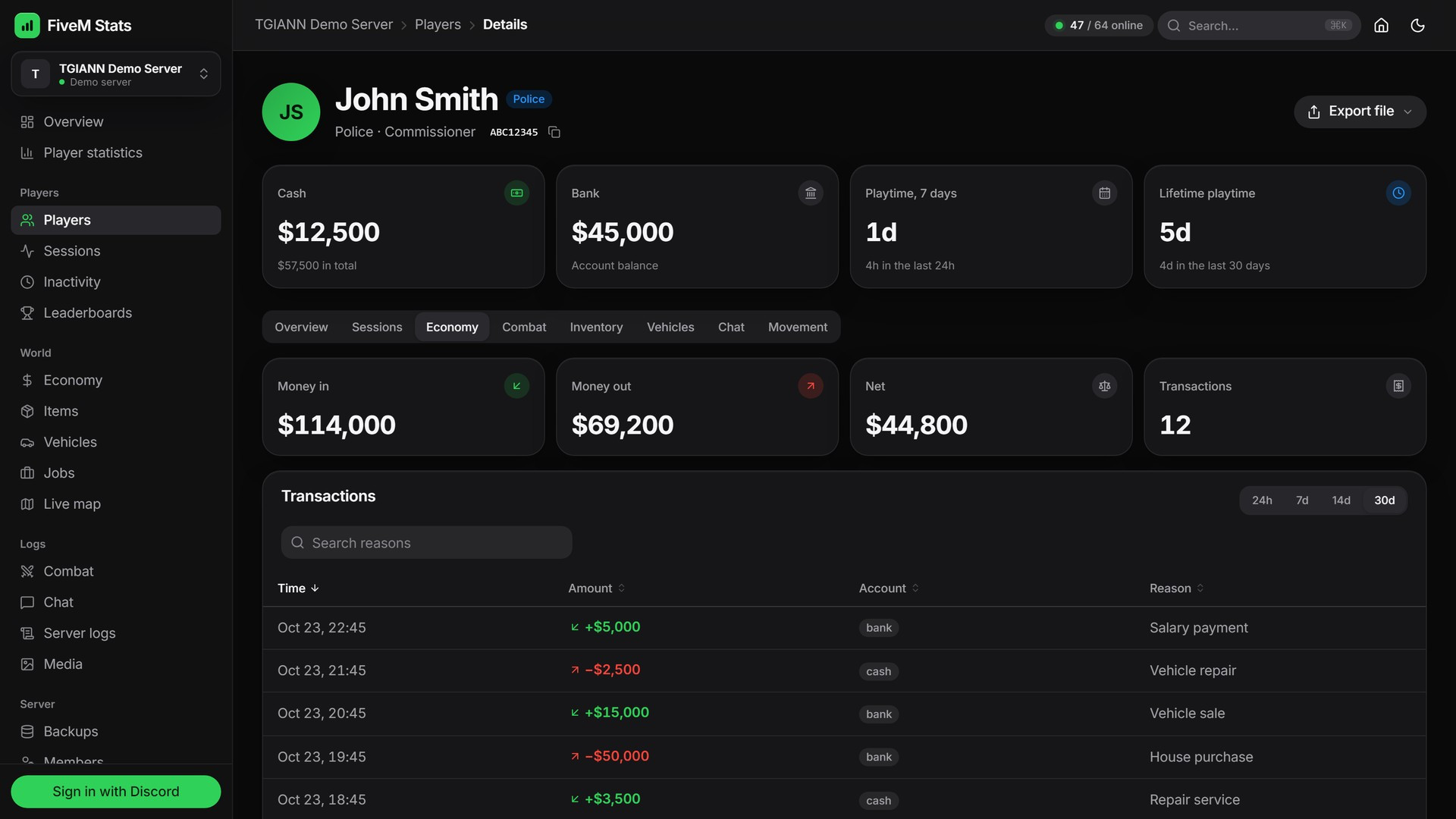
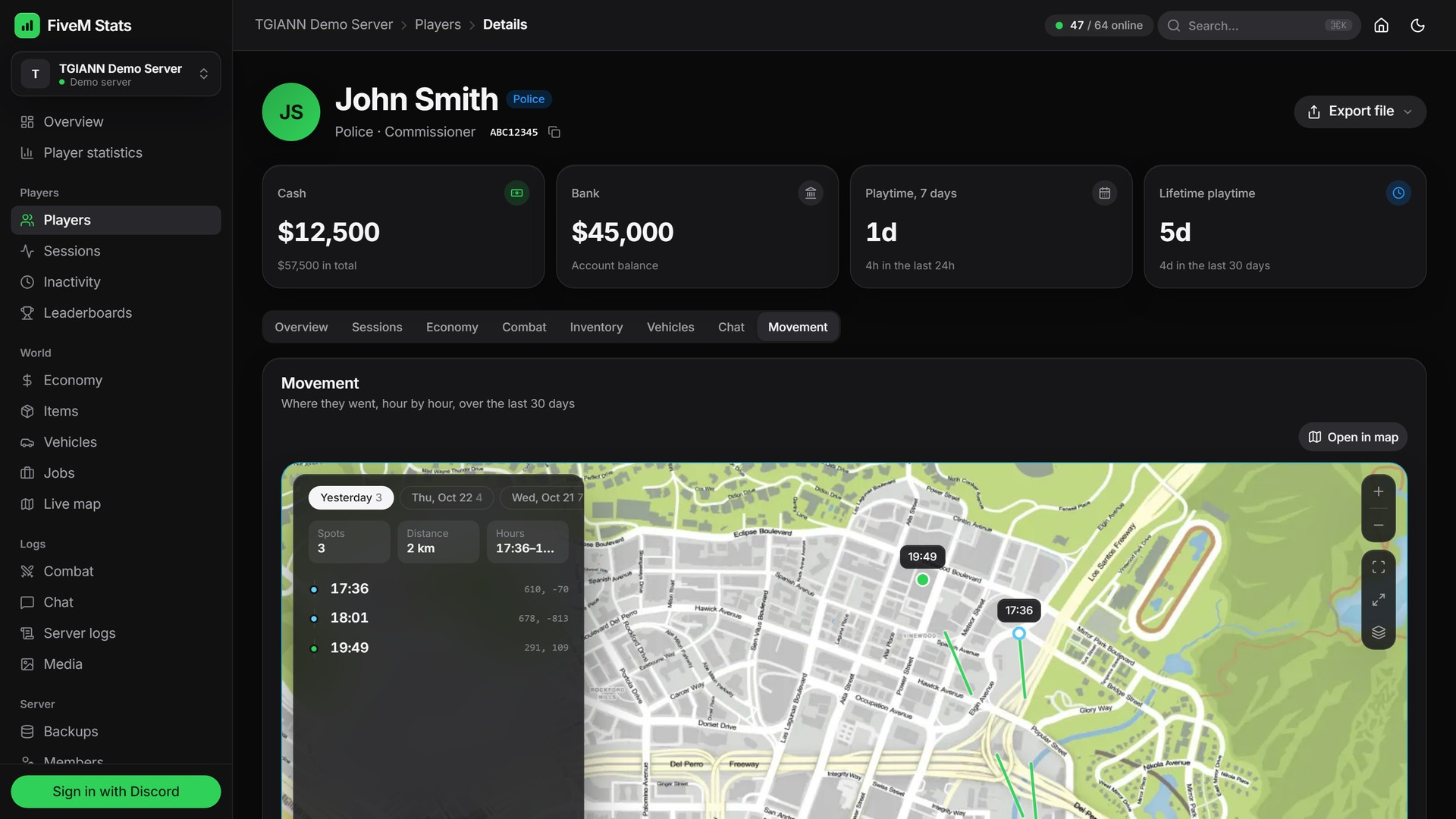
Each player has a full file: sessions, daily activity, money history, kills, inventory, vehicles, chat and their route on the map.
Identifiers (license, Discord, FiveM) and the player's other characters on the same license are listed on the same page.
The whole player file can be exported as a PDF.
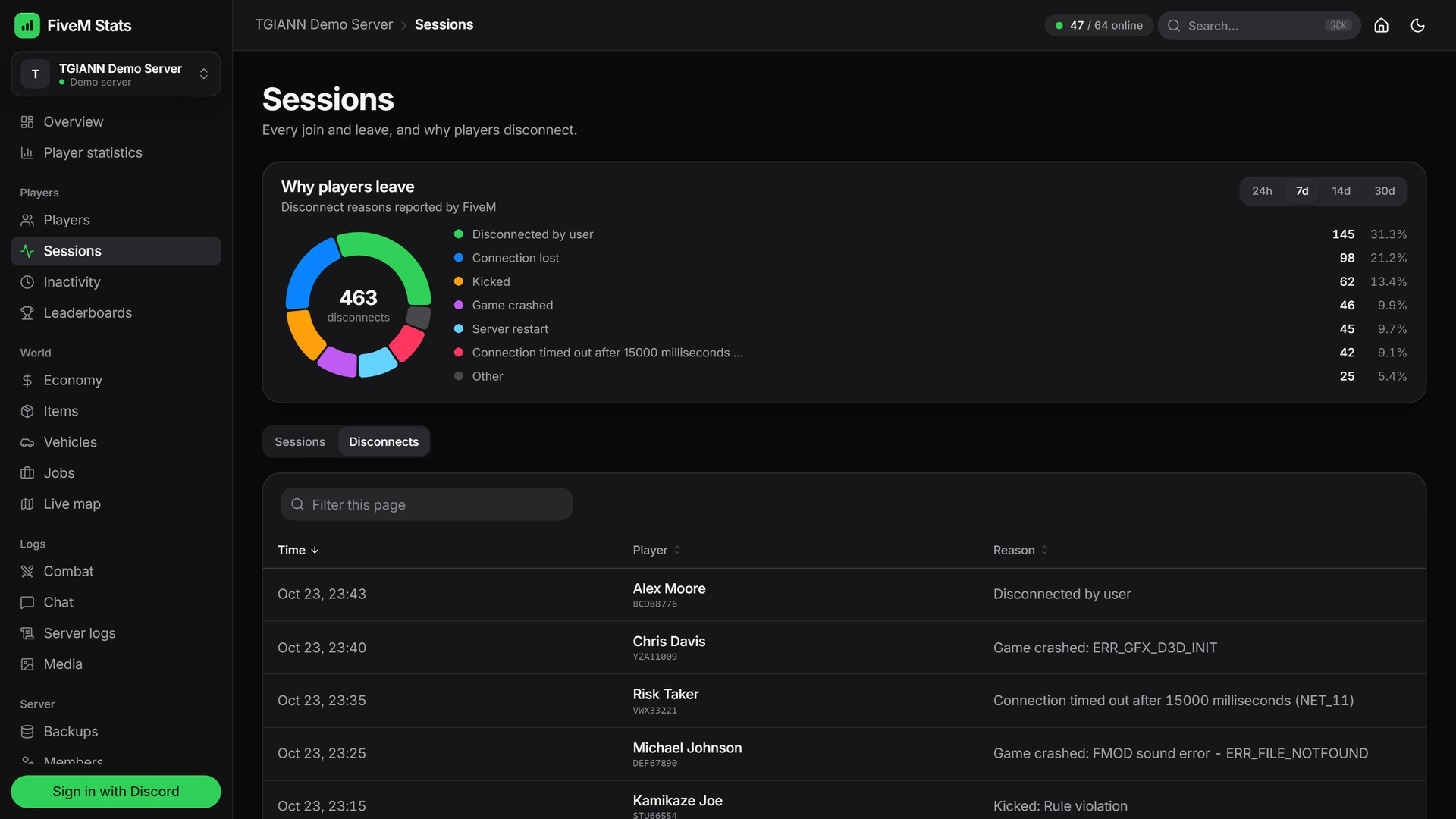
Sessions & Disconnects
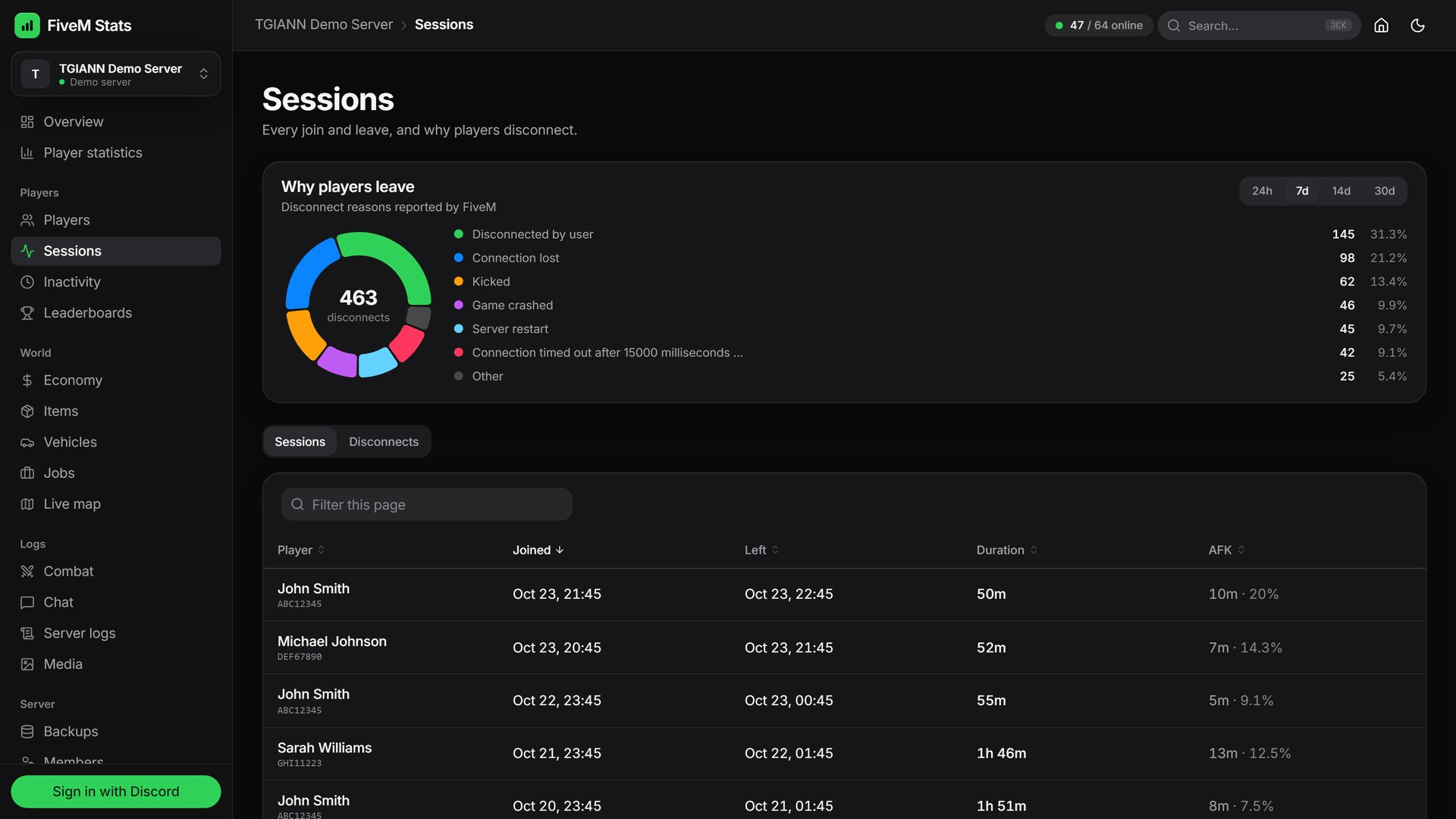
Every login and logout with its duration and active and AFK time.
Why players leave: disconnect reasons reported by FiveM are ranked, so crashes and timeouts are easy to spot.
Inactivity Reports
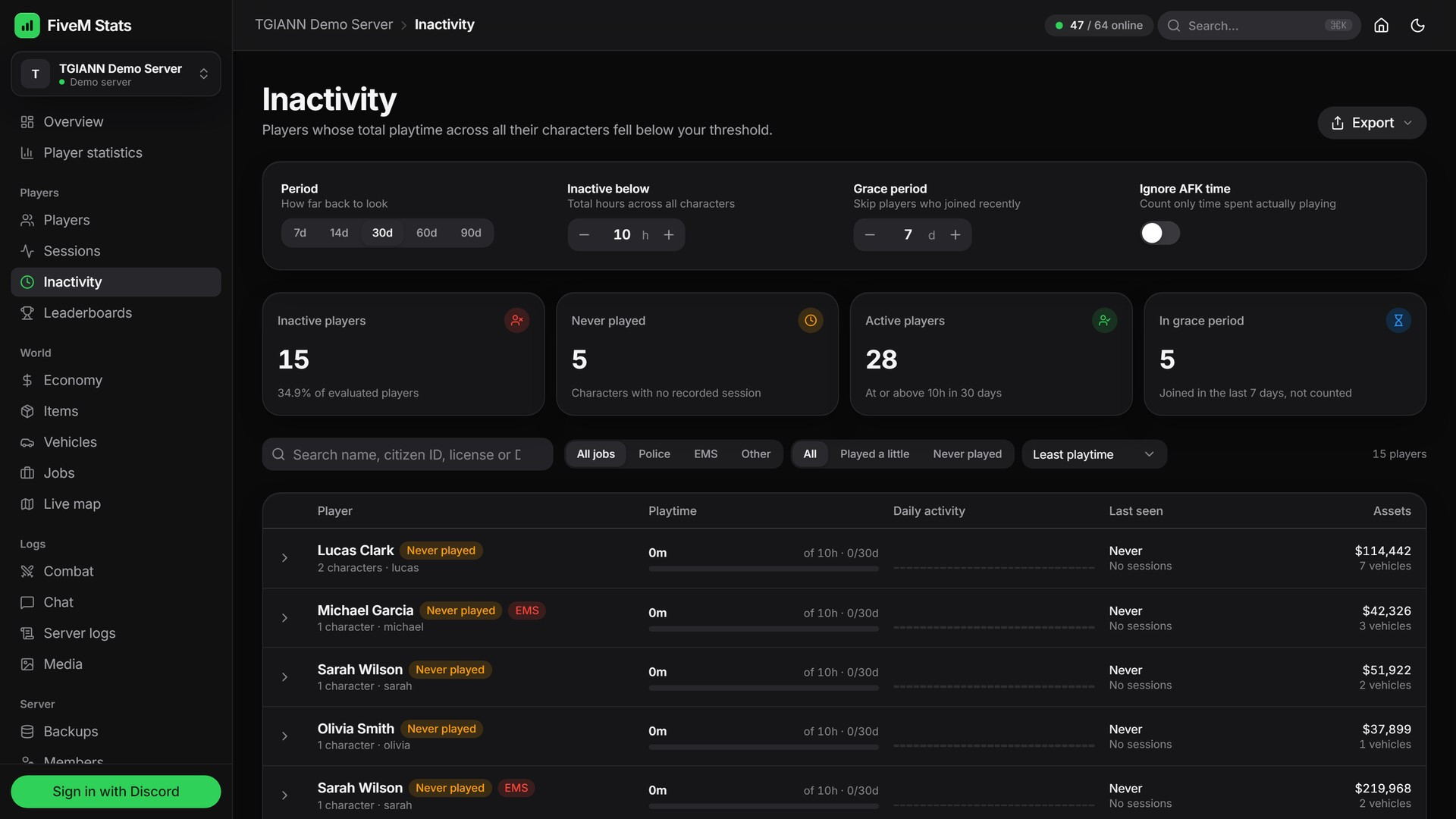
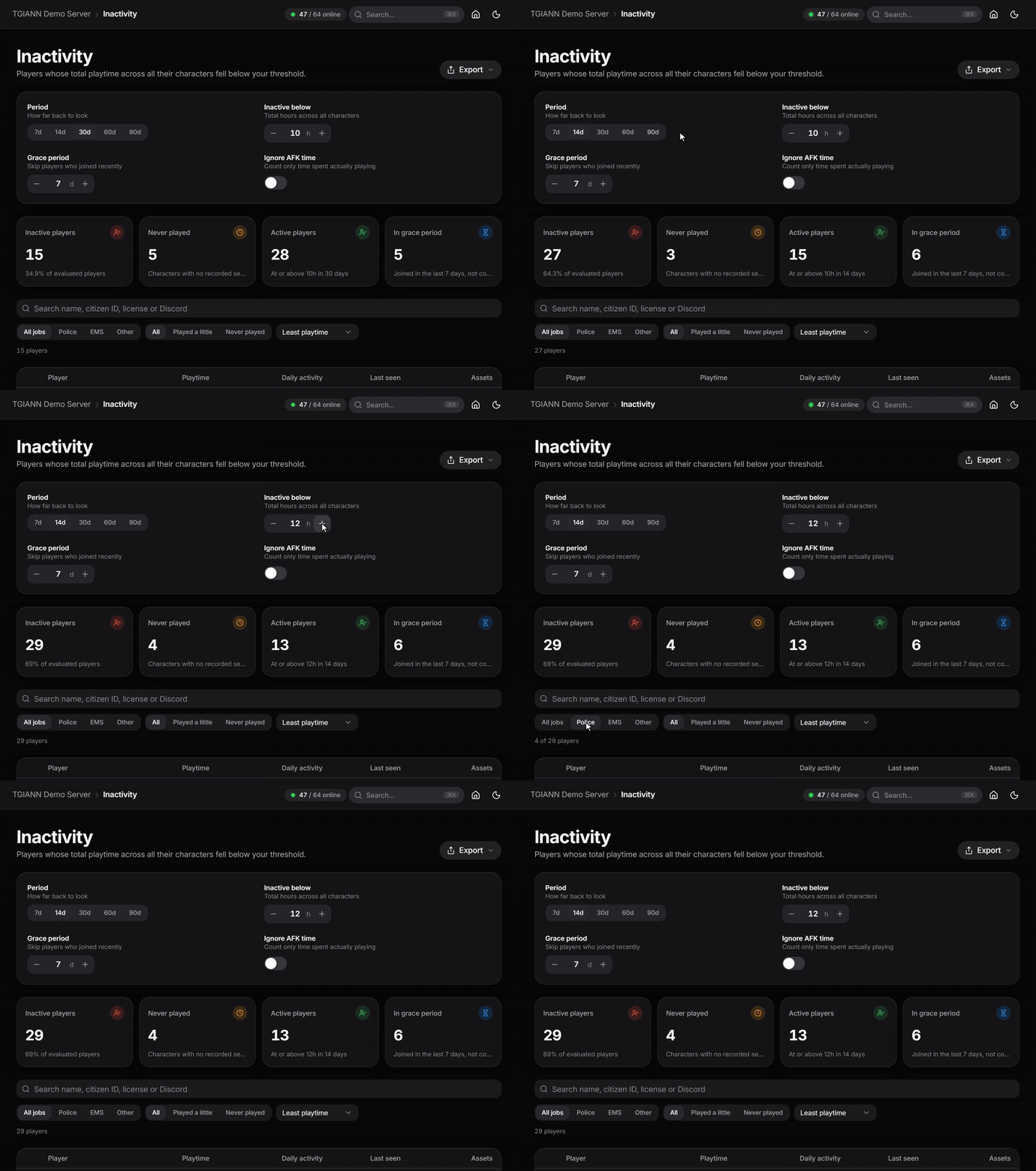
See who stopped playing. Set a period and an hour threshold, skip players who joined recently and choose whether AFK time counts.
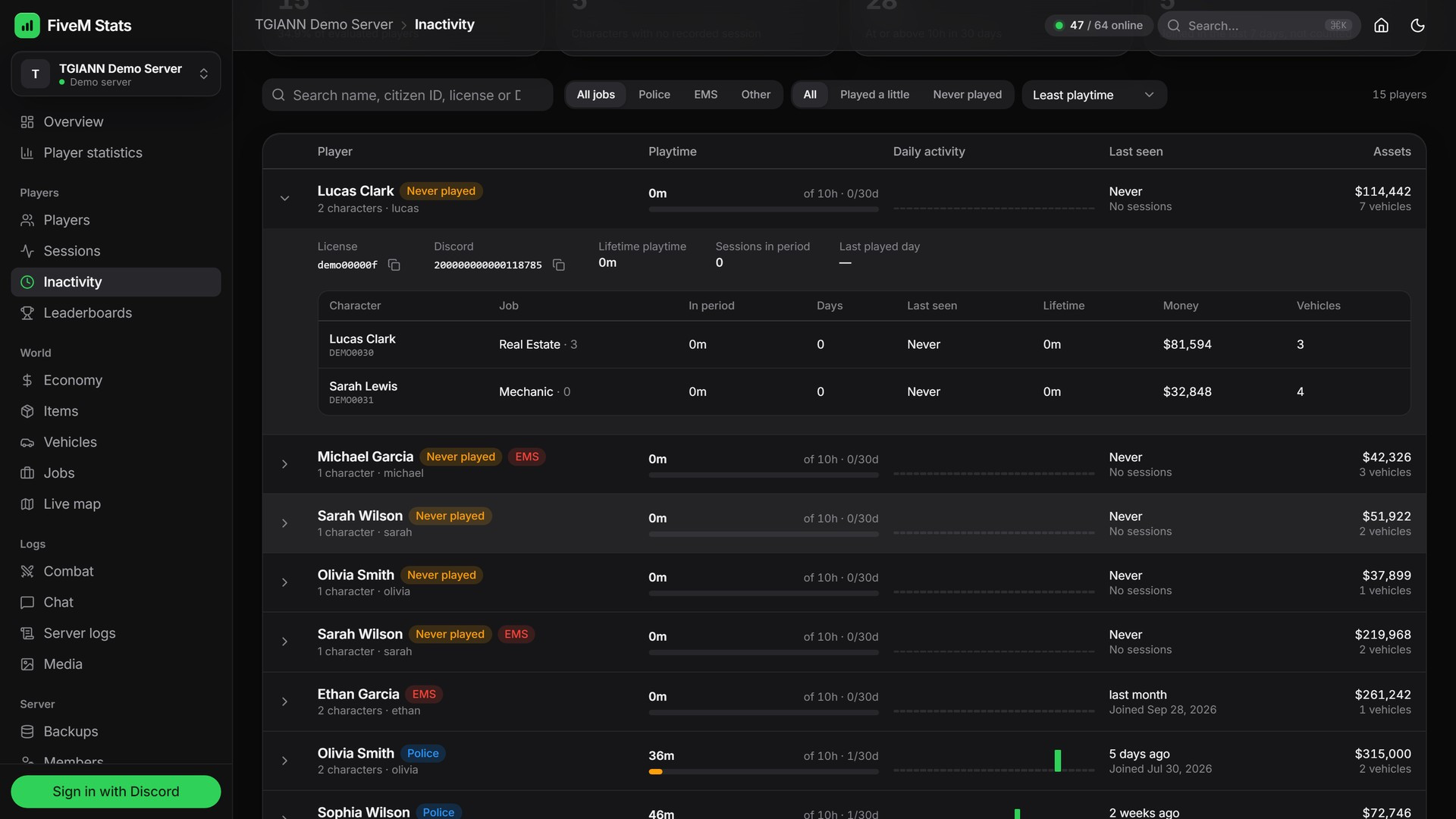
Filter police, EMS and other jobs, or players who never played or played a little.
Open a player to see all of their characters, playtime and assets.
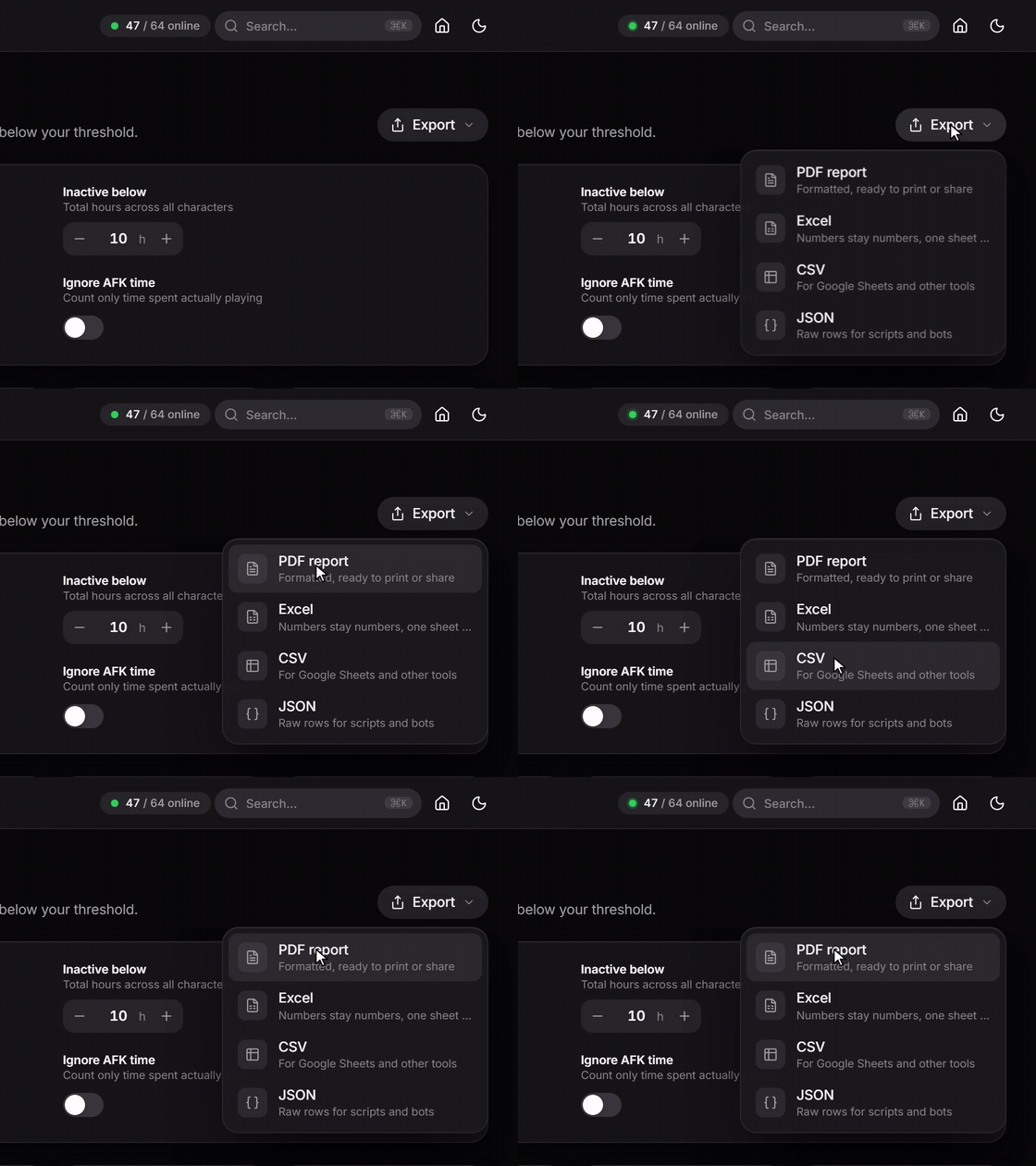
Export the list as a PDF report, Excel or CSV. This makes staff activity checks and whitelist clean-ups much easier.
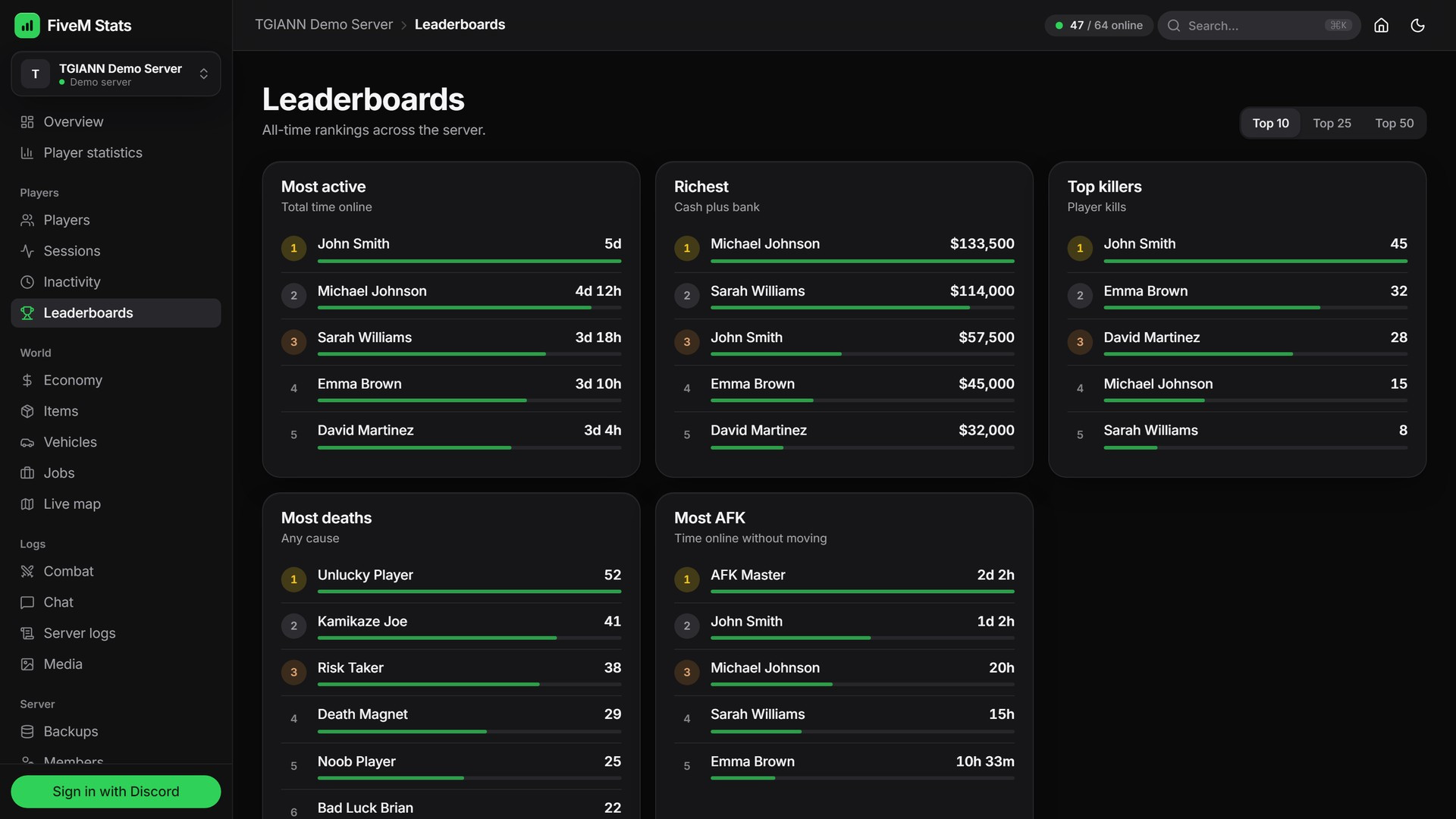
Leaderboards
All-time rankings: richest, most kills, most deaths, most playtime and most AFK.
Show the top 10, 25 or 50.
Economy
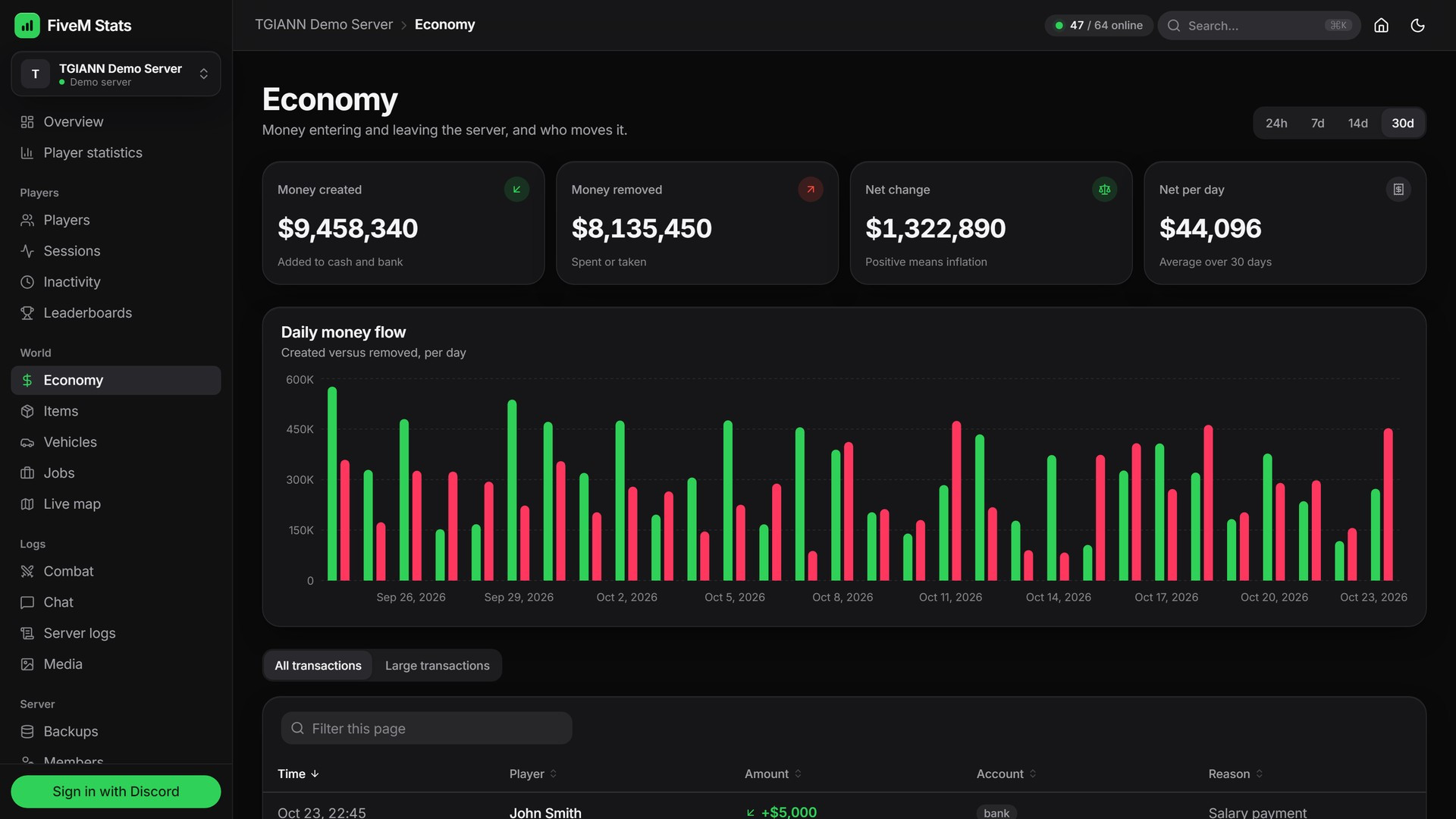
Money flow: money created versus money removed per day, net change and net per day.
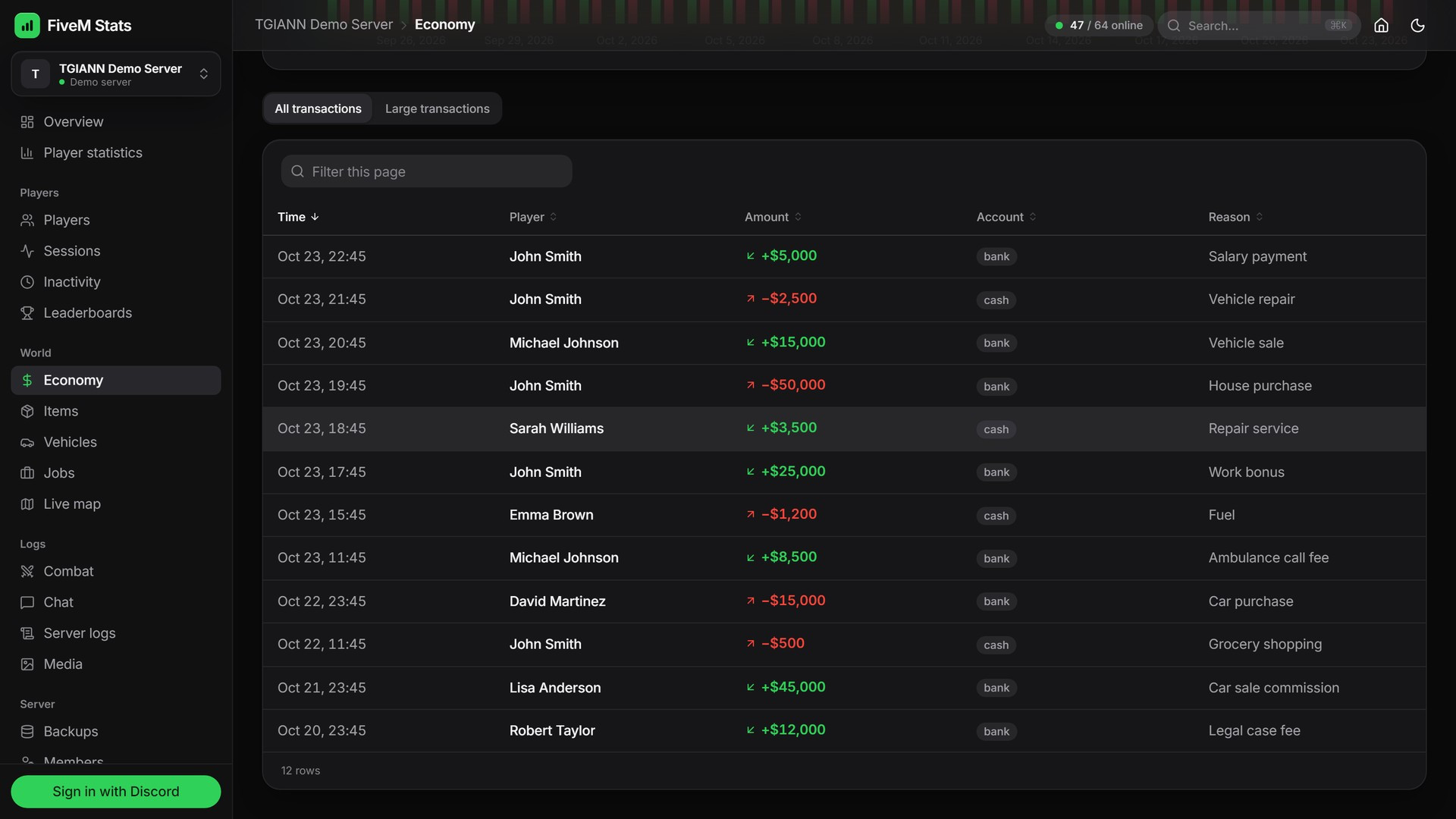
Every transaction with its player, account and reason.
A large transactions view above an amount you pick, to spot exploits and dupes quickly.
Vehicles, Jobs & Items
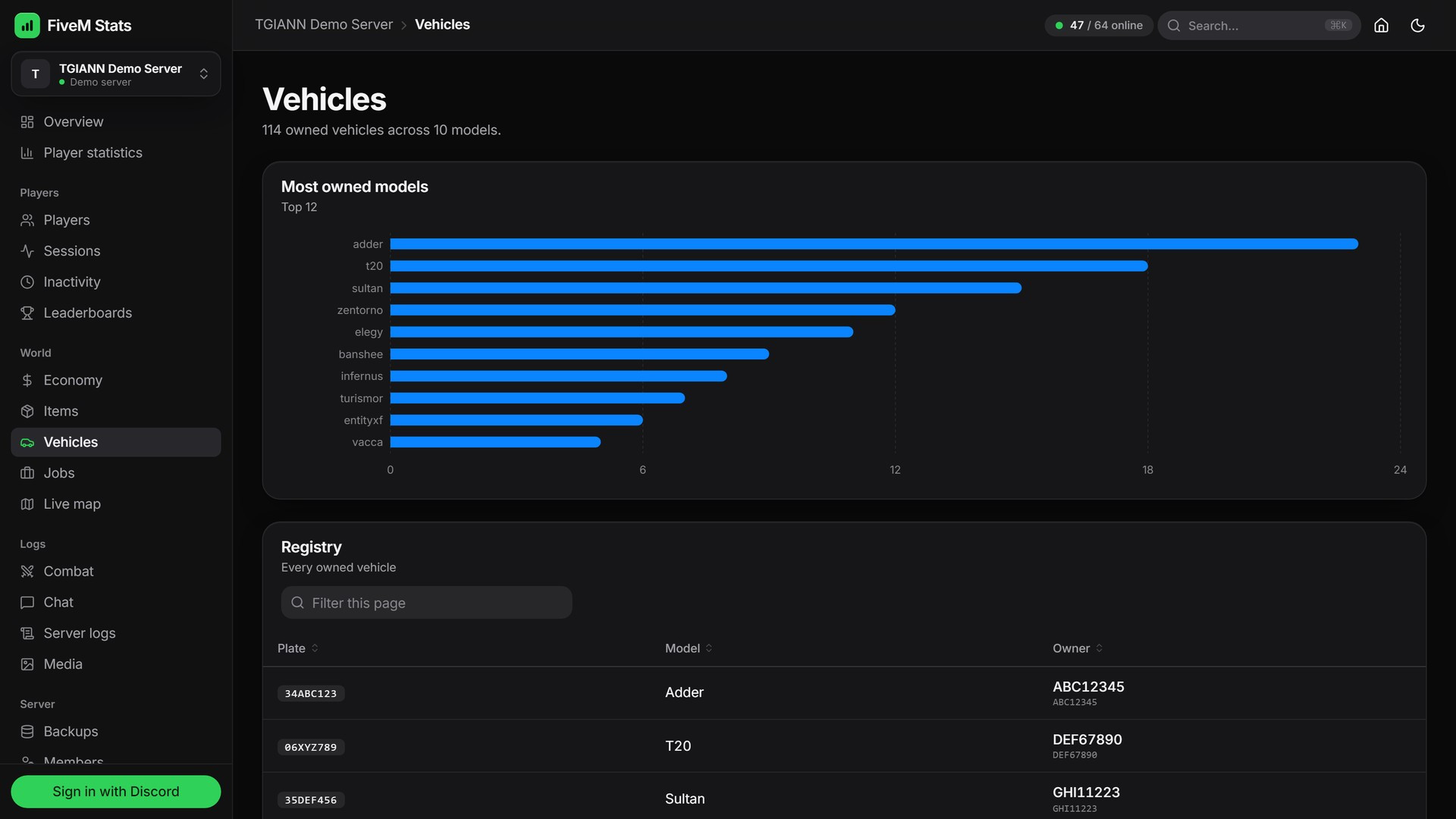
Vehicles: the registry of every owned vehicle (model, plate, owner) and the most owned models.
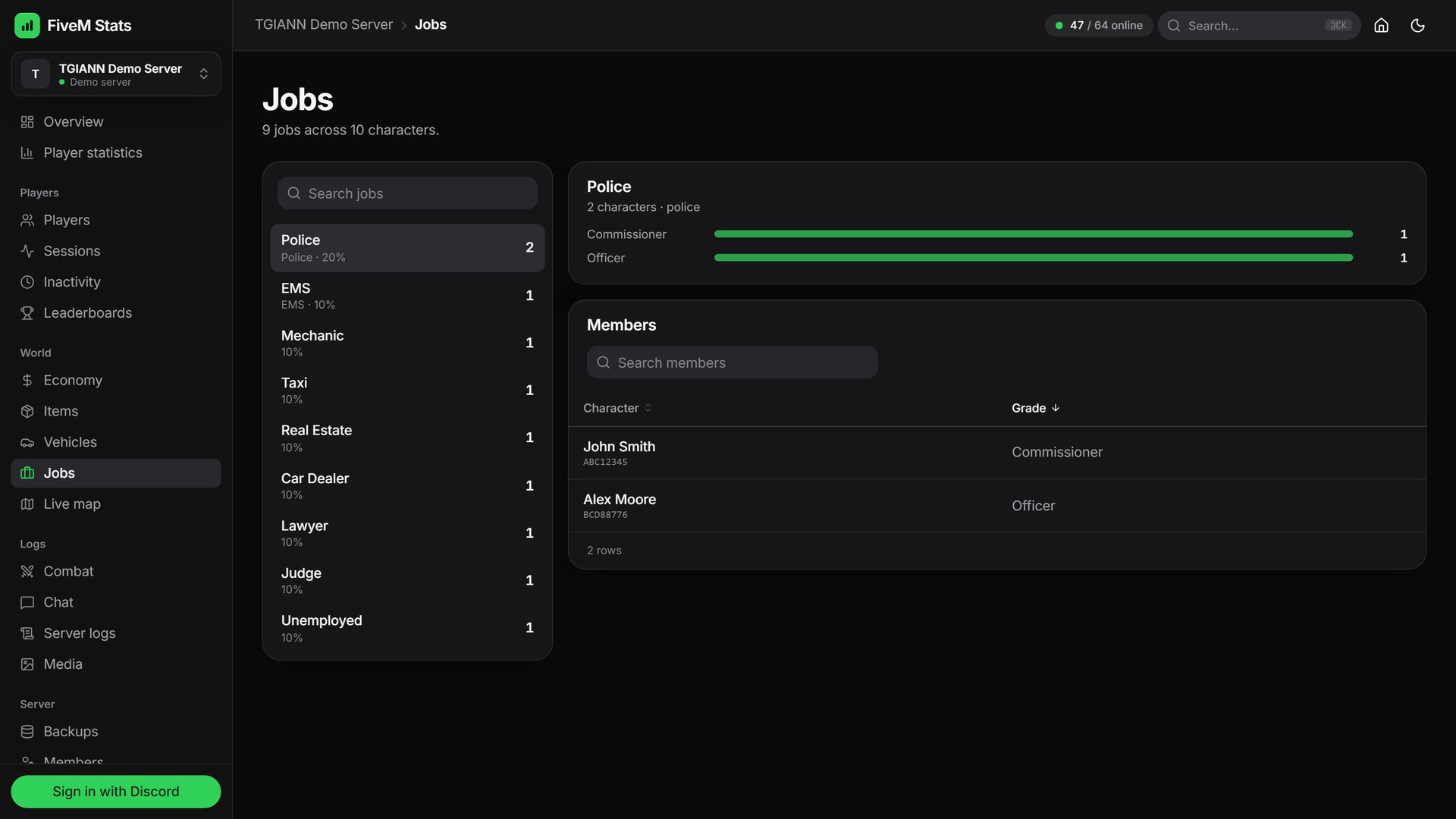
Jobs: job and grade distribution across characters, with the members of each job.
Items: how many of every item exists on the server and who holds them. Clothing and other noise can be ignored from the settings.
Live Map
Every player's position live on the GTA map, filtered by everyone, on foot, driving or AFK.
Click a player to follow them and see their speed, ping, server ID, health, armor and coordinates.
History shows a heatmap of where players have been. Route shows the path a single player took, hour by hour.
Combat
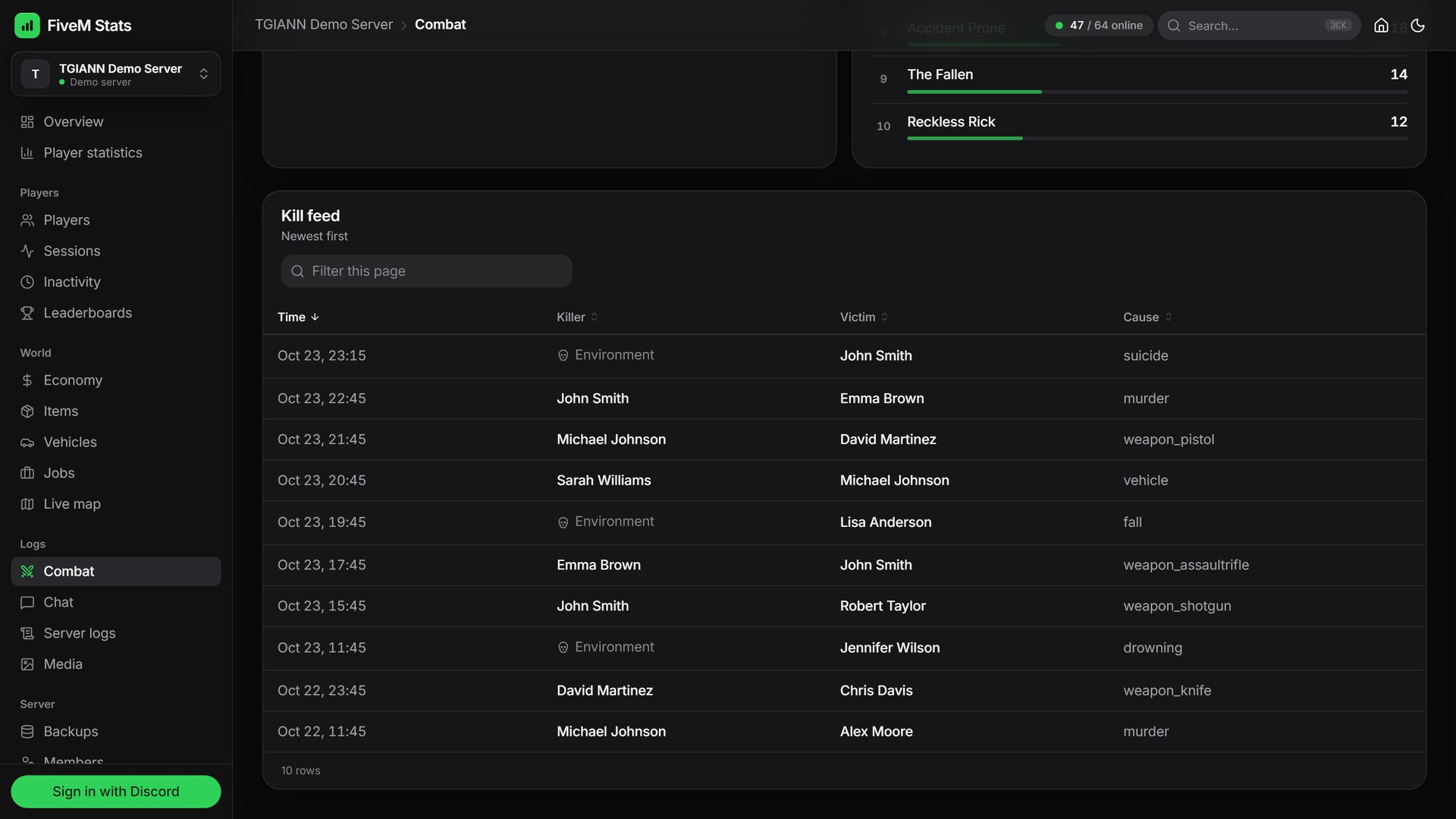
A kill feed with killer, victim, cause and time.
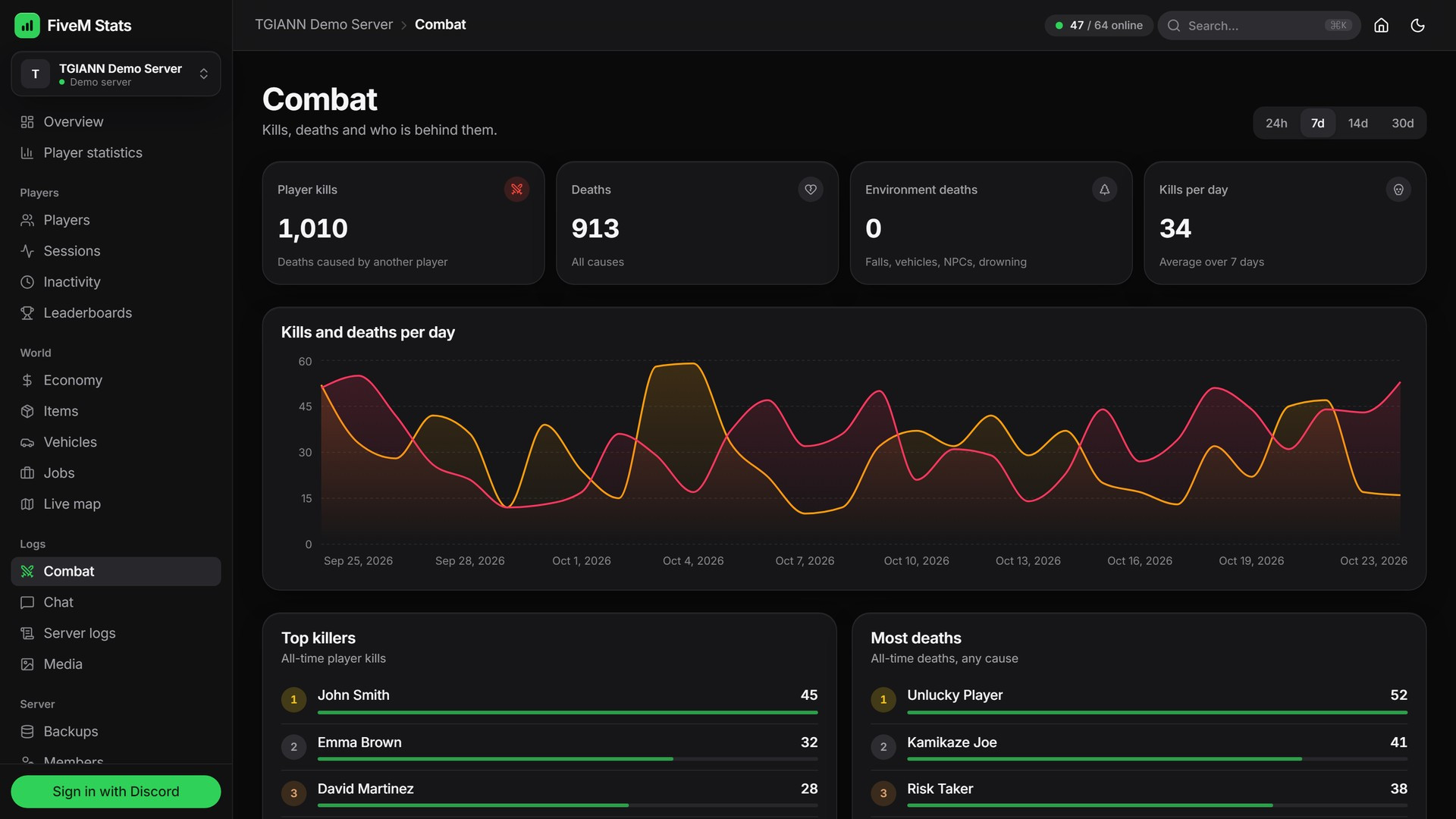
Kills and deaths per day, top killers and most deaths.
Chat
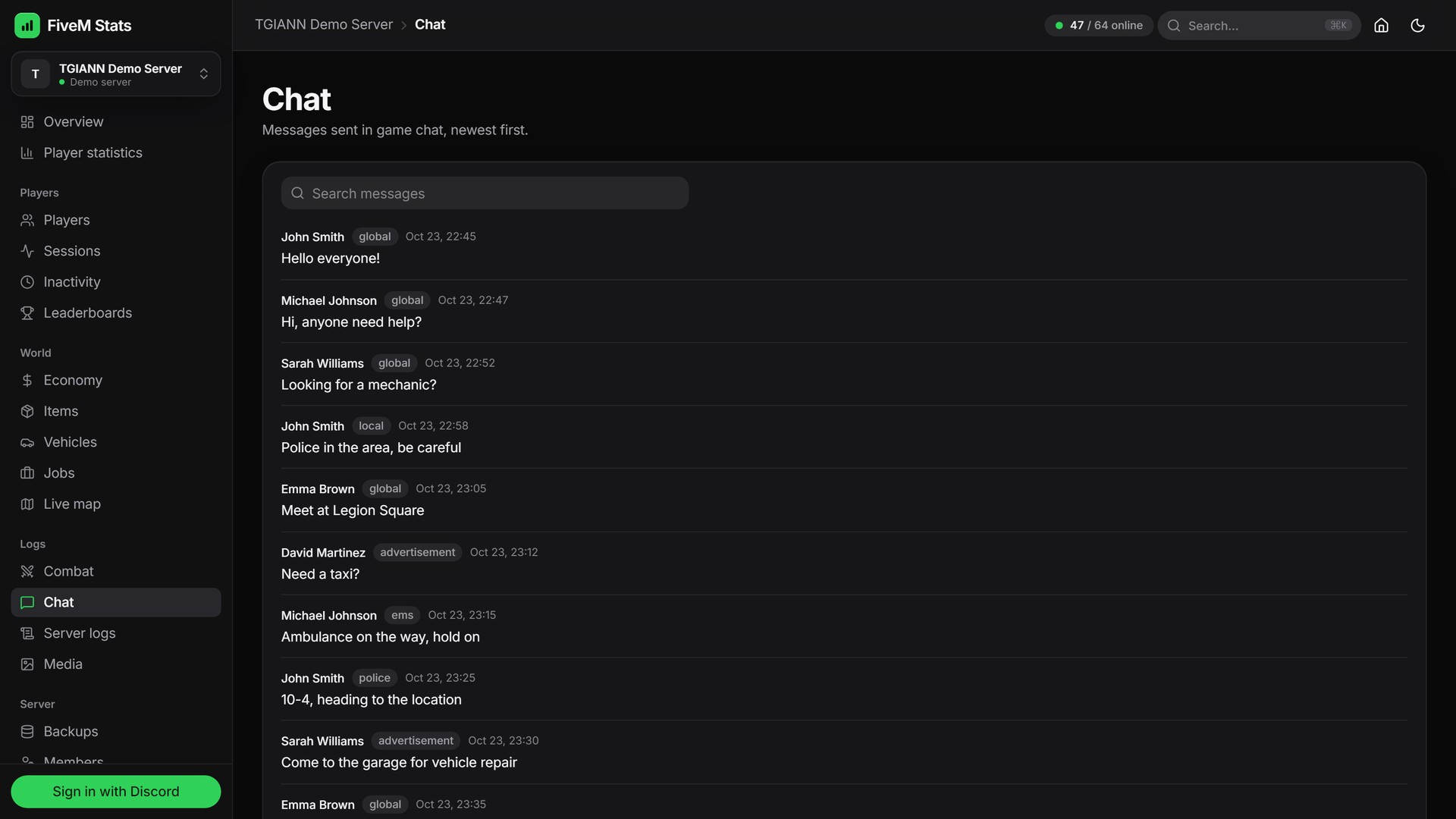
Searchable in-game chat history with the channel and time of every message.
Staff Members & Permissions
Share the panel with your staff. Invite them by their Discord account, there is no limit on staff accounts.
Choose exactly which pages each person can open, page by page. A moderator can see logs and media without seeing the economy, for example.
Media has a second switch, Upload, move and delete files, so a moderator can look at screenshots without being able to delete them.
No database access is handed out. Staff only get a web login with the pages you allow.
Live Settings (No Restart)
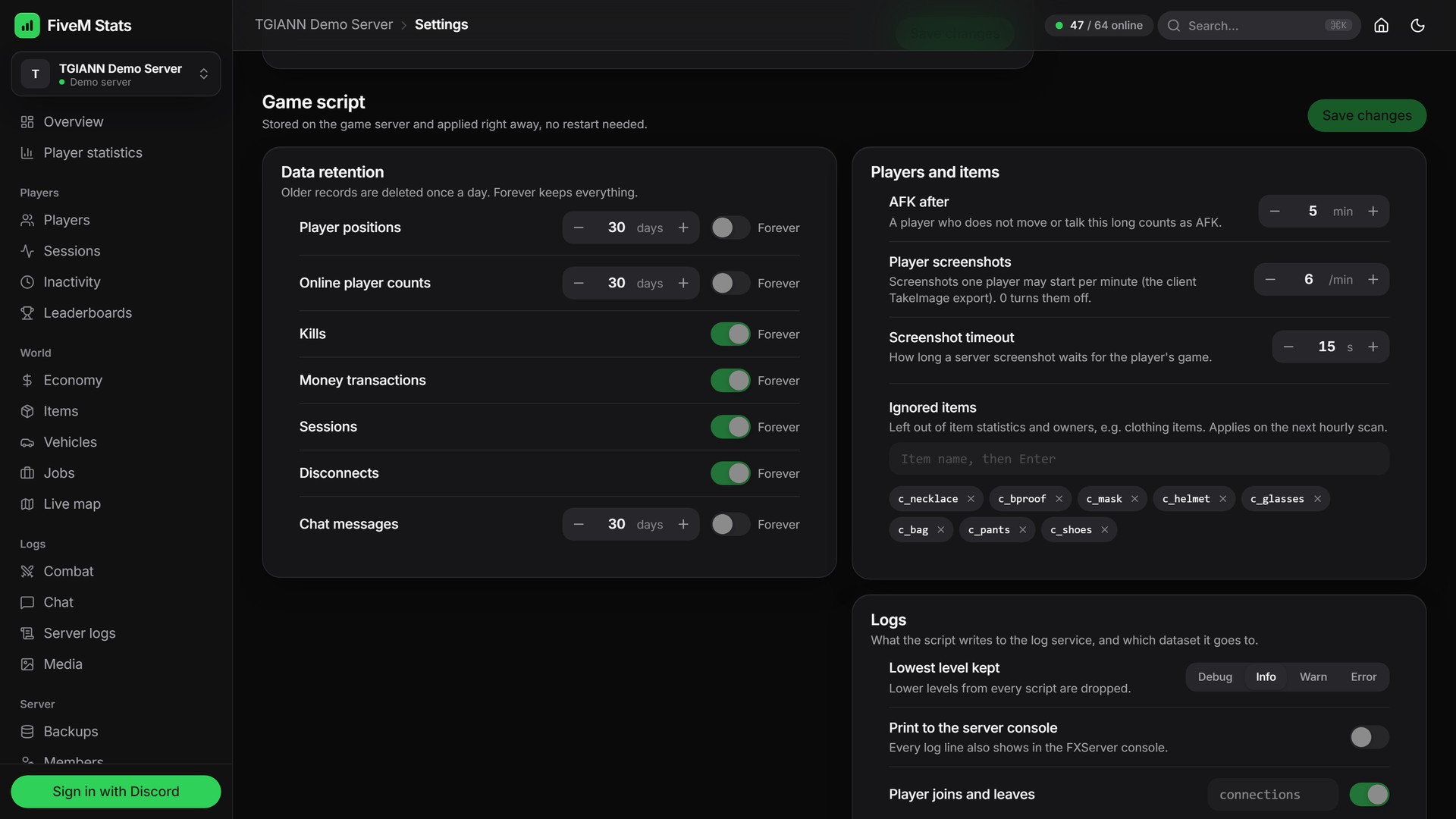
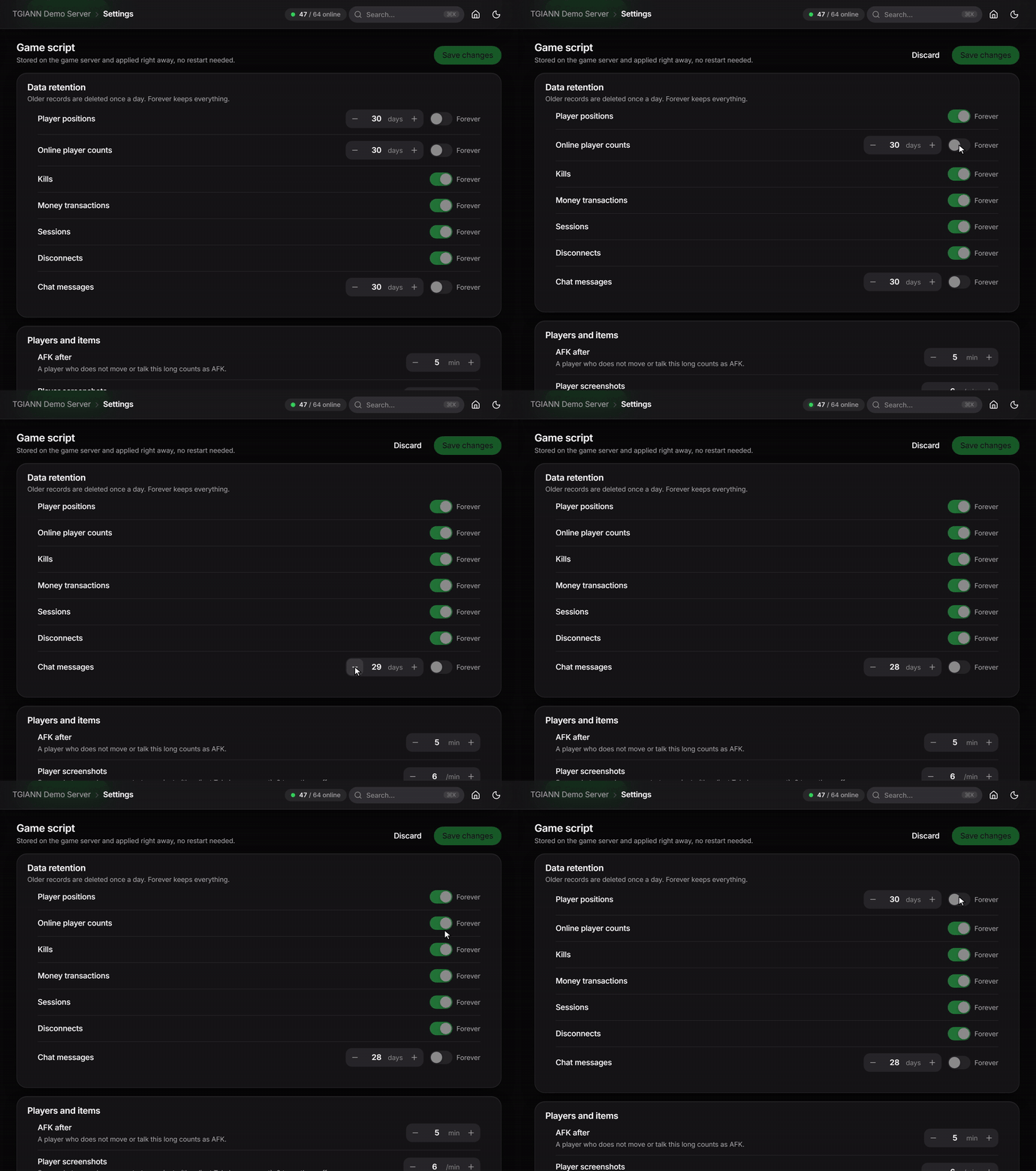
The game script's own settings are edited from the panel and applied on the game server at once, without a restart.
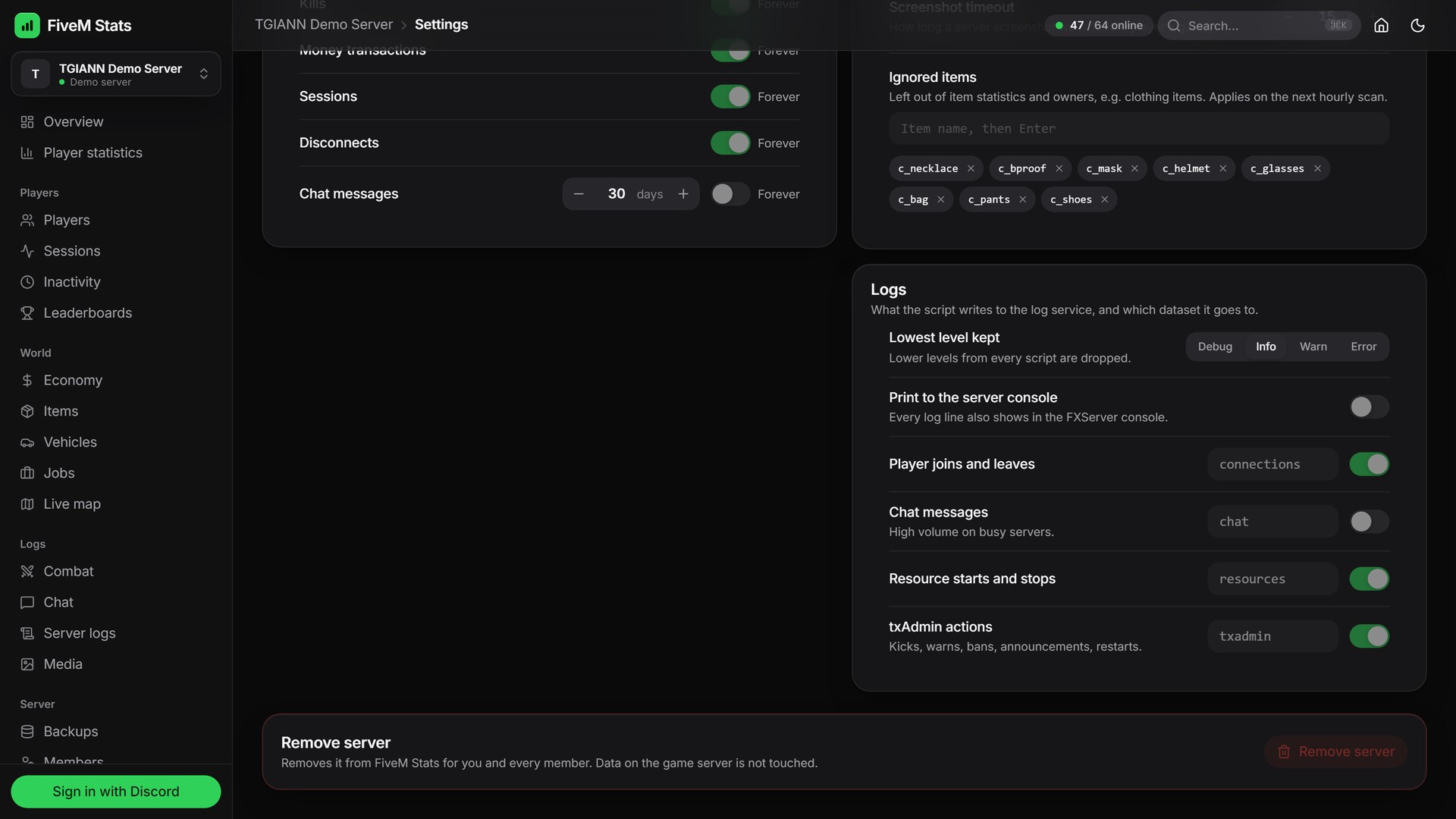
Data retention: choose how long each kind of data is kept (player positions, online counts, kills, money transactions, sessions, disconnects, chat), or keep it forever.
AFK time, ignored items, screenshot limits (how many screenshots one player may start per minute) and the screenshot timeout.
Logs: the lowest level that is kept, printing to the server console, and which automatic events are logged into which dataset.
Media storage: how many days images, videos and audio are kept, the image quality, and the public address when files are served through your own domain.
Settings that need a step on your server (HTTPS, a domain) link straight to the guide in the docs.
Exports & Command Menu
Inactivity reports, player statistics, player files and most lists export to PDF, Excel, CSV or JSON in one click.
Press
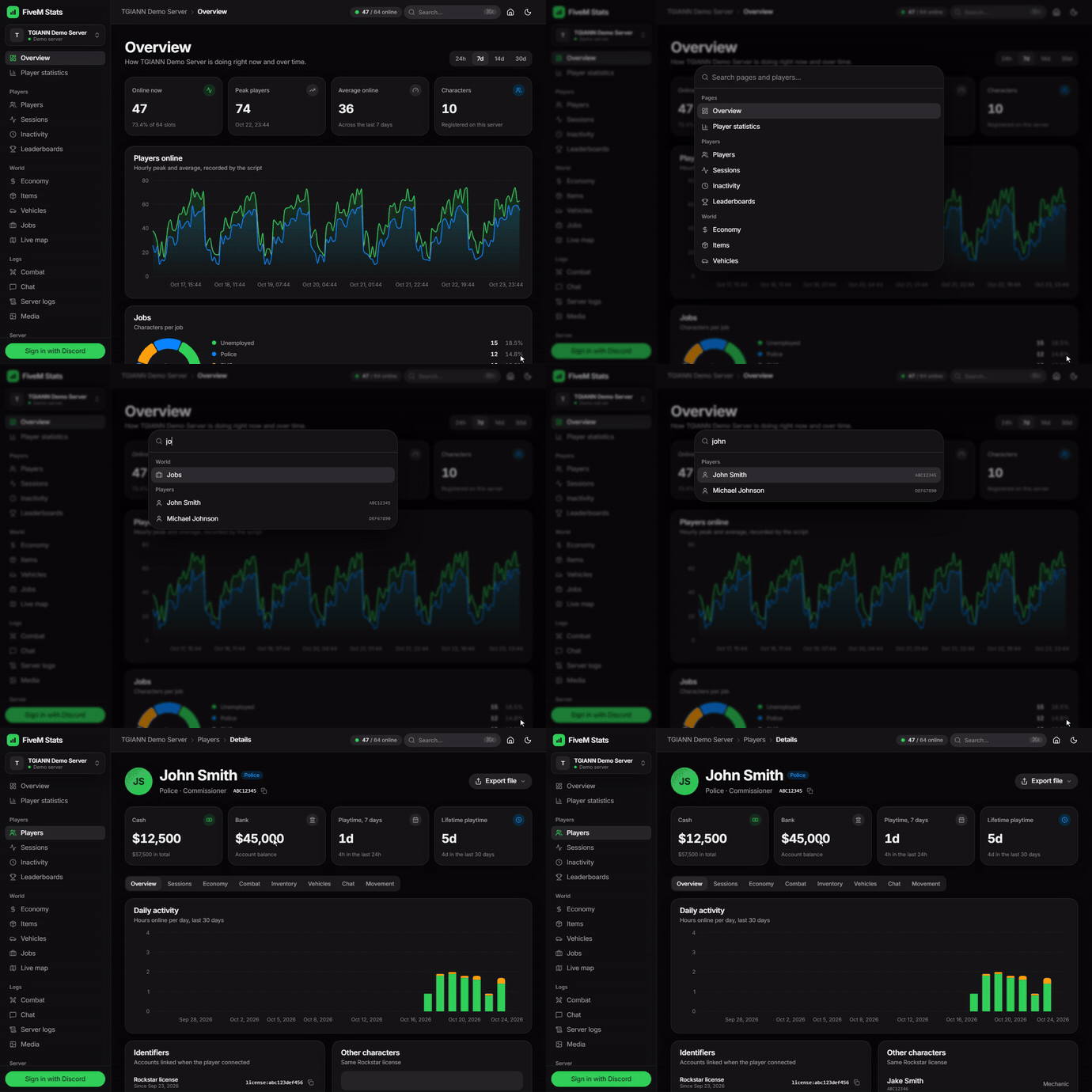
Ctrl + K(⌘ Kon Mac) to open the command menu and jump to any page or find any player.Light and dark themes are included.
Easy Setup
1. Add
tgiann-fivem-stats-scriptto your resources, turn on FXServer's HTTP server and set your secret key inserver.cfg. The panel can generate a strong key for you.
set sv_enableHttpServer true
set tgiann_stats_secret_key "your-long-random-secret"
ensure tgiann-fivem-stats-script
2. Restart. The resource detects your framework (ESX, QB-Core or QBox) and its tables, starts its own media and log service next to FXServer and imports older stats once.
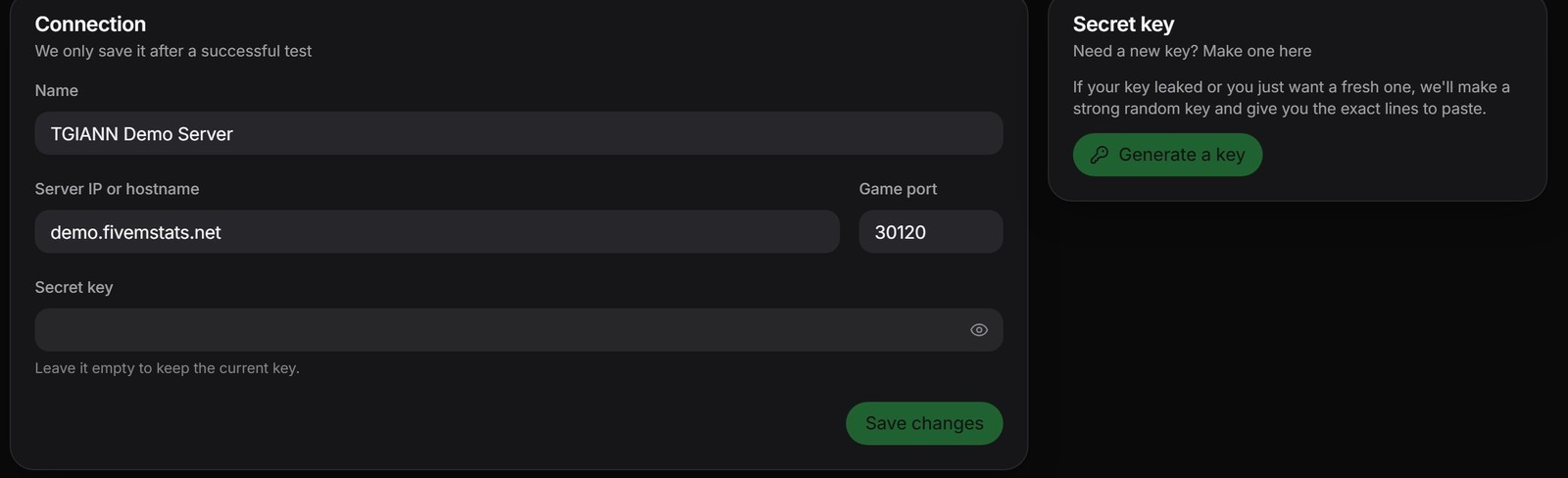
3. In the panel, add your server with its IP, game port and key. The connection is tested before it is saved. Then invite your staff.
The docs walk through every step, including HTTPS and your own domain with Cloudflare Tunnel.